
UGREEN DisplayPort to HDMI 0.66FT
4.8Editor score
Supports 4K at 30Hz
Handles 1080p at 120Hz
Slim braided cable design
Unidirectional DisplayPort output
This HDMI to Displayport Converter guide compares 10 adapters for 4K performance, compatibility, build quality, power needs, and ease of use.
An HDMI to DisplayPort converter bridges two very different display connections, allowing an HDMI source to work with a DisplayPort monitor or television. A useful adapter must convert the signal correctly, preserve acceptable picture quality, fit the source device, and support the resolution and refresh rate required by your setup.
The products in this guide were compared using their stated specifications, directional support, resolution capabilities, audio features, power requirements, connector design, compatibility notes, and customer ratings. The list includes active and passive designs, short adapters and cable-style models, plus one two-pack for users connecting multiple computers.
Each review explains where a converter is strongest, identifies important limitations, and clarifies the source and display combinations it supports. Specifications can vary by source hardware, display, graphics card, and connected cable, while current prices and promotions may change, so verify every requirement before buying.
4.8Editor score

5.0Editor score

4.4Editor score
This comparison covers ten HDMI-to-DisplayPort and DisplayPort-to-HDMI products, highlighting direction, maximum resolution, power requirements, construction, and the hardware combinations each model is intended to support. Direction is especially important because most converters in this category operate in only one direction.



The Highwings 4K DisplayPort to HDMI Adapter is a unidirectional passive adapter rated 4.6 by customers. It is designed for computers, laptops, and graphics cards with DisplayPort output, making it useful when the destination monitor or television offers only HDMI. Its headline capability is 4K UHD at 30Hz, with backward support for 1440p at 60Hz and 1080p.
We may earn a commission when you buy through this link, at no additional cost to you.
The adapter uses a compact source-side form factor, 24K gold-plated contacts, and a flexible strain-relief design that is stated to withstand repeated bending. A built-in conversion chip allows the passive adapter to translate a DisplayPort signal into HDMI. The latch-free DisplayPort connector avoids the release mechanism found on many competing adapters, which can make repeated connections more convenient.
The most important limitation is direction. It cannot carry an HDMI source to a DisplayPort display, so it is not interchangeable with the HDMI-to-DisplayPort converters that dominate the keyword. It also does not support docking stations, and a monitor cannot act as the signal source because monitors generally do not provide the required video output. Compatibility with DisplayPort Alternate Mode is required on laptops and computers.
This is a sensible option for a desktop owner who needs reliable 4K at 30Hz, mirror a DisplayPort computer onto an HDMI television, or avoid a full cable replacement. It is less appropriate for Xbox, PlayStation, MacBook, or other HDMI-output systems. Buyers who only need straightforward DisplayPort-to-HDMI conversion should favor its compactness and reinforced construction, while everyone else should check signal direction first.
The flexible connector housing and reinforced strain relief are particularly useful in offices where the adapter is removed and reinstalled regularly. Gold-plated contacts are intended to preserve signal integrity and resist corrosion over time.
This model converts DisplayPort output into HDMI input. It will not accept HDMI from a game console, streaming stick, or laptop, making the source and destination ports just as important as the advertised resolution.
We may earn a commission when you buy through this link, at no additional cost to you.
The BENFEI 4K DisplayPort to HDMI Adapter carries a 4.5 customer rating and provides a straightforward way to connect a DisplayPort computer or laptop to an HDMI monitor, television, or projector. It supports up to 3840 by 2160 at 30Hz as well as 1080p at 60Hz, 720p, 1600 by 1200, and 1280 by 1024.
We may earn a commission when you buy through this link, at no additional cost to you.
An advanced conversion chip handles the signal change, while gold-plated DisplayPort contacts are designed to resist corrosion and abrasion. The DisplayPort plug includes latches, creating a more secure mechanical connection than a latch-free adapter. The release button must be pressed before removal, a small adjustment that prevents accidental yanking but does require attention during routine use.
The adapter is unidirectional and cannot send HDMI from a source to a DisplayPort monitor. It also does not claim support for 4K at 60Hz, variable refresh rate, or modern high-refresh gaming modes. Those limitations make it better suited to office work, presentations, media playback, and general monitor use than to demanding gaming setups. Its compact shape also makes it easy to keep in a laptop bag.
BENFEI includes an 18-month warranty, adding reassurance for a small accessory that may be carried regularly. Choose this adapter when you have a DisplayPort source, an HDMI display, and a need for 4K at 30Hz. It is less suitable for users who require 60Hz 4K, bidirectionality, or a converter for a console or other HDMI-only source.
The latching DisplayPort connector helps keep the adapter seated during desk use, while the compact housing avoids the bulk of a full conversion cable. It is a practical choice for dual-screen productivity setups.
The stated 4K at 30Hz mode is suitable for many productivity and entertainment tasks. Gamers should not assume support for variable refresh rate, 4K at 60Hz, or other high-bandwidth gaming features.
We may earn a commission when you buy through this link, at no additional cost to you.
The Cable Matters HDMI to DisplayPort Adapter is an active HDMI-to-DisplayPort converter rated 4.4 by customers. It is intended for HDMI-output laptops and desktops connected to a DisplayPort monitor, and its stated modes include 4K at 30Hz, 1440p at 60Hz, and 1080p at 60Hz depending on the complete hardware chain.
We may earn a commission when you buy through this link, at no additional cost to you.
The active conversion approach, combined with an included USB power cable, distinguishes this model from passive adapters. Some low-power sources may operate without additional power, but powering the converter is recommended when a signal is absent, flickers, drops, or becomes unstable. Gold-plated connectors and a sturdy housing support reliable everyday use, while mirror and extend modes provide flexible desktop arrangements.
The product is not designed for 4K at 60Hz, VRR, or high-refresh-rate gaming. It is also not recommended for DisplayPort KVM switches because of possible compatibility issues. A separate DisplayPort cable remains necessary, and the converter cannot work in the opposite direction. These restrictions make careful setup verification essential.
Cable Matters is a refined choice for office workstations, home desktops, and docking arrangements that need active HDMI-to-DisplayPort conversion and the option of supplemental power. It is less suitable for competitive gaming or systems requiring newer display features. If stable signal delivery is the priority and 4K at 30Hz meets your needs, the included power lead adds a useful margin of reliability.
The included USB cable can provide additional power to the conversion electronics. This is especially helpful with low-output laptop ports, where a weak source may cause flickering or intermittent disconnection.
Mirror and extend support makes the adapter useful for presentations and expanded workspaces. Its limitation to 4K at 30Hz keeps it outside the requirements of many modern high-refresh gaming displays.
We may earn a commission when you buy through this link, at no additional cost to you.
The Answin HDMI to DisplayPort Adapter is an active converter that earns a 5.0 customer rating, the highest among the products reviewed. It converts HDMI 2.0b input to DisplayPort 1.4 output and supports 4K at 60Hz, 1440p at 144Hz or 120Hz, and 1080p at 165Hz or 144Hz.
We may earn a commission when you buy through this link, at no additional cost to you.
Its standout feature is the combination of high bandwidth and broad source compatibility. The listed source devices include desktops, laptops, Xbox models, PlayStation models, Raspberry Pi, Intel NUC, Roku, Chromebooks, MacBook Pro 2015, Mac mini, and Blu-ray players. An included USB power cable helps the conversion chip receive sufficient energy, while plug-and-play operation means no drivers or software are required.
The converter is strictly one-way, so it cannot be used with a DisplayPort computer driving an HDMI display. It also cannot be used with VR headsets, KVM switches, hubs, or docks. Although the listing mentions 4K at 60Hz support, it notes that console games with native 4K at 60Hz may be shown at 1080p because of source-device limitations. Actual results therefore depend on the source, display, and settings.
This is the strongest all-around choice for a user who wants current 4K performance, useful high-refresh alternatives, and broad device support. It fits a modern gaming or productivity setup better than the 4K-at-30Hz models in this roundup, provided the hardware is not a dock, VR headset, or KVM installation. Its auxiliary power requirement is a minor inconvenience, but one that can prevent signal instability.
Support for 4K at 60Hz and 1440p at 144Hz provides useful flexibility. The available mode still depends on the graphics output of the source and the capabilities of the connected DisplayPort screen.
The included USB lead supports stable operation without complicated setup. Once connected, the adapter needs no driver installation, making it convenient for temporary presentations and permanent desk arrangements.
We may earn a commission when you buy through this link, at no additional cost to you.
The Moread 4K DisplayPort to HDMI Adapter has a 4.6 rating and offers an unusually broad set of stated display and audio modes for a passive, unidirectional adapter. Video support includes 4K at 30Hz, 1440p at 60Hz, and 1080p at 120Hz, along with several legacy computer resolutions.
We may earn a commission when you buy through this link, at no additional cost to you.
Audio support covers uncompressed digital 7.1-, 5.1-, and two-channel surround sound. The locking DisplayPort connector is intended to prevent accidental disconnection, while the reinforced ABS housing, modeled strain relief, gold-plated contacts, and strengthened HDMI port are designed to withstand repeated insertion and bending. The adapter can mirror or extend a desktop when the source and display support those functions.
A key caveat is that it is passive. Although the listing mentions compatibility with docking stations, hubs, and KVM systems, it limits that support to equipment with the appropriate DisplayPort dual mode. It cannot convert HDMI source output to a DisplayPort monitor, and it cannot improve the native resolution of a connected game console. Direction and dock features should therefore be confirmed before purchase.
Moread provides a five-year warranty, which stands out in this category and adds confidence for frequent travel or daily use. This adapter is a strong choice for a DisplayPort-equipped workstation that needs to drive an HDMI screen at 4K at 30Hz with audio. It is less appropriate for an HDMI-only console or a high-refresh gaming display that requires features beyond the stated modes.
Support for uncompressed digital surround audio makes the adapter practical for home entertainment as well as office displays. The source and receiving equipment must still support the selected audio format.
The five-year warranty is one of the strongest ownership commitments listed. Reinforced construction and a locking connector also make the product more appealing for regularly transported equipment.
We may earn a commission when you buy through this link, at no additional cost to you.
This HDMI to DisplayPort Adapter is an active HDMI-male-to-DisplayPort-female converter cable with a 4.3 customer rating. Its stated headline mode is 4K at 60Hz, with backward compatibility for 4K at 30Hz, 1080p at 120Hz, 1080p at 60Hz, 1080i, and 720p.
We may earn a commission when you buy through this link, at no additional cost to you.
Construction is a major strength. The one-piece aluminum housing is designed for corrosion resistance and heat dissipation, while 24K gold-plated connectors and multilayer copper shielding are intended to preserve signal quality. It supports HDCP 2.2 and operates as a plug-and-play active cable without driver or software installation. Mirroring and extending are both supported when the source device and display permit them.
The adapter is limited to HDMI source output and DisplayPort display input. It cannot work in reverse, and the listing specifically notes that it did not work with VR headsets or Oculus devices. Switch and Xbox series hardware is limited to 1080p at 60Hz, even though the cable itself supports higher modes. These source constraints are separate from the capabilities of the conversion electronics.
The product is most appropriate for a laptop, desktop, graphics card, Raspberry Pi, or compatible game console that needs a DisplayPort connection. It offers a useful balance of construction and 4K performance for a gaming or productivity display. Buyers should check whether their source device has enough bandwidth, whether the target supports the desired mode, and whether any console-specific restriction applies.
The integrated housing avoids separate adapter joints and supports heat dissipation. Gold-plated contacts and layered shielding help the cable maintain a stable signal in a typical desktop installation.
The cable can deliver 4K at 60Hz in compatible systems, but a console may impose a lower mode. Buyers should separate the cable's capability from the output limits of the device feeding it.
We may earn a commission when you buy through this link, at no additional cost to you.
The UGREEN 4K DisplayPort to HDMI Unidirectional Adapter is a two-pack rated 4.4 by customers. It is intended to turn a DisplayPort output on a PC, laptop, or graphics card into an HDMI connection for a monitor, projector, television, or VR headset.
We may earn a commission when you buy through this link, at no additional cost to you.
The adapters support 4K at 30Hz, 1440p at 60Hz, and 1080p at 120Hz, as well as uncompressed digital 7.1-, 5.1-, and two-channel audio. Their aluminum cases resist corrosion and improve heat dissipation. A no-buckle DisplayPort design avoids a protruding latch, while the compact housing is intended not to obstruct neighboring ports. Including two units makes the pack convenient for multiple computers or a portable spare.
Both adapters are passive and unidirectional. They work from DisplayPort source to HDMI display and cannot accommodate HDMI source devices such as a MacBook, PlayStation, Switch, or Xbox. The source must provide a suitable DisplayPort output, and the display must have HDMI input. This direction is opposite to what many shoppers may assume when searching for an HDMI to DisplayPort converter.
UGREEN's set is most useful for offices, home studios, or shared workstations where more than one DisplayPort-equipped computer needs HDMI connectivity. It offers enough resolution for productivity, presentations, and general media viewing. It is not the right choice for an HDMI console, VR headset controlled by an HDMI source, or a setup requiring 4K at 60Hz.
Two adapters allow a user to keep one connected permanently and another in a laptop bag. The pack is also useful for users who alternate between a desktop and portable computer.
The narrow housing and no-buckle connector are designed to preserve access to adjacent ports. Aluminum construction also helps dissipate heat from the passive conversion electronics.
We may earn a commission when you buy through this link, at no additional cost to you.
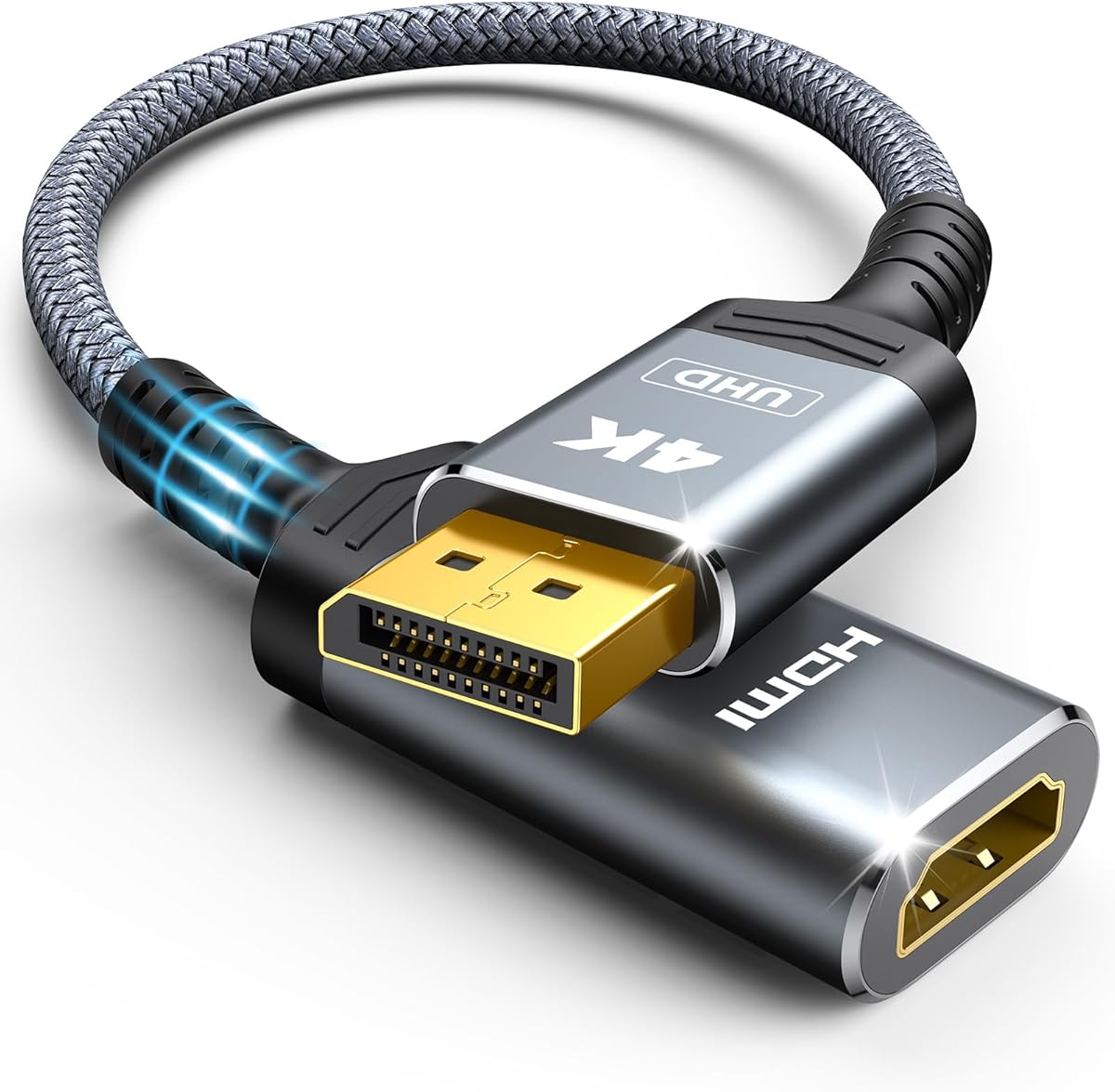
The UGREEN 4K DisplayPort to HDMI Unidirectional Adapter has a 4.8 customer rating and pairs a compact adapter body with a short 0.66-foot cable. It is designed for DisplayPort-equipped PCs, laptops, and graphics cards that need to connect to an HDMI monitor, television, projector, or VR headset.
We may earn a commission when you buy through this link, at no additional cost to you.
Stated video modes include 4K at 30Hz, 1440p at 60Hz, and 1080p at 120Hz. The adapter supports DisplayPort 1.2, HDMI 1.4, HDCP 1.4, and HDR, while the listing also describes synchronized audio. Its 32AWG tinned copper conductors, aluminum-foil and aluminum-magnesium braided shielding, strain relief, and braided outer sheath are designed to support conductivity, flexibility, and stable transmission.
The main restriction is that it converts DisplayPort output to HDMI input, not the reverse. It will not accept HDMI output from a MacBook, PlayStation, Switch, Xbox, GoPro, or docking station. It also does not claim 4K at 60Hz. Users who need high-end gaming modes or current high-bandwidth video features should choose a more capable active converter instead.
Within that defined use, UGREEN offers an attractive combination of customer satisfaction, compact construction, and broad everyday display support. The short cable can reduce cable clutter around a laptop dock or desktop, while the aluminum housing assists with heat dissipation. It is a strong budget pick for 4K productivity, media viewing, and 1080p high-refresh displays, as long as the source has DisplayPort.
The 0.66-foot lead is long enough to link nearby source and display ports without introducing a large loop. It is particularly convenient when the converter can sit directly beside the computer.
Tinned copper conductors and combined foil and braided shielding are intended to limit interference and preserve signal quality. This is useful in offices where power and data cables may be packed together.
We may earn a commission when you buy through this link, at no additional cost to you.
The BENFEI HDMI to DisplayPort Adapter is an active HDMI-to-DisplayPort converter with a 4.3 customer rating. It converts HDMI 2.0b input to DisplayPort 1.4 output and offers 4K at 60Hz, 1440p at 144Hz or 120Hz, and 1080p at 165Hz, 144Hz, or 120Hz.
We may earn a commission when you buy through this link, at no additional cost to you.
The adapter supports HBR2, HDCP 1.4, and HDCP 2.3. Its audio specification includes eight digital channels, sampling rates up to 192kHz, sample sizes up to 24 bits, and HBR audio. A braided nylon cable and premium aluminum alloy casing improve durability and heat management, while the non-slip connector profile is intended to simplify repeated insertion and removal.
The broad source list includes PCs, laptops, Chromebooks, Raspberry Pi, Intel NUC, Roku, several PlayStation and Xbox models, Wii U, set-top boxes, TV boxes, MacBook Pro, Mac mini, and Apple TV. An external USB power connection is nevertheless required to give the chipset sufficient voltage. The product remains unidirectional and cannot convert DisplayPort source output to HDMI.
This BENFEI is well suited to users who want more bandwidth than a 4K-at-30Hz converter and who understand the need to supply auxiliary power. It can serve a mixed-device setup spanning computers and compatible consoles. Verify the desired refresh rate against the source device, display, graphics hardware, and any game-specific output restrictions before purchase.
The advertised 4K at 60Hz and 1440p at 144Hz modes provide useful choices for current monitors. HBR2 support and the stated HDCP versions also make the adapter relevant to modern mixed-media installations.
Connecting the USB lead is important for stable operation and for satisfying the chipset's voltage needs. The requirement makes the product less convenient for completely cable-free mobile use.
We may earn a commission when you buy through this link, at no additional cost to you.
The compact BENFEI HDMI to DisplayPort Adapter is a portable unidirectional converter rated 4.2 by customers. It connects an HDMI source to a DisplayPort monitor, projector, or television and is intended for presentations, extended desktops, and traveling work setups.
We may earn a commission when you buy through this link, at no additional cost to you.
Its specifications include HDMI 2.0, DisplayPort 1.2a, HBR2, and HDCP 1.3, 1.4, and 2.2. Maximum stated video modes include 3840 by 2160 at 60Hz, 2560 by 1600 at 144Hz, and 1080p at 165Hz. The digital audio specification supports eight channels, 192kHz sampling, 24-bit sample size, and HBR audio. An advanced IC converts the HDMI TMDS signal into a DisplayPort digital signal.
The adapter is broadly listed as compatible with computers, laptops, Chromebooks, Raspberry Pi, Intel NUC, Roku, PlayStation 3, Xbox One, Xbox 360, Wii U, set-top boxes, TV boxes, Blu-ray players, and several Apple devices. It cannot work in the opposite direction, and a separate DisplayPort cable is required. The listing also notes that it cannot increase a game's native resolution.
BENFEI includes an 18-month warranty, providing useful support for a compact travel accessory. This adapter fits users who want a portable HDMI-to-DisplayPort solution with strong 4K and high-refresh specifications, without the longer cable body of some alternatives. It is less attractive for users who expect a completely self-contained DisplayPort lead or need bidirectional conversion.
The compact body can be packed with a laptop and used when a destination display offers only DisplayPort. Its portability makes it especially relevant for presentations and temporary office connections.
Because the adapter does not include a full DisplayPort cable, users must have the correct cable for the display. Its advantages are still substantial for compact 4K-at-60Hz conversion.
We may earn a commission when you buy through this link, at no additional cost to you.
Choosing an HDMI to DisplayPort converter requires matching the signal direction, source capabilities, display inputs, resolution, refresh rate, power requirements, and physical connection style. The most important first step is checking which port each device actually has and which device will originate the video signal.
Match the direction to the equipment: an HDMI-equipped laptop driving a DisplayPort monitor needs HDMI-to-DisplayPort, while a DisplayPort graphics card driving an HDMI television needs the reverse. Confirming direction first prevents the most common compatibility failure.
Choose a converter that supports the exact resolution and refresh rate required. For general use, 4K at 30Hz may suffice; for gaming or smooth high-refresh output, prioritize 4K at 60Hz or the stated 1440p and 1080p alternatives.
Check the listing's power guidance and keep the supplied USB lead accessible. For active models, using the recommended power connection is the safest way to maintain signal stability.
Prioritize feature parity between source, converter, and display. If you rely on surround sound, HDR, or protected streaming content, verify the listed specifications rather than assuming every audio and video feature passes through.
Review every explicit exclusion before buying. If a converter must integrate with a dock or KVM switch, use that specific system's compatibility guidance rather than relying on generic DisplayPort or HDMI claims.
Choose a physical design that fits your device and routine. Favor a compact no-buckle body for frequent laptop use, a latch for a stationary desktop, and a short or braided lead when portability and cable management matter most.
Treat console claims as a complete-chain statement. The adapter may be capable of 4K at 60Hz while the game, console model, or operating mode limits the picture to a lower resolution.
For frequent travel, office deployment, or regular use, favor a model with meaningful warranty coverage and clear instructions. For every model, retain proof of purchase and verify compatibility before discarding the packaging.
Begin by identifying the signal source and display. The source must provide the input the converter accepts, and the display must provide the output it produces. Connect the converter to the source first, then attach the required HDMI or DisplayPort cable between the adapter and display. For an HDMI-to-DisplayPort setup, an HDMI cable may also be needed to reach the source port, depending on the adapter's connector arrangement.
Power the adapter according to its instructions. Active converters may require the included USB cable, particularly when the source is a low-power laptop port. After connecting the display, select the correct input on the monitor or television and choose the desired resolution and refresh rate on the computer. If the image is absent, flickering, or unstable, reseat the connectors, attach external power if available, and test a lower resolution to determine whether the source is bandwidth-limited.
To keep the adapter in good condition, avoid sharp bends in any attached cable and do not pull it from the computer by the short lead. Press a DisplayPort release latch before removing a latching adapter. Keep the aluminum housing and ventilation surfaces free from dust, moisture, and debris, and store the product in a dry bag when it is not in use. Before traveling, verify the direction, cable requirements, and power arrangement so it works with the destination display.
It can work when the console has HDMI output and the display has DisplayPort input, but the converter must be unidirectional from HDMI to DisplayPort. Resolution and refresh limits imposed by the console or game may restrict the picture even if the adapter supports 4K. Check the current output specifications for the exact console model and game before buying.
First confirm that the converter runs in the correct direction and that the source has the expected output. Check the display input, reconnect every cable, and connect the USB power lead if the active adapter includes one. Low-power source ports, unsupported resolutions, KVM switches, hubs, and docks can also cause failures, so test a basic direct connection before troubleshooting further.
Usually not. A DisplayPort-to-HDMI adapter converts DisplayPort output into HDMI input and cannot accept HDMI from a console, streaming device, or laptop. Unless the manufacturer explicitly identifies a product as bidirectional, you need an HDMI-to-DisplayPort converter for the reverse setup.
Many compact HDMI-to-DisplayPort adapters provide only an HDMI input, so they require a separate DisplayPort cable to reach the monitor. Some cable-style products include an attached DisplayPort lead. Check the product shape and connector layout carefully so you know whether an additional cable is necessary.
No. An active adapter may advertise a maximum mode, but the source must also provide enough output bandwidth, the display must accept the mode, and the connected cable must be suitable. A console or game may impose a lower limit. Treat the advertised resolution as the maximum possible mode for a fully compatible setup.
An active conversion chip may need more energy than the source port can provide reliably. External power can prevent no-signal conditions, flickering, and intermittent drops, particularly at 4K or high refresh rates. If a source supplies adequate power, the adapter may work without it, but using the recommended connection is the safer choice for stability.
A single HDMI input generally corresponds to one display output, so most adapters serve one monitor. To manage multiple displays, use the source's native video outputs, a compatible docking station, or multiple independent conversion paths. Confirm that the source and operating system support the desired extended or mirrored configuration.
Many current adapters carry both audio and video, but support varies by model and resolution. Some list multichannel digital audio, while others emphasize video performance. The source, converter, display, and selected audio format must all support the same configuration for synchronized sound.
The UGREEN DisplayPort to HDMI cable is the best budget-oriented choice for straightforward DisplayPort-to-HDMI use, offering a compact short cable, solid shielding, and a strong customer rating. The Answin adapter stands out as the editor's choice because it combines 4K at 60Hz, 1440p at 144Hz, broad device support, and included auxiliary power. Cable Matters takes the premium position for its polished active design and stable-power option.
Prioritize direction first, then choose a model that meets the exact resolution and refresh rate of the source and display. Active designs with 4K at 60Hz support are best for modern gaming and demanding productivity, while simpler 4K-at-30Hz adapters can handle office, presentation, and general entertainment use. Also review exclusions for docks, KVM switches, VR headsets, and game consoles.
Finally, verify connector shape, required cables, power needs, and the possibility that source hardware will limit the available mode. Current prices, promotions, and product details can change, so check the latest listing information before making a final purchase and compare the converter with the cost of replacing a cable or using a different display.