
GDNasist PS5 Carrying Case
4.8Editor score
Supports PS5 and PS5 Pro
Thick EPE cushioning system
Multi-use suitcase design
Gaming Gear Carrying Cases guide compares protection, capacity, compatibility, organization, and portability for consoles, PCs, and portable devices.
Gaming gear carrying cases help protect valuable consoles, desktop systems, controllers, cables, and accessories from impact, vibration, scratches, dust, and moisture. A genuinely useful case should fit the intended equipment precisely, provide structured cushioning, and make it easier to travel without leaving essential gaming gear behind.
This guide compares ten carrying cases designed for Xbox, PlayStation, desktop PC, and portable gaming systems. We evaluated the supplied compatibility details, dimensions, materials, padding, storage layouts, carrying options, and customer ratings, with particular attention to practical differences between console-specific and full-desktop solutions.
The selections reveal three distinct approaches: a tailored home-console bag, a convertible PlayStation travel case, and large backpacks for complete desktop setups. Each review explains the most useful features, limitations, and ideal buyer, while current product availability and pricing should be checked before purchase because both can change over time.
4.8Editor score

4.7Editor score

4.7Editor score
The table below compares all ten cases by device compatibility, protective construction, organization, and portability, making it easier to identify the right format for a console, portable gaming setup, or complete desktop PC.

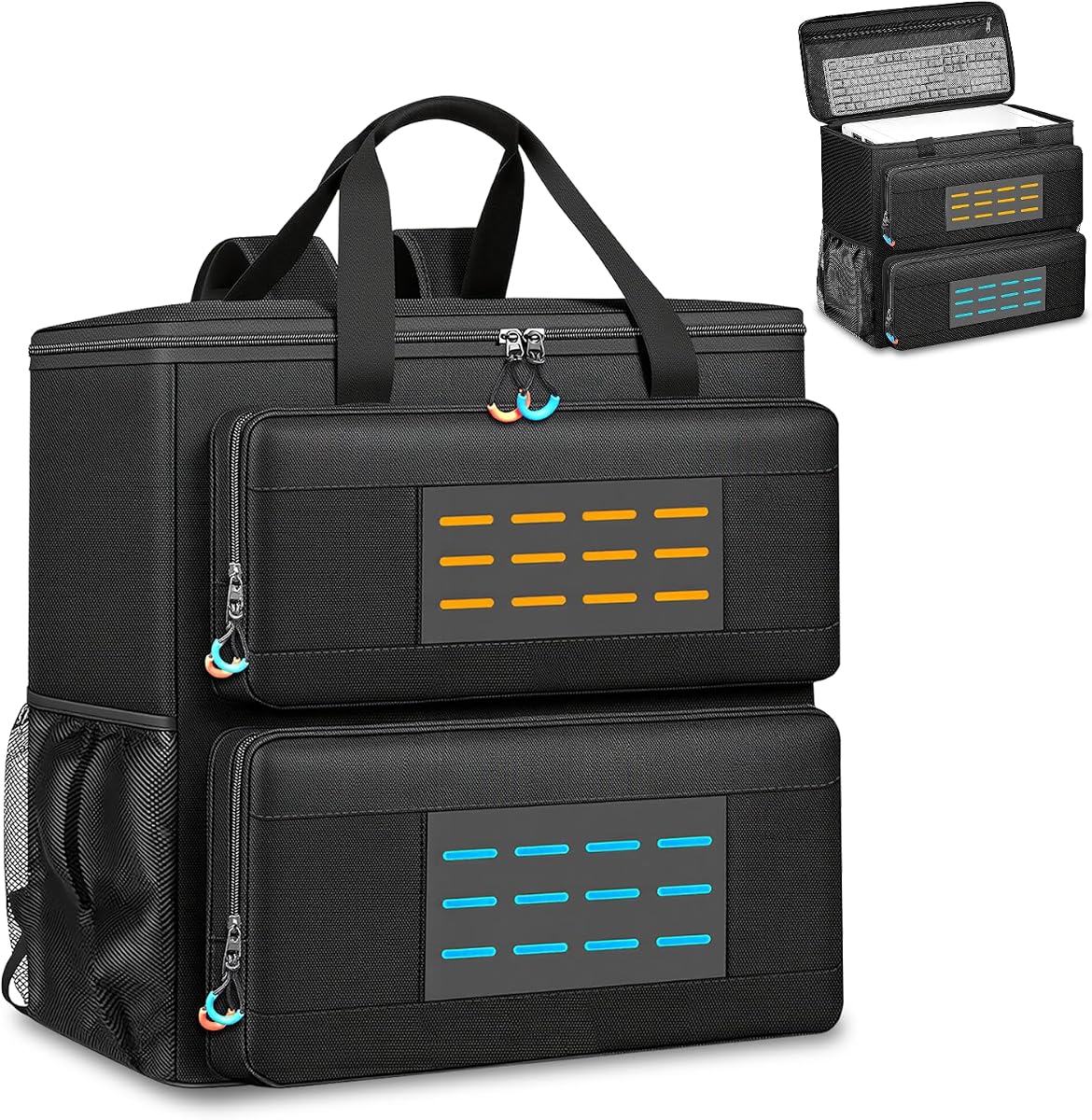



The USA Gear Console Carrying Case is a versatile home for Xbox systems and the accessories that make them usable. Its 4.7 rating reflects a generally strong balance of protection, capacity, and portability. The reinforced shell, tightly woven ripstop nylon, and padded interior are particularly appealing for owners who regularly move a console between rooms, events, or travel destinations.
We may earn a commission when you buy through this link, at no additional cost to you.
Compatibility is the standout feature. The case supports Xbox Series S, Xbox One, Xbox One X, Xbox One S, and Xbox 360, making it useful across several console generations. Inside, padded dividers create a customizable space for multiple controllers, cables, and headphones, while the exterior dimensions of 15 by 12.25 by 6.5 inches provide room without the bulk of a full desktop transport bag.
There are two practical limitations to consider. It is explicitly not compatible with the Xbox Series X, so buyers should verify their exact model before purchasing. It also lacks a laptop compartment, making it more suitable as a console-and-accessories case than as a single bag for a complete traveling workstation.
Overall, this is the strongest general-purpose choice for an Xbox household that wants one protective carrier for a console and several essentials. The shoulder strap and handle make transport straightforward, while the reinforced construction and water-resistant exterior add confidence for trips and tournaments. For anyone outside the Series X compatibility requirement, it offers a practical, adaptable design.
Adjustable padded dividers let the interior adapt to different combinations of controllers, power cables, and a gaming headset. This flexibility is more useful than fixed compartments because accessories and console dimensions can vary.
The reinforced shell, ripstop nylon exterior, and padded interior work together to protect against scratches, impacts, and light water exposure during ordinary transportation.
We may earn a commission when you buy through this link, at no additional cost to you.
The GDNasist Carrying Case is built for modern PlayStation systems and earns a 4.8 rating for its strong protective design and flexible travel function. It accommodates PS5, PS5 Pro, and PS5 Slim variants, making it one of the more future-conscious options for current PlayStation owners.
We may earn a commission when you buy through this link, at no additional cost to you.
Protection comes from a wear-resistant, water-resistant exterior, a middle layer of super-thick EPE sponge, and three additional cushions in the main compartment. Separate areas organize the console, earphones, controller, and other accessories. Hook-and-loop fixing pieces help hold components in place and reduce shifting, which is especially useful during longer journeys.
This case does more than transport gaming equipment. Padded shoulder straps, carry handles, and a luggage strap allow it to function as a suitcase, while its double-layer construction can hold clothes, a laptop, camera, chargers, and other travel essentials. The trade-off is its 16.5 by 7.9 by 12.2-inch size, which is bulkier than a basic console sleeve.
It is a particularly good choice for PS5 owners who combine gaming trips with ordinary travel. The broad console compatibility, substantial padding, luggage attachment, and organized accessory storage justify the more versatile construction. Buyers who only need a slim case for a controller and cables may find it more elaborate than necessary.
Layered EPE foam and three added cushions surround the main console area, helping absorb shocks and limit movement. The fixing pieces add another layer of stability during transport.
The luggage strap and suitcase-like layout let the bag join a broader travel setup. It can consolidate electronics, personal items, and clothing rather than serving only as a padded console insert.
We may earn a commission when you buy through this link, at no additional cost to you.
The USA Gear PS4 Travel Case is a practical choice for households that still use older PlayStation hardware. It supports PlayStation 4, PlayStation 4 Pro, and PlayStation 3 systems and carries a 4.7 rating. Its versatility across three console families is one of the strongest reasons to consider it.
We may earn a commission when you buy through this link, at no additional cost to you.
The exterior uses tightly woven ripstop nylon over a reinforced shell, while the scratch-resistant interior and padded dividers help protect both the console and accessories. Its 16 by 13 by 6.5-inch exterior is large enough for a supported console, multiple controllers, cables, games, and a headset, with an external pocket for smaller items.
The important limitation is platform age. It is not compatible with the PlayStation 5, including the standard 2020 release, so it does not serve owners who have moved to a current console. It may also feel unnecessarily large for someone carrying only a controller, although that extra capacity is helpful for complete setups.
This is a good option for PS3 and PS4 collectors, families sharing multiple generations, or buyers who prefer a durable dedicated case over a generic travel bag. The three-year manufacturer warranty adds additional reassurance. For anyone still invested in older PlayStation systems, it delivers a rare combination of compatibility, organization, and protective construction.
Supporting PS3, standard PS4, and PS4 Pro means the bag can remain useful when a household owns more than one generation of PlayStation equipment.
The exterior zippered pocket keeps HDMI cables, power leads, and other frequently needed items separate from the main compartment, reducing unnecessary unpacking.
We may earn a commission when you buy through this link, at no additional cost to you.
The Large Desktop Tower Case is built for people who need to move an entire gaming PC rather than just a console. Its 4.6 rating indicates a well-received combination of roomy storage and protective construction. The 20.67 by 9.8 by 18.9-inch design is intended for standard ATX and M-ATX systems.
We may earn a commission when you buy through this link, at no additional cost to you.
Protection comes from a high-density 5mm EPE lining and a wear-resistant 600D Oxford exterior. Together, they are intended to absorb impacts and vibration while guarding against scratches, squeezes, and ordinary travel damage. The main chamber can hold a desktop tower plus items such as a graphics card or radiator, although heavy loose hardware should still be secured carefully.
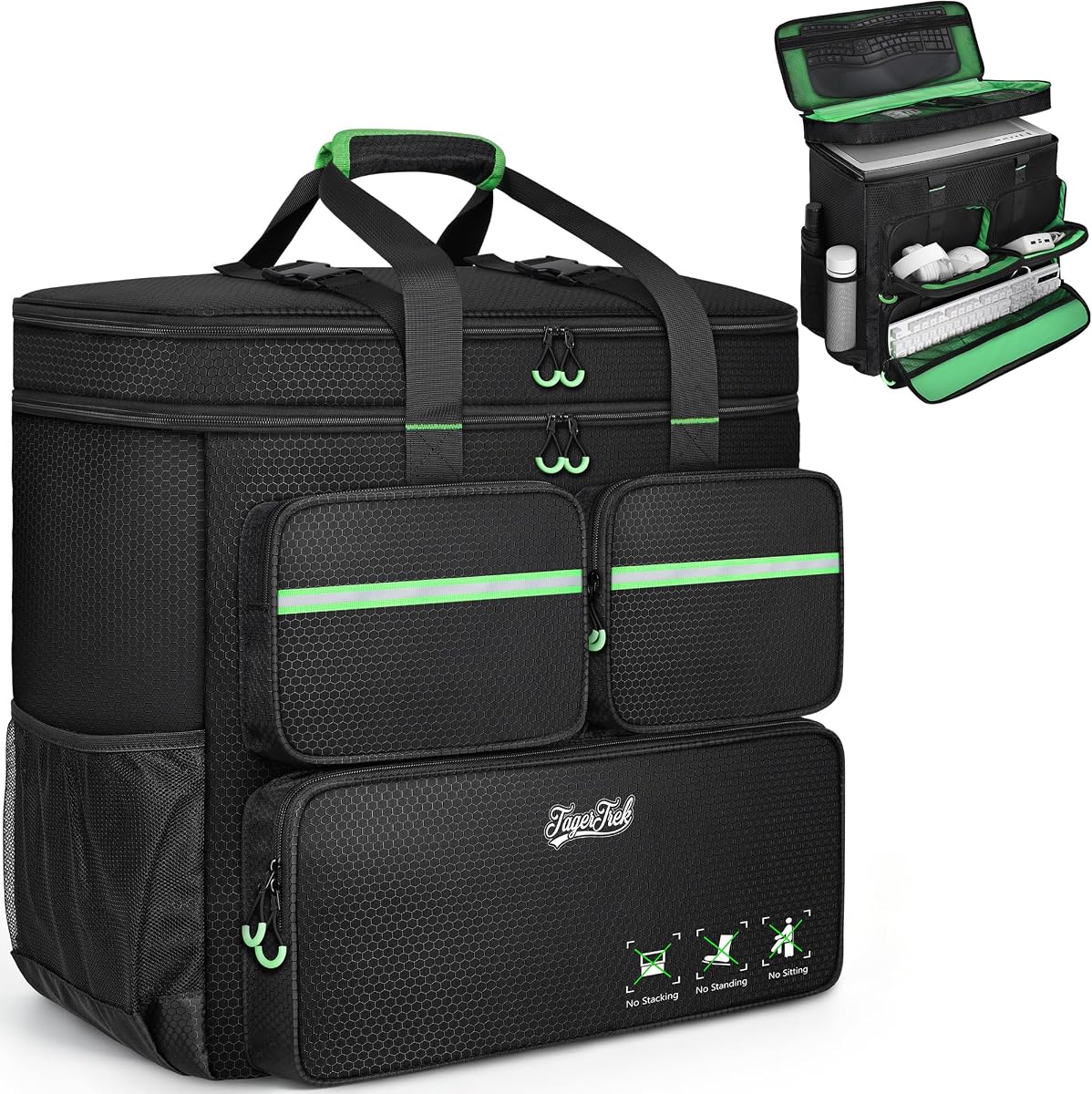
Organization is unusually thorough. Three front zippered pockets include a keyboard sleeve, an elastic cable section, and a fleece-lined area for a mouse or power bank. A zippered mesh pocket beneath the top cover adds storage, while two side mesh pockets are available for water bottles. This makes it more of a mobile workstation bag than a simple sleeve.
The main compromise is bulk and weight. A fully equipped desktop and keyboard can be cumbersome even with padded shoulder straps and the stabilizing chest buckle. Buyers should measure their tower and check the interior allowance carefully. For moves, LAN events, business trips, and anyone consolidating a full PC setup, however, the capacity makes this a capable option.
Dedicated places for the keyboard, mouse, cables, and water bottles reduce the need for separate bags. The result is better suited to long journeys and destination setups than short console trips.
Dense EPE lining cushions the tower against bumps and vibration, while the tough Oxford fabric protects the bag itself from abrasion during repeated handling.
We may earn a commission when you buy through this link, at no additional cost to you.
The Padded Desktop Backpack emphasizes protection and portability for a full desktop gaming system. It carries a 4.6 rating and uses an 8mm EPE foam interior, a substantial cushioning layer intended to absorb shocks, vibration, and the minor impacts associated with moving and travel.
We may earn a commission when you buy through this link, at no additional cost to you.
The main chamber measures 19.7 by 10.6 by 18.5 inches, with an overall exterior of 21.3 by 10.6 by 19.7 inches. It supports ATX and Micro-ATX towers, though the product information specifically advises buyers to compare their system dimensions with the interior before ordering. Additional components may fit alongside the chassis, but clearance is not guaranteed.
Dedicated organization includes a front keyboard sleeve, thickened areas for a mouse and cables, side mesh bottle pockets, and internal mesh storage. Adjustable padded shoulder straps and a chest strap create a more stable backpack configuration. The sturdy 600D Oxford exterior also provides a barrier against dust, scratches, and minor impacts.
This option is well suited to gamers attending tournaments, moving homes, or carrying a PC to another location without assembling a separate case for every peripheral. Its main weakness is that compatibility still depends on exact measurements, and the bag does not include a dedicated laptop section. Those constraints are manageable when the system fits and the primary goal is transporting the tower and core accessories.
The 8mm EPE layer offers more substantial shock absorption than a basic fabric sleeve, making the bag better suited to desktop components that contain rigid drives and heavy internal hardware.
Padded shoulder straps and a chest strap help distribute a dense load and keep the backpack from shifting while the owner is walking, climbing stairs, or navigating a busy venue.
We may earn a commission when you buy through this link, at no additional cost to you.
The ATX Mid-Tower Case focuses on moving a conventional desktop safely and steadily. Its 4.3 rating is the lowest in this group, but the supplied details show a thoughtful design centered on dimensional clarity, reinforced stability, and organized accessory storage.
We may earn a commission when you buy through this link, at no additional cost to you.
The exterior is listed at 20.08 by 9.06 by 19.69 inches, while the maximum internal measurements are 19.88 by 8.86 by 19.69 inches. Those figures are useful because they make the fit requirements explicit. The rear buckle helps prevent tipping, and the reinforced base with anti-slip feet improves stability when the bag is set down.
Separate compartments organize the keyboard, mouse, headset, and cables, while a full-height mesh panel adds room for tools or accessories. Thickened padding helps guard against impact and scratches, and the Oxford fabric is described as resistant to rain and dust. Adjustable chest straps, a padded handle, and the anti-tip buckle make the heavier load easier to manage.
The primary drawback is that the internal clearance is not especially generous, and buyers with unusually large or elaborately shaped cases should verify every dimension. Its 4.3 rating also suggests slightly less consensus than the more highly rated products. Even so, it is a sensible choice for standard mid-tower owners who value a stable base and clear storage more than extra interior room.
A reinforced base, anti-slip feet, and an anti-tip rear buckle reduce movement when the case is placed on a floor or carried through a crowded space.
Dedicated spaces for a keyboard, mouse, headset, and cables keep the main chamber less cluttered. The full-height mesh panel provides additional flexible storage for smaller equipment.
We may earn a commission when you buy through this link, at no additional cost to you.
The Polyester PC Backpack offers extensive storage for a tower and its peripherals, earning a 4.4 rating. Its most notable feature is the number of purpose-built pockets, which turn a large transport bag into a more organized mobile gaming station.
We may earn a commission when you buy through this link, at no additional cost to you.
The case is listed at 21 by 21 by 11 inches and can accommodate a tower up to 21 by 18.5 by 11 inches. Compatibility information includes examples such as the LIAN LI O11D MINI V2, LIAN LI LANCOOL 207, Lian Li A3 M-ATX, and MONTECH XR-B ATX. Because the listed bag and tower dimensions are easy to misread, checking the actual interior measurements remains essential.
Side mesh pockets hold water bottles, while zippered and mesh compartments on top accommodate an ergonomic keyboard and mouse. The front includes a keyboard pocket, a cable section, and a mouse or charger pocket. Thick internal padding absorbs shock and vibration, and the water-resistant polyester exterior is reinforced with solid stitching.
A top buckle helps keep the contents from shifting, and an integrated chest strap improves balance when carrying a heavy tower. The keyboard sleeve accommodates models under 19.7 inches long, so oversized keyboards should be measured. This is a strong choice for owners who prioritize organization and straightforward backpack portability.
The front, top, and side areas each have defined storage functions. This arrangement keeps accessories visible, separated, and easier to find at a LAN party, tournament, or temporary setup.
The bag can be used as a backpack or carried by its handle. A top buckle and chest strap help stabilize the load when the owner needs both hands available.
We may earn a commission when you buy through this link, at no additional cost to you.
The CRKD Gear Bag is designed for portable gaming rather than full-size consoles or desktop PCs. It has a 4.6 rating and supports devices such as the Nintendo Switch, Steam Deck, Nintendo Switch OLED model, and PlayStation Portal, making it a versatile option for owners with several handheld ecosystems.
We may earn a commission when you buy through this link, at no additional cost to you.
Its lightweight, water-resistant soft shell is reinforced with large padded areas, while soft zipper pulls help prevent scratches on the device or accessories. The main section can hold multiple devices, a Nintendo Switch Dock, games, controllers, portable chargers, and even a 60% keyboard, although the exact mix will affect available space.
Organization is a major strength. Magnetic straps keep charging cables, HDMI leads, SD cards, Joy-Cons, docks, controllers, and other accessories secure. Dedicated game cartridge pockets help protect a collection, while two exterior zipper pockets provide quick-access storage. This arrangement reduces the chance of small parts becoming lost at the bottom of a crowded bag.
The obvious limitation is scale. It cannot replace a carrying case for an Xbox, PlayStation 5, or desktop tower. For portable players who regularly move a handheld, dock, controllers, and games, however, it is a compact and thoughtfully organized solution with a lower profile than most console cases.
Magnetic straps and dedicated cartridge pockets reduce movement for components that are easy to lose. Soft zipper pulls also avoid the rigid edges that can mark a handheld shell.
Support for multiple portable platforms makes the case useful for owners who switch between handhelds or carry more than one device, provided the selected combination still fits comfortably.
We may earn a commission when you buy through this link, at no additional cost to you.
The Nylon Desktop Travel Case stands out with a 4.9 rating, the highest among the ten products, and combines polished protection with unusually flexible travel features. It is designed for standard ATX and mid-tower desktop cases, as well as Micro-ATX systems.
We may earn a commission when you buy through this link, at no additional cost to you.
The exterior dimensions are approximately 20.4 by 10.2 by 18.9 inches. The product information also lists internal dimensions of approximately 20.4 by 19 by 18.5 inches, but buyers should still compare those figures with their tower because chassis orientation and accessories can affect the usable space. High-density and thickened foam provide cushioning against impacts and vibration.
Storage extends beyond the main chamber. A zipped mesh lid pocket can hold a keyboard, the front compartment accommodates a mouse, cables, hard drives, coolers, and headphones, and two side pockets with press studs protect smaller valuables. External MOLLE webbing creates a useful attachment point for additional equipment without requiring a separate bag.
Travel convenience is another major strength. Padded adjustable shoulder straps support backpack use, the top handle allows quick lifting, and a rear luggage strap can secure the case to a wheeled suitcase. A chest strap distributes weight and reduces slipping. This is a premium pick for frequent travelers, tournament attendees, and anyone who wants a complete PC system organized in one adaptable carrier.
The external MOLLE webbing allows additional equipment to be attached to the case. It offers a flexible alternative to stuffing cables and accessories into spaces that should remain reserved for protected components.
The rear luggage strap, padded handle, adjustable backpack straps, and stabilizing chest strap provide several ways to move a heavy system while adapting to different travel conditions.
We may earn a commission when you buy through this link, at no additional cost to you.
The Mid-Tower Travel Case prioritizes room and protection for desktop users who regularly move substantial hardware. It supports ATX and M-ATX systems and has a 4.3 rating. Its generous dimensions allow the tower to share the main compartment with selected components such as a graphics card or radiator.
We may earn a commission when you buy through this link, at no additional cost to you.
Protection is provided by a high-density, thickened 5mm EPE lining and a wear-resistant 600D Oxford exterior. These materials are intended to absorb impact and vibration while guarding against bumps, squeezes, and everyday transport damage. The large 21.26 by 12.6 by 18.89-inch body is less suited to light travel than to moving a substantial computer setup.
The front provides three zippered pockets. The lowest is intended for a keyboard, the upper-left area uses elastic loops for cables, and the right fleece-lined section holds a mouse or power bank. Two side mesh pockets provide water-bottle storage, while a zippered mesh compartment inside the top cover adds room for a keyboard and mouse.
Its portability comes from a padded handle, two shoulder straps, and a releasable plastic chest buckle. The result is comfortable but inevitably substantial when fully loaded. The bag is best for household moves, extended trips, and users who prefer keeping their entire desktop setup in one case. Buyers should measure both the tower and large peripherals before committing.
The spacious main section can accommodate more than just a tower. With suitable clearance, removable components and travel accessories can travel in the same protective enclosure.
A padded handhold, broad shoulder straps, and a stabilizing chest buckle make a dense computer easier to carry while reducing the chance that the bag shifts during a walk.
We may earn a commission when you buy through this link, at no additional cost to you.
The right gaming gear carrying case depends primarily on the equipment you transport. Console owners should prioritize exact model compatibility, while desktop users need to compare tower dimensions, padding, and load-carrying features before choosing a backpack or travel case.
Start with the exact console, handheld, or PC form factor you intend to carry. Even products described for the same console generation can differ when it comes to standard, Pro, Slim, or revised editions. The USA Gear Xbox case supports several Xbox families but excludes Xbox Series X, while the GDNasist PS5 case explicitly covers PS5, PS5 Pro, and PS5 Slim formats. Desktop cases similarly vary between ATX, M-ATX, full towers, and compact mini systems. Compatibility language should be treated as a starting point, not a substitute for comparing the manufacturer's measurements with your own equipment.
Padding is the main line of defense against bumps, vibration, and accidental drops. EPE foam is common in these cases because it is lightweight, compressible, and capable of absorbing impact without adding excessive weight. The featured products range from dense 5mm EPE layers to shock-absorbing 8mm foam, while console cases often combine padded dividers with a reinforced shell. The best setup creates cushioning around the device rather than leaving it pressed against a flat wall. It should also prevent controllers, docks, and accessories from striking one another during movement.
A carrying case will encounter doorways, vehicle floors, baggage conveyors, and crowded event spaces. Ripstop nylon, 600D Oxford cloth, and high-quality polyester offer different balances of abrasion resistance, weight, and flexibility. Water resistance is useful for unexpected rain or a damp environment, but it should not be confused with a completely waterproof enclosure. Reinforced stitching, a protected zipper path, and a durable base also influence long-term reliability. Console-specific cases often use a firmer shell for structure, while large PC backpacks rely more heavily on flexible fabric and internal cushioning.
The most useful organization separates the main device from the accessories needed to operate it. Padded dividers and adjustable straps work well for controllers, power leads, and headsets, while dedicated mesh or zippered pockets prevent cables from tangling. Larger PC cases add compartments for a keyboard, mouse, headset, water bottles, and smaller components. Portable-console users may prefer cartridge pockets, SD card storage, and magnetic straps that keep tiny accessories from disappearing. The best layout keeps frequently used items accessible without making the bag difficult to close or balance.
A console is manageable by hand or over one shoulder, so a padded handle and adjustable strap may be enough. A loaded desktop PC is much heavier and generally benefits from two padded shoulder straps, a chest strap, and a balanced backpack configuration. Top handles remain useful for lifting a bag into a vehicle or onto a luggage rack. Cases intended for air travel or extended journeys may also need a rear luggage strap so they can be secured to a rolling suitcase. The weight of the fully loaded case matters more than the empty dimensions of the storage area.
A carrying case that safely contains the equipment can still be inconvenient if it is excessively deep or rigid. Console cases with exterior dimensions around 15 to 16 inches are generally more compact, whereas PC backpacks often exceed 20 inches in at least one direction. Bulky cases can be worthwhile for moves and tournaments but less attractive for daily commuting. Before purchasing, visualize the route from home to vehicle, venue, or hotel. Also consider whether the bag must fit in an overhead compartment or under a seat, and remember that airline and carrier policies can vary.
A main compartment large enough for the console or tower may still leave little room for a controller, cables, dock, headphones, or external components. Some cases explicitly allow accessories to share the central space, while others provide separate sleeves and pockets. PC owners should also measure large peripherals, especially an extended keyboard, gaming mouse, radiator, or graphics card. For portable systems, account for the dock and storage cases as well as the device itself. These measurements can determine whether the case feels purposefully organized or merely oversized.
A manufacturer warranty can add useful protection against defects and premature wear, and the USA Gear PS4 Travel Case is specifically backed by a three-year warranty. Warranty length is not a substitute for compatibility or construction quality, however. It is most valuable when combined with clear product dimensions, responsive support, and replaceable or repairable components. Review the warranty terms and the seller information before purchasing, particularly for heavily used travel equipment that may encounter repeated loading, unloading, and exposure.
Before loading a new case, compare its interior measurements with the console, tower, handheld, dock, and accessories. Arrange the main device centrally, use padded dividers to prevent contact, and place frequently used cables in quick-access pockets. Keep sharp or heavy loose components away from screens and portable device shells, and avoid overfilling flexible compartments just because the zipper can close.
Lift a loaded case using the designated padded handle, shoulder strap, or backpack straps rather than pulling on a zipper or fabric tab. For heavier PC cases, tighten the shoulder straps and fasten the chest strap before walking. Secure the case on a rolling luggage strap when appropriate, and place the bag on a stable, clean surface when opening it at an event or destination.
Allow the bag and equipment to remain dry before closing it, and use a soft brush or lightly damp cloth to clean the exterior. Do not soak the fabric, press moisture into foam, or use harsh chemicals on the lining. Let padded sections dry completely, inspect zippers and straps for wear, and confirm that the case remains structurally sound before the next trip.
The best desktop case is one that fits the exact chassis, cushions it thoroughly, and can support the combined weight of the tower and peripherals. ATX and M-ATX backpack designs with padded shoulder straps, a chest strap, and separate accessory pockets are the most practical for travel. Measure both exterior and internal dimensions before purchasing, and check the case's handling features against the weight you expect to carry.
Some console-specific cases support several generations, while others are designed around one platform and its revisions. The USA Gear PS4 case supports PS3, PS4, and PS4 Pro, and the USA Gear Xbox case supports multiple Xbox models. Always verify exclusions carefully, particularly for newer console versions, because similar names do not guarantee identical dimensions or layouts.
A water-resistant exterior can help protect equipment during light rain or brief accidental splashes, but it does not make a case waterproof. Seams, zippers, and openings remain potential entry points. For heavy rain or extended outdoor exposure, keep the bag inside a larger weatherproof covering and allow any dampness to dry before closing it.
A hard or semi-rigid shell can offer strong structure and protection from crushing, while a soft-shell bag is usually lighter and easier to fit into vehicles or luggage. Both can protect equipment effectively when the interior padding and dimensions are appropriate. The best choice depends on how often you travel, how much you carry, and whether compact packing or maximum structural protection matters more.
Some versatile cases advertise space for a laptop alongside the computer, but not every design includes a dedicated padded laptop compartment. Check the dimensions and support structure for the specific laptop size. A loose laptop should be separated from the tower, cables, and hard accessories, ideally in its own sleeve, to prevent impact and abrasion.
Use the dedicated elastic loops, mesh pockets, and zippered compartments to separate cables from the console or tower. Keep frequently used charging and HDMI leads in quick-access areas, while small memory cards or adapters should be placed in secure zippered or magnetic pockets. This reduces tangling, prevents small parts from getting lost, and keeps accessories from striking sensitive equipment.
It may, depending on the airline's size, weight, and contents policies. A bag containing a console, batteries, power banks, or other electronic devices can be subject to additional rules. Check the current policy of the specific carrier before traveling, keep lithium batteries in permitted locations, and make sure the case does not exceed size or weight allowances.
Use a soft brush for loose dust and a lightly damp cloth for marks on the exterior. Avoid soaking the bag, spraying cleaner directly onto the fabric, or saturating the foam lining. Open all compartments and allow the case to air-dry completely before closing it. Spot-clean internal fabric carefully and inspect the straps, buckles, zipper, and seams for signs of damage.
The USA Gear Console Carrying Case is the most adaptable overall option for supported Xbox systems, while the GDNasist PS5 case stands out for modern PlayStation compatibility, layered cushioning, and convertible travel use. The USA Gear PS4 Travel Case offers strong value for owners of PS3, PS4, or PS4 Pro hardware. Each serves console owners better than a bulky PC backpack could.
Desktop users should prioritize exact chassis fit, padding, weight distribution, and dedicated peripheral storage. The Nylon Desktop Travel Case leads on premium travel features and listed customer satisfaction, while the Large Desktop Tower Case, Padded Desktop Backpack, and other tower bags offer different combinations of capacity, stability, and organization. Portable-console players should instead look for device-specific pockets, cartridge protection, and soft zipper hardware.
Before making a final selection, confirm the exact model, measure the main device and largest accessories, and consider how you will actually carry the completed bag. Product specifications, availability, customer ratings, and prices can change, so check the current listing before ordering and compare the case with your exact setup rather than relying on console or motherboard family names alone.