
OWC Envoy Ultra 2TB
4.4Editor score
Over 6000MB/s peak speed
Portable shock-resistant design
Built-in Thunderbolt cable
Compare 10 Thunderbolt 5 Storage Solutions, with key specifications, product ratings, pros and cons to help you choose.
Thunderbolt 5 storage solutions combine high-speed data transfer, flexible connectivity, and external capacity for demanding creative and professional workflows. The strongest choices pair NVMe performance with portable or expandable designs, while docks and hubs add convenient ways to organize storage alongside displays, networking, and peripherals.
This guide compares ten products using their stated interfaces, transfer capabilities, capacity, form factor, compatibility, durability, power requirements, and included features. It covers direct Thunderbolt 5 NVMe solutions, multi-bay enclosures, rugged portable drives, and the docks or hubs that can serve as useful companions to external storage.
The selections reveal that Thunderbolt 5 storage can range from compact portable SSDs to high-capacity professional enclosures and infrastructure devices. Readers with portable creative workflows may favor the OWC Envoy Ultra line, while high-volume users should examine multi-bay and dual-network options. Product pricing and availability can change.
4.4Editor score
4.4Editor score
4.4Editor score
This side-by-side comparison covers direct Thunderbolt 5 storage, high-capacity portable and multi-bay alternatives, and connectivity products that can complement an external storage setup. The table emphasizes the most decision-relevant differences in speed, capacity, interface, portability, and expansion.



The OWC Envoy Ultra 4TB stands out as the most balanced Thunderbolt 5 portable storage choice in this guide. It has a 4.4 rating and combines a generous 4TB capacity with stated performance of more than 6000MB/s. Its rugged, shock-resistant, weatherproof construction also makes it suitable for moving large creative files between demanding workstation environments.
We may earn a commission when you buy through this link, at no additional cost to you.
The OWC Ultra Maximizer feature is designed to obtain the greatest available speed from Thunderbolt 3, Thunderbolt 4, and USB4 systems, while the Thunderbolt 5 connection unlocks the product's highest potential throughput. It is bus-powered, includes a built-in Thunderbolt cable, and uses a heat-dissipating aluminum body without a fan, making it convenient for travel and quiet offices.
Compatibility is another strength. OWC lists Macs, PCs, iPad Pros, Chromebooks, and Surface devices as supported platforms. The 4TB capacity is more versatile than smaller portable SSDs for large media libraries, project archives, and local editing caches, but it is not as scalable as a multi-drive desktop enclosure. Users seeking the lowest possible storage cost per terabyte may find larger configurations more appropriate.
This is the recommendation for editors, photographers, developers, and other professionals who want a meaningful balance of capacity and top-tier speed without moving to a desktop enclosure. It is particularly compelling for users who regularly move projects and value a five-year OWC limited warranty. Maximum throughput still depends on the host, cable, workload, and source drive, so older Thunderbolt 3 machines will not deliver the same result as a fully equipped Thunderbolt 5 system.
A stated peak transfer rate above 6000MB/s places the Envoy Ultra 4TB in a class suited to high-resolution video, large project archives, and rapid working copies. Real results can vary, but the enclosure is designed to approach internal-storage-like performance when paired with a suitable host.
The integrated cable, bus-powered design, fanless aluminum construction, and protective enclosure make this drive easy to deploy without carrying separate accessories. It also avoids the constant fan noise associated with many high-performance desktop storage systems.
We may earn a commission when you buy through this link, at no additional cost to you.
The OWC Envoy Ultra 2TB delivers the same core performance proposition as the larger Envoy Ultra models at a more capacity-conscious configuration. Its 4.4 rating reflects a well-regarded portable NVMe solution, and the listed speed of more than 6000MB/s makes it a compelling option for active project drives, scratch disks, and fast transfers between computers.
We may earn a commission when you buy through this link, at no additional cost to you.
It supports Thunderbolt 3, Thunderbolt 4, USB4, and the product's Thunderbolt 5 capability, with OWC's Ultra Maximizer technology designed to obtain the best speed the connected system permits. The enclosure is shock resistant, weatherproof, bus-powered, and equipped with a built-in Thunderbolt cable. Its aluminum body dissipates heat without a fan, preserving a compact and silent form.
The primary limitation is capacity. A 2TB drive is well suited to current projects, temporary media, and frequently accessed files, but it is less appropriate for a growing archive, a large camera library, or multiple simultaneous editing projects. Users expecting high-speed external storage to act as a long-term archive may need more room than this configuration provides.
Among the dedicated Thunderbolt 5 storage options, the 2TB Envoy Ultra is a strong value-oriented pick for users who prioritize speed, portability, and simple deployment over maximum capacity. It works particularly well for video editors, photographers, and developers who already maintain separate archival storage. Confirm that the host supports the desired interface and workload before purchasing.
Two terabytes is enough for many active project sets while remaining easier to carry and more approachable than larger premium configurations. It is best treated as a working drive rather than the only home for every project.
The ability to work with Thunderbolt 3, Thunderbolt 4, and USB4 hosts adds flexibility for mixed-device environments. Performance will vary by connection, but the drive can remain useful when the primary Thunderbolt 5 computer is unavailable.
We may earn a commission when you buy through this link, at no additional cost to you.
The 8TB OWC Envoy Ultra is the premium high-capacity selection here because it preserves the portable NVMe advantages of the smaller models while offering considerably more room for media, archives, and project libraries. It carries a 4.4 rating and states transfer performance of more than 6000MB/s, making it suitable for users who need both capacity and speed in a travel-ready enclosure.
We may earn a commission when you buy through this link, at no additional cost to you.
The same professional feature set continues here: compatibility with Thunderbolt 3, Thunderbolt 4, and USB4 machines, broad support for modern computing devices, a built-in Thunderbolt cable, bus power, and a silent heat-dissipating aluminum design. Ruggedness and weather resistance provide added reassurance for field use, while the fanless architecture avoids operational noise during long transfers or edits.
The trade-off is the obvious one: more capacity means paying for a larger configuration and carrying a somewhat bulkier device. It also does not replicate the flexibility of a multi-bay RAID enclosure, where individual drives can be replaced or expanded. Users with constantly growing archives may eventually need a scalable system, while those who routinely move a finished project or active media set will appreciate the consolidation.
Choose the 8TB model when portability, high throughput, and substantial capacity are all essential. It is a particularly strong fit for mobile video teams, photographers, and creative professionals who need a local high-speed drive without a desktop footprint. It is less necessary for someone handling small files on a single computer, but in demanding external-storage workflows it reduces the need to move between several separate drives.
Eight terabytes gives mobile professionals room for large collections of footage, still images, caches, and project data. The result is a more self-contained working setup that can travel between locations.
The built-in cable, bus-powered operation, broad device support, and broad interface range simplify deployment across different work locations. Users should still verify host requirements because older connections will not produce Thunderbolt 5-level results.
We may earn a commission when you buy through this link, at no additional cost to you.
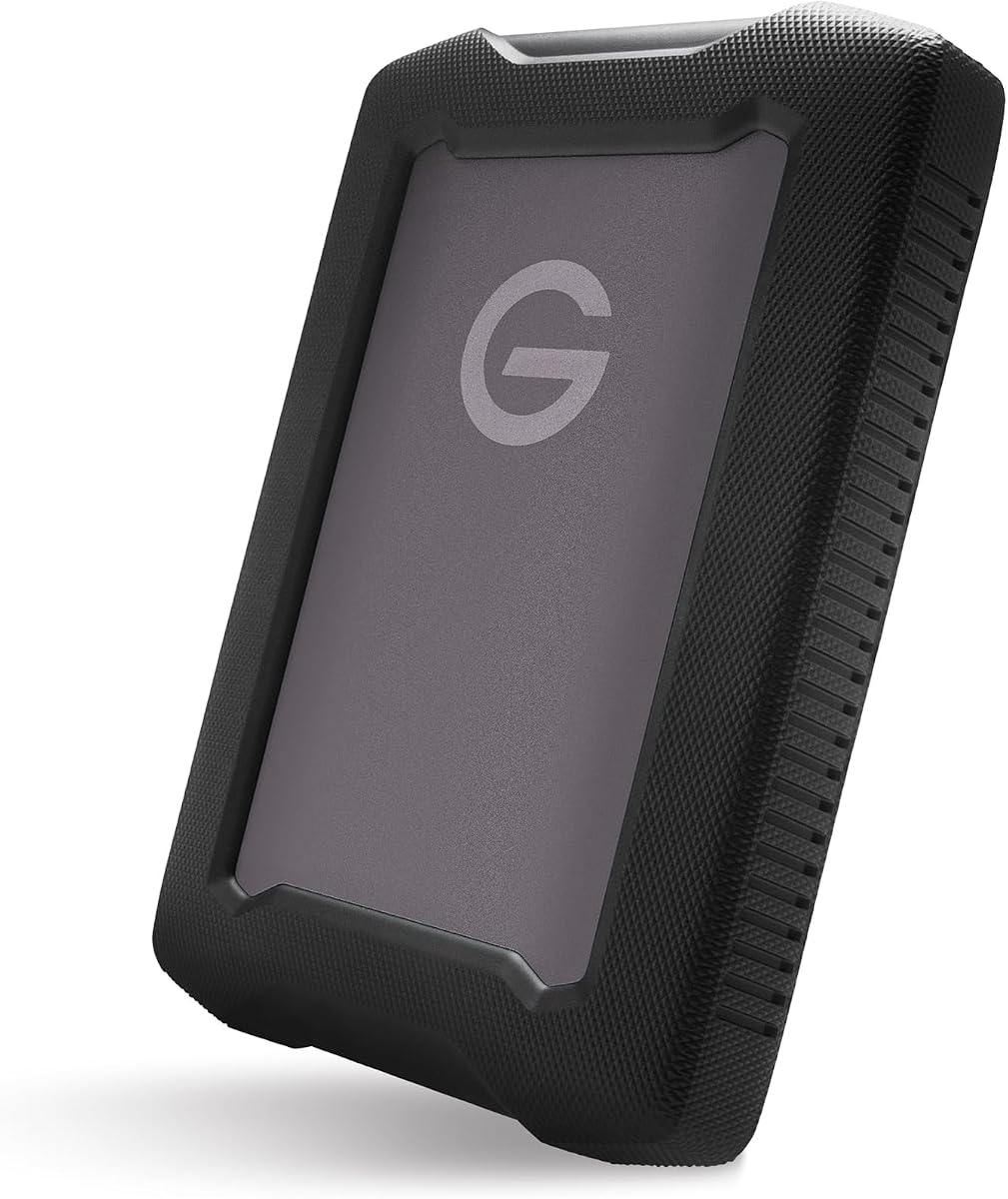
The G-DRIVE 5TB ArmorATD is a rugged portable hard drive for bulk storage rather than speed-intensive editing. It offers 5TB of capacity and up to 130MB/s performance through USB-C. Although it is Thunderbolt 3 compatible, it is not a native Thunderbolt 5 product, and its rotating-drive performance differs sharply from the NVMe options in this guide.
We may earn a commission when you buy through this link, at no additional cost to you.
Its strongest feature is physical protection. The premium anodized aluminum enclosure, easy-grip bumper, and resistance to rain, dust, and crushing are designed for demanding mobile and field conditions. USB-C readiness at 5Gbps simplifies connections to compatible computers, while the large capacity makes it practical for photo archives, footage libraries, project backups, and other files that do not require immediate editing from the drive.
There are clear compromises. A mechanical portable HDD will be substantially slower than a Thunderbolt 5 NVMe drive, making it less suitable for active timelines, large scratch directories, or frequent media ingestion directly to the device. Native Thunderbolt 5 performance is also unavailable, and the product lacks a numeric customer rating in the supplied data, making the absence of established rating feedback worth considering.
This drive is most appropriate for professionals who need inexpensive capacity, physical resilience, and straightforward backup storage more than workstation speed. Users should think of it as an archive and transfer drive rather than a substitute for an internal or Thunderbolt 5 NVMe workflow. It can be a useful second device when fast working storage and spacious long-term backup storage are both needed.
The armor-focused aluminum shell and bumper prioritize resistance to drops, dust, rain, and crushing. These traits make the drive more suitable for travel and active production environments than a basic bare drive.
At up to 130MB/s, this device is designed for backups, archives, and staged transfers. It is a poor match for editors who need immediate access to high-resolution timelines or expect NVMe responsiveness.
We may earn a commission when you buy through this link, at no additional cost to you.
The OWC ThunderBay 8 is built for high-volume storage rather than pocket-sized portability. It has eight universal drive bays that accept 2.5-inch or 3.5-inch SSDs and HDDs, dual Thunderbolt 3 ports, and a stated ability to daisy-chain as many as six units for up to 1,152TB. Its 4.2 rating reflects a practical enclosure designed for flexible production and archival storage.
We may earn a commission when you buy through this link, at no additional cost to you.
A major advantage is that it does not restrict users to a single drive type or fixed capacity. Thumb screw release trays support quick drive swaps, the enclosure is plug-and-play without drivers, and a Thunderbolt cable is included. Bundled OWC SoftRAID Premium supports RAID 0, 1, 4, 5, and 1+0 configurations, along with Apple RAID and Windows Disk Manager, giving users more control over performance, redundancy, and capacity.
Thunderbolt 3 is the main generational limitation. It is a fast and expandable platform, but the product is not a native Thunderbolt 5 solution and cannot provide the host bandwidth or features associated with that newer standard. The enclosure also requires a stationary setup, multiple purchased drives, and more attention to RAID configuration than a simple portable SSD. Performance and redundancy also depend on the selected drives and RAID layout.
The ThunderBay 8 is a strong recommendation for studios, post-production teams, and advanced users who need a replaceable external storage pool. It is especially relevant where both SSD and HDD storage are useful, because the universal bays support a mixed approach. For buyers specifically seeking Thunderbolt 5 storage, treat it as a mature expansion platform rather than a direct interface match.
Universal bays allow users to combine 2.5-inch and 3.5-inch SSDs or hard drives according to their capacity, budget, and performance needs. This is a major advantage over fixed portable SSD configurations.
Bundled SoftRAID Premium supports several common RAID levels and works with Apple RAID or Windows Disk Manager. Users can choose redundancy, throughput, or a balance based on the workload and their tolerance for rebuild requirements.
We may earn a commission when you buy through this link, at no additional cost to you.
The OWC miniStack STX 20TB combines a 20TB enterprise hard drive with a dedicated NVMe slot and a four-port Thunderbolt 4 hub. It has a 5.0 rating, the highest numeric rating among the products with available scores, and is designed for users who want a central storage base without giving up workstation connectivity and display expansion.
We may earn a commission when you buy through this link, at no additional cost to you.
The included 7200RPM enterprise hard drive provides the stated 20TB capacity, while the M.2 slot accepts a 2280 NVMe SSD for faster active work. OWC states real-world performance of up to 770MB/s for 4K video editing. Three downstream Thunderbolt 4 ports add peripherals, the host port supplies up to 96W of power, and the enclosure supports several demanding display arrangements, including high-resolution and high-refresh configurations.
It is important to distinguish compatibility from native Thunderbolt 5 support. The miniStack STX is described as the first Thunderbolt-certified Thunderbolt 4 storage solution and is compatible with Thunderbolt 3, 4, and 5 hosts, but its own connections are Thunderbolt 4. A Thunderbolt 5 computer can use it, yet the enclosure itself does not unlock the full bandwidth of a native Thunderbolt 5 device. The rotating hard drive is also better for capacity and sequential access than random-access editing workloads.
The miniStack STX is ideal for editors and small teams seeking a consolidated desktop solution with fast scratch space, large archives, display support, and convenient port expansion. Its 5.0 rating is encouraging, although ratings alone cannot replace checking operating-system and host requirements. Users who only need a quiet portable drive can find a less complex solution elsewhere in the guide.
The enterprise hard drive provides large-scale capacity for source media and archives, while the user-supplied NVMe module can serve faster active projects. Combining both can reduce unnecessary movement between separate devices.
Three downstream Thunderbolt 4 ports, display support, and host power delivery allow the miniStack STX to serve as a central workstation connection point. That convenience makes it more than a basic two-bay enclosure.
We may earn a commission when you buy through this link, at no additional cost to you.
The OWC Thunderbolt 5 Dual 10GbE Network Dock is not itself a drive or storage enclosure, but it can be an important component in a Thunderbolt 5 storage ecosystem. Its 3.3 rating is the lowest among the scored products, yet its feature set targets users who need to connect storage, networks, displays, and peripherals through a single high-bandwidth host connection.
We may earn a commission when you buy through this link, at no additional cost to you.
The dock includes two rear 10GbE Ethernet ports and one front 2.5GbE port, allowing a computer to reach multiple network paths. That is useful for shared storage, NAS access, and multi-network workflows. It also provides a Thunderbolt 5 uplink capable of 80Gb/s bidirectional data transfer, three downstream Thunderbolt 5 ports, one 10Gb/s USB-C port, and three 10Gb/s USB-A ports.
Display capability is extensive. The listed support includes up to three 8K displays at 60Hz with DSC, two 8K displays at 120Hz with DSC, or three 4K displays at 144Hz with DSC, subject to the host's capabilities. Each Thunderbolt 5 device port provides 15W, the USB-C port provides up to 15W, and the included external supply delivers 90W. A two-year OWC limited warranty is included.
This dock makes the most sense for a Thunderbolt 5 workstation that combines an NVMe drive, high-speed NAS, dual network access, and several displays. It is less attractive for a simple laptop setup because the extra connectivity adds complexity and its 3.3 rating suggests a more polarizing experience. Buyers should check operating-system versions, host capabilities, and device power requirements before integrating it.
Two 10GbE connections plus a 2.5GbE connection can improve access to shared storage and support segmented network workflows. This is especially relevant for studios moving large datasets between workstations and centralized storage.
The combination of Thunderbolt 5, fast USB, Ethernet, power delivery, and display support can simplify cable management. A single host uplink connects the wider desk while leaving multiple downstream ports available for storage and peripherals.
We may earn a commission when you buy through this link, at no additional cost to you.
The OWC Express 1M2 80G 2TB offers high-speed portable storage with an unusual degree of drive flexibility. It has a 4.5 rating and states peak real-world transfer performance of more than 6000MB/s. Rather than limiting owners to one preinstalled SSD specification, it supports future upgrades with faster or higher-capacity 2280 or 2242 NVMe M.2 drives.
We may earn a commission when you buy through this link, at no additional cost to you.
Its USB4 80Gb/s interface and included USB4 cable allow it to work across Macs, PCs, iPad Pros, Chromebooks, and Surface devices. The patented heat-dissipating design is intended to cool the SSD silently and maintain consistent top speed. Bus power simplifies use with compatible computers, while the portable enclosure keeps the product practical for editing, transfers, and local project storage.
SSD compatibility is broad, with support for PCIe Gen 3.0, Gen 4.0, and Gen 5.0 NVMe M.2 drives. The important qualification is power: OWC recommends choosing a PCIe Gen 5 SSD that consumes 11 watts or less during sustained reads or writes because of host, dock, and hub bus-power limitations. Buyers who ignore this guidance could encounter thermal or power-related constraints in demanding sustained workloads.
This is an attractive pick for technically confident users who want to choose their own SSD or plan a capacity upgrade later. Its 4.5 rating is strong, and its portability and cooling design are attractive. However, buyers specifically shopping for native Thunderbolt 5 should note that the listed connection is USB4, which provides strong performance but is not the same interface as the OWC Envoy Ultra line.
Supporting both 2280 and 2242 NVMe M.2 form factors gives owners more choice than a fixed portable SSD. It can also extend the useful life of the enclosure as larger or faster drives become available.
The patented heat-dissipating enclosure is intended to keep the selected SSD cool without fan noise. That helps support consistent performance during extended transfers and sustained creative workloads.
We may earn a commission when you buy through this link, at no additional cost to you.
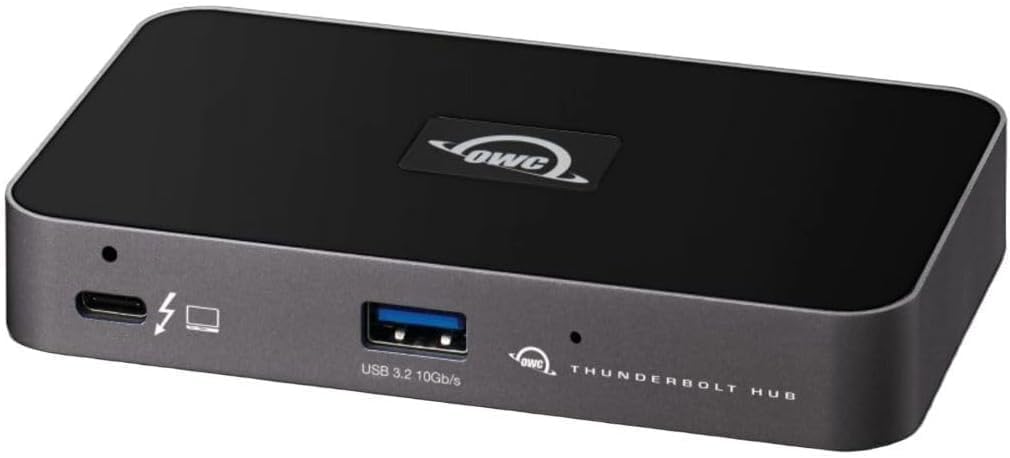
The OWC Thunderbolt Hub is a compact way to expand a modern computer's connections, including those used by external storage. It has a 4.4 rating and provides three Thunderbolt 4 ports plus one USB 3.2 Gen 2 Type-A port. This makes it useful when a laptop or desktop has too few ports for a drive, a display, and other peripherals.
We may earn a commission when you buy through this link, at no additional cost to you.
Display support extends to 8K resolution, while an adjustable LED provides visible status information and a Kensington Nano Security Slot adds a physical security option. The hub is most useful in Thunderbolt 4-based setups, where it can serve external SSDs, display adapters, and other compatible accessories without requiring users to reconnect multiple cables directly to the host.
It does not contain storage and is not a native Thunderbolt 5 product. That distinction matters for readers searching specifically for the newest interface: the hub can help organize a Thunderbolt storage setup, but it does not add Thunderbolt 5 bandwidth to the enclosure or drive. It also has fewer functions than a full dock, lacking the broad USB, Ethernet, card-reader, and power-delivery selection found in more elaborate docking stations.
The OWC Thunderbolt Hub is a sensible companion for users with limited laptop ports or a clean desk who already own compatible storage. It can make an external Thunderbolt SSD more convenient to access by placing it alongside a display and other peripherals. It is less compelling for buyers who need more ports, maximum charging capability, or a native Thunderbolt 5 path.
Three downstream Thunderbolt 4 ports provide room for external storage, a display, and another compatible device. This is enough for many laptop-based creative workflows without a large docking station.
The adjustable LED makes status easier to observe in different working environments, and the Kensington Nano Security Slot can help secure a hub used in a shared or semi-public space.
We may earn a commission when you buy through this link, at no additional cost to you.
The Anker Prime TB5 Docking Station is a comprehensive Thunderbolt 5 connection point that can serve as the hub for an external storage setup. It has a 4.2 rating and includes one upstream Thunderbolt 5 port, two downstream Thunderbolt 5 ports, two additional USB-C ports, three USB-A ports, SD and TF card readers, AC input, 2.5Gbps Ethernet, audio, and either HDMI 2.1 or DisplayPort 2.1 video output.
We may earn a commission when you buy through this link, at no additional cost to you.
Storage is central to its performance proposition. Anker states that the Thunderbolt 5 connection can move a 150GB file in 25 seconds, although real results depend on the source and destination devices, host configuration, and workload. The downstream Thunderbolt ports make it possible to connect NVMe storage, and the SD and TF readers provide a convenient way to ingest media without a separate adapter.
Power and display support make this more than a basic port hub. The upstream port can deliver up to 140W under PD 3.1, while the front USB-C ports share 45W. Single-display output reaches 8K at 60Hz, and compatible Thunderbolt 5 Windows laptops can support dual 8K at 60Hz through the Thunderbolt outputs. An advanced active cooling system is designed to protect performance during full loading.
This dock is best for a laptop workstation that combines fast external storage with multiple peripherals, displays, charging, networking, and media ingestion. It does not store files itself, and its broad feature set may be unnecessary for a simple desktop. Buyers should verify host compatibility and the display modes supported by their particular computer, but for a complete Thunderbolt 5 desk it offers one of the most capable connection schemes in this guide.
Fast storage ports, USB expansion, Ethernet, card readers, audio, displays, and substantial charging replace a collection of separate adapters. This is valuable for mobile creators who return to a desk and want one dependable connection.
The built-in active cooling system is designed to prevent overheating when the dock is heavily used. It complements the high-bandwidth Thunderbolt 5 path and supports sustained performance across demanding workflows.
We may earn a commission when you buy through this link, at no additional cost to you.
The right Thunderbolt 5 storage solution depends on the type of data, the required capacity, the host computer, and the need for portability or expansion. Interface standards, drive type, RAID support, power draw, and display or network integration can matter more than a headline transfer rate.
A Thunderbolt 5 label on a computer does not mean every connected storage device will deliver Thunderbolt 5 performance. The product data distinguishes native Thunderbolt 5 NVMe enclosures such as the OWC Envoy Ultra from devices that merely support Thunderbolt 5 hosts while using an older internal connection. Check the enclosure's own interface, not just the host connection, and verify that the computer can actually configure the required data path.
For maximum benefit, use a host with Thunderbolt 5, a compatible cable, and software that permits the full device bandwidth. Older Thunderbolt 3 or Thunderbolt 4 machines may still work well, but they will not unlock the stated advantages of the newest connection generation.
Capacity needs differ sharply between an active project drive and a long-term archive. A 2TB portable SSD can comfortably hold current work, while 4TB and 8TB configurations provide more room for media collections, local project libraries, and temporary backups. Mechanical enclosures with multiple bays are better when the user wants to scale incrementally or combine HDD and SSD storage rather than settle on one fixed capacity.
Avoid choosing capacity based on present files alone. Large video masters, cache directories, and retained project revisions can grow quickly, and RAID configurations can reduce usable capacity. Consider how much redundancy your chosen RAID level requires and whether the drive is intended for active work, backups, or both.
NVMe SSD storage offers much faster response and transfer performance than a mechanical portable hard drive. That distinction matters for editing high-resolution media, working with active project databases, and repeatedly moving large files. A rugged HDD can still be excellent for archival storage, but its transfer speed and random access will not resemble a Thunderbolt 5 NVMe device.
Multi-bay enclosures can support both drive types. Editors may place an SSD in a slot for active timelines and use HDDs for source media or archives, while a compact NVMe enclosure is more convenient when the main priority is speed and portability.
Portable Thunderbolt storage should be evaluated by size, weight, cable arrangement, and physical protection. The OWC Envoy Ultra line includes built-in Thunderbolt cables and weather-resistant enclosures, while the G-DRIVE ArmorATD emphasizes an anodized aluminum shell, bumper, and resistance to rain, dust, and crushing. Desktop multi-bay systems trade portability for expandability and drive-swapping convenience.
Consider how often the storage will travel and what conditions it may encounter. A fanless enclosure may be preferable in quiet or shared environments, while a dock with active cooling may make more sense for a permanently installed workstation. Matching the form factor to the actual use case prevents an unnecessarily large or fragile solution.
RAID can combine multiple drives into a larger, faster, or redundant storage pool. The OWC ThunderBay 8 includes SoftRAID Premium and supports several RAID levels, while its daisy-chain capability can connect multiple enclosures for substantially more capacity. The OWC miniStack STX offers a simpler combined approach with an enterprise hard drive and a dedicated NVMe slot.
RAID is not a substitute for backups. It may protect against a single drive failure depending on the selected level, but it does not protect against accidental deletion, malware, device loss, or failure of the complete array. Review rebuild time, redundancy requirements, and drive replacement procedures before selecting a multi-drive system.
Bus-powered storage is convenient because it can operate without a separate power supply, but it shares available power with the connected computer. A drive that works directly on one host may behave differently through a dock or hub with stricter power limits. The OWC Express 1M2 guidance about selecting a PCIe Gen 5 SSD at 11 watts or less illustrates why power consumption deserves attention.
Sustained transfers generate heat, and cooling affects how consistently a drive can maintain its stated performance. Fanless designs are quiet and simple, while active cooling can support a larger, heavily loaded dock. Check the included power supply, host charging requirements, and whether your use involves long, continuous read or write operations.
A device can support Thunderbolt 5 in theory while still requiring particular operating-system versions, host firmware, or display capabilities. The OWC Dual 10GbE Dock lists detailed requirements for macOS, Windows, Ubuntu, USB4, and Thunderbolt 3 hosts, illustrating that platform support should be checked line by line. Display resolution, refresh rate, and the number of connected screens also depend on the computer.
For portable products, verify the connector type and cable included. For a dock, examine every port you intend to use, including Ethernet, card readers, audio, video, and host charging. Software RAID tools also need compatible operating systems, and some dock utilities may require a download or a product-specific ejector application.
A direct Thunderbolt NVMe enclosure can be enough when a computer has an available port and the user needs simple file storage. A dock becomes valuable when storage must share space with displays, Ethernet, charging, card readers, and other accessories. The OWC Dual 10GbE Dock is especially relevant to shared or high-speed network storage, while the Anker Prime TB5 Dock offers a broader collection of ports and media readers.
More connectivity also means greater power use, more compatibility considerations, and a larger desk footprint. A small Thunderbolt hub may be enough for a streamlined laptop setup, whereas a full docking station is appropriate for a permanent workstation. Think of the dock as the center of the storage ecosystem rather than as a substitute for a drive.
Begin by checking the host system, its available ports, operating-system requirements, and whether the storage is a direct enclosure, multi-bay system, or dock. Connect the device using the supplied or an appropriate cable, allow the operating system to recognize it, and format the volume using the file system required by your workflow. For a multi-bay enclosure, populate the intended bays before configuring the desired RAID arrangement.
For a portable drive, avoid abrupt unplugging during active transfers, firmware updates, or RAID management. Use the operating system's safe-eject function and confirm that writes have completed. When using a dock with an ejector utility, follow its prompts rather than removing the device immediately. For card-reader workflows, safely eject media cards after importing to prevent interrupted writes and incomplete file transfers.
Protect the device from moisture, excessive heat, impact, and cable strain, even when a product is described as rugged or weatherproof. Keep SSDs and enclosures away from long-term direct sunlight, maintain airflow around active cooling systems, and use the supplied power supplies when required. Periodically verify critical data through a second backup, and test or inspect drive health before undertaking a large, irreplaceable transfer.
It depends on the specific product. The OWC Envoy Ultra line is designed to obtain the best available speed from Thunderbolt 3, Thunderbolt 4, and USB4 systems while also supporting Thunderbolt 5 hosts. Devices such as the miniStack STX are Thunderbolt 4-based and can be used with Thunderbolt 5 hosts, but they do not gain the full capabilities of a native Thunderbolt 5 enclosure. Always check the storage device's own connection specifications.
No. A capable USB4 SSD can deliver strong performance with compatible USB4, Thunderbolt 4, and Thunderbolt 5 systems. The exact result depends on the host controller, cable, SSD, workload, and whether the computer routes the connection optimally. A Thunderbolt 5 host can make a USB4 drive convenient, but it cannot make that USB4 enclosure operate at the same bandwidth as a native Thunderbolt 5 model.
Not necessarily. The OWC Envoy Ultra is described as capable of matching internal storage performance, but actual results depend on the source drive, host controller, file sizes, and sustained workload. NVMe SSDs also vary considerably in speed and thermal behavior. A fast external solution can eliminate many workflow bottlenecks, but it does not guarantee identical results for every file operation or computer.
Choose a portable SSD for fast transfers, active editing, and a compact travel workflow. Choose a multi-bay enclosure when you need much more capacity, the ability to use SSDs and HDDs together, RAID support, or replaceable drives. Portable NVMe devices are simpler and more convenient, while multi-bay systems provide more control and scale but require a fixed setup and additional storage management.
No. An external drive or RAID array can experience accidental deletion, corruption, malware, theft, or complete hardware failure. RAID may reduce the risk of a single-drive failure in certain configurations, but it does not protect against every form of data loss. Keep at least one independent backup on separate media or in a separate location, especially for irreplaceable media and completed projects.
The computer, dock, or hub must supply enough power for the SSD during sustained reads and writes. A high-power PCIe Gen 5 drive may exceed the available allowance even if it can start normally. OWC specifically recommends a PCIe Gen 5 SSD consuming 11 watts or less during sustained operations for its USB4 Express solution. This prevents power-related instability and helps preserve consistent performance.
A Thunderbolt 5 dock can provide a high-bandwidth path for compatible Thunderbolt 5 storage, but it does not automatically increase the drive's inherent speed. The enclosure, SSD, host controller, cable, file sizes, and thermal conditions still determine performance. Dock bandwidth can matter if a slower hub or cable would otherwise limit the device; otherwise, the drive remains the primary constraint.
The appropriate capacity depends on codec, resolution, frame rate, project duration, and how many proxy, cache, and backup copies you keep. Active editing also benefits from a fast SSD, while high-capacity HDDs can hold source footage and archives. Choose enough room for the current project, its derivative files, and temporary outputs, and maintain separate backups for completed work.
The OWC Envoy Ultra 4TB is the strongest all-around recommendation because it combines substantial portable capacity, more than 6000MB/s of stated performance, broad compatibility, and a rugged fanless design. The 2TB version serves users who need a smaller active-work drive, while the 8TB model is the premium choice for users who want high capacity without a desktop enclosure.
Prioritize the interface the product actually uses, the role your data will play, and the environment where it will be used. Native Thunderbolt 5 NVMe products serve performance-sensitive mobile workflows, rugged HDDs provide spacious backups, and multi-bay systems support RAID and large-scale expansion. A Thunderbolt 5 dock can then connect that storage to displays, networks, charging, and other accessories in a cleaner workstation.
Before buying, verify the host, operating system, cable, power, display, and file-system requirements, and compare current product pricing and availability. Prices and configurations can change over time, so the final choice should reflect your present capacity needs and workflow rather than a headline number alone.