
SONOFF Bridge Max
4.6Editor score
Local web-based console
Zigbee and BTHome bridging
Built-in 90 dB alarm
Our 2026 guide compares 10 best Smart Home Hub for Matter or Zigbee options, covering compatibility, local control, setup, range, and platform support.
A smart home hub acts as the translator between wireless devices, mobile apps, and voice-control ecosystems. Matter and Zigbee support can determine which lights, sensors, locks, shades, and other accessories work together, while local processing and radio coverage can affect everyday reliability across a home.
We compared all 10 products by protocol support, device compatibility, network options, automation features, range, installation requirements, and integration with platforms such as Alexa, Google Home, Apple Home, SmartThings, and Home Assistant. The guide includes dedicated hubs, multi-protocol gateways, bridges, and a USB coordinator for more technical setups.
Each review explains the product's strongest use case and practical limitations, helping readers distinguish a beginner-friendly bridge from a flexible hub for mixed ecosystems. Ratings and availability can change over time, so confirm the current specifications, supported devices, and marketplace listing before purchasing.
4.6Editor score

4.2Editor score

5.0Editor score
This side-by-side comparison highlights each hub's protocol coverage, platform fit, local-control approach, connection methods, and most important limitation.




The Aeotec Smart Home Hub is the most complete all-purpose option in this guide, combining Matter, Zigbee, Z-Wave, SmartThings, Wi-Fi, and voice-assistant support in one enclosure. Its 4.2 rating reflects a capable platform for users who want broad device choice rather than a narrowly focused bridge. It also offers both wireless and wired connectivity, which is useful when a stable network path or a central installation location matters.
We may earn a commission when you buy through this link, at no additional cost to you.
The hub uses the SmartThings app to connect compatible devices, build routines, and coordinate lighting, sensors, switches, comfort systems, and energy-related accessories. Many automations can execute locally, improving responsiveness and allowing selected routines to continue during an internet interruption. Alexa and Google Home compatibility adds familiar voice-control options, while Z-Wave Plus support on the V3 model broadens its appeal to homes that already use that radio standard.
The primary qualification is the Z-Wave limitation: support applies specifically to the V3 model, so buyers should verify hardware revision before assuming every Z-Wave accessory will work. The stated North American design is another important detail for international shoppers. These restrictions may discourage buyers outside that region or those seeking the newest multi-radio design, but the mature SmartThings foundation and broad device support make this model highly versatile within its stated market.
This is the strongest recommendation for a homeowner who wants one hub to manage Matter, Zigbee, and compatible Z-Wave equipment. It is less suitable for someone who needs the latest Thread-focused architecture or a compact, inexpensive bridge. For most mixed smart-home installations in North America, however, its combination of radio support, app-based automation, local execution, and flexible networking provides the broadest practical foundation in the list.
Supporting Matter, Zigbee, and Z-Wave reduces the need for separate bridges when a household already owns accessories across several ecosystems. The V3-only Z-Wave qualification should still be checked carefully before making a final decision.
Wi-Fi makes initial placement convenient, while Ethernet provides a stable alternative for a central hub. SmartThings routines and many locally executed automations make the device especially useful for recurring lighting, security, comfort, and energy-control tasks.
We may earn a commission when you buy through this link, at no additional cost to you.
The Aeotec Smart Home Hub2 V4 combines Matter and Zigbee with a SmartThings hub platform, giving it broad relevance for modern mixed-device homes. Its 4.0 rating reflects a capable but more specialized design than the first-ranked Aeotec model. The important distinction is the absence of Z-Wave, which simplifies the radio configuration but also limits compatibility for homes that depend on that older established standard.
We may earn a commission when you buy through this link, at no additional cost to you.
Setup is handled through the SmartThings app, with support for both Wi-Fi and wired Ethernet. Users can create routines for security, lighting, comfort, and energy management, and many automations can run locally on the hub. Compatible devices can come from Aeotec and other brands, while Alexa and Google Home support makes voice control available without depending on a single proprietary mobile-app ecosystem.
Its lack of Z-Wave is acceptable for new installations centered on Matter and Zigbee, particularly when Thread support is not a stated requirement. Users should understand that the hub remains part of the SmartThings ecosystem rather than serving as an entirely independent controller. That dependence is not inherently negative, but it makes platform familiarity and app preferences more important when comparing it with open, Home Assistant-oriented alternatives.
Choose the Hub2 V4 when Matter, Zigbee, SmartThings, and voice-assistant support are your priorities and Z-Wave is unnecessary. It is well suited to apartments and houses seeking flexible network placement and centralized routines. Buyers who need Z-Wave or a native Thread radio should instead consider the original Aeotec hub or the more technically focused ZBT-2.
The Hub2 V4 delivers the SmartThings management experience while focusing its radio support on Matter and Zigbee. That makes it a clean option for newer homes, though adding Z-Wave later would require another bridge.
Routines that run locally can respond faster and remain useful during temporary internet outages. Cloud-connected features, app access, and voice services may still depend on online services, so local execution should not be mistaken for complete network independence.
We may earn a commission when you buy through this link, at no additional cost to you.
The SONOFF Bridge Max stands out as a flexible and approachable bridge with a 4.6 rating, the second-highest among the products reviewed. It can bridge Zigbee, BTHome, and eWeLink devices into Matter platforms including Alexa, Google Home, and Apple Home. Unlike many hubs that require a phone app for local management, its browser-based console can be accessed directly on the local network.
We may earn a commission when you buy through this link, at no additional cost to you.
The local approach supports privacy and reduces reliance on cloud configuration. It also includes a practical security feature: when paired with Zigbee sensors, the hub can use a built-in 90 dB alarm and mobile notifications to alert the household about intrusion events. For technical users, Home Assistant can be integrated through MQTT, while Home Assistant devices can also be bridged toward Matter-compatible platforms.
The trade-off is that a local web interface is less approachable than a polished mobile app, and the hub must be reachable on the same local network for management. Home Assistant users also need to configure the appropriate integration rather than expecting every function to appear automatically. These are manageable considerations for a technical household but may deter buyers who prioritize simple guided setup.
The Bridge Max is a compelling choice for readers who want a multi-protocol bridge without handing all configuration to a cloud application. It also suits users with Zigbee sensors who value a built-in audible alarm. For the easiest all-in-one SmartThings experience, the Aeotec hubs remain more polished; for advanced local control, the SONOFF Bridge Max offers a more distinctive and adaptable experience.
The local web console keeps configuration available on the home network without requiring a dedicated mobile app or cloud service. That makes the bridge attractive to users who prefer direct browser access and greater control over where device management occurs.
Combining the bridge with Zigbee sensors turns it into more than a protocol converter. Its 90 dB alarm provides an immediate local warning, while mobile notifications provide an additional remote alert when the relevant connection and services are available.
We may earn a commission when you buy through this link, at no additional cost to you.
The Yoolax Zigbee Matter Hub is a 4.2-rated option aimed especially at homes using compatible Zigbee shades, lighting, and other low-frequency devices. Its central strength is the ability to add and manage as many as 128 smart devices through the Yoolax Home app. Alexa and Google Home compatibility make it relevant for users who want voice control without designing a deeply technical custom system.
We may earn a commission when you buy through this link, at no additional cost to you.
The hub communicates with compatible shades and other devices through Zigbee and uses sub-GHz transmission to improve wall penetration and reduce interference from crowded Wi-Fi environments. The stated coverage is 590 inches, and the manufacturer recommends one hub per floor when blinds span multiple levels. That guidance reflects a practical reality: radio placement can matter more than raw device count in a large home.
Compatibility is the main source of uncertainty. The product is presented as a Matter and Zigbee hub, but its device-control and app experience is closely tied to Yoolax Home, so buyers should verify that their intended accessories, routines, and target voice platforms work as expected. The stated capacity also does not guarantee that every feature of every paired device will be exposed through a voice assistant or automation system.
This hub makes sense for a household concentrated around compatible blinds, smart LED devices, and Yoolax-compatible accessories, particularly one spanning several floors. It is less convincing for a broad smart-home buyer who needs confirmed Thread support or independent Home Assistant management. For that audience, the SONOFF and Home Assistant options provide clearer control paths.
The strongest use case is connecting compatible Zigbee motor-driven shades and managing their settings through the Yoolax Home app. Buyers should confirm the exact shade models or motor compatibility before relying on the stated 128-device capacity.
Using sub-GHz low-frequency transmission can improve penetration through walls and reduce competition with 2.4 GHz Wi-Fi traffic. Placement guidance is still important, especially across floors where one central hub may not provide a dependable connection to every room.
We may earn a commission when you buy through this link, at no additional cost to you.
The ZBT-2 earns a 5.0 rating and stands apart as the most technically advanced product in this guide. It combines Zigbee 3.0 and Thread connectivity in one unit, integrates directly with Home Assistant's ZHA and Thread systems, and is presented as fully Matter-ready. Rather than attempting to conceal complexity behind a consumer-oriented app, it is built for users who want direct control of their automation platform.
We may earn a commission when you buy through this link, at no additional cost to you.
Its Silicon Labs MG24 system-on-chip and USB bridge are specified to deliver performance described as four times faster than the ZBT-1, with low latency and stable sub-device control. A 4.16 dBi omnidirectional antenna supports wider range, and orientation-sensing feedback helps indicate when the antenna should be repositioned. That kind of radio feedback is particularly useful in homes where USB placement, walls, and furniture can affect reliability.
The main limitation is audience fit. Home Assistant users will benefit from automatic detection and configuration, but buyers seeking a simple mobile-first household hub may find the product less approachable. Matter readiness also does not mean every possible Thread or Zigbee device exposes every control in every ecosystem. The hub keeps communication local, which is excellent for privacy, but users remain responsible for platform setup and device compatibility.
For a serious Home Assistant installation combining Zigbee and Thread devices, the ZBT-2 is the standout recommendation. It is especially attractive when a high-gain antenna and local communication matter more than turnkey voice control. Beginners should choose a simpler bridge, while experienced users gain a compact and powerful radio platform for a mixed-protocol smart home.
Combining Zigbee 3.0 and Thread reduces the need for separate coordinators in a modern mixed-protocol installation. Native integration with Home Assistant's ZHA and Thread systems also keeps the radio within a familiar open automation environment.
The external 4.16 dBi antenna is intended to improve coverage across rooms and through walls. Orientation feedback adds a practical diagnostic layer, helping installers identify a position that may not be delivering the radio performance the hardware can provide.
We may earn a commission when you buy through this link, at no additional cost to you.
The Matter Smart Home Hub M6 is a budget-oriented, multi-platform hub with a 3.4 rating. It combines a Zigbee gateway with Matter functionality and can integrate with Tuya, Google Home, and SmartThings. Its support for lights, sensors, plugs, and other accessories, together with an included antenna, gives it useful reach for a home that already participates in the Tuya ecosystem.
We may earn a commission when you buy through this link, at no additional cost to you.
The stated capacity of more than 125 devices makes it appropriate for users managing numerous compatible accessories. A user-friendly app is provided for creating scenes, schedules, and automations, while over-the-air updates are intended to keep the hub current. These conveniences make the M6 appealing to mainstream smart-home users who want a recognizable mobile-app workflow.
There are two important limitations. First, the product does not currently support Alexa, despite support for Google Home and SmartThings. Second, its Matter integration requires a border router, so it is not an independent Matter controller. The 3.4 rating suggests that setup or compatibility may be less seamless than the ratings of the leading products, and buyers should confirm that their target devices appear with the features they need.
Choose the M6 for a Tuya-centered home that uses Google Home or SmartThings and wants Zigbee control with Matter bridging. It is less suitable for a household standardized on Alexa or for users who want one self-contained hub to handle every role. As long as the border-router requirement and current assistant support align with the planned system, the antenna and stated capacity provide solid utility.
Direct Tuya integration is the M6's clearest reason to choose it. Users with compatible switches, sensors, plugs, and other accessories can consolidate them in one app while sharing supported functions with connected ecosystems.
A Matter border router is required, meaning another compatible product must provide part of the Matter network role. This should be considered carefully when planning a mixed system, particularly if the intention is to use one device for every function.
We may earn a commission when you buy through this link, at no additional cost to you.
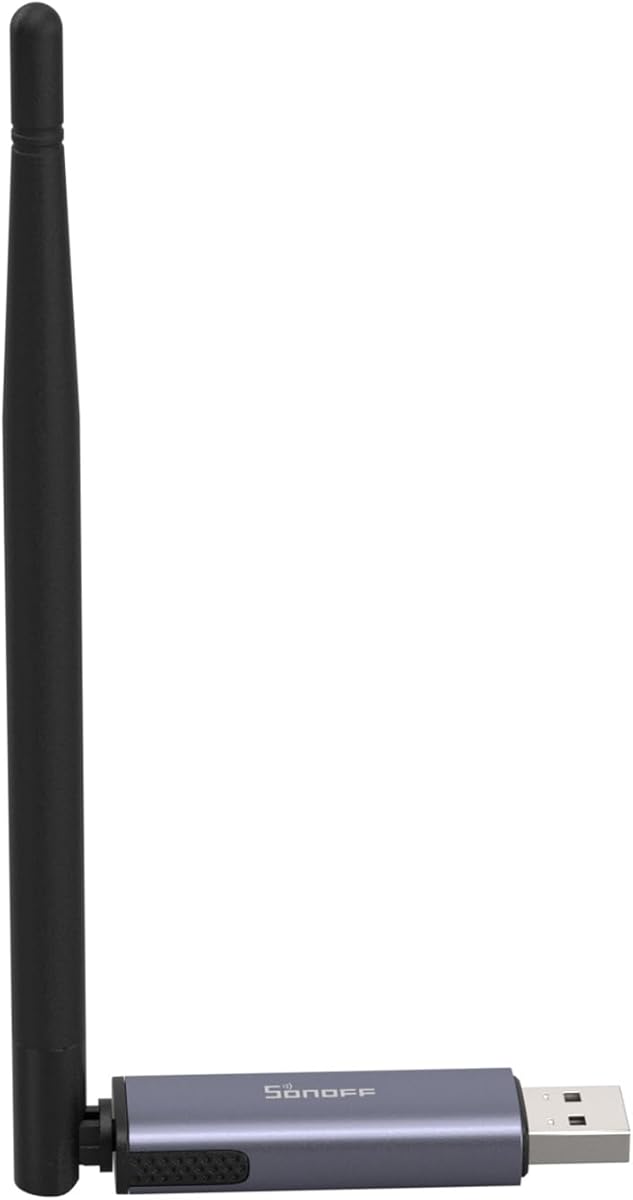
The SONOFF Zigbee 3.0 USB Dongle Plus MG24 is a compact radio coordinator with a 4.7 rating, making it one of the most well-regarded products here. It is designed for Home Assistant, Zigbee2MQTT, and openHAB installations rather than for people seeking a finished household hub with built-in touch controls or a dedicated app. Its flexibility makes it especially useful to experienced smart-home builders.
We may earn a commission when you buy through this link, at no additional cost to you.
The EFR32MG24 chip provides resources and processing performance intended to speed automation handling and maintain stable connections to sub-devices. The default 3 dBi antenna can be optimized to 4.5 dBi, improving signal strength and coverage. Firmware can also be switched among Zigbee coordinator, router, and Thread RCP roles, allowing one dongle to adapt as a system evolves.
Its biggest limitation is obvious but important: it needs a compatible host computer or server with a USB port. It also does not function as a standalone Matter controller with consumer voice-assistant setup. Flashing the desired firmware and connecting compatible Philips Hue, Aqara, IKEA Tradfri, SONOFF, and other Zigbee 3.0 devices require more participation than plugging in a conventional bridge and scanning a code.
The dongle is best for readers who already run Home Assistant or Zigbee2MQTT and want a modern, flexible coordinator with Thread capability. The included USB extension cable can reduce electromagnetic interference and makes placement away from the host more practical. For a simpler household appliance, choose a dedicated hub; for a technical local network, this compact device is an unusually capable option.
Switching among coordinator, router, and Thread RCP modes means the hardware can serve different stages of a smart-home build. This flexibility is valuable when experimenting, but it also makes the product less convenient than a finished consumer hub.
The included USB extension cable helps separate the radio from the host's other electronics and makes it easier to position the antenna. Adjustable antenna gain adds another tool for improving reliability through walls or across larger homes.
We may earn a commission when you buy through this link, at no additional cost to you.
The Matter Smart Home Hub M1 Pro combines a Matter bridge, a Tuya Zigbee gateway, Thread Border Router functionality, and built-in infrared control. Its 4.2 rating reflects an unusually complete hub design, especially for users who still operate television sets, air conditioners, and other infrared appliances. It also supports up to 128 compatible Tuya Zigbee sub-devices, including switches, lights, curtains, and sensors.
We may earn a commission when you buy through this link, at no additional cost to you.
Networking is flexible after setup because the hub supports 10/100 Mbps Ethernet as well as 2.4 and 5 GHz Wi-Fi. Initial activation nevertheless requires Ethernet, and initial app pairing must use a 2.4 GHz Wi-Fi network. Supported hub-side scenes and automations can run locally during an internet outage, although cloud services, app notifications, voice assistants, and some automation types still require connectivity.
The 38 kHz infrared transmitter has a reference range of up to 9 meters in front and approximately 4 meters to the side under unobstructed conditions. That range varies with appliance design and placement. Likewise, a compatible Matter controller or border-router device is required, and the exact controls exposed in Apple Home, Google Home, SmartThings, or Alexa depend on the sub-device, firmware, and target ecosystem.
The M1 Pro is an appealing option for a Tuya-based home that combines modern smart accessories with legacy infrared equipment. Its compact 95 x 95 x 24 mm body and USB-C power make placement straightforward, while Ethernet supports a permanent central installation. Buyers should plan around the required initial network setup and confirm which Matter features their selected accessories expose.
The integrated infrared controller can bring compatible air conditioners, televisions, and other appliances into an app-based routine. Its effectiveness depends on line of sight, appliance support, and the control functions offered by the selected ecosystem.
Ethernet offers a stable central connection, while saved 2.4 or 5 GHz Wi-Fi networks can provide a wireless option later. Because activation begins with Ethernet, users should place the hub where a permanent cable run is practical.
We may earn a commission when you buy through this link, at no additional cost to you.
The THIRDREALITY Smart Bridge MZ1 is a compact Zigbee-to-Matter bridge with a 3.2 rating. It is built to connect THIRDREALITY Zigbee end devices to the broader Matter ecosystem, making it most relevant for a household already invested in compatible THIRDREALITY accessories. It can also serve as a simple path toward Apple HomeKit, Google Assistant, and SmartThings.
We may earn a commission when you buy through this link, at no additional cost to you.
The bridge uses a space-saving enclosure and USB-C power, while the 3R-Installer application handles setup, management, and over-the-air updates. Its stated network limitation is important: it operates on 2.4 GHz Wi-Fi. Older routers or networks that use only 5 GHz will not work with the bridge, so checking the existing network is an essential first step.
The low rating may reflect a narrower ecosystem focus, limited feature set, or compatibility variations that users encounter compared with higher-rated hubs. Matter bridge function should not be interpreted as universal translation: each paired device, firmware version, and destination ecosystem may expose a different set of controls. This means careful model-level verification is particularly important for locks, sensors, and other accessories where feature parity matters.
The MZ1 is best for a compact setup centered on THIRDREALITY Zigbee devices and a 2.4 GHz network. It can be a sensible dedicated bridge when simplicity and a small footprint matter more than broad radio support or local hub-side routines. For a larger mixed home, a hub with Zigbee, Matter, Thread, and wired networking may offer a more durable foundation.
The MZ1 translates compatible THIRDREALITY Zigbee accessories for supported Matter platforms. Its focused design is efficient for a defined device collection, but users should verify support for every model and control they intend to use.
The bridge requires a 2.4 GHz Wi-Fi network, which can be an important limitation in newer router setups. Confirm that 2.4 GHz is enabled and accessible on the network before installation to avoid setup frustration.
We may earn a commission when you buy through this link, at no additional cost to you.
The Matter Smart Wired Hub Gateway combines Matter, Thread, and Tuya Zigbee 3.0 connectivity with required Ethernet networking. Its 3.3 rating reflects a capable but constrained option, particularly for users who can place a wired hub centrally and already use Tuya-based accessories. It supports control through the Tuya app, Smart Life app, Google Home, Siri, and Alexa after compatible devices are connected.
We may earn a commission when you buy through this link, at no additional cost to you.
The built-in Zigbee transmitter is described as offering improved wall penetration, while Thread reception extends to sub-devices in multiple rooms. Cross-platform Protocol 1.0 allows compatible Tuya Zigbee devices to run on platforms such as HomeKit by sharing a QR code from the Tuya app. The result can be convenient, but device support still depends on the required Matter boundary-routing capability.
The installation requirements are strict. A network cable must be connected to run the system, the phone and gateway need to be on the same Wi-Fi network during configuration, and only 2.4 GHz Wi-Fi is supported. The product also does not support devices using Wi-Fi or Bluetooth, which is a significant limitation if the goal is to aggregate every category of smart accessory.
This gateway is most suitable for a Tuya-oriented installation with Ethernet available and a clear reliance on Zigbee or Thread accessories. Its multi-platform sharing can be useful, but the 3.3 rating and extensive compatibility notes call for careful planning. A buyer who can dedicate a central wired position and verify device support will find a focused solution for bridging older Tuya equipment into modern Matter platforms.
The required Ethernet connection provides a consistent network path and makes the hub suitable for a permanent central location. It also adds an installation step that many wireless bridges do not require.
Matter, Thread, and Zigbee create a flexible radio foundation, but the hub excludes Wi-Fi and Bluetooth accessories. Compatible devices must also meet Matter boundary-routing requirements, so model verification is essential before expanding the system.
We may earn a commission when you buy through this link, at no additional cost to you.
The right hub depends on the devices you already own, the platforms you want to use, and how much control you want to retain over local automation. Protocol support, network architecture, radio range, and setup complexity deserve careful attention before purchase.
Matter and Zigbee solve related but different compatibility problems. Matter provides a shared application-layer standard intended to simplify control across major smart-home platforms, while Zigbee is a wireless device protocol commonly used for sensors, bulbs, switches, locks, and other accessories. A hub advertising both may function as a Matter controller, a Matter bridge, a border router, a Zigbee coordinator, or a combination of those roles. Those terms are not interchangeable, so the buying decision should begin by identifying the role required by the planned ecosystem.
Choose Matter support when you want devices exposed to Alexa, Google Home, Apple Home, or SmartThings, but verify whether the hub itself is a controller, bridge, or border router. Choose Zigbee support when your priority is a broad collection of battery-powered sensors and compatible accessories. If your devices depend on both, confirm that the product supports simultaneous operation and local pairing rather than merely listing both names.
The hub's preferred app and control platform can determine how smoothly the entire system works. SmartThings-oriented hubs are natural choices for users who want broad third-party device support and polished routines. Tuya-based products fit homes already built around the Tuya Smart or Smart Life apps. Home Assistant products suit technically inclined users who want direct control, custom integrations, and flexibility across open-source tools. Matter bridges can extend a vendor-specific collection into another platform, but feature parity is never guaranteed.
Match the hub to the platform you already use rather than assuming a shared protocol will produce identical controls everywhere. Check whether voice assistants work directly, whether the product acts as a bridge or must be added to a Matter controller, and whether the mobile app exposes schedules, scenes, and device-level settings. The best protocol support is the support that produces usable controls in the apps you actually open each day.
Local automation means the hub executes routines without sending every command to a remote cloud service. This can improve response time, reduce external dependency, and allow important routines to continue during an internet outage. However, local operation varies by product. A hub may execute some routines locally while still requiring internet access for notifications, voice assistants, firmware management, or certain device types. A bridge focused on translating protocols may not be designed to host extensive hub-side routines at all.
Prioritize hubs that clearly identify which automations run locally and which functions remain online. For a home with security, lighting, or comfort routines, local execution can be highly valuable. Still, a product that promises offline support should not be treated as completely independent unless the specification explicitly covers the relevant cloud, notification, and app functions.
A hub's stated range is only one part of connectivity. Walls, floors, furniture, competing Wi-Fi traffic, antenna orientation, and the position of battery-powered routers can all influence the result. Zigbee and Thread mesh networks depend on compatible devices that can serve as repeaters, so placing the hub centrally does not guarantee perfect reception. Some products include an external antenna, a high-gain antenna, orientation feedback, or a USB extension cable specifically to improve placement flexibility.
Consider both the size of the property and the number of floors. A large house may need one centrally positioned hub or multiple coordinated installations, while a small apartment may need only one. Review the manufacturer's placement guidance and avoid placing the hub beside dense electronics or in an enclosed cabinet. If the product supports battery-powered Zigbee routers, those devices can improve the overall mesh once properly commissioned.
Wi-Fi offers flexible placement, while Ethernet can provide a stable connection for permanent installations. Some hubs support both, whereas others require Ethernet during activation or throughout operation. A product that starts with Ethernet can later use a saved Wi-Fi network, as the M1 Pro demonstrates, but that does not make it equivalent to a hub designed for effortless wireless-only setup. USB coordinators have different requirements because they must remain attached to a host computer or server.
Choose based on where the hub can be mounted and how much setup effort you want. If a central location has a wired network outlet, Ethernet may remove wireless-coverage concerns for the hub's own connection. If the hub must sit near a far-flung Zigbee cluster, Wi-Fi can be more convenient. Check supported bands as well, especially for products limited to 2.4 GHz or those requiring an initial 2.4 GHz pairing process.
Stated device limits can be misleading when different products count sensors, routers, lights, and other endpoints differently. A hub that supports 128 or 125-plus devices sounds impressive, but the real limit may reflect the associated app or radio configuration. More important than the headline number is whether the intended device models and individual controls are supported. Locks, thermostats, shades, and sensors often expose different features from simple lights or plugs.
Make a list of the exact models you plan to connect. Verify the hub's device compatibility documentation, the required firmware, the controlling app, and the destination Matter ecosystem if applicable. Also check which functions survive a bridge. A device may appear in two ecosystems while omitting schedules, energy readings, advanced sensor controls, or other advanced features in one of them.
A smart home hub can be a security tool rather than merely a device translator. The SONOFF Bridge Max, for example, can pair with Zigbee sensors and use a built-in 90 dB alarm for intrusion alerts. Other hubs focus on local processing, browser-based management, or keeping radio traffic inside the home network. These capabilities can reduce exposure to cloud outages and limit some external dependencies, although internet-dependent features may remain.
Review account requirements, local-management options, update behavior, and the network on which the hub operates. Use a supported app, keep the hub's firmware current, and avoid granting broad or unnecessary access. If privacy is a priority, determine whether core controls can remain local and whether the product can be configured without a permanent cloud connection. A concise privacy model is generally more meaningful than a generic claim of security.
Consumer hubs generally emphasize guided mobile setup, automatic device discovery, and voice-assistant linking. Bridges and USB coordinators can provide greater control but require more technical decisions, firmware selection, or browser-based configuration. The best choice is the one whose maintenance process matches your comfort level. A polished app may simplify daily scene management, while a local console or flasher can be preferable for users who want to inspect and control the network themselves.
Consider how the hub will receive updates, how new devices are added, and what happens after a restart. Over-the-air update support and automatic platform detection make ownership easier. Product support for third-party software such as Home Assistant, Zigbee2MQTT, or openHAB also matters, since those ecosystems often offer more control but demand greater participation during setup.
Begin by placing the hub in a central, open location that is close enough to the intended Zigbee or Thread devices. Avoid hiding it inside a cabinet, placing it directly beside a router, or surrounding it with dense metal objects. Connect Ethernet when the product supports or requires it, and join the correct 2.4 GHz Wi-Fi network if the setup instructions specify that band. Power the hub fully before beginning device pairing.
Update the hub's software, create or sign in to the required account, and pair one representative device first. This small test confirms that the radio, app, and target platform can communicate before the entire home is added. For Matter systems, complete the appropriate controller, bridge, or border-router relationship. For Zigbee systems, open the hub's pairing mode and follow the manufacturer sequence for each sensor, switch, light, or other accessory.
Create routines gradually and record which functions run locally. Test each automation under real conditions, including a temporary internet interruption if local operation is important. Keep the hub's firmware current, revisit paired devices after platform updates, and periodically inspect connection quality or router placement. Do not move the hub and its devices indiscriminately; coordinate antenna and mesh-router placement so that relocation does not weaken the network.
Not necessarily. A dedicated Zigbee coordinator or hub can control compatible Zigbee accessories without Matter if every device and automation remains inside that platform. Matter becomes valuable when you want to share certain devices with ecosystems such as Alexa, Google Home, Apple Home, or SmartThings. Check whether the Zigbee-to-Matter product performs a controller, bridge, or border-router role and verify feature support for each device.
No. A controller directly operates and administers compatible Matter devices on a Matter network. A bridge usually takes devices from another ecosystem, such as Zigbee or a vendor cloud, and exposes selected functions to a Matter controller. Some products combine both roles, while others require a separate controller or border router. The product title and specification should state the exact role before purchase.
Yes, when the hardware includes both radios and its software supports simultaneous operation. The ZBT-2, SONOFF USB Dongle Plus, and M1 Pro all combine Zigbee and Thread functions, although their roles differ. A Thread-capable hub may operate as a border router, while a USB dongle may require a separate Matter controller and compatible host software. Verify the full network architecture rather than relying on the presence of both protocol names.
The hub may support only certain assistants, or its current firmware and the selected Matter controller may not expose every device to every ecosystem. Some products explicitly omit Alexa, and others require a separate controller or border router. In addition, a device can appear in an ecosystem while certain controls remain unavailable. Check both the hub's platform list and the target ecosystem's supported device categories.
It depends on the product and the feature. Local automations, some sensor triggers, and certain routine actions may continue during an outage, but cloud access, mobile notifications, voice assistants, remote control, and some device functions may not. Products with browser-based local consoles or local processing are more likely to offer meaningful offline behavior. Treat offline support as feature-specific rather than assuming the entire system remains fully operational.
Choose a central, open, and accessible position, preferably near the home's main network connection. Keep the hub away from metal objects, dense electronics, and enclosed cabinets. In a multistory property, additional hub placement or properly commissioned battery-powered mesh routers may be necessary. A high-gain antenna does not replace good positioning, so compare placement feedback and room coverage before adding more devices.
Yes. Updates can improve compatibility, security, device support, and stability while also fixing issues that appear after platform changes. Some products update automatically over the air, whereas USB coordinators and browser-based systems may require a manual firmware check. Updating the hub alone may not be enough if the paired device or controlling app also needs a compatible firmware version.
A hub is a general term for a central device that manages accessories and automations. A bridge specifically translates devices from one ecosystem or protocol into another. A coordinator is usually the radio device that forms and controls a Zigbee network. One product may perform several roles, so check whether it can manage devices directly, translate them for another platform, and serve as the network's radio authority.
The Aeotec Smart Home Hub is the most balanced overall recommendation because it combines Matter, Zigbee, Z-Wave, SmartThings, voice-assistant support, flexible networking, and locally executed routines. The SONOFF Bridge Max is the budget-friendly choice for users who value a local console, broad protocol bridging, Home Assistant flexibility, and a useful built-in alarm. The ZBT-2 is the premium pick for technically capable Home Assistant users who want a powerful Zigbee and Thread radio with a high-gain antenna.
Before choosing, identify the exact roles your system needs: controller, bridge, border router, or Zigbee coordinator. Confirm the precise device models, required apps, assistant support, Wi-Fi bands, wiring requirements, and features exposed in each destination ecosystem. Local automation, placement, and the possibility of adding compatible mesh routers can matter more than a large headline device count.
Finally, check current marketplace listings and manufacturer documentation before ordering. Ratings, firmware, supported ecosystems, and hardware revisions can change, and those changes may affect compatibility. The right smart home hub is not simply the one with the most protocols; it is the one that connects the devices you own, fits the platform you use, and remains manageable in the space where it will live.