
TOPGRO T1-Pro
4.5Editor score
RTX 4060 mobile graphics
Core i9-13900HX processor
32GB DDR5 memory
1TB PCIe 4.0 SSD
This Mini PC with Nvidia GPU guide compares 10 compact systems, covering graphics performance, processors, cooling, connectivity, memory, and upgrade potential.
A mini PC with Nvidia GPU can deliver credible gaming and creative performance in a far smaller package than a conventional desktop. The strongest choices combine capable mobile graphics, efficient processors, fast memory, sensible storage, and cooling that can sustain demanding workloads without turning an ordinary desk into a noisy workshop.
This guide compares ten compact systems using the supplied specifications, including processor, graphics, memory, storage, networking, display support, cooling, and expansion options. It covers mini PCs with dedicated Nvidia GeForce graphics as well as compact alternatives built around integrated graphics or external GPU connectivity.
The selections show that there is no single ideal mini PC for everyone. Some prioritize discrete Nvidia gaming performance, others emphasize large memory pools for local AI, and several target editing or multi-monitor productivity. Product availability, configurations, and prices can change, so confirm the current listing and specifications before buying.
4.5Editor score

5.0Editor score

This side-by-side comparison highlights each system's processor, graphics, memory, storage, and defining feature, helping buyers identify the mini PC that best matches their gaming, creation, and productivity priorities.



The ASUS ROG GR70 Gaming Mini PC is our Editor's Choice for buyers who want dedicated Nvidia graphics without building a full-size desktop. It pairs a Ryzen 9 9955HX with an RTX 5070 mobile GPU, a combination that positions it as a serious high-performance gaming system. Its supplied customer rating is 5.0, and the defining attraction is the balance of strong compute, modern graphics, and a remarkably compact silver enclosure.
We may earn a commission when you buy through this link, at no additional cost to you.
The Ryzen 9 9955HX supplies the processing power needed for demanding games, streaming, and general multitasking, while the RTX 50-series mobile GPU adds dedicated graphics performance and features such as DLSS. The system also supports Wi-Fi 7 and certified Bluetooth 5.4, making it a good fit for users who want fast wireless networking without occupying a router port with Ethernet. Its custom cooling design is intended to control temperatures and acoustics during sustained loads.
There are practical trade-offs. Mobile GPUs still operate within tighter power and thermal limits than full-size desktop graphics cards, so performance will not equal a desktop system with a comparably named desktop GPU. Buyers must also consider the cost associated with this premium configuration, especially when comparing it with more affordable RTX 4060-based systems. Nevertheless, the GR70 offers a compelling balance for someone who prioritizes graphics capability in a small footprint.
This is the right recommendation for a gamer who wants a compact Nvidia mini PC, a creator who needs CUDA-capable graphics without a tower, or a power user who needs to move a capable workstation between locations. The RTX 5070 and Ryzen 9 combination makes it especially suitable for high-refresh gaming, demanding applications, and mixed workloads. Overall, it is the most balanced dedicated-Nvidia option in this guide.
The GR70 puts RTX 50-series mobile graphics into a compact, silver-hued chassis that is easier to accommodate than a conventional gaming desktop. It suits desks with limited space, shared offices, and setups where a full tower would be inconvenient.
A custom cooling system is designed to manage the heat generated by the processor and graphics hardware. Wi-Fi 7 and Bluetooth 5.4 provide modern wireless connectivity for compatible peripherals, networks, and accessories.
We may earn a commission when you buy through this link, at no additional cost to you.
The TOPGRO T1-Pro is our Best Budget selection because it combines a Core i9-13900HX with a dedicated RTX 4060 8GB in a well-equipped mini gaming PC. Its 4.5 rating reflects a generally favorable user response, while the supplied specifications show a capable foundation for 1080p gaming, creative work, and multitasking. It offers more tangible gaming hardware than an entry-level mini PC relying only on integrated graphics.
We may earn a commission when you buy through this link, at no additional cost to you.
The processor provides 24 cores and 32 threads with up to a 5.4GHz turbo clock, making it well suited to games, content creation, and demanding applications. The RTX 4060 mobile GPU uses Ada Lovelace architecture and supports real-time ray tracing, DLSS 3.0, and Max-Q technologies. Memory is a generous 32GB of dual-channel DDR5-5200, extendable to 64GB according to the listing, while the included 1TB PCIe 4.0 NVMe drive supplies fast storage with additional M.2 expansion.
Connectivity is another strength. Wi-Fi 6E, Bluetooth 5.3, and 2.5GbE provide flexible wired and wireless options, while HDMI 2.0 and DisplayPort 1.4 support up to three displays at 4K 60Hz. Adjustable RGB lighting and convenient fan-speed controls add practical desk-management features. The older Core i9 and lower-tier RTX 4060 mean this system is not designed to compete with the latest flagship mini PCs, and high-end future games may require lower settings or upscaling.
Buy the T1-Pro when you want dedicated Nvidia graphics, ample memory, fast storage, and strong connectivity without moving to the premium end of the market. It is a particularly compelling choice for a compact gaming system, home office, or productivity station where an RTX 4060 and Core i9 are more important than having the newest processor generation. Among the systems reviewed, it delivers the strongest combination of gaming hardware and practical features for value-focused buyers.
The RTX 4060 mobile GPU gives this system dedicated graphics capability, including ray tracing and DLSS support. It is a practical option for 1080p gaming and mixed creative workloads where integrated graphics would be less suitable.
Dual-channel 32GB DDR5-5200 memory supports multitasking, while the included PCIe 4.0 SSD accelerates loading and file operations. Two display outputs are specified for up to three simultaneous monitors at 4K 60Hz.
We may earn a commission when you buy through this link, at no additional cost to you.
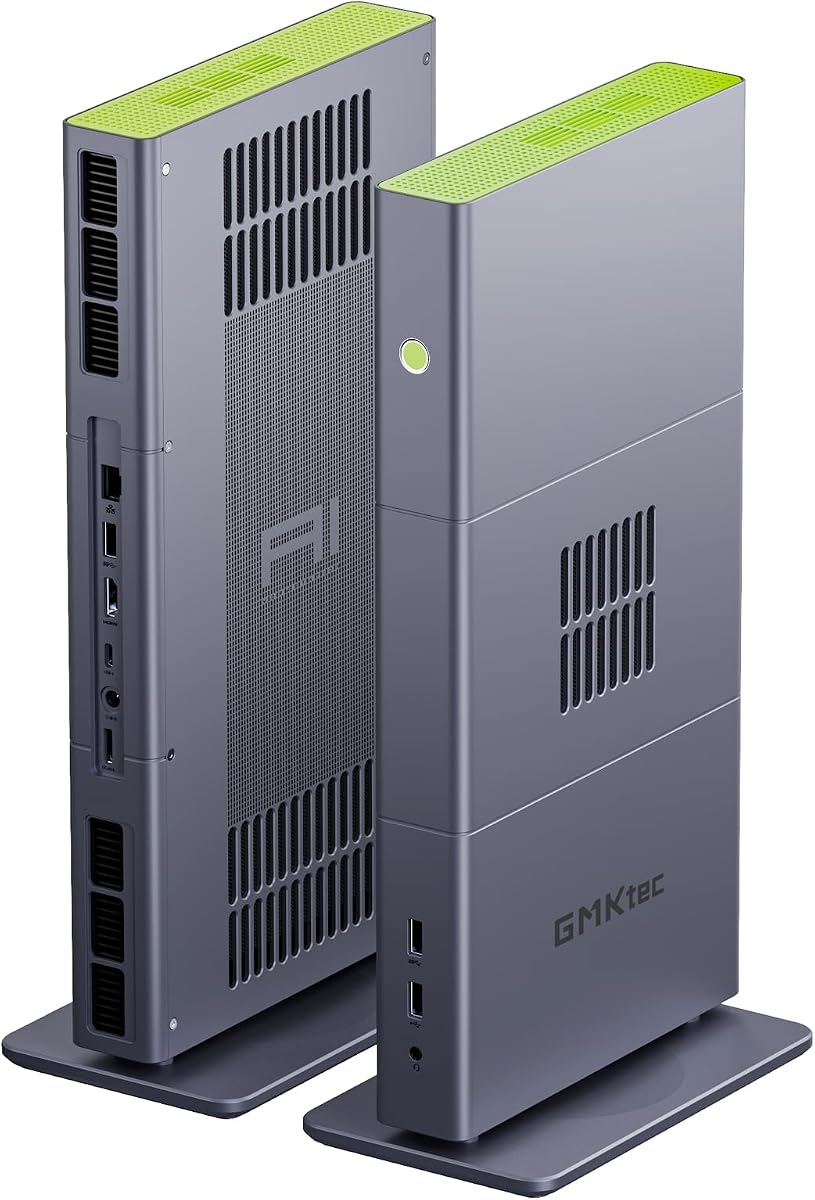
The GMKtec T1 AI Mini PC is built around the Intel Core Ultra 9 285H, a 16-core processor with 16 threads and a turbo clock up to 5.4GHz. Although it does not include a dedicated Nvidia GPU, it is relevant to this comparison because its OCuLink interface opens the door to external graphics expansion. That makes it a flexible starting point for buyers who may later add a more powerful graphics solution.
We may earn a commission when you buy through this link, at no additional cost to you.
The integrated Intel Arc 140T GPU includes eight Xe cores and supports DirectX 12, OpenGL 4.5, OpenCL 3, Quick Sync Video, and AV1 encoding and decoding. The processor's Intel AI Boost NPU is rated at up to 13 TOPS for INT8 calculations, adding a dedicated path for compatible AI tasks. The mini PC ships with dual 16GB DDR5-5600 memory and a 1TB PCIe 4.0 SSD, with multiple M.2 expansion positions specified in the listing.
Its display capabilities are impressive for a compact system. The supplied information describes support for four screens at 4K or 8K through HDMI 2.1, DisplayPort 1.4, and USB Type-C. OCuLink operates at PCIe x4 speeds and can support an external GPU dock, while 2.5GbE, Wi-Fi 6, and Bluetooth 5.2 cover networking needs. The important limitation is that buyers wanting a turnkey Nvidia gaming experience must add compatible external hardware and account for the cost and desk space involved.
The GMKtec T1 makes the most sense for an office, editing station, developer, or technically confident buyer who values CPU power, AI features, multi-monitor support, and the option to attach an eGPU. It is less suitable for someone who wants an immediately available RTX gaming system. With no customer rating supplied for this listing, buyers should review the current product page, warranty terms, and exact configuration before ordering.
OCuLink's PCIe x4 bandwidth provides a more direct route for external graphics than many compact alternatives. A compatible eGPU enclosure and desktop graphics card can transform the T1 into a higher-performance gaming or rendering system.
Quad-display support makes the mini PC useful for analytical work, editing timelines, and monitoring multiple applications. The Intel AI Boost NPU can accelerate supported AI inference tasks when the relevant software recognizes the hardware.
We may earn a commission when you buy through this link, at no additional cost to you.
The 2025 ROG NUC with RTX 5070 mobile graphics combines an Intel Core Ultra Series 2 processor, a dedicated Nvidia GPU, 32GB DDR5 memory, and a generous 2TB NVMe SSD. Its supplied rating is 3.5, lower than most systems in the roundup, but the underlying configuration is clearly aimed at high-end gaming and compact performance machines. The ROG NUC also supports up to 200+ platform TOPS for compatible AI workloads.
We may earn a commission when you buy through this link, at no additional cost to you.
RTX 50-series mobile graphics bring DLSS capabilities and modern visual features to a 3-liter enclosure. The three-fan cooling system and dual vapor chambers are intended to maintain performance while reducing noise, while thumb screws provide convenient access to memory and storage for upgrades. Thunderbolt 4 expands the device's peripheral and docking options, and Aura Sync lighting adds the visual polish expected from an ROG product.
The main concern is the supplied 3.5 rating, which may reflect early customer experiences, configuration variance, or thermal and firmware considerations. Detailed feedback on the current listing should be reviewed carefully. Buyers should also remember that a mobile RTX 5070 has lower total graphics power than a desktop RTX 5070, so the result is best understood as powerful compact gaming rather than a direct replacement for a full-size enthusiast tower.
This ROG NUC is best suited to buyers who want a premium Nvidia mini PC and value future expandability. It offers more storage than many similarly compact alternatives and convenient access to key components, making it a good fit for a desk that must handle both gaming and serious productivity. It is less compelling for buyers primarily seeking a high volume of established customer feedback, but the core hardware specification is persuasive for those who prioritize current components.
The combination of three fans and dual vapor chambers addresses the difficult task of cooling a high-performance processor and mobile GPU in a small chassis. This design is central to maintaining sustained performance in compact form.
Tool-free access makes it easier to inspect or replace memory and storage. Thunderbolt 4 also provides a high-speed route to docks, displays, peripherals, and compatible external devices.
We may earn a commission when you buy through this link, at no additional cost to you.
The ASUS ROG GR70 Mini PC for Gamers pairs the Ryzen 9 9955HX3D with an RTX 5070 laptop GPU, creating a focused platform for high-performance gaming. It shares the GR70's compact silver design and advanced custom cooling with the first-ranked configuration. Because no customer rating or detailed memory specification is supplied for this particular listing, it should be evaluated primarily through its confirmed processor and graphics combination.
We may earn a commission when you buy through this link, at no additional cost to you.
The 9955HX3D is positioned for demanding games and workloads that benefit from strong CPU performance. The Nvidia RTX 5070 adds dedicated graphics and DLSS support, while the system's custom cooling is designed to keep temperatures and acoustic levels controlled under sustained loads. Its stated features emphasize smooth frame rates, low latency, and responsive online play rather than the multi-display emphasis found on some productivity-focused alternatives.
Wi-Fi 7 and certified Bluetooth 5.4 make this a convenient system for modern wireless setups. The compact chassis reduces the physical footprint of a powerful gaming computer and could be especially useful in an entertainment center, shared workspace, or smaller office. The limitations are the absence of a supplied rating and incomplete listing information about memory and storage, both of which should be confirmed before purchase.
Choose this model when gaming performance is the primary objective and the Ryzen 9 9955HX3D naming is important to you. It may offer a compelling alternative to the first GR70 for enthusiasts comparing the standard HX and X3D processor families. Read the current listing carefully, verify memory and storage options, and compare the machine with the similarly equipped GR70 configuration before making a final selection.
The Ryzen 9 9955HX3D sits at the center of this configuration. Its selection suggests a priority on sustained gaming performance and responsive CPU behavior in titles that place substantial demands on the processor.
The custom cooling system is designed to manage a powerful mobile platform while keeping the silver chassis compact. Wi-Fi 7 and Bluetooth 5.4 provide up-to-date wireless options for compatible networks and accessories.
We may earn a commission when you buy through this link, at no additional cost to you.
The GMKtec X3 is built for local AI, advanced content creation, and compact workstations that may benefit from external graphics. Its Ryzen AI Max+ 395 processor has 16 cores, 32 threads, a boost clock up to 5.1GHz, and an integrated Ryzen AI engine capable of up to 126 TOPS. The supplied 4.1 rating gives it a more established customer history than several other unrated entries in this guide.
We may earn a commission when you buy through this link, at no additional cost to you.
Its most unusual feature is 128GB of onboard LPDDR5X memory, which can be shared by the CPU and integrated Radeon 8060S graphics. The listing describes the 40-CU RDNA 3.5 integrated GPU as positioned between RTX 4060 and RTX 4070 laptop GPUs and says it can support demanding games at FHD with detailed settings. This shared pool is particularly useful for local language models, including the supplied example of a 70B-class model in Q8 format.
OCuLink provides PCIe 4.0 x4 connectivity for an external GPU, so a buyer can add a dedicated Nvidia card and create a more traditional gaming or rendering configuration. Fast 2.5GbE, Wi-Fi 7, and Bluetooth 5.4 are also included. The tradeoff is that the 128GB LPDDR5X is soldered to the board and cannot be expanded or replaced like conventional SODIMM memory, while the external graphics solution requires additional hardware, power, and desk space.
The X3 is an excellent match for AI developers, researchers, video editors, and advanced creators who prioritize memory capacity and local inference over an all-in-one Nvidia gaming design. It is also a sensible foundation for a future eGPU build. It is less convenient for buyers who want to connect a monitor and begin gaming immediately with a bundled discrete graphics card.
The 128GB LPDDR5X configuration gives integrated graphics access to a substantial shared memory pool. That capacity is valuable for large language models, creative datasets, and multitasking that would exceed the memory available in many compact PCs.
The PCIe 4.0 x4 OCuLink interface supports an external GPU dock and dedicated desktop-class graphics. This turns the X3 from an integrated-graphics AI workstation into a flexible platform for gaming or accelerated rendering.
We may earn a commission when you buy through this link, at no additional cost to you.
The BOSGAME M5 combines the Ryzen AI Max+ 395 with 128GB of LPDDR5X-8000 memory, a 2TB PCIe 4.0 SSD, and Radeon 8060S integrated graphics. Its supplied rating is 4.3, placing it among the better-reviewed products in the list. The system's main purpose is local AI, high-end creation, and multi-screen productivity in a small enclosure, although its integrated graphics can also handle games.
We may earn a commission when you buy through this link, at no additional cost to you.
The processor provides 16 Zen 5 cores, 32 threads, a 5.1GHz boost clock, and 126 TOPS of combined AI compute, including a 50 TOPS XDNA 2 NPU. The Radeon 8060S uses 40 RDNA 3.5 compute units and can dynamically allocate as much as 96GB from the system memory pool for graphics and AI workloads. The supplied information says this setup can support local 70B-plus language models and accelerate 8K video exports in DaVinci Resolve.
Display and peripheral connectivity are major strengths. The M5 supports four 8K 60Hz monitors through HDMI 2.1, DisplayPort 1.4, and dual USB4 ports with 40Gbps bandwidth, while 2.5GbE, Wi-Fi 7, and Bluetooth 5.4 provide flexible networking. A second M.2 position offers storage expansion or RAID according to the listing. The main limitation is that it lacks dedicated Nvidia graphics, making it less direct for buyers whose primary requirement is CUDA-based gaming or creation.
The BOSGAME M5 is best for users who want to run local AI models, edit demanding media, operate multiple high-resolution displays, or experiment with integrated graphics without assembling a desktop. It can also serve as a compact workstation for development. For a conventional gaming mini PC with a dedicated Nvidia GPU, the ROG GR70 or TOPGRO options are more direct choices, but for memory-heavy AI work, the M5's capacity is difficult to overlook.
The 128GB LPDDR5X pool can be shared between the processor and Radeon graphics, allowing unusually large models and datasets to fit in a compact system. The 8000MT/s memory specification also supports fast data movement.
Quad-display support is useful for editing suites, financial dashboards, development environments, and control rooms. Dual 40Gbps USB4 ports add high-speed data transfer, display flexibility, and peripheral docking options.
We may earn a commission when you buy through this link, at no additional cost to you.
The ROG NUC 16 Edition 20 is the most ambitious dedicated-Nvidia mini PC in this roundup. It combines an Intel Core Ultra 9 290HX Plus with the RTX 5090 Mobile GPU, 64GB DDR5 memory, and a 2TB PCIe Gen5 SSD. No customer rating is supplied for this listing, so the recommendation rests on its flagship specification rather than an established volume of feedback. Even so, it stands out as a potentially exceptional option for compact gaming and content creation.
We may earn a commission when you buy through this link, at no additional cost to you.
The RTX 5090 mobile GPU is intended to bring high-end graphics performance into a small form factor, while the Core Ultra 9 290HX Plus supplies strong CPU performance for games, rendering, editing, and multitasking. A 64GB memory configuration gives the system ample room for creative applications and large projects. The 2TB PCIe Gen5 SSD also represents a premium storage specification designed for fast loading and sustained workflows.
Its ultra-compact design is the central benefit, but it also creates unavoidable physical constraints. A mobile GPU is bounded by a lower power limit than a desktop RTX 5090, and cooling dense flagship hardware in a small enclosure requires careful design. The limited supplied description does not provide detailed thermal, memory-speed, or operating-system information, so buyers should examine the current listing and verified customer feedback before purchase.
Choose the ROG NUC 16 Edition 20 if your budget is not a concern and your priority is maximum mobile graphics capability in the smallest practical form. It is a strong candidate for high-end gaming, 3D work, video production, and local AI development. It is less suitable for shoppers seeking a proven rating, quiet operation under every workload, or the lowest possible cost.
The RTX 5090 Mobile GPU gives this NUC a clear performance advantage over systems using RTX 5060 or RTX 5070 mobile graphics. It is aimed at demanding games and professional workloads where graphics throughput matters.
The Core Ultra 9 290HX Plus, 64GB DDR5 memory, and PCIe Gen5 SSD form a high-end platform around the graphics. Wi-Fi 7 and Thunderbolt 4 round out the high-speed connectivity features.
We may earn a commission when you buy through this link, at no additional cost to you.
The 2025 ROG NUC with RTX 5060 mobile graphics pairs an Intel Core Ultra 7 Series 2 processor with 32GB DDR5 memory and a 1TB NVMe SSD. Its supplied rating of 4.6 is among the strongest in the roundup, giving this configuration a particularly positive customer-response signal. It offers dedicated Nvidia graphics, modern platform features, and a polished 3-liter design without moving to the flagship RTX 5090 tier.
We may earn a commission when you buy through this link, at no additional cost to you.
The RTX 5060 mobile GPU supports DLSS and the RTX 50 feature set, making the NUC suitable for high-refresh 1080p gaming and many 1440p scenarios depending on game and settings. The Core Ultra 7 processor provides a balanced foundation for gaming, streaming, office work, and content creation. Its platform is also described as delivering up to 200+ TOPS for compatible AI workloads, though actual results depend on the application and software support.
Thermal design and serviceability differentiate this NUC. Three fans and dual vapor chambers are intended to provide effective, quiet cooling, while thumb screws grant tool-free access to memory and storage. Thunderbolt 4 and Aura Sync lighting add modern connectivity and customization. The 1TB SSD is less generous than the 2TB configurations offered by some other ROG NUCs, and a future library of modern 4K games may require careful settings or DLSS to maintain smooth performance.
This is a good fit for a buyer who wants the ROG NUC design, quiet cooling, easy upgrades, and a dedicated Nvidia GPU without selecting the most expensive configuration. Its 4.6 rating adds reassurance that the overall product experience has resonated well with users. It is a strong all-around recommendation for a compact gaming and productivity machine, particularly when high frame rates in 1080p matter more than maximum 4K performance.
RTX 5060 mobile graphics provide a modern middle-ground option for 1080p and high-refresh gaming. DLSS support provides an additional tool for increasing frame rates while preserving a more demanding image quality target.
Three fans and dual vapor chambers are engineered for the dense 3-liter layout. Tool-free access makes it easier to upgrade memory and storage, reducing the friction associated with keeping the system current.
We may earn a commission when you buy through this link, at no additional cost to you.
The 2025 ROG NUC with RTX 5070 mobile graphics combines an Intel Core Ultra 9 Series 2 processor with 32GB DDR5 memory and a 1TB NVMe SSD. Its supplied rating is 4.1, placing it below the RTX 5060 ROG NUC in customer feedback but still within a reasonable range for a new compact performance platform. The specification is aimed at buyers who want a faster CPU than the Core Ultra 7 model without moving to the RTX 5090 flagship.
We may earn a commission when you buy through this link, at no additional cost to you.
The RTX 5070 mobile GPU provides stronger graphics performance than the RTX 5060 configuration and includes DLSS support for modern gaming workflows. The Core Ultra 9 processor brings additional capability for multitasking, video editing, and other demanding CPU tasks. Up to 200+ platform TOPS are advertised for compatible AI operations, adding a forward-looking productivity angle to the system.
Cooling and maintainability are key ROG NUC strengths. The QuietFlow design uses three fans and dual vapor chambers, while thumb screws allow convenient access to memory and storage upgrades. Thunderbolt 4 expands docking and peripheral options, and Aura Sync lighting complements the compact, premium design. The limitations are the 32GB memory capacity and 1TB storage, both of which may need upgrading for large creative libraries or extensive game installations.
Buy this ROG NUC if its Core Ultra 9 processor is a priority over the lower-cost Core Ultra 7 version. It suits a compact workstation that also needs dedicated Nvidia graphics, and it should appeal to users who want current ROG styling and straightforward component access. Buyers should compare current customer feedback and configuration details carefully, particularly if the system will be used primarily for gaming where the dedicated RTX 5070 has a more direct impact.
The Core Ultra 9 processor gives the system additional headroom for multitasking and CPU-heavy work. It is a useful distinction from the Core Ultra 7 ROG NUC for buyers who regularly edit, compile, render, or run many applications.
Tool-free access lets owners maintain or expand memory and storage without a conventional teardown. Thunderbolt 4 adds another flexible connection path for docks, storage, displays, and compatible peripherals.
We may earn a commission when you buy through this link, at no additional cost to you.
Choosing a compact Nvidia system means balancing graphics performance, processor capability, memory, storage, connectivity, cooling, and expandability against the space and power limits inherent to a mini PC.
The graphics processor is the defining feature for most buyers. An RTX 4060 is a sensible entry point for 1080p gaming and mixed productivity, while RTX 5060 and RTX 5070 mobile GPUs provide more performance headroom for modern titles, high-refresh displays, and demanding creative software. The RTX 5090 configuration represents the most ambitious option in this list, but it also demands the largest budget and careful attention to cooling.
Compare the GPU tier first, then check the expected resolution and settings. A higher-tier mobile GPU is not automatically suitable for every monitor, and demanding 4K gaming may still require DLSS, sensible settings, or a larger desktop system. In short, select the least powerful GPU that comfortably meets your target resolution and frame rate.
A high-end Ryzen 9 or Core Ultra 9 processor is valuable for modern gaming, streaming, editing, compiling, and multitasking, but it also increases heat and power requirements. Core Ultra 7 and Core Ultra 9 chips sit in the middle of the premium range, while the Core i9-13900HX in the TOPGRO remains a capable 13th-generation option. Integrated-graphics systems need particularly strong CPUs because the processor carries more of the graphics workload.
Avoid selecting a processor solely by its tier label. Consider the applications you actually run, the operating system, background tasks, and whether your games depend heavily on CPU performance. In short, match processor capability to the workload instead of assuming the highest-numbered chip will always deliver the best overall experience.
Memory matters when gaming, editing, running virtual machines, or hosting local AI models. The traditional mini PC selections here provide 32GB of DDR5, while the GMKtec X3 and BOSGAME M5 use 128GB of LPDDR5X that can be shared with integrated graphics. Conventional SO-DIMM memory may be replaceable or expandable on some systems, while soldered LPDDR5X generally cannot be upgraded after purchase.
Decide how much working space you need before considering future growth. For most gaming and office use, 32GB is ample, but heavy editing, large models, and professional multitasking can benefit from much more. In short, prioritize sufficient capacity first, then consider speed, replaceability, and the possibility of sharing memory with graphics.
A PCIe 4.0 or PCIe Gen5 NVMe SSD is considerably better suited to modern games and creative files than a basic SATA drive. The supplied systems range from 1TB to 2TB, and several list additional M.2 positions. Check whether the second slot supports RAID, whether the memory and storage are accessible, and how much room remains for a larger game library.
Storage expansion is often cheaper and easier to manage than replacing an entire compact system, but only when the chassis exposes usable M.2 slots. In short, choose enough included capacity for immediate needs and verify that expansion does not interfere with other components or the cooling system.
Mini PC performance depends heavily on how effectively the chassis moves heat away from the processor and GPU. The GR70 uses a custom cooling design, while the ROG NUC models use three fans and dual vapor chambers. Smaller and less powerful systems may run cooler, but high-end mobile components can still generate substantial heat. A system that advertises strong peak performance is not necessarily designed to maintain it indefinitely.
Look for multiple cooling fans, heat pipes or vapor chambers, ventilation openings, and sensible fan controls. Consider room noise as well as office friendliness, especially if you plan to use the computer beside a monitor or microphone. In short, treat sustained thermal behavior as part of performance and choose a cooling design that matches the hardware's power level.
Compact PCs often make connectivity a decisive differentiator. Wi-Fi 7, Wi-Fi 6E, Wi-Fi 6, 2.5GbE, Bluetooth, Thunderbolt 4, USB4, and OCuLink each serve different needs. Gamers may prioritize low-latency Ethernet and fast wireless networks, while creators may need multiple high-resolution displays, fast data transfer, and flexible docking.
Check the exact ports rather than assuming a small chassis includes everything required. Confirm monitor resolution and refresh-rate support, especially for 4K or 8K arrangements. In short, inventory your peripherals and displays first, then ensure the mini PC includes the required wired, wireless, video, and data connections.
Some mini PCs expose memory and storage for convenient upgrades, while high-memory systems may use soldered LPDDR5X. OCuLink can provide PCIe x4 bandwidth for an external GPU, allowing systems built around integrated Radeon graphics to gain a dedicated Nvidia card. This is powerful flexibility, but the eGPU dock, graphics card, cables, power supply, and extra desk space can make the final setup larger and more expensive.
Check whether the manufacturer supports the upgrade path and whether the operating system and drivers recognize the external device. Confirm display outputs and bandwidth limitations before committing. In short, treat eGPU support as a genuine expansion path for a workstation, not as an inexpensive substitute for a gaming desktop.
A mini PC is valuable because it reduces desk clutter and is easier to relocate, but smaller does not always mean more capable for every task. The three-liter ROG NUC designs prioritize gaming hardware, the GMKtec systems emphasize AI and integrated graphics, and the TOPGRO T1-Pro focuses on mainstream high-performance use. Choose based on the workload rather than physical size alone.
Think about where the computer will live, how it will connect to displays and peripherals, and whether you need portability. Some systems are better suited to a fixed desk, while others can be moved between a home office and a media setup. In short, balance compactness with graphics, memory, cooling, and connectivity rather than selecting the smallest model automatically.
Begin by placing the system on a hard, level surface with its vents unobstructed. Leave clearance around the chassis and avoid placing it inside a closed cabinet unless ventilation is verified. Connect the display and peripherals, then power on the system and confirm that the operating system recognizes the Nvidia graphics, memory, storage, network adapter, and wireless devices. Update the graphics, chipset, network, and system software before installing demanding applications.
For gaming, install the games you plan to use and adjust graphics settings according to your monitor's resolution and refresh rate. DLSS can improve frame rates on supported RTX systems, while ray tracing can increase visual quality at a greater performance cost. For creative work, verify that the application supports the chosen GPU and that project storage is located on the NVMe drive. Use the included or manufacturer-supported network, display, and fan controls to match behavior to the environment.
Maintain the system by keeping intake and exhaust openings free of dust, monitoring storage health, and keeping system software current. Avoid blocking vents with decorative covers, and use surge protection where appropriate. When opening a model designed for tool-free access, follow the manufacturer's instructions and handle memory and storage carefully. Back up important files, allow large exports to finish before powering down, and periodically confirm that cooling remains effective under sustained workloads.
Yes, especially for 1080p and many 1440p gaming scenarios. Models with RTX 4060, RTX 5060, or RTX 5070 mobile graphics can provide dedicated-GPU features such as DLSS and ray tracing in a compact enclosure. Performance varies with the processor, cooling, power limits, game, settings, and display resolution.
A mini PC is usually better for users who value a small footprint, lower visual clutter, portability, and simple setup. A gaming desktop generally offers more graphics power, easier expansion, and greater cooling headroom. The right choice depends on your budget, available desk space, performance target, and willingness to upgrade components.
The RTX 5090 Mobile configuration is intended to provide the highest graphics performance in this group, while the RTX 5070 sits below it and the RTX 5060 represents a more balanced tier. Exact results depend on the full system, but the higher-tier GPUs generally have more headroom for demanding games, ray tracing, rendering, and AI-accelerated work.
Some models can connect an external graphics card through OCuLink, particularly the GMKtec T1 and GMKtec X3. OCuLink can provide PCIe x4 bandwidth, but the setup also requires a compatible enclosure, power supply, graphics card, and sufficient desk space. It is best suited to users who value compact local computing combined with occasional desktop-class graphics.
32GB is a strong amount for most modern games, streaming, office applications, and general content creation. Heavy editing, development environments, virtual machines, and local AI models can require more. Systems with 128GB of shared LPDDR5X are aimed at those memory-intensive workloads rather than ordinary gaming alone.
They can be slower because mobile GPUs operate within tighter power and thermal limits. A desktop card with a similar family name may sustain higher clock speeds and use more total graphics power. Mini PC GPUs are still valuable when their size, efficiency, and overall platform advantages are more important than maximum desktop-equivalent performance.
Check the exact GPU, processor, memory capacity and speed, storage type, display outputs, networking, cooling, upgrade access, and warranty. Also review recent customer feedback and confirm that the current listing includes every feature and accessory you need. Configuration listings can change even when the product name remains the same.
Gamers will usually prioritize a dedicated RTX model, while creators may value fast storage, expandable memory, multiple displays, and software acceleration. The ASUS ROG GR70 and TOPGRO T1-Pro are direct gaming choices, whereas the GMKtec X3 and BOSGAME M5 stand out for large shared memory, local AI, and OCuLink-based expansion.
The ASUS ROG GR70 stands out as the most balanced all-round recommendation, combining a Ryzen 9 9955HX, RTX 5070 mobile graphics, modern wireless networking, and a compact premium design. The TOPGRO T1-Pro is the value-focused gaming choice, offering an RTX 4060, Core i9 processing, 32GB DDR5, fast storage, and extensive connectivity. The ROG NUC 16 Edition 20 represents the premium extreme with RTX 5090 Mobile graphics and a high-end Intel platform.
Prioritize the workload that matters most. A dedicated Nvidia GPU is the straightforward route for gaming, ray tracing, and Nvidia-accelerated applications. A large-memory Radeon system may be more appropriate for local AI and content creation, while OCuLink can provide a path to external graphics. Check cooling, connectivity, display requirements, upgrade access, and current customer feedback before finalizing the choice.
Finally, verify the exact configuration and current price at the time of purchase. Compact systems can use similar names while offering different memory, storage, GPU, and accessory arrangements, and prices are subject to change. Comparing those details alongside the guidance in this guide will help ensure that the selected mini PC with Nvidia GPU fits both your performance needs and your workspace.