
Intel AX210 Tri-Band Wi-Fi 6E Card
4.8Editor score
Tri-band Wi-Fi 6E support
Bluetooth 5.3 connectivity
Intel AX210 platform
Compact notebook form factor
Our M2 WiFi Cards guide compares ten internal adapters for speed, band support, Bluetooth, platform fit, drivers, security, and compatibility.
M2 WiFi cards provide a practical way to replace or upgrade the wireless hardware in a compatible laptop, desktop, or mini PC. A worthwhile card should match the device’s M.2 slot, operating system, processor platform, antenna arrangement, and intended network standard while adding the wireless capabilities you actually need.
The products in this guide were compared using their stated Wi-Fi generation, frequency bands, maximum throughput, Bluetooth version, form factor, platform restrictions, security support, and driver requirements. The list covers Wi-Fi 6, Wi-Fi 6E, and Wi-Fi 7 models, including both dual-band and tri-band options for newer and older systems.
Each review explains the card’s most useful features, installation constraints, and ideal buyer. Ratings and specifications reflect the supplied product information, while current prices and availability can change. The comparison is designed to make technical differences easier to understand before you open a computer or purchase an internal adapter.
4.8Editor score

4.8Editor score

4.6Editor score
This side-by-side comparison highlights the most important differences among ten M2 wireless adapters, including Wi-Fi generation, supported bands, Bluetooth version, system fit, and notable platform limitations.






The AX210NGW DTK WiFi Card combines an Intel AX210-based M.2 2230 module with the accessories often needed to install an internal wireless adapter in a laptop or desktop. It carries a 4.5 rating, and its defining advantage is the included 11-inch RF cable, two 5dBi high-gain antennas, and low-profile brackets. That accessory set can make a complex internal installation more approachable.
We may earn a commission when you buy through this link, at no additional cost to you.
The card supports Wi-Fi 6E across 2.4GHz, 5GHz, and 6GHz bands. Its stated maximum speed is 574Mbps at 2.4GHz, 2,400Mbps at 5GHz, and 2,400Mbps at 6GHz. OFDMA, MU-MIMO, 1024-QAM, and Target Wake Time are among the listed capabilities, while Bluetooth 5.3 adds support for compatible peripherals. The supplied router and antenna setup will influence real-world results.
The first trade-off is that the complete kit may be unnecessary for a user with an accessible desktop antenna system or a laptop whose original antenna cable is already in place. Its maximum speed also represents a theoretical ceiling rather than a guaranteed application throughput. Installation requires attention to antenna routing, and the card should not be expected to unlock Wi-Fi 6E performance without a suitable 6GHz router.
This is a strong choice for a desktop builder or laptop upgrader who needs the module, antenna hardware, and mounting parts together. Choose it when you want tri-band Wi-Fi 6E, Bluetooth 5.3, and a more complete installation package. It is less compelling for someone with an existing compatible antenna system or no access to a supported M.2 wireless slot.
The included RF cable, high-gain antennas, and low-profile brackets reduce the need to source separate parts. They are especially useful in desktop cases and laptops where the existing antenna assembly cannot be reused.
Tri-band operation lets the card use 2.4GHz for range, 5GHz for throughput, and 6GHz for cleaner high-band channels. A Wi-Fi 6E router is required to take full advantage of the additional spectrum.
We may earn a commission when you buy through this link, at no additional cost to you.
The OKN AX210 WiFi 6E Card is a 4.6-rated M.2 2230/NGFF adapter built around the Intel AX210 platform. It targets laptop users and compatible desktop systems seeking tri-band Wi-Fi 6E without moving to Wi-Fi 7 hardware. Its broad feature set includes MU-MIMO, OFDMA, 1024-QAM, 160MHz channel support, and Bluetooth 5.3.
We may earn a commission when you buy through this link, at no additional cost to you.
The card’s stated maximum speed reaches 574Mbps on 2.4GHz, 2,400Mbps on 5GHz, and 2,400Mbps on 6GHz. The 6GHz band can provide access to less crowded channels and low latency, while 5GHz remains useful for high-speed local networks. WPA, WPA2, and WPA3 are supported, and the listed system compatibility covers 64-bit Windows 10 and Windows 11.
Users should not expect plug-and-play operation without checking the computer and drivers. The product guidance calls for an Intel AX210 driver downloaded by searching for AX210 on Intel’s website. Compatibility is also narrower than the headline wireless specifications might imply: the listing specifically calls out 64-bit Windows 10 and 11, Intel CPUs, and newer AMD CPUs. Antenna hardware must also already exist or be supplied separately.
This card is a balanced recommendation for a compatible laptop owner who wants Wi-Fi 6E, Bluetooth 5.3, and modern network features in the widely used AX210 form factor. It suits users who can install the correct driver and already have suitable antennas. Those needing broader operating-system support or a complete antenna kit should examine alternatives with more explicit requirements.
OFDMA, MU-MIMO, 1024-QAM, and 160MHz support form the core of the card’s Wi-Fi 6E feature set. These technologies are designed to improve capacity, efficiency, and performance in suitable network conditions.
Bluetooth 5.3 allows the card to handle compatible headsets, keyboards, and other peripherals. Compared with older Bluetooth revisions, the product description emphasizes greater capacity, faster transfer potential, and lower latency.
We may earn a commission when you buy through this link, at no additional cost to you.
The Intel AX210 Tri-Band Wi-Fi 6E Bluetooth 5.3 Network Card for Notebook earns a 4.8 rating, the highest among the listed AX210 options. Its selling proposition is direct: an AX210-based notebook adapter offering tri-band Wi-Fi 6E and Bluetooth 5.3 without the broader accessory package or more complicated positioning seen elsewhere in the list.
We may earn a commission when you buy through this link, at no additional cost to you.
The tri-band format gives the card access to 2.4GHz, 5GHz, and 6GHz networks when the paired router and local regulations permit it. Bluetooth 5.3 allows it to serve as a combined Wi-Fi and Bluetooth solution, reducing the need for a separate internal wireless module. This makes the card relevant to notebook owners replacing an older Wi-Fi card or building a compatible compact system.
The available product information is intentionally limited, so buyers should verify physical dimensions, antenna connections, operating-system support, and driver details before purchasing. The absence of listed antennas is not proof that they are unavailable, but it does mean the card should not be assumed to include a complete installation kit. Existing laptop antenna cables and the manufacturer’s mounting hardware also need to match.
Choose this card when you recognize the AX210 platform, specifically need a notebook Wi-Fi and Bluetooth replacement, and prefer a simple module without extra listed hardware. Its 4.8 rating is encouraging, but compatibility and included components should be confirmed independently. It is a sensible balanced choice for knowledgeable builders rather than a first-time installer who needs step-by-step antenna guidance.
The AX210 platform is already used across many wireless modules, making it a practical option for builders who understand its size and driver requirements. Confirming the original card type can help avoid incompatible purchases.
Combining tri-band Wi-Fi 6E with Bluetooth 5.3 gives a notebook one module for network connectivity and compatible wireless peripherals. A single card can also simplify inventory for repair and refurbishment work.
We may earn a commission when you buy through this link, at no additional cost to you.
The Intel BE200NGW Wi-Fi 7 Card is the most advanced specification in this roundup, with a 4.6 rating, Wi-Fi 7 support, Bluetooth 5.4, and a stated maximum throughput of 8,774Mbps. It is designed for systems with an M.2 E-key network slot, Windows 10 or 11 64-bit, or Linux, using Intel 12th-generation processors or newer.
We may earn a commission when you buy through this link, at no additional cost to you.
Its tri-band configuration combines a stated 574Mbps connection at 2.4GHz, 2,400Mbps at 5GHz, and 5,800Mbps at 6GHz. The product description highlights improved power consumption and service life, while Bluetooth 5.4 adds enhanced connection, host-set-controller key-length, and LE channel-hierarchy functions. These features make it a logical premium choice for a new or upgraded high-performance computer.
Platform restrictions are substantial. The card expressly does not support AMD processors and requires a supported M.2 E-key interface. Wi-Fi and Bluetooth drivers must be downloaded from Intel by searching for BE200NGW. Actual speed also depends on a Wi-Fi 7 router, distance, equipment, and network configuration, so the maximum figure should not be treated as a guaranteed application rate.
The BE200NGW is best for an Intel 12th-generation-or-newer desktop, laptop, or workstation that is already prepared for Wi-Fi 7. It is a poor match for an AMD system, an older M.2 layout, or a user unwilling to install drivers. For those who meet the requirements, the newer radio, high stated ceiling, and one-year warranty make it the strongest specification-led recommendation.
The card is built for routers and networks that support 802.11be. Its additional bandwidth potential is most relevant in modern, well-placed systems with compatible client devices and a suitable upstream connection.
Before buying, verify processor generation, the M.2 E-key slot, antennas, operating system, and driver availability. The explicit AMD exclusion is significant and rules out otherwise capable platforms.
We may earn a commission when you buy through this link, at no additional cost to you.
The EDUP MT7925BE Wi-Fi 7 Card is notable for combining Wi-Fi 7 hardware with compatibility for both Intel and AMD platforms. It has a 4.4 rating and uses a MediaTek MT7925 chipset to offer tri-band operation across 2.4GHz, 5GHz, and 6GHz, along with Bluetooth 5.4 and Multi-Link Operation.
We may earn a commission when you buy through this link, at no additional cost to you.
Maximum listed speeds are 688Mbps at 2.4GHz, 2,882Mbps at 5GHz, and 2,882Mbps at 6GHz, totaling up to 6.5Gbps. MLO is intended to improve stability by intelligently using links, while Bluetooth 5.4 can maintain connections to as many as seven devices. WPA3 is supported alongside WPA and WPA2, and the card is designed for M.2 2230 A/E-key slots.
The listing specifically highlights Windows 11 64-bit and Linux Kernel 6.7 or later with built-in driver support. It does not support CNViO2-protocol M.2 slots or Mini PCIe slots, and the manufacturer directs buyers to its own website for the driver. Existing PC Bluetooth should be disabled before using this module, which is especially relevant to a desktop replacement.
This card suits a builder seeking Wi-Fi 7 without being restricted to recent Intel processors. Its broad platform position makes it particularly interesting for AMD-equipped laptops and desktops. Confirm the exact M.2 interface, OS, and driver method first. If Linux support is important, its listed kernel requirement may prove more useful than the Windows-oriented alternatives.
MLO allows the module to coordinate multiple links rather than relying on a single connection. In suitable Wi-Fi 7 environments, that can support steadier performance and lower perceived latency.
Supporting both Intel and AMD is the card’s main distinction from the BE200 options. It still requires a standard M.2 2230 A/E-key slot and does not work with CNViO2 or Mini PCIe.
We may earn a commission when you buy through this link, at no additional cost to you.
The EDUP Intel AX210 Wi-Fi 6E Card earns a 4.8 rating and stands out as the most clearly documented AX210 option in the list. It combines tri-band Wi-Fi 6E, Bluetooth 5.3, current security protocols, and a detailed set of installation requirements. That balance of specification clarity and feature coverage makes it an editor-friendly general recommendation.
We may earn a commission when you buy through this link, at no additional cost to you.
The card uses the Intel AX210 NGW module and supports MU-MIMO, OFDMA, 160MHz bandwidth, and 1024-QAM. Stated maximum rates total 5,374Mbps: 574Mbps on 2.4GHz and 2,400Mbps on each of the 5GHz and 6GHz bands. It also supports WPA, WPA2, and WPA3, while Bluetooth 5.3 serves compatible headsets, keyboards, mice, and other peripherals.
The fitment requirements need attention. The product information specifies laptops with Intel processors and M.2 2230 A/E-key slots, excludes CNViO2 and Mini PCIe, and lists Windows 10 or 11 64-bit support. Wi-Fi and Bluetooth drivers are available from Intel. Antennas are not included, so existing laptop cables or separately purchased desktop antennas are necessary.
This is our Editor’s Choice because it combines a top-listed rating with a clear explanation of what the card does, where it fits, and how it differs from more restricted Wi-Fi 7 models. It is well suited to an AX210-oriented laptop replacement or a compatible desktop build. Buyers seeking the newest generation or AMD support should look elsewhere, but most compatible Windows users will find the feature balance persuasive.
The listing clearly identifies the AX210 NGW platform, supported bands, wireless features, security protocols, and operating-system requirements. Clear documentation helps reduce the uncertainty that often accompanies internal adapter purchases.
A one-year warranty and lifetime technical support add confidence for a component that may require connector checks and driver setup. Users should still follow the documented installation and compatibility guidance.
We may earn a commission when you buy through this link, at no additional cost to you.
The Intel Wireless-AC 9560 is a dual-band Wi-Fi 5 option rated 4.4 by customers. It is included for systems that need a straightforward, established 802.11ac adapter rather than the newest wireless generation. The M.2 2230 module also adds Bluetooth 5.1, making it a practical Wi-Fi and wireless-peripheral card for compatible older platforms.
We may earn a commission when you buy through this link, at no additional cost to you.
Its maximum stated speed is 1.73Gbps when using a 160MHz channel, with operation across 2.4GHz and 5GHz. MU-MIMO allows multiple devices to receive data simultaneously, improving network efficiency under appropriate conditions. The module supports WPA3 encryption and is described as working best with Intel Core processors, which is worth considering when repairing or upgrading an existing Intel-based system.
The obvious limitation is age relative to the other cards. It cannot use the 6GHz band, so it does not offer Wi-Fi 6E’s access to cleaner high-frequency channels. Its Bluetooth 5.1 implementation also trails the 5.3 and 5.4 options. For a modest home network, this may be inconsequential, but a modern multi-device setup can benefit from newer capabilities.
Choose the 9560 when you are replacing a compatible older Intel card, your router provides only dual-band Wi-Fi, or your priority is a proven platform with a manageable upgrade. Avoid it for a new high-speed build if you can use Wi-Fi 6E or Wi-Fi 7 hardware. It is a focused solution for extending the life of suitable dual-band systems.
The 9560 brings 802.11ac Wave 2 and MU-MIMO to systems that cannot justify newer tri-band hardware. It can still provide a meaningful improvement over older Wi-Fi hardware in a suitable dual-band environment.
A Wi-Fi 5 adapter is most sensible when paired with a Wi-Fi 5 router. On a Wi-Fi 6E or Wi-Fi 7 network, it can connect, but it cannot exploit the newer adapter’s full potential.
We may earn a commission when you buy through this link, at no additional cost to you.
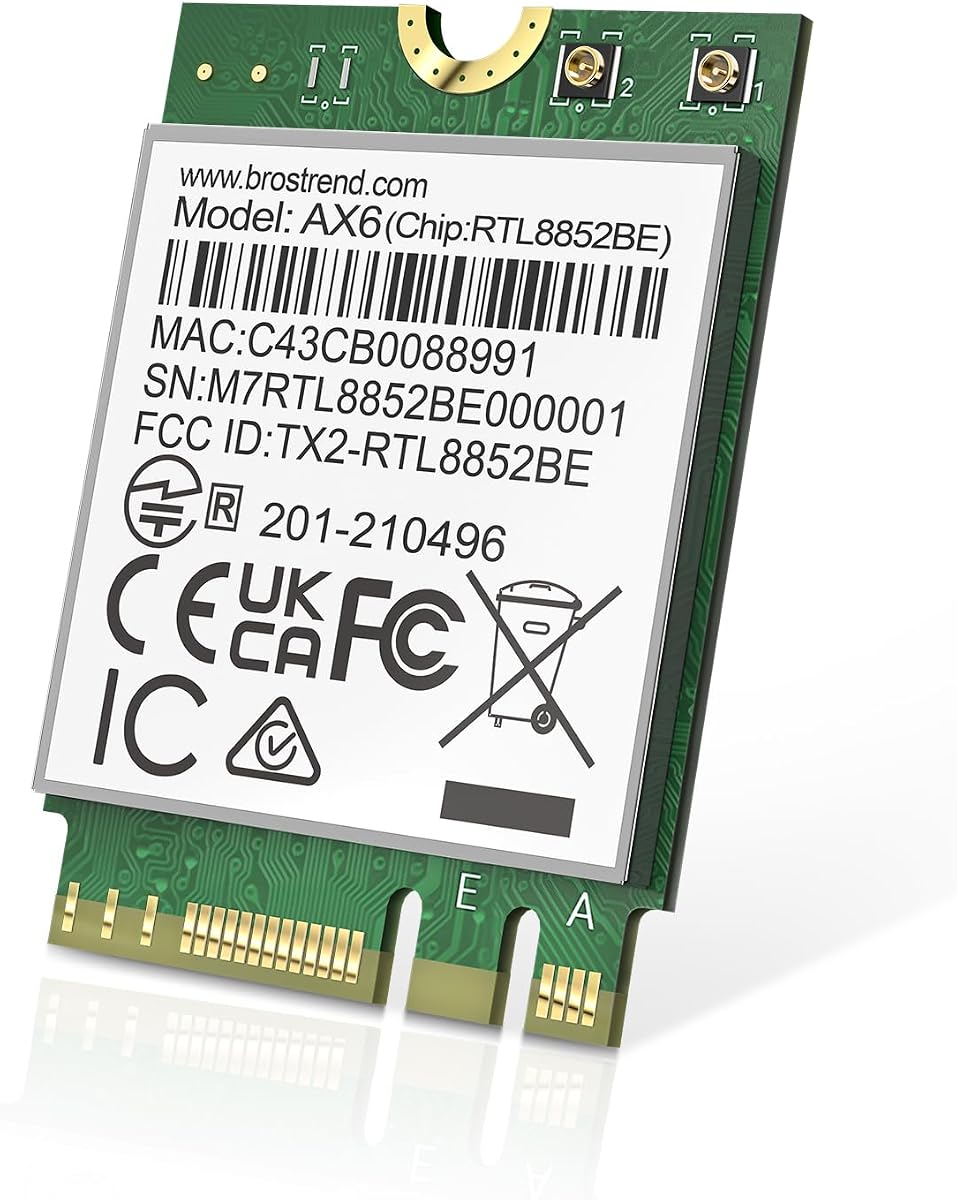
The BrosTrend AX1800 Wi-Fi 6 Card offers dual-band Wi-Fi 6 in the common M.2 2230 form factor. Its 4.4 rating reflects a practical middle ground for laptops and compatible PCs that need a modern wireless upgrade but do not require Wi-Fi 6E or Wi-Fi 7. It also includes Bluetooth 5.2 for common wireless accessories.
We may earn a commission when you buy through this link, at no additional cost to you.
The card’s stated maximum is 1,800Mbps, divided into 1,201Mbps on 5GHz and 574Mbps on 2.4GHz. UL/DL MU-MIMO, OFDMA, and 1024-QAM are included to support efficient, low-latency use in suitable Wi-Fi 6 networks. The 22mm-by-30mm module uses standard Key A and Key E slots, making it familiar to builders replacing an internal laptop adapter.
Its principal limitation is the lack of a 6GHz radio. Buyers cannot access Wi-Fi 6E’s third band even if they own a Wi-Fi 6E router. Bluetooth 5.2 is still useful, though it is older than the 5.3 and 5.4 versions offered by several competitors. The listing supports Windows 10 and 11 and Linux systems using kernel 6.5 or later, although Linux expert support is not provided.
This card makes sense for a compatible dual-band laptop or desktop where Wi-Fi 6 capability matters but tri-band networking does not. Download the latest driver from the manufacturer’s website for optimal operation, and confirm that your system has the right M.2 slot and antenna connections. It is a sensible lower-generation alternative, not a substitute for an AX210 or BE200 in a tri-band build.
MU-MIMO, OFDMA, and 1024-QAM improve efficiency and throughput under compatible Wi-Fi 6 conditions. These features are most useful when paired with a current dual-band router.
The M.2 2230 Key A/E format is widely used in laptops and compact desktops. Confirm the slot, mounting screw, antenna connectors, and available space before ordering.
We may earn a commission when you buy through this link, at no additional cost to you.
The Intel Killer BE200 Wi-Fi 7 Card is a 4.6-rated adapter aimed particularly at gamers and high-performance Intel systems. It supports tri-band 802.11be, Bluetooth 5.4, and a stated maximum throughput of 5.8Gbps. The product listing emphasizes ultra-low latency while making clear that the maximum result depends on a compatible Wi-Fi 7 router and other factors.
We may earn a commission when you buy through this link, at no additional cost to you.
Its three bands cover 2.4GHz, 5GHz, and 6GHz, providing access to both traditional and newer wireless channels. Bluetooth 5.4 expands the card’s role beyond networking, allowing it to serve compatible headsets, controllers, keyboards, and other devices. The M.2 PCIe Key E interface is a familiar fit for many compatible laptops and desktop motherboards.
The system restrictions are more significant than the headline speed. The card requires 64-bit Windows 11, an available M.2 PCIe Key E slot, and an Intel processor; AMD-based systems are not supported. There is also no Windows 10 compatibility in the supplied information. Users upgrading an existing Windows 10 installation must account for that operating-system requirement.
This BE200 is a compelling choice for a gaming desktop or laptop that already meets the Windows 11 and Intel requirements and can be paired with a Wi-Fi 7 router. It is less suitable for cross-platform builders, older Windows installations, or systems without a suitable M.2 slot. For those who can use it, low latency and high theoretical throughput make it a focused performance upgrade.
The card’s emphasis on low latency is relevant to gaming, where responsiveness matters as much as raw transfer speed. Real performance still depends on the router, game server, signal quality, and network conditions.
Windows 11, an Intel processor, and a free M.2 PCIe Key E slot are mandatory in the supplied specifications. Checking these requirements before ordering can prevent an otherwise capable system from being excluded.
We may earn a commission when you buy through this link, at no additional cost to you.
The Intel AX411.NGWG.NVX Intel Killer tri-band combo adapter holds a 5.0 rating, making it the highest-rated product in the supplied list. It is positioned for servers but uses the familiar M.2 2230 Key E format also found in laptops, mini PCs, and motherboards. That combination gives it a specialized identity while retaining broad physical relevance.
We may earn a commission when you buy through this link, at no additional cost to you.
The adapter supports 2.4GHz, 5GHz, and 6GHz bands with speeds stated up to 3Gb/s. OFDMA, MU-MIMO, 1024-QAM, and WPA3 security are included. Intel Killer optimization is intended to prioritize gaming, streaming, and real-time applications, while Bluetooth 5.3 supports peripherals and includes BLE functionality. The compact module can therefore handle both networking and nearby wireless devices.
The server-oriented positioning is the main consideration. A desktop workstation or server with a suitable M.2 Key E slot may have better antenna placement and a different deployment profile than a consumer laptop, which can materially affect wireless performance. The stated maximum of 3Gb/s is also lower than the 5,374Mbps figures associated with some competing AX210 listings, so those numbers should not be compared as if they were tested under identical conditions.
Choose the AX411NGW when you specifically want a tri-band Intel Killer module for a compatible server, mini PC, or workstation and appreciate its 5.0 rating. Windows 10 and 11 are supported with Intel drivers. For a typical gaming laptop, the BE200 may offer a more directly stated gaming use case, while this card is better viewed through its server and deployment flexibility.
Intel Killer optimization is designed to favor latency-sensitive or high-priority network traffic. This can be useful on a busy workstation or server where several applications share the network connection.
The M.2 2230 Key E module can serve servers, mini PCs, laptops, and compatible motherboards. Antenna placement and operating-system support remain the deciding factors in each deployment.
We may earn a commission when you buy through this link, at no additional cost to you.
Choosing an M2 WiFi card requires balancing wireless generation, physical fit, processor support, antenna needs, and software compatibility. The fastest specification is not useful if the card cannot be installed or its drivers are unavailable in your system.
Match the card’s physical dimensions, connector layout, screw position, and antenna style to the computer before ordering.
Prioritize Wi-Fi 6E or 7 when your router supports them; otherwise, Wi-Fi 6 offers a more realistic upgrade.
Check processor generation, operating-system version, architecture, and driver availability before choosing an adapter.
Use matching antennas and place them away from metal obstructions; a capable card cannot compensate for poor signal routing.
Match Bluetooth version to your peripherals and plan how the existing wireless module will be disabled.
Download the correct driver before disassembly when possible, and keep the operating-system network stack current.
Choose a card with WPA3 support and ensure your router uses it whenever the network and clients allow.
Judge performance by network conditions and signal quality, not by maximum radio speed alone.
Before installing an M2 WiFi card, identify the existing module, confirm the M.2 slot and antenna connectors, and install the appropriate Wi-Fi and Bluetooth drivers for your operating system. Shut down the computer, disconnect its power source, and follow the manufacturer’s procedures for opening the case. Static electricity can damage sensitive components, so work on a suitable surface and avoid touching exposed circuitry.
Insert the new card at the correct angle, secure it with the proper retaining screw, and reconnect each antenna cable to its matching connector. Route the cables away from sharp edges, fans, storage devices, and other sources of interference. Replace the lid or chassis panels, power the system on, and confirm that the operating system detects the new network adapter and Bluetooth radio before restoring your settings.
After installation, use the operating system’s network and Bluetooth settings to select available networks, enter the correct security credentials, and pair compatible accessories. Keep the driver and operating system updated, avoid placing antennas behind metal panels, and periodically review saved networks. If connectivity is poor, test nearer the router, verify that the correct band is selected, and check antenna placement before assuming the adapter has failed.
An M2 WiFi card uses the same general physical card shape as some M2 SSDs, but it has different keying, antenna connectors, and wireless functionality. A storage slot may not accept a Wi-Fi card, while a wireless slot may have a different layout. Check the motherboard or laptop manual for a network-card interface, usually a Key E slot, rather than assuming every M2 position is interchangeable.
Wi-Fi 6E is more broadly practical for many current upgrades because it adds the 6GHz band to a mature Wi-Fi 6 platform. Wi-Fi 7 offers a newer standard and higher stated radio throughput, but it usually comes with stricter operating-system or processor requirements. Your choice should depend on the router, hardware compatibility, and available M.2 slot as much as on the generation number.
It depends on the computer. Laptops usually reuse existing antenna cables and built-in antennas, while desktop cases generally require external antennas and suitable RF cables. Some bundles include antennas, brackets, and cables, while module-only listings may not. Confirm what the seller includes before opening the case and compare the connectors with the system’s existing antenna assembly.
Some AX210 listings explicitly support newer AMD CPUs, particularly when the computer has a compatible M.2 2230 A/E-key slot and suitable drivers. Compatibility is not determined by the card shape alone. Check the laptop manufacturer’s approved hardware list, antenna arrangement, BIOS behavior, and operating-system support before purchasing.
The most common causes are missing or incorrect drivers, an incompatible M.2 slot, antenna problems, or a system that lacks wireless-card support. Download the driver specified by the product manufacturer or Intel, confirm the card is visible in Device Manager, and verify that the slot and processor platform are supported. If the card disappears after installation, power down and check the seating and antenna cables.
A Wi-Fi 7 card can generally connect to older Wi-Fi networks, but it cannot deliver its full potential unless the router and other clients support the newer standard. Maximum speed also depends on internet bandwidth, signal conditions, and configuration. For the best chance of using 6GHz and high throughput, pair the adapter with compatible Wi-Fi 7 equipment.
Yes, provided the motherboard has a compatible M.2 E-key wireless slot and the case offers antenna mounting positions. Desktop installations also need antenna cables and antennas unless the enclosure has a built-in wireless system. Check the motherboard manual, since many M.2 sockets are intended only for storage and may not provide the required wireless connections.
First, use a current driver and place the antennas away from metal, cables, and other radio-interference sources. Keep the adapter seated, check that the correct antennas are connected, and test on both 2.4GHz and 5GHz when the router offers both. If the network remains unstable, update the router firmware, move the antennas, and compare results close to the router to separate signal problems from internet-service issues.
The Best Budget pick is the Intel AX210 Tri-Band Wi-Fi 6E Bluetooth 5.3 Network Card for Notebook, valued for its 4.8 rating and focused module design. The EDUP Intel AX210 Wi-Fi 6E Card earns the Editor’s Choice designation because it pairs the same top-listed rating with especially clear feature and compatibility information. For newer hardware, the Intel BE200NGW Wi-Fi 7 Card provides the most advanced specification, including Bluetooth 5.4 and a higher stated tri-band ceiling.
Prioritize physical compatibility, processor support, operating-system requirements, and antenna access before focusing on the largest speed number. A Wi-Fi 6E card is a broadly sensible upgrade for a compatible dual-band system, while Wi-Fi 7 is most compelling with recent Intel hardware and matching networking equipment. The EDUP MT7925BE is worth considering for AMD users, and the 9560 remains relevant for established dual-band platforms.
Finally, check current prices, availability, warranty terms, included accessories, and driver instructions at the time of purchase. Inventory and product details can change, and an advertised maximum speed is only one part of the decision. Confirm that the selected M2 WiFi card fits the slot, antennas, processor, and operating system you actually own before placing the order.