
Pulsar X2H Crazylight
4.3Editor score
Ultra-light 37-gram shell
32,000 DPI XS-1 sensor
Includes low-friction skates
Our guide compares the 10 best lightest mice for gaming, weighing weight, sensor accuracy, wireless latency, battery life, grip, and build quality overall.
A lightweight gaming mouse can feel remarkably different from a conventional model, especially during competitive shooters where rapid stops, wide corrections, and long sessions place a premium on control. The best models balance minimal mass with a stable shell, dependable sensor, responsive switches, and a shape that suits the player rather than chasing the lowest possible number alone.
We compared ten wireless and wired gaming mice using the specifications and features supplied for each product. Weight was the central consideration, but sensor resolution, tracking speed, polling rate, connectivity, switch design, battery life, grip support, programmable controls, and included skates also separated the most useful lightweight options from models that prioritize affordability or compact dimensions.
Each review identifies the feature set that makes a particular mouse most suitable, whether that means tournament-oriented responsiveness, a comfortable ergonomic shape, strong battery life, or broad device compatibility. Ratings and specifications reflect the supplied product information, while prices and availability can change, so confirm the current listing and feature set before purchasing.
4.3Editor score

4.5Editor score

4.6Editor score
This side-by-side comparison highlights the differences in weight, sensor performance, wireless capabilities, controls, and intended gaming style across all ten mice, helping you identify the model that best matches your priorities.




The Logitech G PRO X Superlight 2 is a 60-gram wireless gaming mouse built around high-refresh competitive play. Its supplied rating is 4.5, and the defining feature is an 8 kHz polling rate, which delivers input checks far more frequently than the 1,000 Hz rate found on many conventional gaming mice. The HERO 2 optical sensor adds support for tracking speeds above 888 IPS and sensitivity up to 44,000 DPI.
We may earn a commission when you buy through this link, at no additional cost to you.
Performance specifications extend beyond headline DPI. The sensor is calibrated to provide zero smoothing, zero acceleration, and no filtering, giving the mouse a direct relationship between physical movement and cursor output. LIGHTFORCE hybrid optical switches supply a defined tactile click, while zero-additive PTFE feet promote smooth movement across compatible surfaces. USB-C charging also makes this a more convenient choice than mice that depend on disposable batteries or proprietary charging connectors.
The main compromise is the focus of the product. Although wireless, it is not listed as a tri-mode model with Bluetooth, and its competitive specification set places it firmly in the premium tier. Players who routinely move between a desktop, laptop, tablet, and phone may find broader connectivity more valuable. Likewise, a 95-hour battery is excellent but not the longest figure in this collection, and competitive users still need to maintain a charged battery.
This is the strongest all-around recommendation for a player who wants very low weight, very fast wireless communication, and a top-tier sensor without moving to the smallest possible chassis. It suits fingertip and claw-oriented competitive shooters particularly well, but comfort remains personal. Anyone considering it should verify that their computer, games, and preferred grip benefit from the unusually high polling rate.
The 8 kHz polling rate is the defining advantage for competitive shooters and other games that reward immediate correction. Combined with the HERO 2 sensor, it creates a mouse designed to keep input and cursor movement tightly synchronized.
At 60 grams, the shell is light enough to encourage quick repositioning without becoming difficult to control. Zero-additive PTFE feet help maintain consistent gliding, reducing the chance that minimal weight comes at the expense of surface control.
We may earn a commission when you buy through this link, at no additional cost to you.
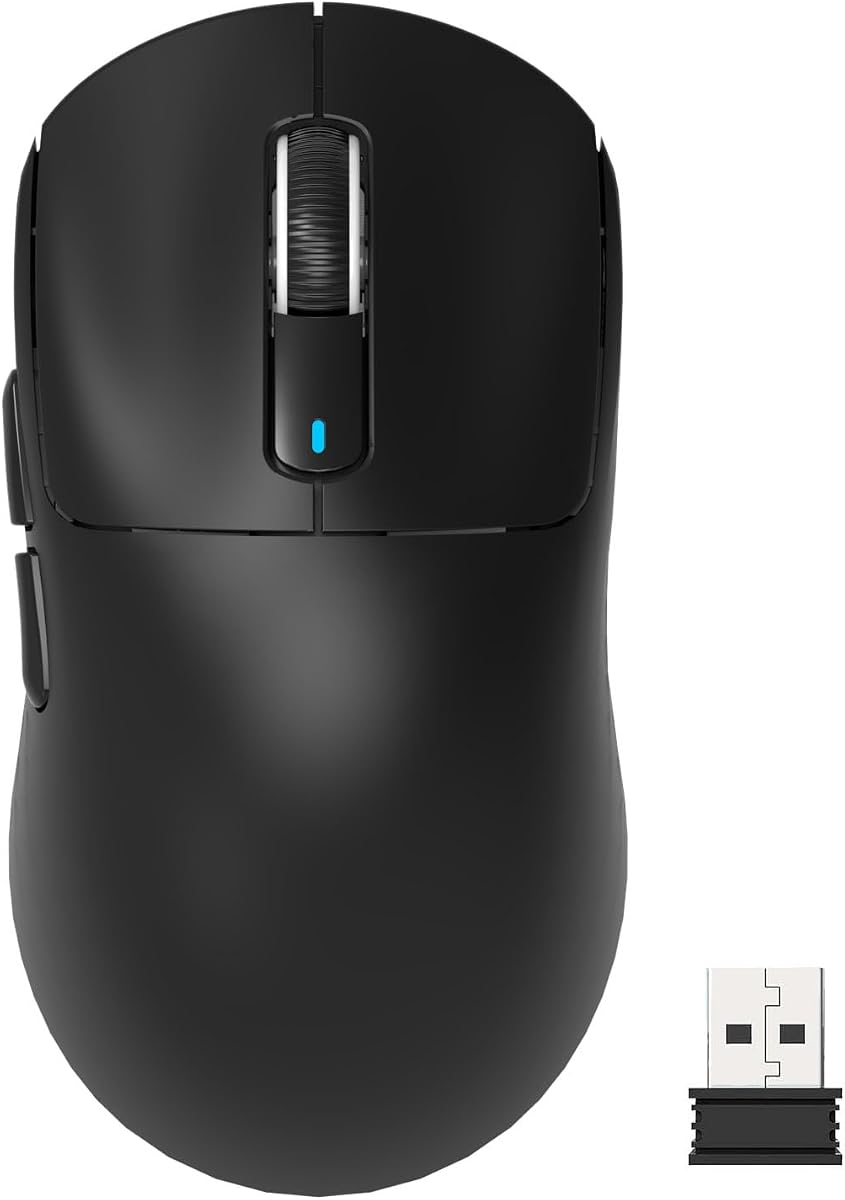
The Pulsar X2H Crazylight is the lightest mouse in this group at 37 grams, giving it an almost weightless feel that separates it from conventional lightweight alternatives. It carries a 4.3 rating and wraps an XS-1 sensor, optical switches, and low-friction skates in a compact, wide, symmetrical shell. The design is intended to support claw and relaxed claw grips without the pronounced size of many full-size esports mice.
We may earn a commission when you buy through this link, at no additional cost to you.
Sensor specifications include 32,000 DPI, 750 IPS tracking speed, and a 50g acceleration limit. These figures provide ample range for fast aiming and common sensitivity preferences, although resolution alone does not determine real-world performance. The included 16 pieces of 6.6 mm UHMW-PE dot skates are especially useful on glass and hard pads, where consistent glide can be difficult to maintain. The dust-proof optical switch structure and Blue Encoder round out the product's focus on durable, precise interaction.
The main issue is potential size mismatch. Even though the shell is symmetrical and technically supports multiple grip styles, the mini format may be less comfortable for players with large hands or those accustomed to a more substantial palm. The supplied information also does not provide a battery runtime, so buyers who prioritize long wireless sessions should look for confirmation elsewhere. The lack of a stated polling rate similarly makes this model harder to compare directly with the 8 kHz leaders.
For players who value minimum weight, clean construction, excellent glide, and a small footprint above all else, the X2H is a compelling premium choice. It is especially relevant for competitive users who use a light grip and favor rapid, controlled movements. Confirming hand fit before buying is the most important precaution.
At 37 grams, the X2H minimizes the effort required to accelerate and stop the mouse. That low mass can make large arm movements feel effortless, although actual comfort still depends on grip style and hand size.
The included 6.6 mm dot skates are designed for low friction and are particularly useful on glass or hard mousepads. This makes the mouse a strong candidate for players who prefer a smooth, fast glide and change surfaces frequently.
We may earn a commission when you buy through this link, at no additional cost to you.
The Razer Viper V3 HyperSpeed weighs 82 grams, placing it toward the lighter end without entering the sub-50-gram category. Its 4.4 rating is supported by a 30,000 DPI Focus Pro optical sensor, a forward sensor position, and the ability to track on a wider range of surfaces, including glass. It is a particularly attractive option for players who do not want to trade a full-size gaming shape for minimum weight.
We may earn a commission when you buy through this link, at no additional cost to you.
Battery life is the standout advantage. Razer lists up to 280 hours of high-performance gaming on one AA battery, far exceeding the endurance of most wireless competitors. The HyperSpeed connection is designed to remain stable in noisy wireless environments, while multi-device support simplifies a more complex gaming setup. Mechanical Gen-2 switches are rated for 60 million clicks and use gold-plated contacts for durability.
The compromise is its weight. At 82 grams, the Viper V3 is meaningfully heavier than the 37-gram Pulsar X2H, 39-gram MCHOSE L7 Pro, and 49-gram alternatives in this guide. It also lacks a listed Bluetooth connection mode, so users who need to pair the mouse with several device types should verify compatibility carefully. A 1,000 Hz response rate also places it below the highest-polling options.
This mouse is best for gamers who prioritize long battery life, familiar full-size proportions, sensor versatility, and durable switches without demanding the absolute lowest weight. If your priority is competitive movement speed, a lighter alternative may feel more responsive. If avoiding battery interruptions is your main concern, the Viper V3 HyperSpeed remains one of the most practical selections here.
The listed 280-hour battery runtime dramatically reduces charging interruptions. It is particularly valuable for tournament schedules, travel, and players who cannot conveniently keep a spare rechargeable mouse ready.
The forward-mounted Focus Pro sensor is intended to improve tracking consistency, including on glass. Five directly accessible DPI stages make it simple to change sensitivity without leaving the game.
We may earn a commission when you buy through this link, at no additional cost to you.
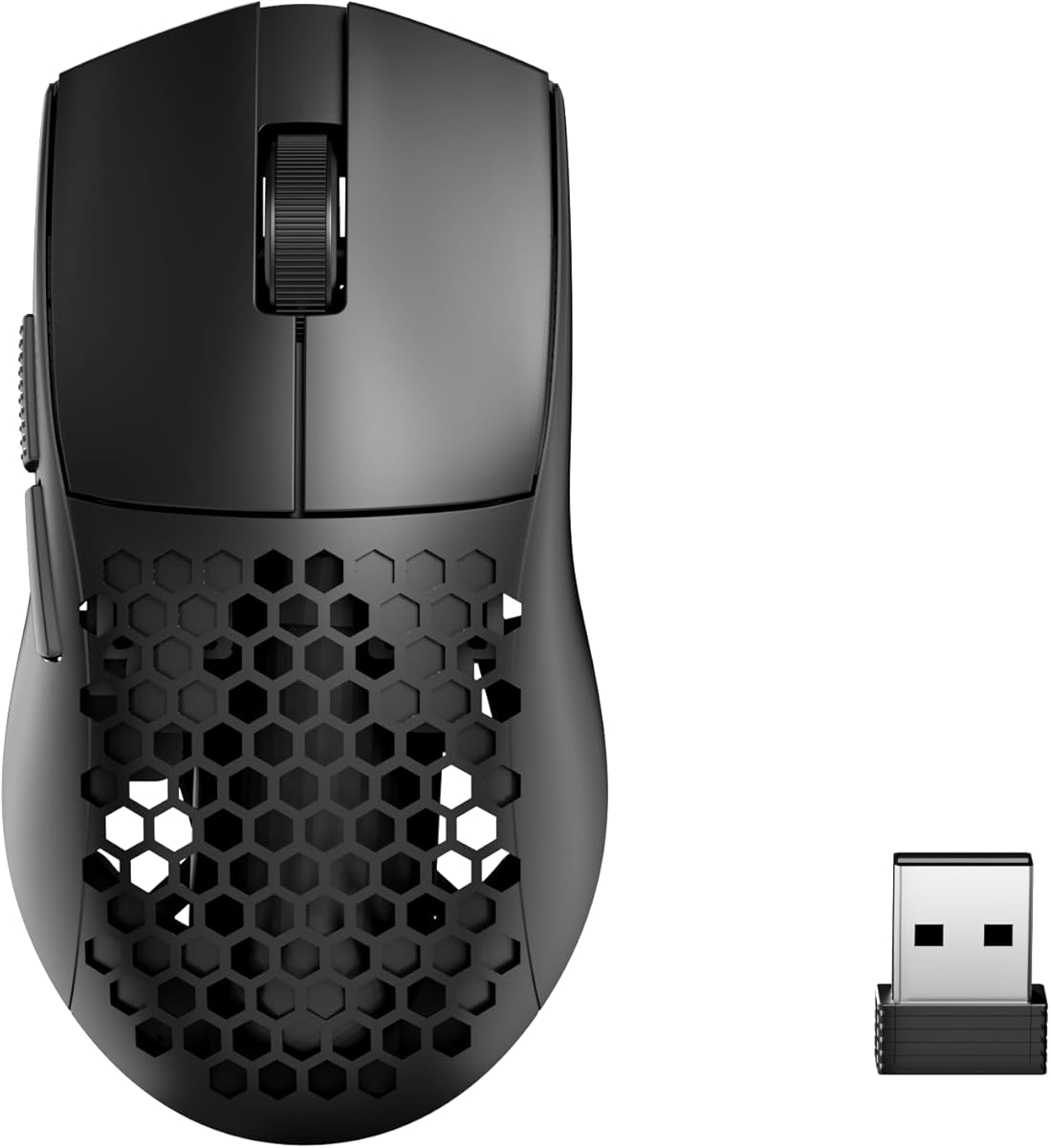
The Redragon M725 Honeycomb combines a 49-gram shell with three connection modes and a 4.4 rating, making it an accessible entry into the lightweight wireless category. Its hollow honeycomb structure reduces weight and promotes airflow during long sessions. A symmetric body supports a consistent grip and is suitable for both gaming and extended computer work.
We may earn a commission when you buy through this link, at no additional cost to you.
Connectivity is one of its strongest practical features. The mouse supports USB-C wired mode, Bluetooth 5.1, and 2.4 GHz wireless, allowing it to move easily between a gaming computer and other devices. Its sensor reaches up to 8,000 DPI and offers five preset levels, while the on-board side buttons can be assigned to functions or multi-key macros through Redragon software. Five configuration profiles broaden the customization options.
Its sensor specification is less ambitious than the 26,000, 30,000, 32,000, 42,000, and 44,000-DPI figures offered elsewhere. The maximum 8,000 DPI may be sufficient for many players, but competitive users who prefer very high sensitivity or use demanding tracking settings should recognize that this model does not offer the same headroom. The two side buttons are also limited compared with mice offering more auxiliary controls.
The M725 is well suited to budget-conscious players who want a genuinely light wireless mouse, useful tri-mode connectivity, and programmable commands. It may also serve casual users and travelers better than a high-end esports shape. For the lightest possible weight, however, the 37-gram Pulsar offers another trade-off, while the 39-gram MCHOSE adds a faster polling rate and higher DPI ceiling.
Bluetooth, 2.4 GHz, and wired modes make the M725 versatile for gaming, office work, and travel. This flexibility is more useful than a single connection method for many buyers.
The honeycomb design removes material while maintaining a symmetrical form. It reduces overall mass and improves ventilation without being limited to a tiny competition-focused shape.
We may earn a commission when you buy through this link, at no additional cost to you.
The Logitech G305 Lightspeed weighs only 3.4 ounces and earned a 4.6 rating, the highest in this collection. Its compact, efficient design makes it one of the most approachable lightweight gaming mice available. It uses a single AA battery, which removes the need for a proprietary charging cable and makes keeping a spare battery simple.
We may earn a commission when you buy through this link, at no additional cost to you.
The next-generation HERO optical sensor reaches 12,000 DPI and 400 IPS tracking precision. LIGHTSPEED wireless technology provides a 1 ms report rate for responsive play, while the 250-hour continuous battery figure offers exceptional endurance. An Endurance mode available through Logitech G HUB can extend that figure to as much as nine months. The receiver stores inside the mouse, improving portability and reducing the chance of losing the USB dongle.
The principal limitation is that the 1 ms report rate is a conventional figure rather than the 8 kHz offered by the most competitive models in this guide. Its compact shell may also feel small for players with larger hands, even though Logitech designed it for maneuverability and gaming-laptop portability. The sensor's 400 IPS tracking speed is lower than several specialized esports alternatives, so extremely fast flicks deserve careful evaluation.
This is the strongest value-oriented recommendation for a buyer who wants light weight, proven wireless responsiveness, and exceptional battery life. It works well for competitive shooters, casual gaming, school, and travel. Players who need the lightest possible mouse or the highest polling rate should compare it with the Pulsar and Logitech G PRO X Superlight 2, but the G305 delivers an especially balanced package for its category.
Using a standard AA battery means the mouse can be prepared for long sessions by keeping spare batteries on hand. Endurance mode further reduces wireless activity when maximum performance is not required.
The small body is easy to move between a desktop and gaming laptop, while the built-in receiver compartment keeps the USB dongle attached to the mouse. That makes the G305 particularly convenient for mobile setups.
We may earn a commission when you buy through this link, at no additional cost to you.
The MCHOSE L7 Pro combines a 39-gram body with an 8 kHz receiver, placing it among the most technically ambitious lightweight mice in the guide. It has a 4.4 rating and uses a high-hump, small-waist ergonomic shape intended to distribute weight across different hand sizes and grip preferences. A stated 0.125 ms wireless latency reinforces its competitive positioning.
We may earn a commission when you buy through this link, at no additional cost to you.
Its sensor supports up to 26,000 DPI, 650 FPS velocity, and submicron motion detection, while the included 8K receiver is intended to improve communication frequency. Optical switches are rated for up to 150 million clicks, and TTC gold encoders provide a crisp scroll response. USB-C wired, 2.4 GHz wireless, and Bluetooth modes give the mouse broad compatibility across gaming and productivity environments.
A major area requiring further consideration is battery life. The supplied specifications do not provide a clear runtime figure, so buyers who play for extended periods away from a charger should verify this detail. Advanced customization, including DPI, polling behavior, and macros, is handled through the MCHOSE driver. Users comfortable with gaming software should find that useful, although it creates one more dependency than a simple plug-and-play model.
The L7 Pro is a strong choice for competitive players who want a sub-40-gram body and 8 kHz polling without moving to a mini shape. It also offers more connection flexibility than several premium rivals. The best candidates are players who value speed, customization, and a light ergonomic shell and who are willing to install the relevant software and confirm battery expectations.
The included high-refresh receiver allows the mouse to communicate with the computer more frequently than a standard 1,000 Hz device. This is valuable when every adjustment in a competitive game must feel immediate.
A high hump and small waist angle seek to balance low weight with stable support. That makes the L7 Pro potentially more accommodating than ultra-minimal shells for players who still want a pronounced palm contour.
We may earn a commission when you buy through this link, at no additional cost to you.
The ATTACK SHARK X3 is a 49-gram wireless mouse that combines a PAW3395 optical sensor with broad connectivity and an ergonomic palm-oriented design. Its 4.4 rating reflects a well-rounded specification set, although it does not attempt to lead the category in minimum weight or high-end polling speed. It is aimed at players who want multiple devices, durable switches, and strong tracking in a relatively conventional shape.
We may earn a commission when you buy through this link, at no additional cost to you.
The sensor offers 26,000 DPI, 650 IPS tracking speed, 1,000 Hz response, and a 50g acceleration limit. Its six DPI settings include 800, 1,600, 2,400, 3,200, 5,000, and 26,000. Kailh Black Mamba GM8.0 optical switches are rated for 80 million clicks, while a TTC scroll encoder supports precise wheel positioning. Five programmable buttons can control DPI, polling, lift-off distance, shortcuts, and macros through the driver.
Tri-mode connectivity includes 2.4 GHz wireless, USB-C wired mode, and Bluetooth 5.2. The mouse can maintain connections to as many as four devices, making it practical for a system with a gaming PC, laptop, tablet, and phone. The 1,000 Hz response rate, however, is one step behind the 8 kHz options. The body also emphasizes palm support, so players who favor fingertip or very compact claw grips may find it less natural than the Pulsar models.
The X3 is best for multi-device users who value a high-resolution sensor and extensive programming without prioritizing the highest polling rate. It is also a sensible option for longer work sessions because its lightweight construction and ventilation-oriented design aim to reduce fatigue. Competitive FPS players who want a 49-gram mouse with a smaller or more symmetrical profile should compare the shape carefully before committing.
The PAW3395 sensor provides a 26,000-DPI ceiling, 650 IPS tracking speed, and 50g acceleration limit. Those specifications offer ample room for both moderate and very high sensitivity play.
Support for up to four simultaneous connections makes the X3 easy to move between work, gaming, and travel. Wired mode adds a stable option when battery life or wireless interference is a concern.
We may earn a commission when you buy through this link, at no additional cost to you.
The Pulsar X2 Crazylight is the medium-size version of the X2 family and weighs 39 grams. Its 4.3 rating accompanies a minimalist, low-profile, symmetrical design that supports claw and fingertip grips. Compared with the X2H mini, the medium format may accommodate a broader range of hand sizes while preserving the extremely low weight that defines the series.
We may earn a commission when you buy through this link, at no additional cost to you.
The XS-1 sensor provides up to 32,000 DPI, 750 IPS tracking speed, and 50g acceleration support. Speed of Light optical switches are designed to reduce unintended double clicks, and the dust-proof construction is a thoughtful detail for long-term reliability. A Pulsar Blue Encoder adds tactile feedback to the scroll wheel. The included 16 dot skates measure 6.6 mm and are made from UHMW-PE for low-friction movement on glass and hard surfaces.
Like the X2H, the X2 does not have a supplied battery-runtime figure, and the listing does not emphasize a high polling rate. Its minimal symmetrical design may be visually and physically less accommodating than a sculpted ergonomic mouse for players who need pronounced palm or finger support. The included skates may also require careful installation, and players should confirm the shape feels secure in their chosen grip before committing.
This model is a strong alternative to the smaller X2H for lightweight gamers who want more size flexibility. It suits fingertip and claw players who appreciate fast, clean gliding and prefer a simple shell. Buyers should compare the X2 and X2H dimensions directly, as the 37-gram mini and 39-gram medium bodies can feel meaningfully different depending on hand size.
The medium X2 offers the same 39-gram class as the X2H without using the mini designation. It may serve as a better fit for players who want less mass but need more room than a compact competition shell.
The optical switch design is intended to prevent double clicks while maintaining a crisp response. A dust-proof structure further supports dependable use over extended sessions.
We may earn a commission when you buy through this link, at no additional cost to you.
The ASUS ROG Harpe Ace Mini is a 49-gram compact mouse built for right-handed players who use fingertip or claw grips. It has a 4.4 rating and draws on the shape of the pro-approved Harpe Ace, refined into a smaller form intended to fit a wider variety of hand sizes. Its primary appeal is a compact esports design rather than a generic ultra-light shape.
We may earn a commission when you buy through this link, at no additional cost to you.
The ROG AimPoint Pro optical sensor supports 42,000 DPI and track-on-glass technology, providing a high sensitivity ceiling and flexible surface use. Tri-mode connectivity includes wired USB, low-latency 2.4 GHz RF, and Bluetooth. In wireless mode, the ROG Omni Receiver can link multiple supported devices, while SpeedNova technology is designed for low latency, reliable communication, and efficient power use.
The right-handed-only design excludes left-handed users, and buyers with larger hands may find the mini proportions too compact. Unlike several rivals, the supplied details do not state a polling rate, so comparison with the 8 kHz models is limited. The stated battery runtime of up to 105 hours is strong, though it is well below the Razer Viper V3 HyperSpeed and Logitech G305 figures.
The Harpe Ace Mini is a strong choice for compact FPS setups, particularly for players who prefer the Harpe shape and can use a right-handed mouse. It balances pro-inspired design, a capable sensor, and multi-device wireless convenience without reaching the extreme minimum weight of the Pulsar series. Hand fit should be checked carefully because its compact dimensions are a defining feature rather than a minor detail.
The Harpe Ace Mini reduces the footprint of its larger namesake while retaining a semi-symmetrical, competition-focused layout. It is especially relevant to players who already prefer the Harpe series but want less mass and a smaller hand fit.
Wired, 2.4 GHz, and Bluetooth modes support different gaming and productivity needs. The Omni Receiver can also consolidate supported devices, reducing the number of adapters in a multi-computer setup.
We may earn a commission when you buy through this link, at no additional cost to you.
The Redragon M808 Storm weighs 85 grams and carries a 4.5 rating, offering an approachable ultralight design with more control and lighting options than many entry-level alternatives. Its cutout honeycomb shell uses a frosted finish, while a lightweight cable is designed to reduce both weight and friction. The mouse is centered around practical customization rather than advanced wireless features.
We may earn a commission when you buy through this link, at no additional cost to you.
Its optical sensor supports adjustable sensitivity from 100 to 12,400 DPI, and all seven buttons can be reassigned through software. Complex macro assignments are possible, making the M808 useful for players who rely on multiple commands in games, MMO interfaces, or productivity applications. RGB lighting offers 16.8 million colors for users who want their setup to match a particular theme.
The main limitations are connectivity and competition-level performance. This is a wired mouse, so it cannot provide the convenience of wireless play or a battery-life comparison with the other models. At 85 grams, it is lighter than many standard gaming mice but considerably heavier than the 37-gram, 39-gram, and 49-gram options in this guide. The supplied information also does not provide a polling rate, switch lifespan, or exact tracking speed.
The M808 Storm is best for budget-minded gamers who want a light, wired mouse with ample programmable buttons and attractive RGB lighting. It is less suitable for someone whose main goal is the absolute lightest shell or the lowest-latency wireless setup. Even so, its 4.5 rating and generous customization make it a viable choice for everyday play and for users who value flexibility over specialized esports specifications.
Seven programmable buttons offer more side controls than most ultra-light competitors. They can be assigned to complex macros and alternate functions, which can improve access to frequently used commands.
The 85-gram shell is meaningfully lighter than a conventional full-size gaming mouse. A honeycomb structure and low-friction cable complement that goal, while extensive RGB options add a strong visual element.
We may earn a commission when you buy through this link, at no additional cost to you.
The right lightweight gaming mouse is not simply the model with the smallest listed weight. A useful purchase balances low mass with a shape that fits your hand, a sensor that tracks accurately, controls you can reach, and connectivity that suits the length and intensity of your sessions.
Choose a very low weight if fast repositioning and reduced fatigue are priorities. Opt for a slightly heavier model if you prefer a more settled feel, need a larger palm surface, or value a sturdier shell.
Fingertip users need responsive movement without a large palm surface, while claw users need clear button separation. Palm and relaxed-claw players benefit from a fuller, more sculpted or elevated design.
Select a sensor with more than enough sensitivity for your game and display, not simply the largest headline number. Confirm surface support and use a consistent, appropriate mousepad for the most stable results.
Prioritize 8 kHz for competitive responsiveness when the entire setup supports it. Otherwise, a stable 1,000 Hz connection is usually the more important goal than chasing a headline figure.
Choose tri-mode connectivity if you move between devices or need Bluetooth. Choose long battery life if you dislike charging and want simple AA-battery replacement.
Prioritize switches that suit your preference for quiet, crisp, or tactile clicks. Choose extra buttons only if you can use them comfortably without disturbing your grip.
Match the feet to your preferred surface and verify that replacement skates are available. Consistent gliding matters more than chasing a particular material name.
Begin by choosing the correct receiver or connection mode before launching a game. For 2.4 GHz models, connect the supplied USB receiver to a direct USB port and move the mouse near it until the pairing is recognized. Bluetooth models should be paired through the device's Bluetooth menu, while wired configurations only require plugging in the USB-C cable. Check the battery indicator or power status, and confirm that the mouse appears with the expected polling rate and DPI in the relevant software.
Set the DPI and lift-off distance before entering a match. Competitive games often benefit from a sensitivity that allows the mouse to remain within the available desk space during rapid turns, while role-playing or strategy games may benefit from lower values. Use the on-mouse DPI controls where available, and use the driver to assign buttons, macros, polling settings, or device profiles. Test the configuration in a practice environment so a mis-mapped command does not interrupt a game.
For maintenance, clean the sensor with a dry, soft cloth and remove dust from the skates or feet. Avoid dragging the mouse across dusty surfaces, because particles trapped under the feet can cause stuttering and uneven tracking. If the mouse uses replaceable batteries, store spares and periodically check the contacts. Rechargeable models should be kept away from extreme heat, and adhesive skates should be replaced when they begin to fray or lose their smooth glide.
Not necessarily. A 37-gram model can move and stop with very little inertia, which may benefit players who use a light, fast grip. However, shape, stability, sensor behavior, and personal preference can outweigh the difference in weight. A 60-gram mouse may feel more controlled and comfortable for a player accustomed to a substantial shell. The best choice is the lightest design you can control confidently, not automatically the smallest number on the specification list.
No, light weight does not dictate sensor capability. Several models in this guide combine sub-50-gram shells with resolutions above 20,000 DPI and strong tracking specifications. The Pulsar X2H combines a 37-gram body with a 32,000-DPI sensor, while the ASUS ROG Harpe Ace Mini pairs 49 grams with 42,000 DPI. Sensor performance should therefore be evaluated independently from shell weight.
An 8 kHz mouse reports its position eight times more frequently than a 1000 Hz mouse, which can reduce the time between physical movement and cursor input. The practical difference varies with the game, frame rate, display, and system setup, so a faster polling rate does not automatically improve every experience. It is most relevant in fast competitive games where immediate micro-corrections are important.
Wireless offers greater freedom of movement and often cleaner desk setups, while wired operation can provide a consistent connection and removes battery management. Many modern wireless mice also include wired mode, giving you both options. The Redragon M808 Storm is wired-only, whereas the Logitech G305, Razer Viper V3 HyperSpeed, Pulsar models, and several other choices provide wireless operation.
There is no single best grip for every lightweight model. Fingertip players often prefer compact symmetrical shapes, claw users benefit from clearly separated buttons, and palm or relaxed-claw users may need more substantial support. The Pulsar X2H is a mini symmetrical option, the MCHOSE L7 Pro has a high ergonomic hump, and the ASUS ROG Harpe Ace Mini is a compact right-handed design. Check the dimensions against your preferred grip before buying.
Weight alone does not determine durability. Shell material, switch rating, build quality, feet, and everyday wear all affect longevity. Several options specify optical switches with click lifespans of 80 million, 60 million, or as many as 150 million clicks. Replace worn skates, keep the sensor clean, and avoid unnecessary impacts to help preserve tracking and control.
A large mousepad can be useful because low-mass mice make rapid, wide movements easy, and ample space reduces the need to lift and reposition the device. However, it is not mandatory. The right pad size depends on your sensitivity, desk space, grip, and movement style. A hard or controlled surface can help maintain consistent tracking, while glass-compatible skates expand your surface options.
The Logitech G PRO X Superlight 2 is the most complete performance choice because it combines 60 grams of weight, an 8 kHz polling rate, a 44,000-DPI HERO 2 sensor, and a 95-hour battery. The Pulsar X2H Crazylight takes the lightweight lead at 37 grams, while the Logitech G305 delivers the most accessible combination of 3.4-ounce weight, a 4.6 rating, 1 ms wireless response, and exceptional battery endurance. Each serves a different definition of lightweight gaming performance.
Before choosing, prioritize the factors you will notice every session. Competitive shooters may justify a high polling rate and fast sensor, while long-session players may care more about battery life, comfort, and ventilation. Small-hand users should compare mini and compact designs, whereas players with larger hands may favor fuller shapes such as the Logitech G305, Razer Viper V3 HyperSpeed, or MCHOSE L7 Pro. The best lightweight mouse is the one that feels controlled, comfortable, and responsive in your own games.
Ratings, specifications, and product availability can change, and current retailer listings should be checked before purchasing. Confirm the exact weight, connection modes, software requirements, battery details, and included accessories for the model you choose. With those details verified, you can select an ultra-light mouse that suits your grip, hardware, and play style without treating the lowest weight number as the only measure of quality.