
Canon PIXMA TR4720
3.8Editor score
Built-in fax function
Automatic document feeder
100-sheet front paper tray
Wireless mobile printing
Cheap fax machines can handle everyday sending, copying, and printing; this guide compares ten affordable options for home offices, small businesses, and basic
A cheap fax machine should make document transmission straightforward without forcing home users and small businesses to overcomplicate their workflow. The most useful models combine dependable faxing, practical copying, manageable paper handling, and enough connectivity or memory for routine office documents, although the best choice depends on how frequently you send files.
This guide compares ten products using the supplied specifications, customer ratings, feature descriptions, and product categories. It covers dedicated thermal and laser fax machines alongside wireless all-in-one models, highlighting differences in transmission speed, memory, document feeders, printing technology, phone functions, and overall suitability for homes, home offices, and small workplaces.
Each review explains the product's strongest benefits, practical limitations, and ideal buyer, while the comparison table makes the major differences easier to scan. Ratings and availability can change over time, as can marketplace details, so readers should verify the current listing, included accessories, warranty coverage, and system requirements before purchasing.
3.8Editor score

4.0Editor score

4.1Editor score
The table below compares the ten products by function, connectivity, paper handling, and core office features, with special attention to whether each device is a dedicated fax machine or a multifunction inkjet that also provides fax functions.




The Brother FAX-575 is a dedicated personal fax machine, telephone, and copier with a 4.1 customer rating. It appeals to buyers who want a clear, purpose-built device instead of navigating a multifunction printer for every transmission. Its strongest qualities are straightforward operation, a conventional phone handset, practical document memory, and a compact design suited to a home office.
We may earn a commission when you buy through this link, at no additional cost to you.
Its 9,600 BPS modem sends a page in about 15 seconds, while 512 KB of memory can store up to 25 pages. That stored capacity is especially helpful when several documents must be queued or when a recipient is temporarily unavailable. Black-and-white copying supports up to 400 x 400 dpi, and the 50-sheet paper capacity is adequate for short runs without requiring constant replenishment.
The trade-offs reflect the model's age and dedicated design. It handles only black-and-white documents, and there is no indication of wireless networking, email faxing, or smartphone connectivity. A buyer comparing it with an inkjet all-in-one may also find the standalone interface less versatile, particularly if color printing and modern document apps are important priorities.
This is a sensible recommendation for someone who primarily needs reliable traditional faxing, occasional copying, and a built-in telephone. It is less compelling for a home that mainly prints and scans but rarely transmits paper. For a buyer seeking a traditional, uncomplicated machine, the FAX-575 offers a more focused experience than a printer with many unrelated features.
The 512 KB memory can hold up to 25 pages, reducing the need to resend documents one sheet at a time. This is particularly useful for multi-page forms, contracts, and cover pages sent to businesses that maintain several fax lines.
Unlike many compact multifunction printers, this model includes a phone function and is built around conventional fax use. That focus makes its controls easier to interpret for users who want to place calls, send documents, and copy paperwork from one desktop device.
We may earn a commission when you buy through this link, at no additional cost to you.
The renewed Brother FAX-575 carries a 3.8 rating and provides the same core specification set as the standard model: a 9,600 BPS fax modem, 512 KB of memory, 50-sheet paper capacity, and monochrome copying at up to 400 x 400 dpi. It is a compelling choice when the primary objective is obtaining a dedicated fax machine at a lower entry cost than a new multifunction model.
We may earn a commission when you buy through this link, at no additional cost to you.
For occasional business, medical, legal, or personal document transmission, the familiar combination of faxing, copying, and telephone functions is straightforward. The ability to store 25 pages makes batch sending more convenient, while approximately 15-second page transmission is adequate for standard documents. The renewed status does not change the listed functional specifications.
Buyers must account for the uncertainties associated with a renewed product. Cosmetic wear, the age of the internal components, consumable availability, and the specific seller's condition standards can all matter. It is best treated as a value-oriented option for someone comfortable inspecting the listing carefully and accepting a shorter or less certain warranty position.
The renewed FAX-575 is most appropriate for a budget-conscious buyer who values a dedicated telephone fax over modern connectivity. Choose it when the basic functions are known to be sufficient and the listing provides satisfactory condition details. If remote access, color output, or advanced document handling matters more, one of the wireless inkjet all-in-ones may be a better fit.
A renewed machine can provide strong value, but the buyer's protection may depend on the marketplace seller's terms. Reviewing the condition notes, return policy, included components, and warranty information is especially important when choosing a renewed model.
The renewed model still provides a 9,600 BPS modem, 25-page memory, copying, and a 50-sheet paper tray. Those features make it viable for regular transmission needs even though it lacks the flexible connectivity offered by newer all-in-one printers.
We may earn a commission when you buy through this link, at no additional cost to you.
The Sharp UXB20 is an inkjet fax machine with a 3.3 rating, placing it among the lower-rated options in this group. It nevertheless offers a broad set of communication features, including a corded handset, caller ID readiness, distinctive ring detection, 30 speed-dial presets, and a 9,600 bps modem that transmits a page in roughly 15 seconds.
We may earn a commission when you buy through this link, at no additional cost to you.
Its 449 KB memory provides 24 pages of out-of-paper memory, which is useful when paper runs out during a batch. The copy function can produce up to 99 copies, making the machine more versatile for repeated short documents than a basic single-purpose fax. The 90-day limited warranty provides less long-term reassurance than a one-year warranty would.
The central concern is its comparatively low customer rating, which may reflect the model's age, reliability, or mixed user experiences. Because the supplied data does not provide more detailed insights, buyers should examine current customer feedback carefully. The 24-page memory is also slightly smaller than the Brother FAX-575's 25-page capacity, though it remains substantial.
The UXB20 is worth considering for a caller who sends to many recurring contacts and values speed-dial storage. It is less suitable for anyone prioritizing a modern interface, wireless connectivity, or the strongest customer satisfaction signal. Its many telephone-oriented features are its main distinction from compact modern all-in-ones.
Thirty presets reduce the need to enter numbers manually for frequently called fax destinations. This is especially useful for administrative work involving clinics, suppliers, service providers, and other recipients contacted on a repeated basis.
With 24 pages of out-of-paper memory, a transmission can continue even when the machine temporarily runs out of paper. The feature reduces workflow disruption and is a meaningful advantage for multi-page documents.
We may earn a commission when you buy through this link, at no additional cost to you.
The HP DeskJet 2955 is a wireless color inkjet printer, scanner, copier, and fax-capable home device with a 3.7 rating. Its biggest advantage is the combination of modern app-based control and compact home design. It is not a conventional standalone fax machine, but the supplied features indicate that users can fax from a smartphone through the HP app.
We may earn a commission when you buy through this link, at no additional cost to you.
Basic color printing, copying, scanning, and a 60-sheet input tray cover many household tasks. Print speed reaches up to 7.5 pages per minute in black and 5.5 pages per minute in color. HP AI can format web pages and emails, while the icon LCD provides straightforward local control for common jobs.
Its limitations begin with the relatively small input tray and the need to use the HP app for faxing. A traditional telephone-based fax workflow is not described, and the machine's paper capacity is less generous than the Canon PIXMA TR8620a or dedicated Brother models. The included Instant Ink trial also leads into a subscription-based ink service unless canceled.
This is a good fit for a home or casual home office that values printing, scanning, copying, wireless access, and app convenience more than frequent high-volume faxing. Buyers who need a handset, large feeder, extensive stored memory, or dedicated fax buttons should choose a more traditional machine. The DeskJet 2955 excels as a compact connected home-office device.
The HP app can print, scan, copy, or fax from a smartphone, allowing a document to be sent without a physical fax machine. This workflow is convenient for users who already handle most files digitally but occasionally need to transmit a document to a traditional fax number.
Dual-band wireless printing and a space-conscious design make the device suitable for rooms where a larger office machine would be inconvenient. Automatic connection troubleshooting also helps reduce the setup friction associated with home Wi-Fi networks.
We may earn a commission when you buy through this link, at no additional cost to you.
The Canon PIXMA TR4720 is a 3.8-rated wireless all-in-one with printing, copying, scanning, and a built-in fax. It offers one of the most approachable combinations of traditional faxing and modern home-office functions in the roundup. The automatic document feeder and 100-sheet front tray distinguish it from basic printer-only alternatives.
We may earn a commission when you buy through this link, at no additional cost to you.
Setup is designed to be simple through the Canon PRINT Inkjet/SELPHY app, while easy cartridge installation reduces maintenance friction. The device can produce documents and photos, including borderless prints up to 8.5 by 11 inches. Wireless connectivity and mobile printing allow routine jobs to be initiated away from the device itself.
The primary limitation is its home-office scale. A 100-sheet tray is adequate for moderate use but would require frequent refilling compared with the TR8620a or MAXIFY MB2720. There is no stated high page-duty cycle, large office paper capacity, or advanced fax-memory specification in the supplied data, so it should not be judged as a high-volume enterprise machine.
The TR4720 is the strongest choice for a home user who needs genuine built-in fax functions without spending substantially more on a dedicated thermal model. It is particularly attractive for people who also want color photos, scanning, copying, and wireless printing in one compact unit. Users sending long, continuous document runs should consider a higher-capacity model.
A built-in fax allows direct transmission to conventional fax numbers without requiring a separate machine or an app-based workaround. That makes the TR4720 useful for medical, legal, real estate, and administrative paperwork that still relies on traditional fax lines.
Printing, scanning, copying, and faxing share the same compact footprint. This consolidation is useful in home offices where desk space is limited and separate printers, scanners, copiers, and fax machines would be inconvenient.
We may earn a commission when you buy through this link, at no additional cost to you.
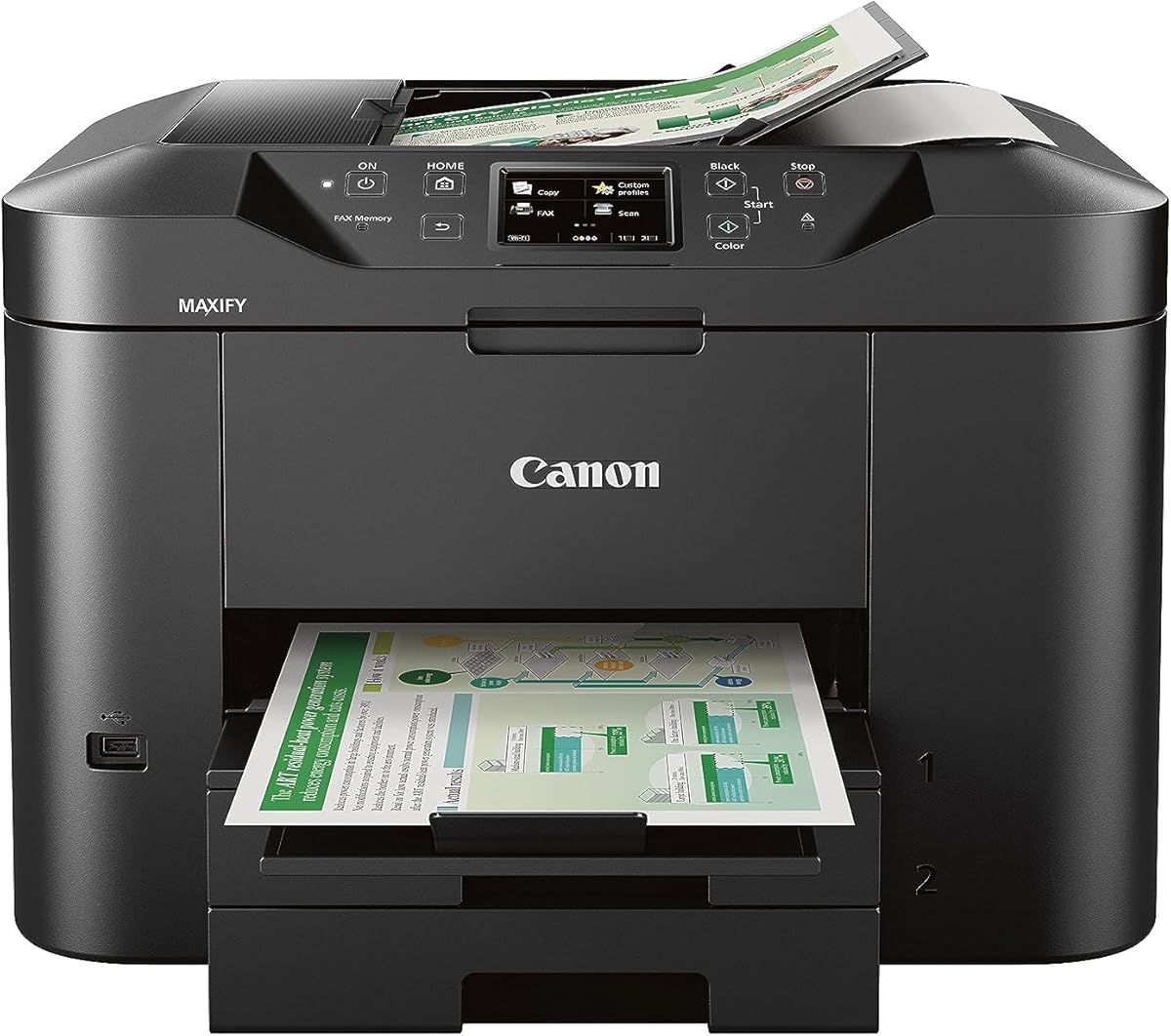
The Canon MAXIFY MB2720 is a wireless color business printer with a 3.9 rating. Although it is not identified as a fax machine in the supplied title or features, it is relevant to this comparison because its capacity and duty cycle illustrate what a higher-volume office printer can offer compared with compact home fax devices.
We may earn a commission when you buy through this link, at no additional cost to you.
Two paper cassettes provide a combined 500-sheet capacity, enough to hold a full ream of paper. Its stated 20,000-page duty cycle and laser-sharp, smudge-resistant inks position it for sustained home-business workloads. The Canon PRINT app supports scanning, copying, and printing from mobile devices, and color copy begins in approximately 12 seconds.
The central limitation is the absence of a listed fax function. Buyers who need to transmit documents should not assume that scanning and printing can substitute for dedicated fax capability. Its greater paper capacity and business-oriented design may also take up more desk space than a compact all-in-one or thermal fax machine.
The MB2720 is a strong selection for a small business that needs frequent, high-volume color printing, scanning, and copying. It is a good companion to a separate fax solution, but it is not the right standalone answer for someone whose central requirement is sending paper documents. For pure faxing, the dedicated Brother and Sharp models are more directly relevant.
The combined 500-sheet capacity reduces the frequency of refilling compared with home-oriented models. Multiple cassettes also allow convenient organization of different paper types without repeatedly changing stock in a single tray.
A stated 20,000-page duty cycle indicates that this model is intended for more regular use than a compact home printer. Its sharp, resistant inks further support business documents that need to remain legible when handled or highlighted.
We may earn a commission when you buy through this link, at no additional cost to you.
The Canon PIXMA TR8620a combines printing, copying, scanning, and faxing in a wireless home-office device. Its 4 rating is the highest among the multifunction models in this roundup, making it an especially well-rounded pick for buyers who want more capability than a dedicated thermal fax can provide.
We may earn a commission when you buy through this link, at no additional cost to you.
Its 200-sheet capacity comes from a 100-sheet cassette and a 100-sheet rear feed, offering more flexibility than the smaller TR4720. Automatic two-sided printing reduces paper use for longer documents, while the 1,000-page duty cycle indicates a model intended for regular home-office work. Print speeds are listed at 15 pages per minute in black and 10 in color.
The main caution is that this is an inkjet multifunction rather than a basic fax-only device. Ink consumption and cartridge handling should be factored into long-term operating decisions, and smart functions such as voice discovery and low-ink notifications require compatible services and account setup. Buyers should also confirm that all listed smart features are relevant to their workflow rather than paying for unused connectivity.
This is the most balanced recommendation for a home office that sends a meaningful number of faxes while also printing photos, scanning records, and copying documents. Automatic duplex printing, generous paper handling, and built-in fax functions give it broader utility than the TR4720. It is the top all-in-one choice for buyers who value feature coverage and a strong customer rating.
Print, copy, scan, and fax capabilities reduce the need for separate desktop equipment. The result is a more flexible workstation for a home office handling invoices, forms, photographs, and records through a single device.
Automatic two-sided printing is useful for contracts, reports, and other long documents. It saves paper and reduces the need to manually reverse sheets during larger print jobs.
Alexa can notify users when ink is running low and, when enrolled in Smart Reorders, can place an eligible Amazon reorder. This connected convenience is most useful for households that want automated replenishment without closely monitoring cartridge levels.
We may earn a commission when you buy through this link, at no additional cost to you.
The Brother intelliFAX-2840 is a dedicated laser fax machine rated 3.9 by customers. Its defining advantage is speed: the listed output rate of 21 pages per minute makes it the fastest fax-focused specification in the roundup, which is valuable for users who regularly transmit multi-page paperwork.
We may earn a commission when you buy through this link, at no additional cost to you.
Laser technology is well suited to offices that produce many monochrome pages and want consistent text output. Its 200 x 300 dpi resolution is adequate for standard business documents, though the 400 x 400 dpi offered by the Brother FAX-575 may produce somewhat finer image reproduction on faxed pages.
Connectivity is deliberately limited. The machine is explicitly not network ready, so buyers should not expect wireless printing, email faxing, or app-based document handling unless supported through other means. The 3.9 rating is solid but not exceptional, and the supplied data provides little detail about memory, document feeding, or telephone features.
Choose the intelliFAX-2840 when fast, high-volume monochrome faxing is the priority and a physical telephone workflow is preferred. It is less suitable for users who need color, wireless mobile access, or multifunction scanning. The dedicated format makes it easy to compare with the FAX-575: the Brother intelliFAX prioritizes speed, while the FAX-575 emphasizes memory and copying resolution.
At 21 pages per minute, the machine can move through lengthy forms and records more quickly than many thermal or inkjet alternatives. This is especially helpful for administrative users who regularly send standardized business packets.
Laser technology is a practical match for high-volume monochrome workflows. It produces clean, business-oriented output without the color capabilities of an inkjet all-in-one, keeping the device focused on its core function.
We may earn a commission when you buy through this link, at no additional cost to you.
The renewed Brother FAX-575 Thermal is a compact thermal-transfer fax and copier with a 3.3 rating. Its specification includes 512 KB of memory, a 9.6 Kbps modem, 400 x 400 dpi resolution, a 50-sheet input tray, and a 10-sheet automatic document feeder, giving it a useful combination for compact offices.
We may earn a commission when you buy through this link, at no additional cost to you.
The document feeder improves productivity when sending or copying multipage paperwork because pages can be processed without manual replacement. Thermal technology also suits frequent monochrome fax use, while the 50-sheet input tray is large enough for many short jobs. Its memory provides support for queued documents even if a print run is interrupted.
The rating is lower than that of the new FAX-575, and renewed condition introduces uncertainty that the standard model does not carry. Consumers should examine the exact condition description and seller protections, especially because the listing emphasizes thermal-transfer operation. Thermal consumables and long-term availability can also influence maintenance planning.
This model makes sense for a buyer who wants a dedicated fax with an automatic feeder and values the energy-conscious characteristics of the design. It is less attractive for color printing, scanning, wireless access, or modern app workflows. Among renewed options, it stands out through its combination of a 10-sheet feeder, 50-sheet tray, and 512 KB memory.
The 10-sheet document feeder reduces the effort involved in sending multi-page faxes and copying longer documents. It is a meaningful productivity improvement for users who regularly transmit forms or records.
A dedicated thermal-transfer format avoids the space and feature overhead of a full inkjet all-in-one. The result is a focused machine for users who primarily need faxing, basic copying, and dependable monochrome output.
We may earn a commission when you buy through this link, at no additional cost to you.
The Panasonic KX-FHD331 is a dedicated plain-paper fax machine with a 2.7 rating. It offers a straightforward set of telephone-oriented features: a 9.6 Kbps modem, caller ID compatibility, and an interface for an answering machine. The plain-paper format may appeal to buyers who prefer ordinary sheets over specialized fax media.
We may earn a commission when you buy through this link, at no additional cost to you.
Its simplicity is the primary benefit. Rather than adding scanning, color printing, wireless connectivity, and app controls, the device stays focused on sending and receiving documents through a conventional telephone line. This can make the controls easier to understand for users who need one reliable function and do not want to manage a multifunction inkjet.
The 2.7 rating is the lowest in the group and is the clearest reason for caution. The supplied information also gives no details about memory capacity, automatic document feeding, speed dial functions, or paper capacity. The 6-month warranty with an exchange program is shorter than the one-year coverage listed for the Canon PIXMA TR8620a.
The KX-FHD331 is best considered by a buyer seeking a simple plain-paper fax without a modern multifunction feature set. It may suit users with basic needs and an existing telephone setup, but a higher-rated option offers more confidence. Anyone requiring frequent multipage sending should verify feeder and memory specifications before committing.
Using standard paper can make output easier to organize, file, and recycle. It also fits naturally into workflows where received documents need to remain readable for copying or archiving.
Caller ID compatibility and an answering-machine interface suit users who already rely on a home or office telephone line. These features reinforce the device's traditional role rather than replacing it with a modern digital workflow.
We may earn a commission when you buy through this link, at no additional cost to you.
The right inexpensive fax machine depends on document volume, connectivity, paper handling, and the importance of a dedicated telephone workflow. Reviewing these factors before shopping helps prevent a basic printer from being mistaken for a complete fax solution or a legacy fax from being chosen when mobile access is essential.
Choose a dedicated device for frequent traditional faxing; choose an all-in-one for a broader digital office workflow.
Match transmission speed to workload; 9,600 BPS suits routine documents, while app-based faxing may better suit digital workflows.
Prioritize enough stored memory to protect an entire typical transmission, preferably 20 pages or more for multi-page documents.
Match tray capacity to daily volume and choose an automatic document feeder if you regularly send multi-page paperwork.
Choose thermal or laser for monochrome volume; choose inkjet when color, photos, scanning, and wireless functions justify the added complexity.
Choose wireless and app control for a connected office, but verify compatibility before replacing a traditional telephone fax.
Treat handset and speed-dial features as priorities only when regular telephone use and familiar call handling are part of the job.
Review condition, warranty length, return rights, and seller support before buying any renewed or older fax machine.
Begin by placing the machine on a stable surface with adequate ventilation and keeping the paper tray aligned to the guides. Load clean, dry sheets that match the supported size, connect the telephone line for a conventional fax, and complete any wireless or app setup required by an inkjet model. Before the first transmission, print a test page and send a short document to confirm that the recipient receives readable output.
For recurring use, clean the document feeder and optical glass regularly, remove paper jams gently, and avoid pulling a sheet backward unless the manual specifically instructs you to do so. Use the machine's copy or test function to monitor fading text and streaks. Inkjet users should follow cartridge guidance, while thermal and laser users should use only compatible consumables and clean the print path as directed.
Protect the unit from moisture, direct heat, dust, and unstable telephone connections, and keep confidential documents away from the output tray when the machine is unattended. Review stored transmission memory before lending, selling, or relocating the device, and remove the current image from connected services if applicable. Keeping the manual accessible will make problem-solving easier when documents stop, lines fail, or feed behavior changes.
A compact wireless all-in-one is often the most economical option for a home because it combines printing, scanning, copying, and faxing in one device. A dedicated thermal fax may be better for frequent traditional transmissions, while renewed models can reduce the initial cost further. Compare paper capacity, warranty, and condition rather than considering purchase cost alone.
Only if the printer has a working fax function or a supported app-based fax service. The HP DeskJet 2955 is listed as capable of faxing through the HP app, while the Canon PIXMA TR4720 and TR8620a have built-in fax functions. The Canon MAXIFY MB2720 is not identified as a fax machine in the supplied information, so a separate fax solution may be required.
A thermal fax is usually more focused and compact for monochrome document transmission, while an inkjet provides broader printing, scanning, copying, and color functions. Thermal models can be practical for routine business forms, whereas inkjets are more versatile for mixed office workflows. The best choice depends on whether faxing or the broader set of functions matters more.
A dedicated fax with a modem generally requires a compatible analog telephone line unless it is designed for another connection method. App-based faxing can work through an existing internet and telephone service, but the service may place an internet call to the receiving fax. Confirm the connection method and any service terms before buying.
Fax memory stores documents so they can be transmitted or printed later, and it can prevent a job from being lost when paper or toner runs out. The Brother FAX-575 stores up to 25 pages, while the Sharp UXB20 provides 24 pages of out-of-paper memory. More memory is especially useful for long forms, contracts, and batch sending.
A renewed machine can be worthwhile when the seller provides a clear condition description, dependable return terms, and evidence that the core functions have been checked. The renewed Brother FAX-575 options retain useful specifications, including 512 KB of memory and a 50-sheet tray. Inspecting the listing carefully remains essential because appearance, consumables, and reliability may vary.
The Canon PIXMA TR8620a is the strongest all-in-one for a home office or small business because it combines built-in faxing, scanning, copying, color printing, automatic duplex printing, and a 200-sheet capacity. For a high-volume office that already has another fax solution, the MAXIFY MB2720 offers 500 sheets of paper capacity and a strong duty cycle for printing, scanning, and copying.
It depends on the model. The HP DeskJet 2955 supports wireless printing and smartphone app workflows, while the Canon PIXMA TR4720 and TR8620a are wireless multifunction devices with fax capability. Dedicated thermal and laser models such as the Brother FAX-575 are centered on traditional telephone-line faxing and do not list wireless functions.
The best budget all-in-one in this guide is the Canon PIXMA TR4720, which combines a built-in fax, automatic document feeder, wireless printing, and a 100-sheet tray in a home-friendly design. The Canon PIXMA TR8620a is the Editor's Choice because its stronger rating, 200-sheet capacity, duplex printing, and four-function versatility make it the most balanced option for a home office.
The Brother FAX-575 takes the Best Premium position for buyers who want a dedicated telephone fax, 25 pages of stored memory, and reliable monochrome copying. Buyers who prioritize very fast output may prefer the Brother intelliFAX-2840, while those seeking broad document handling should consider the Canon MAXIFY MB2720. The right choice depends on actual fax volume, desired connectivity, and physical document workflow.
Before buying, verify the current listing, included telephone cord or power accessories, app compatibility, paper support, warranty, and return policy. Marketplace ratings, availability, and prices can change, so current details should be checked at the time of purchase. A carefully matched machine can provide dependable document service without requiring the largest office setup.