
ASUS ROG Strix G16 RTX 5060
4.4Editor score
RTX 5060 Blackwell graphics
165Hz FHD+ gaming display
16GB DDR5 memory
Our ASUS ROG Strix Laptop guide compares 10 models for gaming performance, displays, memory, cooling, portability, and everyday versatility.
The ASUS ROG Strix Laptop family combines high-end gaming hardware, vivid displays, advanced cooling, and distinctive RGB styling across several sizes and configurations. A strong model should deliver smooth frame rates, manage heat effectively, provide a responsive screen, and remain practical for the mix of games, creative work, and communication that fills a typical day.
We compared the ten featured ASUS ROG Strix models by processor, graphics capability, display characteristics, memory, storage, connectivity, cooling features, upgradeability, and intended use. The list covers conventional 16-inch systems, the larger 18-inch Scar and G18 designs, value-focused configurations, high-refresh alternatives, and premium machines built for demanding workloads.
Each review explains the strongest reasons to choose a particular model and the compromises that buyers should consider. Ratings reflect the available customer feedback supplied for these listings, while specifications and features come from the product information. Availability, configurations, and prices can change, so confirm the current listing before ordering.
4.4Editor score

4.3Editor score

4.3Editor score
The table below compares the core hardware, displays, memory, and practical advantages of all ten ASUS ROG Strix laptops, making it easier to identify the right balance of gaming power, visual quality, portability, and expandability.
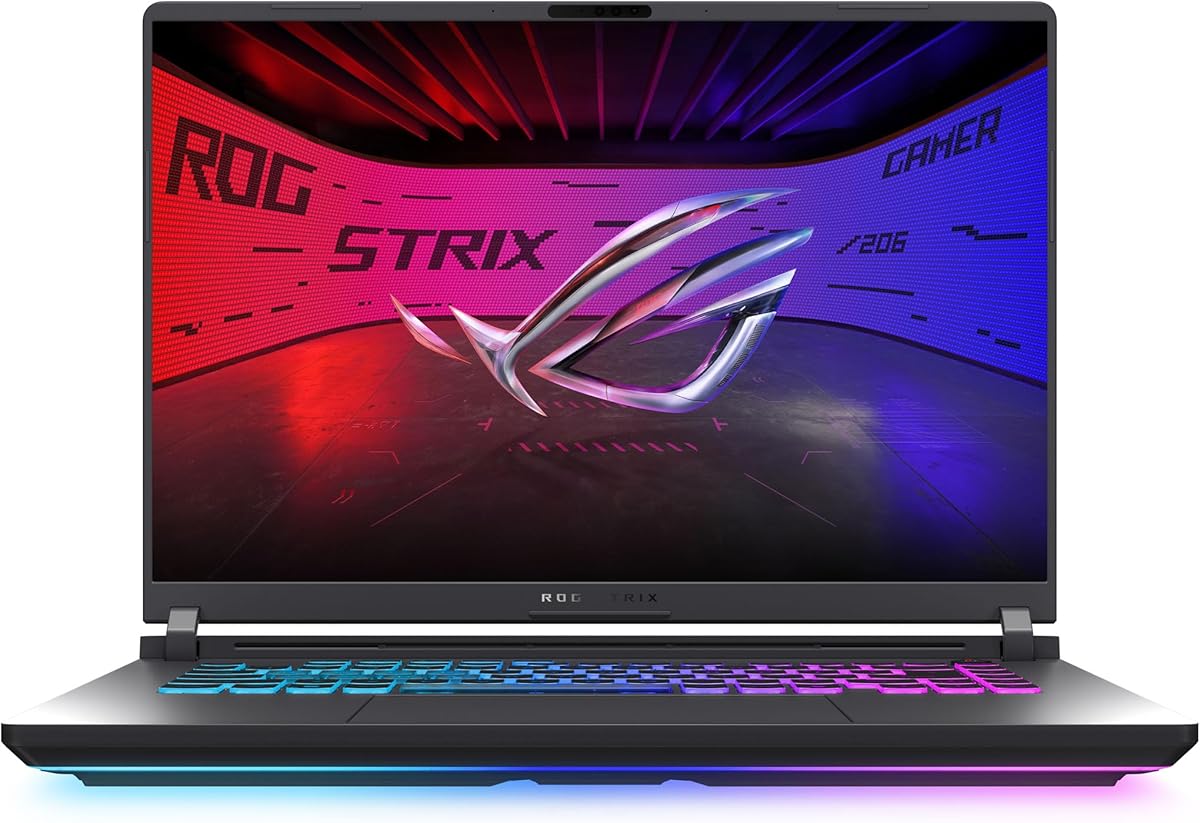


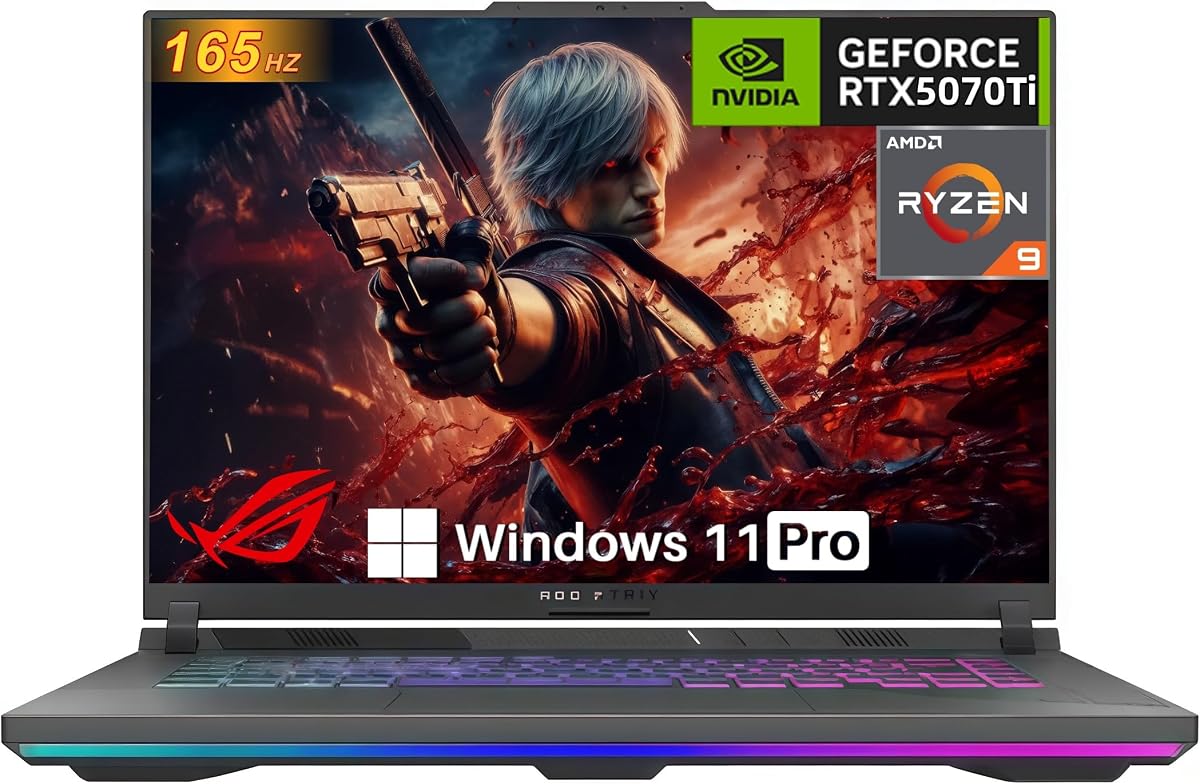

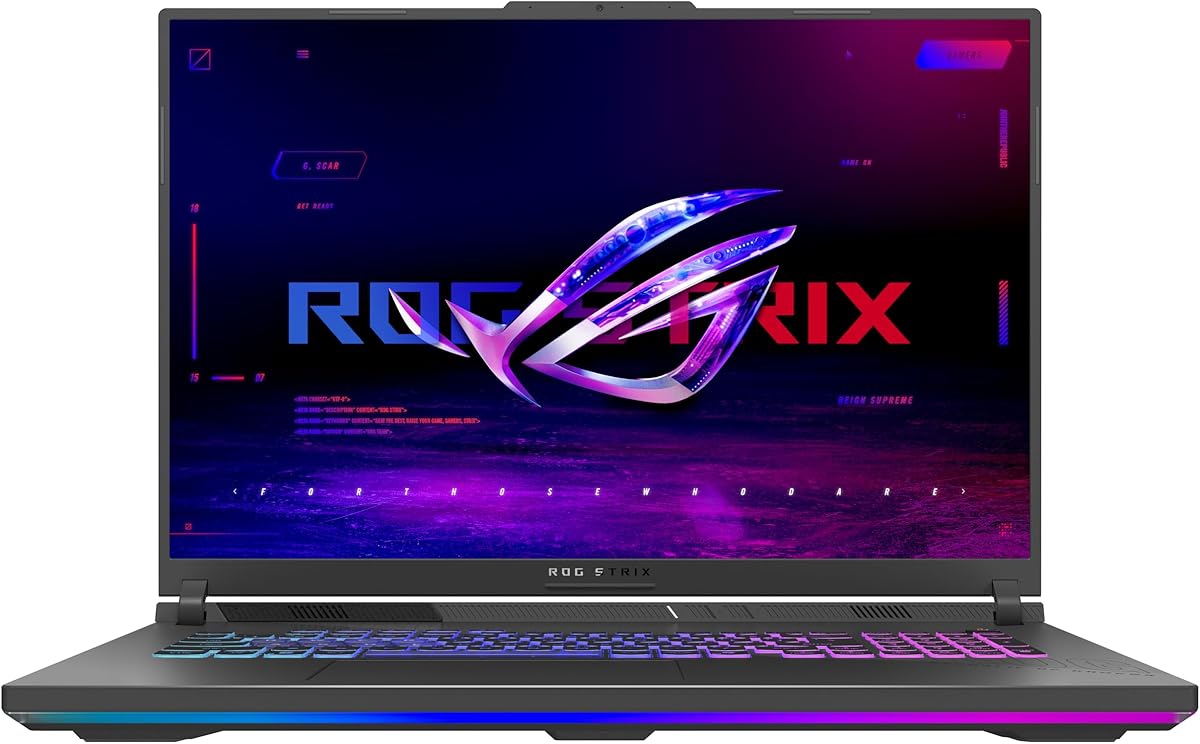
The ASUS ROG Strix G16 G615JMR-AS74 pairs an Intel Core i7 14650HX processor with NVIDIA GeForce RTX 5060 Laptop GPU graphics, giving buyers a capable modern foundation for gaming and everyday productivity. Its 4.4 customer rating reflects broadly positive feedback, while the 16-inch FHD+ panel offers a practical combination of sharpness, size, and a fast 165Hz refresh rate with 3ms response time.
We may earn a commission when you buy through this link, at no additional cost to you.
The most attractive aspect is balance. This model does not chase the highest specification in every category, yet it includes the traits that matter to many ROG buyers: a responsive gaming screen, 16GB of fast DDR5-5600MHz memory, a 1TB PCIe Gen 4 SSD, Wi-Fi 7, and Windows 11 Home. DLSS 4 and Max-Q technologies are supported through the Blackwell-based RTX 5060, while ROG Intelligent Cooling combines an end-to-end vapor chamber, three fans, and Conductonaut Extreme liquid metal on the chipset.
The main limitations are modest memory capacity and the use of FHD+ rather than a 2.5K panel. Sixteen gigabytes can be adequate for gaming, but heavier multitasking with games, browser tabs, creative applications, and background utilities may benefit from a memory upgrade. Likewise, buyers who regularly edit detailed 4K content or use the laptop beside a high-resolution monitor may value the extra pixels offered by higher-end configurations in this roundup.
This is a strong recommendation for a gamer who wants recognizable ASUS ROG Strix design, capable RTX 5060 graphics, and a fast display without moving into the highest tier of hardware. It is also suitable for school, office, and content-creation work, provided the 16GB memory configuration meets the buyer’s multitasking needs. Among the 2025 G16 options, it offers one of the clearest combinations of essential features and restrained specifications.
The Core i7 14650HX and RTX 5060 pairing covers the main requirements of a modern gaming laptop, while 1TB of PCIe Gen 4 storage avoids an immediate storage compromise. It is a more focused configuration than the range’s top hardware, but it avoids unnecessary extras when the priority is straightforward gaming performance.
The 165Hz panel and 3ms response time suit fast competitive games, while the ACR film is designed to improve contrast and reduce glare. The 16:10 proportions provide additional vertical room over a standard 16:9 screen without moving to the bulkier visual footprint of a 2.5K display.
We may earn a commission when you buy through this link, at no additional cost to you.
The ASUS ROG Strix G16 G615LR-AS96 is the most complete conventional 16-inch configuration in this guide. It combines an Intel Core Ultra 9 275HX processor, an NVIDIA GeForce RTX 5070 Ti Laptop GPU, 32GB of DDR5-5600MHz memory, and a 2.5K ROG Nebula display with 240Hz refresh and 3ms response time. Its 4.3 rating indicates solid customer satisfaction across a high-performance configuration.
We may earn a commission when you buy through this link, at no additional cost to you.
The display is the star for buyers who want both fine detail and rapid motion. A 240Hz panel is particularly well suited to competitive shooters, racing games, and fast action, while 2.5K resolution provides more workspace than FHD+. The ACR film is designed to improve contrast and reduce glare. Graphics performance is backed by Blackwell architecture, DLSS 4, and Max-Q, giving the system a strong foundation for modern games, streaming, and GPU-accelerated creative work.
The 32GB memory allotment gives it more breathing room than 16GB configurations, especially when the laptop must handle games, a browser, video calls, and editing software simultaneously. Storage is a less generous 1TB than the 2TB model elsewhere in the lineup, although PCIe Gen 4 speeds and the large G16 chassis leave this as a less pressing concern. Buyers who accumulate very large game libraries or project files may want to account for that difference.
This model best fits enthusiasts who want no obvious compromise between gaming, display quality, and multitasking. It can serve as a primary gaming system, a competitive machine, and a capable workstation for content creation. It may be more hardware than a casual user needs, but for a buyer searching the ASUS ROG Strix range for a versatile high-end 16-inch laptop, the combination is especially convincing.
The 2.5K panel preserves detail in games, desktop interfaces, and creative applications, while 240Hz and 3ms response time target motion-heavy experiences. It is a particularly useful combination for buyers moving up from a conventional high-refresh FHD laptop.
The Core Ultra 9 275HX and RTX 5070 Ti handle demanding workloads, while 32GB of DDR5 reduces the memory pressure associated with lighter 16GB configurations. This makes the G16 well suited to mixed gaming, streaming, editing, and productivity use.
We may earn a commission when you buy through this link, at no additional cost to you.
The ASUS ROG Strix Scar 18 G835LR-XS96 is the flagship-style option in this collection, combining an 18-inch ROG Nebula HDR display with RTX 5070 Ti graphics and a Core Ultra 9 275HX processor. The 4.3 customer rating reflects positive feedback, and the feature set extends well beyond ordinary gaming specifications with Mini LED backlighting, 2,000-plus dimming zones, dual ACR layers, and 100% DCI-P3 color coverage.
We may earn a commission when you buy through this link, at no additional cost to you.
The large 240Hz 2.5K screen is ideal for a stationary gaming setup where immersion matters more than compact dimensions. Mini LED local dimming can create a more controlled contrast environment than a standard backlight, while HDR and wide color coverage make the display relevant to video editing and other visual work. AniMe Vision adds another distinctive element by placing customizable text, animations, or personal graphics on the lid.
Its practical features reinforce the premium positioning. Tool-free access allows buyers to customize RAM and SSD through a sliding latch, while a removable frame protects the rest of the internal layout. The MUX Switch can route frames directly from the discrete GPU for a stated gaming performance boost, and Advanced Optimus can change between integrated and discrete graphics without requiring a restart. A three-month PC Game Pass is also listed with the product.
The Scar 18 is best recommended for buyers who will game at a desk and want the best visual hardware in the roundup. Its 18-inch body sacrifices some portability compared with a 16-inch G16, and buyers with modest game libraries may find the 1TB drive less generous than the 2TB G16 option. In return, it delivers a distinctive premium package with an exceptional display, powerful internals, and unusually convenient access to upgradeable components.
Mini LED technology and more than 2,000 dimming zones give the display finer control over localized brightness. Combined with 240Hz refresh, 100% DCI-P3 color, and an HDR panel, it targets both fast gaming and color-critical visual work.
Tool-free access to RAM and SSD is a meaningful advantage for a premium system. Buyers can add memory or replace storage as their needs change, while the removable frame helps protect other components during access.
We may earn a commission when you buy through this link, at no additional cost to you.
The ASUS ROG Strix G16 B0F1BMYWY6 configuration is an unusual but interesting mix: a high-end Intel Core Ultra 9 275HX processor and premium 2.5K 240Hz display paired with an RTX 5060 Laptop GPU. It carries a 4.0 rating, the lowest established score in the supplied roundup, so buyers should consider the configuration as a whole rather than focusing on one headline component.
We may earn a commission when you buy through this link, at no additional cost to you.
Its display provides 240Hz refresh, 3ms response time, an ACR film for contrast and glare reduction, and Dolby Vision HDR for richer color and brightness. The Core Ultra 9 processor has ample capability for gaming, multitasking, and content creation, while the RTX 5060 supports DLSS 4 and Max-Q through Blackwell architecture. ROG Intelligent Cooling adds an end-to-end vapor chamber, three fans, and Conductonaut Extreme liquid metal to the chipset.
The key compromise is that the GPU sits below the RTX 5070 and RTX 5070 Ti alternatives in the same guide. It may struggle to exploit the full potential of a 240Hz, 2.5K panel in demanding games unless the resolution and visual settings are adjusted. The 16GB memory configuration is another limitation for power users, although the listing does not specify whether this exact configuration offers user-accessible memory upgrades.
This laptop makes most sense for a buyer who values the processor and display but does not need the highest available gaming performance. It is also a candidate for creative work where CPU capability, display quality, and HDR support matter more than maximizing frames per second. For straightforward high-end gaming, the RTX 5070 Ti G16 offers a more internally balanced set of components.
The Core Ultra 9 275HX is the centerpiece of this configuration, with enough capability for demanding applications and heavy multitasking. The 2.5K 240Hz display adds useful visual quality and motion response for competitive gaming.
Buyers who want the best gaming results may prefer a higher-tier GPU, while those focused on productivity and display quality may find the balance useful. The 16GB memory limit deserves attention for large creative projects.
We may earn a commission when you buy through this link, at no additional cost to you.
The ASUS ROG Strix G16 G614FP-OS94 brings together an AMD Ryzen 9 9955HX processor and NVIDIA GeForce RTX 5070 Laptop GPU in a familiar 16-inch chassis. No customer rating was available for this listing at the time of the supplied information, so its 4.3 rating on the related configuration cannot be transferred to this model. Buyers should assess it from its specifications and features.
We may earn a commission when you buy through this link, at no additional cost to you.
The Ryzen 9 9955HX is a high-end mobile processor, while the RTX 5070 provides Blackwell architecture with DLSS 4 and Max-Q. That combination targets demanding games and productive multitasking. The included MUX Switch can route frames directly from the discrete GPU for a listed gaming performance boost, while Advanced Optimus automatically switches between integrated and discrete graphics according to the workload.
The 16-inch FHD+ 165Hz panel with 3ms response time is a sensible competitive-gaming specification, and the ACR film is designed to improve contrast and reduce glare. However, it does not offer the finer 2.5K resolution or 240Hz refresh of several competitors. Memory is limited to 16GB DDR5-5600, although 1TB of PCIe Gen 4 storage provides room for a substantial game library.
This model is most attractive to buyers who prefer the Ryzen 9 platform or want the RTX 5070 without moving to a higher-resolution panel. It is a strong option for gaming, streaming, and development, but buyers who regularly edit high-resolution video or work with large creative files should consider a 32GB configuration. The lack of customer feedback means the practical advantage here is its strong core hardware rather than demonstrated consensus.
The Ryzen 9 9955HX supplies the CPU side of the system, while the RTX 5070 handles graphics and supports DLSS 4 and Max-Q. This mixed-platform approach is attractive to buyers who want a high-end processor and a capable current-generation gaming GPU.
The MUX Switch provides a direct path from the discrete GPU to the display when maximum gaming performance is the priority. Advanced Optimus handles automatic switching for less demanding tasks, helping balance performance and battery use.
We may earn a commission when you buy through this link, at no additional cost to you.
The ASUS ROG Strix G16 B0H6WZJ4JX is built around an NVIDIA GeForce RTX 5070 Ti Laptop GPU with 12GB GDDR7 and a 140W total graphics power, supported by an AMD Ryzen 9 8940HX processor. It has a 5.0 customer rating, 32GB of DDR5 memory, a 1TB SSD, and a 16-inch WUXGA 165Hz display, making it a compelling performance-oriented configuration.
We may earn a commission when you buy through this link, at no additional cost to you.
The processor has 16 cores and 32 threads with speeds up to 5.3GHz, while the RTX 5070 Ti brings DLSS, frame generation, and ray-tracing capability. The product information specifically identifies a 140W TGP, which is useful context for buyers comparing different versions of the same GPU. A 165Hz 16:10 display, 100% sRGB coverage, and 3ms response time support both competitive gaming and content creation.
Its specification list is particularly strong in connectivity and future-proofing. It supports up to 64GB of DDR5 memory and 4TB of PCIe SSD storage, and the listed ports include two USB-C 4 ports, two USB-A 3.2 ports, HDMI 2.1, 2.5G Ethernet, and an audio combination jack. ROG Intelligent Cooling uses a vapor chamber, three fans, and Conductonaut Extreme liquid metal, while Advanced Optimus and the MUX Switch offer flexible graphics routing.
This is a strong recommendation for a buyer who prioritizes gaming hardware, memory, and connectivity over having the newest 2.5K 240Hz panel. The WUXGA resolution can make high-refresh gaming easier to drive, while 32GB of memory helps with multitasking and creative work. The primary compromises are the 1TB storage capacity and lower resolution than the premium display models, although the overall package remains balanced and versatile.
The specified 140W graphics power makes this a more performance-focused RTX 5070 Ti laptop than a basic listing may imply. It is a strong fit for high-refresh gaming, ray tracing, rendering, and GPU-accelerated video work.
Two USB-C 4 ports, HDMI 2.1, 2.5G Ethernet, and multiple USB-A connections cover many accessory needs. Support for up to 64GB of memory and 4TB of SSD storage also gives owners room to expand the system as needs grow.
We may earn a commission when you buy through this link, at no additional cost to you.
The ASUS ROG Strix G16 B0H9XKKMKW combines an RTX 5070 Ti Laptop GPU with an AMD Ryzen 9 8940HX processor and has a strong 4.9 customer rating. Its description identifies 12GB of GDDR7 graphics memory, 16GB of DDR5-5600 memory, and PCIe Gen 4 storage, while also highlighting tool-free access for RAM, SSD, and fans.
We may earn a commission when you buy through this link, at no additional cost to you.
One detail requires caution: the short listing title refers to 8GB of RTX 5070 Ti memory, whereas the detailed product information describes 12GB. Buyers should verify the exact memory specification on the current listing before purchasing. With that caveat, the described configuration is attractive because the Ryzen 9 8940HX has 16 cores and 32 threads with speeds up to 5.3GHz, and the GPU supports DLSS and frame generation.
The upgrade path is a major strength. Two tool-free SO-DIMM slots make it easier to increase memory, and the Q-latch SSD system supports quick storage changes. PCIe Gen 5-ready SSD slots offer additional expansion potential. ROG Intelligent Cooling combines an end-to-end vapor chamber, three fans, and Conductonaut Extreme liquid metal to support sustained performance under demanding workloads.
This laptop is well suited to buyers who want strong hardware without accepting fixed memory. The 16GB starting configuration is modest relative to the GPU and processor, but the tool-free design makes an upgrade more approachable. It is also a good creative workstation option for video, 3D, and other GPU-intensive work, provided the buyer reviews the exact screen specifications, which are not provided in the supplied listing details.
Tool-free access to RAM, storage, and fans separates this model from systems that require routine screw removal. The Q-latch storage design and removable protective frame make component changes more convenient and help protect other internal hardware.
The listing title and product description present different RTX 5070 Ti memory figures. Because graphics memory can affect settings and future workloads, buyers should check the current product page for the exact configuration they are purchasing.
We may earn a commission when you buy through this link, at no additional cost to you.
The ASUS ROG Strix G16 G615LW-AB96 stands apart as the only model in the roundup with an NVIDIA GeForce RTX 5080 Laptop GPU. It also has a 5.0 customer rating, 32GB of DDR5 memory, Wi-Fi 7, and a premium ROG Nebula HDR 2.5K display, making it the strongest choice for buyers seeking maximum graphics capability in the 16-inch G16 format.
We may earn a commission when you buy through this link, at no additional cost to you.
The supplied product title names an Intel Core Ultra 9 290HX Plus processor, while the description refers to a Core Ultra 9 275HX. Because the two listings conflict, the exact processor should be confirmed on the seller’s current page. The graphics configuration is clearer: the RTX 5080 uses Blackwell architecture and supports DLSS 4 and Max-Q, providing a substantial performance tier for demanding games, ray tracing, rendering, and AI-assisted creative workloads.
The 16-inch 2.5K HDR display is described with a 240Hz refresh rate and 3ms response time in the title. The accompanying description references a 300Hz panel, an AGLR film for glare reduction and contrast, Dolby Vision HDR, and wide viewing angles. These details make the display attractive for both competitive gaming and media work, but the refresh-rate discrepancy should be resolved before purchase.
The model also supports tool-free access to RAM, SSD, and fans, along with a MUX Switch and Advanced Optimus. These are meaningful features for a system likely to evolve over time. Its compromises are chiefly financial and storage-related: the RTX 5080 places it at the top of this hardware hierarchy, while 1TB of storage may be filled quickly by modern games and high-resolution project files. For buyers who need the highest graphics tier, however, it is the clear leader.
The RTX 5080 Laptop GPU is the defining feature of this model. It gives buyers a higher graphics ceiling than the RTX 5070 and RTX 5060 alternatives, making the configuration relevant to demanding games and GPU-intensive professional workloads.
The product title and description differ on the processor, while display refresh information also varies. Buyers should verify the CPU and panel specifications against the current listing to ensure the configuration matches their needs.
We may earn a commission when you buy through this link, at no additional cost to you.
The ASUS ROG Strix G16 B0F7J4QFTL stands out for storage: it combines 2TB of PCIe Gen 4 SSD capacity with 32GB of DDR5-5600 memory, a Core Ultra 9 275HX processor, and an RTX 5070 Laptop GPU. The 4.2 rating indicates positive customer feedback, and Windows 11 Pro makes it a more suitable starting point for buyers who need business-oriented operating-system features.
We may earn a commission when you buy through this link, at no additional cost to you.
Its 2.5K ROG Nebula display supports 240Hz refresh and 3ms response time, with an ACR film for contrast and glare reduction. Dolby Vision HDR adds richer color and brightness for compatible content. This is a very strong panel for a 16-inch gaming laptop, and it complements the RTX 5070’s DLSS 4 and Max-Q capabilities under the Blackwell architecture.
The 2TB drive is the model’s defining practical advantage. It gives buyers more room for games, videos, project files, and applications without requiring an immediate storage upgrade, while 32GB of memory is comfortable for multitasking. The listed cooling design uses an end-to-end vapor chamber and three fans, although the product description does not mention the Conductonaut Extreme liquid metal found on several other configurations.
This is a strong recommendation for someone who wants a high-end display, substantial memory, and generous storage without moving to an RTX 5070 Ti or RTX 5080. It is well suited to gamers, streamers, and creative professionals who routinely retain large files. Buyers seeking the absolute graphics ceiling may prefer the RTX 5080, while those watching their budget may find the standard RTX 5060 G16 more sensible.
A 2TB PCIe Gen 4 SSD gives the laptop more room for installed games, recordings, footage, and applications than the 1TB configurations in this guide. It is a meaningful advantage for owners who prefer not to manage storage immediately.
The Core Ultra 9 processor, 32GB of memory, and Windows 11 Pro create a capable platform for gaming and productivity. The fast 240Hz 2.5K display also makes the laptop useful for detailed creative work and high-refresh entertainment.
We may earn a commission when you buy through this link, at no additional cost to you.
The ASUS ROG Strix G18 B0FGQW5J21 offers a large-screen alternative to the more common 16-inch G16. It pairs the AMD Ryzen 9 8940HX Mobile Processor with an NVIDIA GeForce RTX 5050 Laptop GPU, 16GB of DDR5-5200 memory, and a 1TB SSD. Its 4.4 rating indicates positive customer feedback despite being positioned below the range’s higher-end GPUs.
We may earn a commission when you buy through this link, at no additional cost to you.
Its 18-inch FHD+ panel uses a 16:10 aspect ratio and 144Hz refresh rate, with a 3ms response time and ACR film designed to improve contrast and reduce glare. The large screen can make games, desktop work, and media more immersive, although FHD+ across 18 inches does not deliver the same pixel density as a 2.5K 16-inch display. It is still a useful option for buyers who prioritize screen size over maximum sharpness.
The RTX 5050 is based on NVIDIA Blackwell architecture and supports DLSS 4 and Max-Q, giving it current-generation upscaling and efficiency features. The Ryzen 9 8940HX provides substantial CPU capability, while ROG Intelligent Cooling uses tri-fan technology, a full-width heatsink, and full-surround vents. The 16GB memory capacity is modest, and buyers should verify their upgrade options if they plan heavy multitasking or creative work.
The G18 is best suited to gamers who want a large display and a high-end processor but do not need top-tier graphics. It can also serve as a desktop-replacement laptop for entertainment and general productivity. Its trade-offs are clear: more bulk than a 16-inch machine, a lower-tier GPU than the RTX 5070 and above, and only 16GB of memory. Even so, it provides a distinct combination that the smaller G16 cannot.
The 18-inch FHD+ panel is ideal for buyers who want a large visual area and 144Hz motion. Its resolution is lower than the premium 2.5K models, so screen size and desktop sharpness represent a deliberate trade-off.
The Ryzen 9 8940HX brings strong multicore capability, but the RTX 5050 sits at the lower end of the listed NVIDIA GPUs. This combination works best for buyers who value CPU power, large-screen use, and general responsiveness over maximum gaming performance.
We may earn a commission when you buy through this link, at no additional cost to you.
Choosing an ASUS ROG Strix Laptop means balancing graphics, processor, display, memory, storage, cooling, portability, and upgradeability. The most expensive specification is not automatically the right choice; the best model is the one whose strengths align with the games, applications, and mobility needs of its owner.
The NVIDIA GeForce GPU is often the most important component in a gaming laptop because it drives frame rates, ray-tracing capability, graphics settings, and many creative applications. This roundup ranges from the RTX 5050 to the RTX 5080, with RTX 5060, RTX 5070, and RTX 5070 Ti options between them. RTX 5070 and RTX 5070 Ti models are sensible for high-end 2.5K gaming, while the RTX 5060 offers a more restrained route into Blackwell features.
Choose a GPU based on the resolution and frame rate you expect to use. A high-refresh panel does not guarantee ultra-high frame rates if the graphics hardware is pushed beyond its target. Match the GPU to the screen, and consider future demanding releases rather than focusing only on lighter titles.
The featured systems use high-end Intel Core Ultra 9 processors or AMD Ryzen 9 processors, all designed to handle demanding games and heavier multitasking. The Core Ultra 9 275HX and Ryzen 9 8940HX appear across several models, while the Ryzen 9 9955HX and the range’s Core i7 14650HX offer different balances. CPU performance matters in simulation games, strategy titles, streaming, video editing, and 3D work.
For gaming, avoid choosing a CPU solely by its family name. Consider the particular game, the GPU pairing, cooling, memory, and whether the laptop will also handle editing or development. For mixed workloads, 32GB of memory is generally more useful than a faster processor paired with only 16GB.
Displays in this range include FHD+ panels at 144Hz or 165Hz, 2.5K panels at 240Hz, and premium 2.5K HDR options with Mini LED technology. Refresh rate improves motion clarity, resolution improves detail and workspace, and HDR adds brighter highlights and a wider dynamic range. The 2.5K 240Hz ROG Nebula displays are particularly attractive for competitive gaming and detailed creative work.
Decide whether screen size or pixel density matters more. The 18-inch G18 provides a large canvas at FHD+, while 16-inch 2.5K models feel considerably sharper. For HDR-sensitive work, examine Mini LED dimming zones, DCI-P3 coverage, and the listed anti-glare treatments rather than relying on the HDR label alone.
The roundup includes several 16GB configurations and multiple systems with 32GB. Sixteen gigabytes can work well for focused gaming, but 32GB offers more headroom for browser use, voice chat, streaming software, creative applications, and large project files. Memory also cannot usually be replaced as easily as storage, so a buyer who regularly multitasks should treat 32GB as a more future-oriented choice.
Pay particular attention to tool-free access and the number of memory slots. Some models support easy RAM and SSD changes, while others have specifications that are less clearly documented. If the system cannot be upgraded, buying enough memory initially becomes especially important. Confirm exact compatibility and opening procedures before attempting an upgrade.
Most configurations offer 1TB of PCIe Gen 4 SSD storage, while one G16 includes 2TB. A larger drive is useful for modern game installations, 4K video, project files, and applications. Fast PCIe Gen 4 storage also helps shorten loading times and keeps the system responsive when multiple demanding programs are open.
Storage capacity should be judged by the games and files already owned. A 1TB drive can fill quickly with large modern titles and high-resolution media, yet it remains practical for owners who manage files actively. Models with tool-free SSD access make future expansion easier, so compare the documented upgrade path before choosing a smaller drive.
ROG Intelligent Cooling is a central feature across these laptops. The listed designs use combinations of an end-to-end vapor chamber, tri-fan architecture, full-width heatsinks, full-surround vents, and Conductonaut Extreme liquid metal on the chipset. These systems help move heat away from high-performance processors and graphics chips, supporting steadier performance during extended workloads.
Cooling is especially important when choosing a thin 16-inch laptop with high-power components. Look for a design that addresses both the CPU and GPU, and consider the MUX Switch for direct discrete-GPU routing when maximum gaming performance is required. Owners should also use a stable surface and allow the rear and side vents to remain unobstructed.
A 16-inch G16 is generally easier to move between rooms or take on trips than an 18-inch Scar or G18, although the exact dimensions and weight should be checked for the configuration being purchased. The larger models create a more desktop-like experience, with more screen area and room for powerful internals, but they demand more space and are less convenient for mobile use.
If the laptop will remain on a desk, prioritize display quality and thermal headroom over compactness. If it needs to travel frequently, a 16-inch model is usually the more practical form factor. Consider the size of your usual workspace, the availability of a suitable bag, and whether the larger screen is worth the reduced portability.
Windows 11 Home suits general gaming and personal productivity, while Windows 11 Pro appears on models aimed at professional or business-oriented use. Connectivity varies between Wi-Fi 6E and Wi-Fi 7, and the feature-rich RTX 5070 Ti G16 lists USB-C 4, HDMI 2.1, 2.5G Ethernet, and multiple USB-A ports. Such variety matters for external monitors, storage, peripherals, and wired networks.
Check the port list against the accessories you already own. A modern USB-C charger, compatible display, wired network, headset, and external storage can influence the overall value of a laptop. RGB lighting, the customizable light bar, AniMe Vision, and Stealth Mode are useful for personalization, but they should be secondary to performance and practical connectivity needs.
After setting up Windows, update the operating system, graphics driver, BIOS, and ASUS utilities before installing demanding games. Use the supplied or ASUS-supported power mode for the intended workload, and take time to configure the MUX Switch and Advanced Optimus behavior. The discrete-only mode can favor gaming performance, while automatic switching can be more convenient for a mixed workday.
Give the laptop a clear, hard surface and avoid placing it on bedding, cushions, or other surfaces that can block the rear and side vents. During long gaming or rendering sessions, use a stand if desired, keep intake paths open, and let the chassis cool naturally. Clean the exterior with a soft, lint-free cloth, and do not use harsh liquids near the display, keyboard, ports, or ventilation openings.
For storage hygiene, keep the system drive from becoming nearly full and back up important files regularly. If the exact model supports tool-free RAM, SSD, or fan access, power the laptop down fully and follow ASUS instructions before opening it. When using a custom display profile, adjust refresh rate and HDR settings through the graphics control panel, and choose a display mode that matches the connector, resolution, and refresh rate available on the attached monitor.
The ASUS ROG Strix G16 with the RTX 5070 Ti and 2.5K 240Hz ROG Nebula display offers a particularly balanced high-end combination. Its Core Ultra 9 275HX processor, 32GB of memory, and DLSS 4 support make it suitable for demanding games and mixed productivity. The RTX 5080 G16 provides the higher graphics ceiling, while the Scar 18 delivers the roundup’s most premium display treatment.
The RTX 5060 G16 is a sensible choice for mainstream gaming and a more restrained entry into the modern ROG range. Its 165Hz FHD+ display, Core i7 14650HX processor, and 1TB SSD cover the core requirements of a gaming system. Buyers should note that it has 16GB rather than 32GB of memory and does not offer the higher-resolution panel found on premium models.
A 240Hz display can present motion more smoothly than a 144Hz or 165Hz panel, particularly in competitive shooters, racing games, and fast-moving action. The benefit depends on the game, settings, and GPU being able to produce enough frames. Pairing a 240Hz panel with a high-end GPU and 2.5K resolution helps make that display specification more useful.
16GB is adequate for many gaming-focused uses, but 32GB provides more flexibility when running games with a browser, streaming software, video calls, and creative applications. A 32GB configuration is a stronger choice for editing, 3D rendering, development, and heavy multitasking. If memory cannot be upgraded, selecting 32GB at purchase provides better long-term flexibility.
The MUX Switch can route frames directly from the discrete GPU to the display, which can improve gaming performance by avoiding an unnecessary graphics path. Advanced Optimus automates switching between integrated and discrete graphics according to the workload. Together, they give buyers a choice between direct gaming performance and more convenient power management.
Tool-free access can make RAM, SSD, and fan maintenance much more convenient, especially on models that expose these components through a sliding latch or Q-latch system. It reduces the need for routine screw removal and makes the laptop easier to expand. Buyers should still follow the official instructions and verify component compatibility before upgrading.
An 18-inch model is usually better for buyers who value a large display, a desktop-like footprint, and premium visual immersion. A 16-inch model is easier to carry and can offer higher pixel density, especially with a 2.5K panel. The G18 also demonstrates that screen size does not automatically mean stronger graphics, so buyers should compare the GPU and display specifications together.
The RTX 5070 is a strong option for high-resolution and high-refresh gaming, while the RTX 5070 Ti offers a higher graphics ceiling for demanding games, ray tracing, rendering, and other GPU-intensive work. The 5070 Ti also benefits from its larger frame buffer for modern games. Buyers should consider their display resolution and performance needs rather than assuming the higher tier is necessary for every game.
The ASUS ROG Strix G16 with the RTX 5060 is the clearest balanced-value option, combining a 165Hz FHD+ panel with a capable GPU and essential everyday features. The RTX 5070 Ti G16 is the most balanced enthusiast choice, combining a fast 2.5K 240Hz display, 32GB of memory, and powerful internals. The Scar 18 is the premium recommendation for buyers who want a large Mini LED HDR screen and convenient component access.
Prioritize the component that matters most to your work. Competitive players should examine GPU power, refresh rate, and MUX functionality, while creators may value color coverage, HDR, processor performance, and memory. Storage-hungry owners should look for 2TB capacity or verified tool-free expansion, and frequent travelers should consider the practical benefits of a 16-inch form factor over the larger 18-inch models.
Finally, check the current listing carefully before purchasing. Some supplied product descriptions contain conflicting processor, display, or graphics-memory details, and configuration availability can change. Confirm the exact specifications, current price, included accessories, operating system, and warranty terms. With those checks completed, the right ASUS ROG Strix Laptop becomes much easier to select with confidence.