
AOC 24G42HE
4.6Editor score
200Hz refresh rate
1ms MPRT response
Full HD IPS panel
AOC monitors cover an unusually broad range of needs, from high-refresh competitive gaming to color-rich OLED displays and practical 4K productivity screens. A worthwhile choice depends on resolution, panel technology, refresh rate, response time, adaptive synchronization, connectivity, and how much desk space you have available.
This guide compares ten AOC models across those essential criteria. The list includes 27-inch and 32-inch gaming displays, a 4K IPS monitor for multimedia and work, QD-OLED models for enthusiasts, and a compact renewed option for budget-conscious buyers.
Each pick highlights the most relevant strengths and compromises, helping you match a monitor to your hardware, games, and preferred viewing experience. Product specifications and availability can change, so verify the current listing and compatibility details before purchasing.
4.6Editor score

4.6Editor score
4.4Editor score
As an Amazon Associate we earn from qualifying purchases.
The table below places all ten AOC monitors side by side, emphasizing the specifications that most strongly affect gaming performance, image quality, desk compatibility, and everyday usability.


The AOC Q27G41ZE is a 27-inch QHD gaming monitor that combines a 2560×1440 IPS panel with a refresh rate listed at 260Hz when overclocked. It carries a 4.6 rating, and its balance of resolution, speed, and connectivity makes it a strong all-around choice for competitive PC gaming.
We may earn a commission when you buy through this link, at no additional cost to you.
Its most important feature is the combination of QHD detail and very low 0.3ms MPRT response. Adaptive Sync support helps maintain fluid visuals across both AMD and NVIDIA systems, while the 300-nit brightness and 1000:1 contrast ratio provide a clear gaming image. Shadow Control, Game Mode presets, and an on-screen menu make it easier to tune the display for different titles.
Connectivity is also well considered for a modern rig: one DisplayPort 1.4 connection, two HDMI 2.0 ports, and audio output are included. The three-sided frameless design preserves desk space and looks more refined than a traditional office monitor. The principal compromises are the relatively modest brightness figure and the greater GPU demands associated with QHD gaming at high refresh rates.
This is an excellent recommendation for a player who wants more visual detail than Full HD without moving into the complexity and expense of a 4K gaming panel. It also suits mixed-use setups because the IPS format is versatile for games, video, and ordinary desktop work. For most high-refresh gaming builds, the Q27G41ZE offers one of the most complete feature packages in this guide.
The 260Hz overclocked refresh rate gives competitive titles plenty of headroom, while 0.3ms MPRT keeps motion crisp. At QHD, fast movement remains detailed enough for spotting small environmental cues without the heavy rendering load associated with 4K.
Adaptive Sync, Game Mode presets, Shadow Control, and a graphical OSD provide useful controls for different games. Tilt adjustment from -3 to +21 degrees helps position the panel comfortably, although a more articulated stand would be preferable for extensive desk rearrangement.
We may earn a commission when you buy through this link, at no additional cost to you.
The AOC 24G42HE is a compact Full HD gaming monitor with a 200Hz refresh rate, 1ms MPRT response, and a 4.6 rating. It is a practical option for players who want fluid motion and responsive-feeling gameplay without moving beyond 1080p resolution.
We may earn a commission when you buy through this link, at no additional cost to you.
The 23.8-inch viewable IPS display delivers crisp Full HD visuals and supports Adaptive Sync for smoother frame delivery. Its 116% sRGB color coverage gives games and video more vivid color, while the three-sided frameless design makes it convenient for a compact single-screen setup or a multi-monitor arrangement. The monitor also supports console gaming up to 120Hz, subject to console capabilities.
The main limitation is resolution: Full HD can look noticeably less crisp than QHD or 4K on a larger display. Its HDR is described as ready rather than as a fully specified high-dynamic-range implementation, so buyers seeking dramatic HDR luminance should look elsewhere. Those constraints are reasonable for a value-focused model whose priority is speed.
Choose the 24G42HE if your graphics card is better suited to high-FPS 1080p gaming, your desk is compact, or you want a dedicated competitive display without spending heavily. It offers an unusually persuasive combination of refresh rate, low latency, and a restrained footprint.
A 200Hz refresh rate and 1ms MPRT provide a clear speed advantage over standard gaming monitors. This makes the model especially relevant for competitive shooters, racing games, and fast arcade experiences where visual continuity matters.
The 23.8-inch viewable area and three-sided frameless construction keep the footprint manageable. That makes the display convenient for smaller desks, shared workspaces, and side-by-side arrangements where a larger panel would be restrictive.
We may earn a commission when you buy through this link, at no additional cost to you.
The AOC AG276QZD2 is a 26.5-inch QD-OLED gaming monitor offering a 2560×1440 resolution, 0.03ms GTG response, and refresh rates listed up to 280Hz. Its 4.4 rating reflects a monitor aimed at enthusiasts who prioritize both speed and outstanding image quality.
We may earn a commission when you buy through this link, at no additional cost to you.
The self-emissive OLED panel delivers genuine blacks, extreme contrast, and a color range described as more than 1.07 billion colors. HDR10 support covers 101% of DCI-P3 and 136.7% of sRGB, making the display suitable for rich, accurate-looking games. G-Sync, six game modes, Shadow Control, and rear lighting create a feature set designed for immersive setups.
The trade-off is the advanced technology itself. QD-OLED is a premium category, and buyers should understand the general care considerations associated with OLED panels, particularly when leaving static content onscreen for long periods. The 26.5-inch panel also presents slightly less physical screen area than a conventional 27-inch display even though it is sold in the 27-inch category.
This is the pick for a high-end gaming system that can take advantage of QHD at very high frame rates. It also works well for HDR gaming and entertainment, where deep blacks and broad color coverage matter. If immediate response and visual impact are your top priorities, the AG276QZD2 is the standout premium choice here.
A 0.03ms GTG rating and up to 280Hz refresh rate make this one of the fastest displays listed. That responsiveness reduces the chance that motion will trail behind your actions during competitive play.
Self-emissive pixels produce true blacks and exceptional native contrast, while the wide DCI-P3 and sRGB coverage gives HDR games greater color depth. The result is especially effective in dark scenes with bright highlights.
We may earn a commission when you buy through this link, at no additional cost to you.
The AOC U27B3A is a 27-inch 4K UHD IPS monitor designed for multimedia and general computing. Its 3840×2160 resolution, 350 cd/m² typical brightness, and more than one billion supported colors make it the clearest productivity option in this roundup.
We may earn a commission when you buy through this link, at no additional cost to you.
The IPS panel supplies wide viewing angles, which is useful when you need to share information with someone seated beside you or positioned at an angle. Its three-sided frameless design keeps the display visually clean and suitable for a modern workspace. Built-in speakers add convenient everyday audio without requiring a separate set for basic media and system sounds.
Unlike the gaming-focused alternatives, this model is not positioned around an extreme refresh rate or very low gaming response time. That means it is less compelling for competitive shooters, but well suited to office applications, document editing, photo viewing, video playback, and 4K productivity. HDR is identified in the product naming, though the supplied data does not provide a detailed brightness, color-volume, or certification breakdown for that feature.
Buy the U27B3A when screen density and accurate, comfortable viewing matter more than esports specifications. It gives you enough resolution for detailed work while retaining a standard 27-inch footprint. For a gaming-only build, one of the high-refresh models will serve you better.
A 4K UHD panel provides substantially more working space than Full HD, allowing documents, timelines, and editing interfaces to appear with finer detail. At 27 inches, that resolution also avoids the oversized interface scaling some people encounter on larger 4K displays.
Wide viewing angles help maintain consistent presentation, while integrated speakers make casual media viewing easier. The bright typical rating supports clear visibility in regular indoor environments, though ambient-light management remains important.
We may earn a commission when you buy through this link, at no additional cost to you.
The AOC 27G51Z pairs a 27-inch Full HD IPS panel with a native 240Hz refresh rate and up to 260Hz overclocking. It has a 4.6 rating and a 0.5ms MPRT response, making it a compelling choice for fast games that run at lower resolutions.
We may earn a commission when you buy through this link, at no additional cost to you.
The monitor can overclock over both HDMI and DisplayPort, offering flexibility when connecting a PC or console. Adaptive Sync promotes fluid gameplay, while the IPS panel provides 178-degree viewing angles. Tilt adjustment, a 100x100mm VESA pattern, flicker-free technology, and a three-sided frameless frame make it practical for both competitive and mixed-use arrangements.
The defining compromise is pixel density. Full HD spread across 27 inches can reveal individual pixels more readily than QHD or 4K, especially in text-heavy applications or when sitting close to the display. A 22-watt typical power figure also suggests that its aggressive refresh ceiling comes with a meaningful energy footprint compared with conventional office monitors.
This model makes sense when your graphics card excels at high-FPS 1080p games and you value a large, fast panel more than maximum sharpness. It is also a viable display for racing, shooters, and other fast-moving genres. For dense productivity or high-end visual work, a higher-resolution AOC model would be a better fit.
The native 240Hz rate and 260Hz overclock provide unusually high headroom for a Full HD gaming display. This can produce exceptionally fluid motion when the connected graphics card and game are capable of driving those frame rates.
VESA 100×100 support opens the door to compatible arms and wall mounts. Tilt adjustment handles basic positioning, while the frameless construction creates a cleaner look and helps when building a wider multi-monitor arrangement.
We may earn a commission when you buy through this link, at no additional cost to you.
The AOC CQ32G4VE is a 32-inch curved gaming monitor with a 2560×1440 VA panel, 180Hz refresh rate, and 0.5ms MPRT response. Its 4.3 rating and large format make it particularly interesting for immersive gaming, simulators, and expansive desktop work.
We may earn a commission when you buy through this link, at no additional cost to you.
A 1500R curve helps bring the edges of the display visually closer to the viewer, creating a more enveloping presentation. The QHD resolution is a better fit for 32 inches than Full HD because it provides more usable detail. Color coverage exceeds 120% of sRGB, and the listed 80,000,000:1 SmartContrast ratio produces deeper blacks and stronger perceived contrast.
Connectivity is a major strength. Two DisplayPort 1.4 ports, two HDMI 2.0 ports, and an audio line-out make it easy to connect a gaming PC, laptop, and console. LowBlue Mode and flicker-free technology support longer sessions. The included three-year zero-bright-dot warranty, three-year advance replacement, and one-year accidental-damage coverage add confidence, although rapid pixel response should still be checked against your preferred genres.
Choose the CQ32G4VE when you want a large, immersive screen and can accommodate its physical footprint. It is especially useful for racing, flight and vehicle simulators, strategy games, and multitasking. A flat IPS display may be better for color-critical work, while competitive shooters may demand a faster response than this model prioritizes.
The 1500R curvature follows a gentler shape than extremely curved displays, helping maintain immersion while remaining practical for a desk. QHD resolution ensures that the larger panel still presents enough detail for text, menus, and detailed game environments.
Two DisplayPort and two HDMI inputs allow you to connect several source devices without continually swapping cables. Audio line-out is useful for routing display audio to a headset, speakers, or amplifier.
We may earn a commission when you buy through this link, at no additional cost to you.
The AOC C32G2ZE combines a 31.5-inch curved Full HD VA panel with a 240Hz refresh rate and 0.5ms SmartResponse time. It carries a 4.6 rating and is aimed at gamers who prioritize a large, fast, immersive display with broad platform support.
We may earn a commission when you buy through this link, at no additional cost to you.
AMD FreeSync Premium operates across a 48Hz to 240Hz variable refresh range, with Low Framerate Compensation available through DisplayPort and HDMI. A dedicated low-latency mode is designed to improve in-game responsiveness. The 1500R curvature and three-sided frameless design place the player at the center of the action while keeping multi-monitor bezels narrow.
Its weakest specification is Full HD resolution at 32 inches. The image is well suited to fast gaming, but text, menus, and fine environmental details will not appear as sharp as they would on a QHD or 4K display. VGA is included for legacy equipment, which can be convenient, though it should not be considered a modern high-bandwidth connection for demanding PC graphics.
This monitor is well suited to fast-paced console and PC gaming, particularly for players who value refresh rate and immersion more than maximum sharpness. It is also a candidate for a dual-screen setup because of its narrow borders. Buyers creating a content-heavy workstation should choose a higher-resolution model instead.
FreeSync Premium synchronization from 48Hz to 240Hz helps the display adapt to changing frame rates. Low Framerate Compensation is particularly useful when performance dips, helping maintain a smoother visual presentation.
DisplayPort and HDMI serve modern gaming sources, while VGA provides a fallback for older consoles or computers. The broad connection choice makes the monitor adaptable to an existing entertainment setup.
We may earn a commission when you buy through this link, at no additional cost to you.
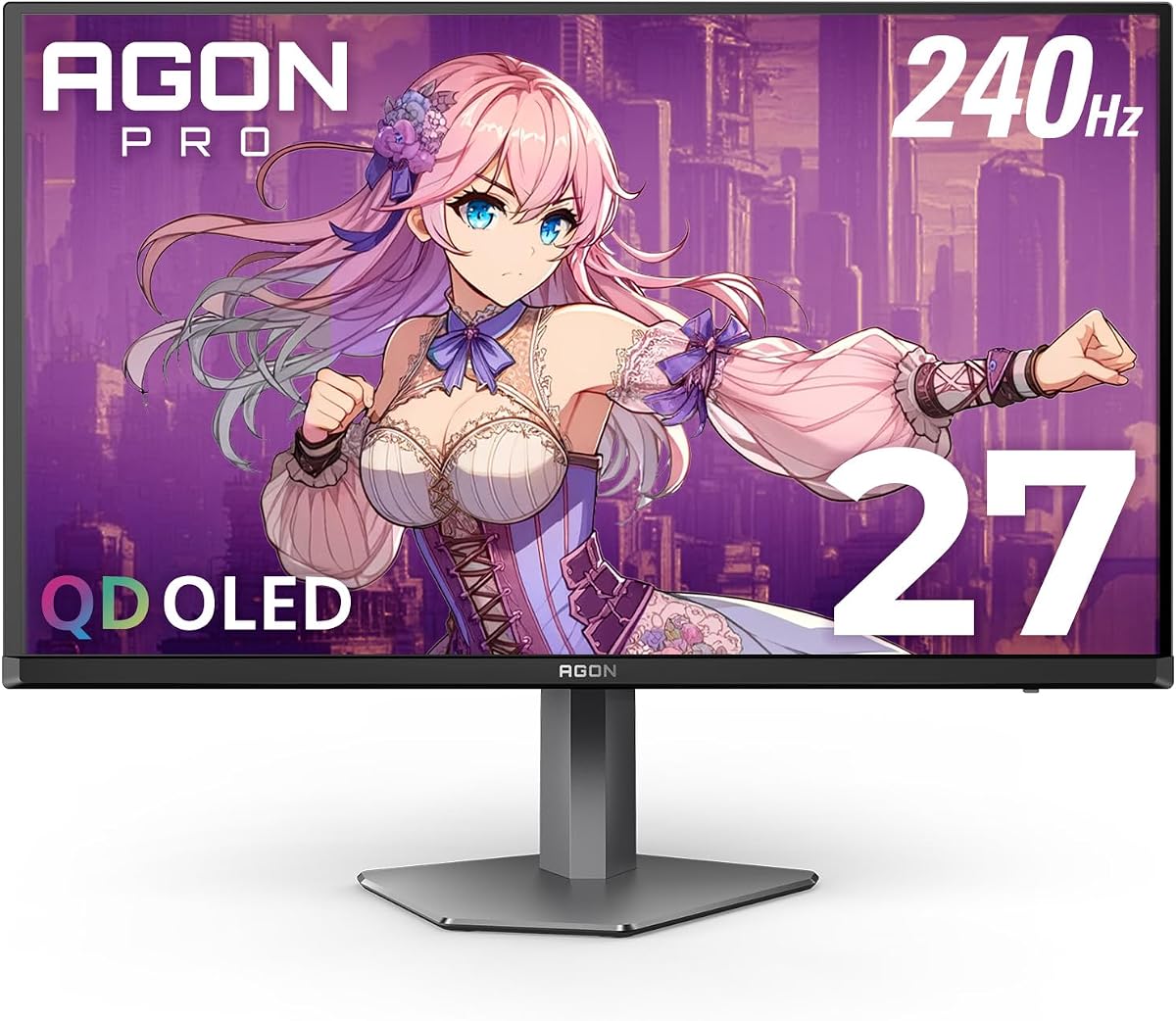
The AOC Q27G4ZD is a 27-inch QD-OLED monitor with a 2560×1440 resolution, 240Hz refresh rate, and 0.03ms GTG response time. Its 4.4 rating reflects a premium display that combines competitive-gaming speed with OLED picture quality.
We may earn a commission when you buy through this link, at no additional cost to you.
The self-luminous panel produces genuine blacks, high contrast, and more than 1.07 billion colors. HDR10 coverage reaches 110.2% of DCI-P3 and 147.6% of sRGB, delivering rich color in supported games and other HDR content. G-SYNC compatibility and GPU or console synchronization help maintain smoothness, while low input lag keeps the experience responsive.
The main consideration is that QD-OLED occupies the premium end of the display market. As with other OLED screens, users should be mindful of leaving static images and interfaces onscreen for extended periods. The supplied specifications do not list height adjustment, so buyers should also consider the included stand and their need for flexible ergonomic positioning.
The Q27G4ZD is an excellent choice for high-end QHD gaming, especially when your system can deliver very high frame rates and you want a more advanced image than an IPS or VA gaming panel provides. It also serves well as an HDR entertainment display. Compare its feature set and current availability carefully with the AG276QZD2 and AG276QZD2 Pro before deciding.
The 0.03ms GTG response is ideal for minimizing visible motion trails, while 240Hz provides a large frame-rate ceiling. G-SYNC compatibility complements that speed by helping the display work more smoothly with the output of compatible graphics hardware.
The OLED panel's native contrast and wide DCI-P3 coverage provide more dimensional images, especially in dark scenes. HDR10 support further benefits content designed around bright highlights and carefully controlled highlights.
We may earn a commission when you buy through this link, at no additional cost to you.
The AOC AG276QZD2 Pro is a 27-inch QHD OLED monitor with a 240Hz refresh rate and 0.03ms GTG response. It has a 4.4 rating and stands apart through its broad connectivity, height-adjustable stand, removable bracket, and support for both FreeSync Premium Pro and G-Sync.
We may earn a commission when you buy through this link, at no additional cost to you.
QD-OLED technology delivers strong sharpness, deep contrast, and rich color, making the panel suitable for gaming, HDR400 content, and general multimedia. Two HDMI 2.1 connections, DisplayPort, a built-in USB hub, a 3.5mm headphone output, and a speaker add practical options for a modern desk. Presets for FPS, racing, and RTS games let users move quickly between genres, while custom settings can be saved.
Ergonomics are better than on many gaming monitors in the guide. The stand offers 130mm of height adjustment, and 100×100 VESA compatibility allows use with suitable mounts. The removable bracket further improves setup flexibility. The central trade-offs are the premium nature of OLED and the usual need to manage static content thoughtfully.
This is the most complete premium package for a user who wants top-tier motion, image quality, connectivity, and ergonomics in one display. It is particularly suitable for a high-end gaming PC, a mixed gaming and content-creation desk, or an enthusiast setup that includes multiple USB peripherals.
The built-in USB hub reduces desk clutter by providing a convenient central connection point. Dual HDMI 2.1, DisplayPort, and a 3.5mm headphone output give modern devices useful options without requiring a separate switch for common tasks.
A 130mm height range and VESA compatibility make it easier to align the large OLED panel with your eye level. Removable support hardware also allows alternative mounting arrangements where space or desk layout requires them.
We may earn a commission when you buy through this link, at no additional cost to you.
The AOC 22B30HM2 is a compact 21.5-inch Full HD gaming monitor offered as renewed. It has a 4.7 rating, a 120Hz refresh rate, and a 1ms response rating, making it an appealing secondary display or an affordable way to upgrade from a standard office panel.
We may earn a commission when you buy through this link, at no additional cost to you.
Its VA panel provides deeper blacks and higher contrast, while Adaptive Sync synchronizes supported graphics hardware with the display for smoother gameplay and lower input lag. Flicker-Free operation and a blue-light filter are useful for regular viewing. The screen also supports VESA mounting, making it straightforward to match a monitor arm, create a multi-screen arrangement, or reclaim desk space.
Because this is a renewed product, its physical and cosmetic condition can differ from a new unit. Review the seller's condition details, return terms, and included accessories carefully. Connectivity is also basic, with HDMI and VGA rather than the DisplayPort and multiple modern video inputs found on several gaming-focused models.
Choose the 22B30HM2 when desk space is limited, you need a secondary display, or you want a higher-refresh gaming option without moving to a large panel. It is particularly suitable for a compact workstation where Full HD remains an appropriate resolution. Verify the renewed condition and current warranty information before making your final decision.
The 21.5-inch panel is easy to position beside a laptop, on a small desk, or in a compact gaming station. Full HD remains suitably sharp at this size, and VESA support provides an easy path to an arm or wall mount.
A 120Hz refresh rate and Adaptive Sync make the monitor more useful for casual gaming than a conventional 60Hz office screen. The VA panel's deeper blacks also make it pleasant for video and general entertainment.
We may earn a commission when you buy through this link, at no additional cost to you.
The right AOC monitor depends on how you use it, which games you play, and what hardware can drive it. Resolution, refresh rate, panel design, synchronization, connectivity, and desk ergonomics should be considered together rather than in isolation.
Resolution determines how much information the display can present and how fine text and game details appear. Full HD is a sensible fit for a 21.5- or 24-inch screen and remains useful on larger models for competitive gaming, while QHD at 2560×1440 offers a stronger balance of detail and rendering demands on 27-inch displays. A 32-inch model is even more convincing at QHD, while the U27B3A brings 4K UHD detail to a productivity-focused 27-inch format.
Choose a resolution your graphics hardware can sustain at the refresh rate you want. A faster monitor is not automatically smooth if the connected GPU and game cannot supply enough frames.
Refresh rate controls how often the screen updates each second, and higher rates can make fast motion appear smoother. The 24G42HE offers 200Hz, the Q27G41ZE reaches 260Hz when overclocked, the 27G51Z also reaches 260Hz, and several 32-inch models target 240Hz. The AG276QZD2 lists capability up to 280Hz, while the compact renewed 22B30HM2 is listed at 120Hz.
Check the native and overclocked specifications separately. Overclocking may depend on signal compatibility, so confirm the port and graphics settings required to reach the advertised maximum.
IPS panels are widely associated with accurate color, wide viewing angles, and versatile use, making them sensible for both gaming and work. VA panels can offer deeper blacks and stronger contrast, which may appeal to users who prefer a more immersive image. QD-OLED models deliver exceptional black levels, color depth, contrast, and very low response times, but they occupy a more premium hardware category and merit normal OLED care awareness.
Response-time labels are not always directly comparable, so consider the stated measurement method. MPRT and GTG describe different approaches, and real-world clarity also depends on frame rate, scaling, image processing, and personal preference.
Adaptive Sync coordinates the display's refresh timing with the graphics output to reduce tearing and stutter. Models in the guide support G-Sync, G-Sync compatibility, FreeSync, FreeSync Premium, or FreeSync Premium Pro. The C32G2ZE specifically supports a 48Hz to 240Hz variable range with Low Framerate Compensation through DisplayPort and HDMI.
Verify both your graphics card and the specific adaptive-sync mode supported by the monitor. For the broadest setup flexibility, choose a model whose supported range and connection requirements align with your PC.
HDR capability can improve bright highlights, shadow detail, and perceived contrast when the game or video supports it. The OLED models list HDR10, with the AG276QZD2 and Q27G4ZD providing wide DCI-P3 and sRGB coverage, while the U27B3A combines an HDR designation with 350 cd/m² typical brightness. The CQ32G4VE and 22B30HM2 use VA panels, which naturally tend toward deeper blacks.
Do not rely on the HDR label alone. Brightness specifications, color gamut, contrast behavior, operating-system support, and the quality of local dimming or self-emissive illumination all influence the final presentation.
DisplayPort is generally the natural choice for high-refresh PC gaming, while HDMI supports gaming consoles and laptops. The Q27G41ZE includes DisplayPort 1.4, dual HDMI 2.0, and audio output. The AG276QZD2 Pro adds two HDMI 2.1 ports and a USB hub, while the C32G2ZE includes DisplayPort, HDMI, and VGA. Smaller models may provide only HDMI and VGA.
Count inputs and outputs before buying, especially if you plan to alternate between devices. Narrow bezels support multi-monitor arrangements, but a USB hub or VESA mount can be even more useful when managing a crowded desk.
A monitor should be positioned so you can view it comfortably without leaning or repeatedly changing posture. Some models provide only tilt adjustment, while the AG276QZD2 Pro includes 130mm of height adjustment and 100×100 VESA compatibility. The 27G51Z, C32G2ZE, and 22B30HM2 also support VESA mounting, giving you more freedom to use an arm.
A 32-inch curved monitor creates immersion but needs more desk depth than a 24-inch model. Measure your available area, check the included stand's footprint, and consider the viewing distance of your primary desk before choosing the largest option.
Long gaming sessions benefit from flicker-free technology, low-blue-light modes, and consistent image quality. The 24G42HE, 27G51Z, CQ32G4VE, and 22B30HM2 include relevant eye-comfort features. The CQ32G4VE also has a three-year zero-bright-dot warranty, three-year advance replacement, and one-year accidental-damage coverage.
Comfort features do not replace sensible habits. Position the display at a suitable distance and height, use appropriate room lighting, and take regular breaks. For renewed products, also confirm the seller's return and warranty terms.
Begin by matching the graphics output to the appropriate monitor port. Use DisplayPort for high-refresh PC gaming when both the graphics card and monitor support it, and use HDMI for compatible consoles or laptops. After connecting the display, select the matching input in the on-screen menu, choose the intended refresh rate, and enable Adaptive Sync through both the operating system and graphics-control software.
Fine-tune the picture for your room and game rather than leaving every setting at a factory default. Game Mode or genre-specific presets can provide a useful starting point, while Shadow Control helps reveal detail in dark areas. Users of OLED models should avoid leaving static menus, documents, or dashboards onscreen for long periods, and should use screensavers or screen-off shortcuts during extended non-gaming work.
For physical care, clean the panel with a soft microfiber cloth and avoid aggressive cleaners or pressure on the screen. Maintain ventilation around the rear housing, keep cables arranged to avoid strain, and use the included stand or a correctly sized VESA mount. Before adjusting a curved 32-inch display, allow enough desk space and rotate it only as far as the stand safely permits.
AOC offers gaming monitors across several distinct tiers, from compact Full HD models to premium QD-OLED displays. Reliability varies by model and individual unit, so buyers should review the current warranty, return policy, dead-pixel coverage, and customer feedback. Features such as Adaptive Sync, high refresh rates, and low-latency modes are well represented across the range.
QHD provides more visible detail than Full HD and is especially effective on 27-inch and 32-inch screens. Full HD can still be preferable when your GPU prioritizes maximum frame rates or your display is only 24 inches. Consider the resolution your hardware can sustain at the desired refresh rate rather than choosing in isolation.
MPRT is a motion-perception rating that considers how quickly a moving image appears visually clear, often using backlight strobing. GTG measures the transition time between pixel brightness levels and is especially common for OLED gaming displays. These figures are not perfectly interchangeable, so compare real-world behavior and motion clarity where possible.
Adaptive synchronization can reduce tearing and help keep frame delivery smoother when graphics performance changes. AOC models support several G-Sync and FreeSync variants, but your GPU and the supported refresh range must be compatible. A high refresh rate remains useful even if a particular synchronization mode is unavailable.
OLED monitors offer exceptional black levels, contrast, color depth, and fast response times, making them especially impressive in dark HDR scenes. You should understand the general care considerations for static content and choose brightness and task settings thoughtfully. They are best suited to enthusiasts who prioritize image quality and near-instant motion.
A 21.5- or 24-inch AOC model is usually the easiest fit for a compact workspace. The 22B30HM2 offers a 21.5-inch footprint, while the 24G42HE uses a 23.8-inch viewable area and keeps bezels narrow on three sides. Measure your desk and consider arm mounting before purchasing, because larger curved models can require substantially more space.
Yes, provided the console output and monitor input are compatible. Several models include HDMI 2.0 or HDMI 2.1, and the listed console support extends up to 120Hz depending on the console and model. Check the current HDMI requirements for your gaming system, and remember that Full HD and QHD support can vary by console generation.
Review the seller's description of cosmetic condition, screen condition, included accessories, return window, and warranty coverage. Renewed products can vary in appearance and may show more wear than new units. Confirm that the resolution, refresh rate, inputs, and stand features match your requirements before ordering.
The AOC Q27G41ZE is the most balanced gaming choice in the guide, combining QHD resolution, an overclocked 260Hz refresh rate, low response, and modern connectivity. The 24G42HE is a strong budget-focused alternative for high-FPS 1080p gaming, while the AG276QZD2 stands out for its premium QD-OLED visuals and extreme responsiveness.
Your priorities should determine the winner. Competitive players may favor refresh rate and response, content enthusiasts may prioritize OLED contrast and wide color coverage, and productivity users may favor the U27B3A's 4K detail. Curved 32-inch models deliver immersion and screen area, while smaller displays are easier to fit into compact setups.
Before purchasing, confirm the current specifications, graphics-card capabilities, port requirements, physical dimensions, warranty, and condition. Monitor prices and availability can change, so check the latest listing rather than relying on an old recommendation or expected promotional pattern.