Scanmarker Pro
3.9Editor score
Highlights text while reading
Includes English dictionary
Offers note capture and recording
A dyslexia reading pen can make printed words more accessible by scanning text, displaying it on a screen, and reading it aloud. The strongest models also offer adjustable playback, word highlighting, translation, text extraction, and recording, making them useful for learners, travelers, teachers, and anyone who benefits from hearing text rather than decoding it visually.
This guide compares ten scanning pens using their documented features, including text-to-speech, OCR language support, offline translation, camera translation, audio recording, note export, Bluetooth compatibility, portability, and reading controls. The list covers compact models from several brands, and each review explains who is most likely to benefit from the particular combination of functions.
Our first three recommendations represent the strongest balance of features for different needs: an all-purpose high-rated model, a feature-rich Scanmarker option, and a lower-cost reader with broad translation support. Every product has a different combination of strengths, so readers should compare the functions they will actually use rather than assume that a longer specification list guarantees a better experience.
3.9Editor score

5.0Editor score
3.8Editor score
As an Amazon Associate we earn from qualifying purchases.
This side-by-side comparison highlights each pen's core reading tools, translation coverage, recording functions, and portability. It makes it easier to identify a model suited to everyday reading support, multilingual study, classroom notes, or travel.


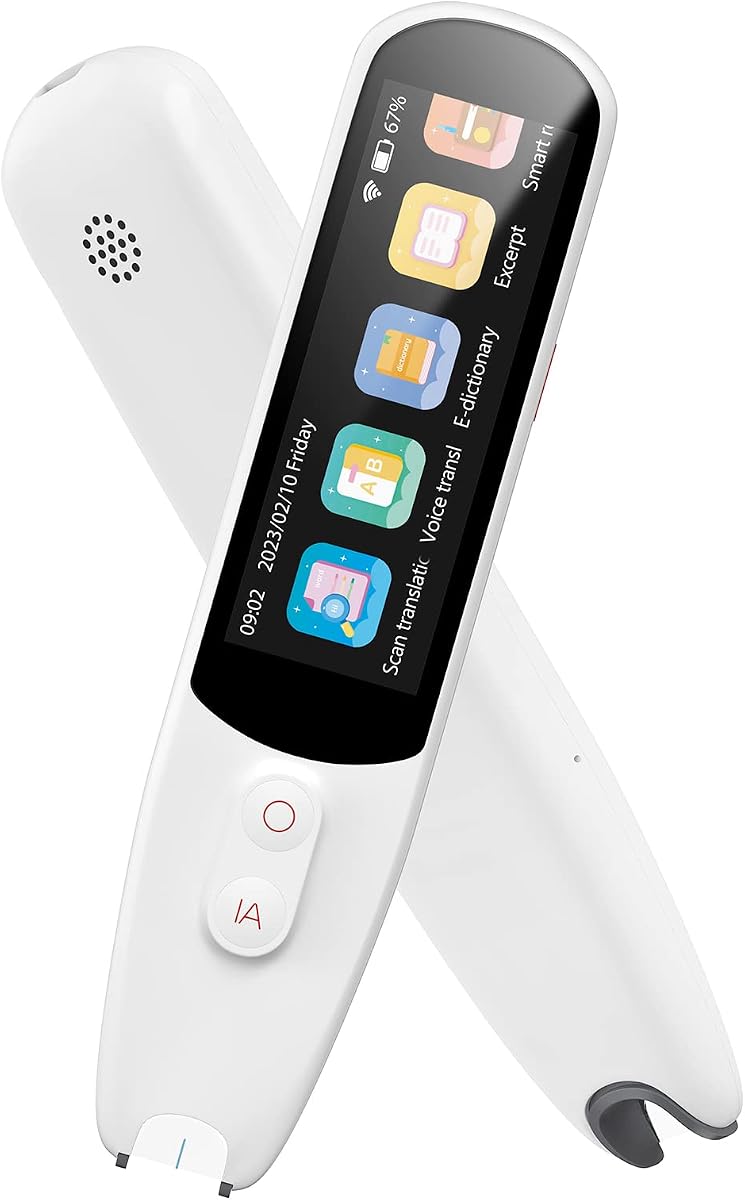


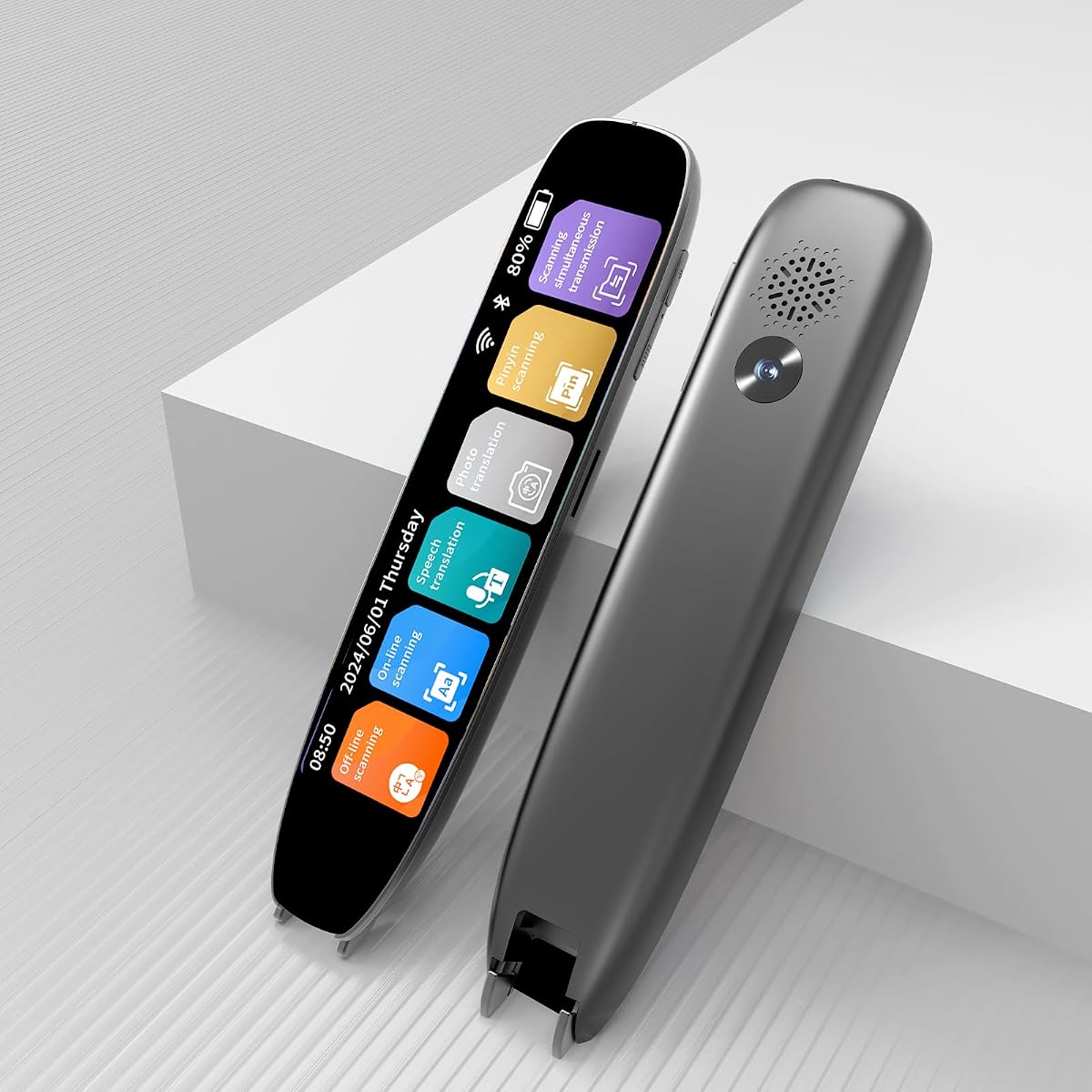
The VORMOR Scan Reader Pen receives a 5.0 rating and stands out as the most complete general-purpose option in this guide. It combines OCR scanning, text-to-speech, translation, photo interpretation, voice recording, and a 3.5-inch touchscreen in a portable pen format. The combination makes it more than a single-purpose reading aid for users who also need language support and note capture.
We may earn a commission when you buy through this link, at no additional cost to you.
Its strongest reading-related feature is the ability to scan words or sentences and have them read aloud, while the screen provides a visual counterpart to the audio. The product also supports two-way real-time voice translation across 112 languages, and its listed response time is under 0.3 seconds. For multilingual learners, that could make the pen useful beyond English-language reading exercises, especially when combined with its Chinese-English and Collins dictionaries.
There are some trade-offs. The pen is designed to perform many jobs, so users may need time to understand its touchscreen menus and translation modes. Online translation also depends on connectivity, while the supplied information does not state that every one of the 112 supported languages is available offline. A buyer who only needs straightforward text-to-speech may find the broader feature set unnecessary, but it remains a strong value for readers who can use several functions regularly.
This is the strongest overall recommendation for students, language learners, travelers, and anyone seeking a reading pen that can scan, speak, translate, and record. The 5.0 rating reflects a particularly strong overall showing, while the 112-language voice mode, touchscreen, OCR support, and headphone connectivity give it the broadest mix of daily uses in the list.
The 3.5-inch touchscreen gives users a larger visual workspace than a very compact display, which can help when following a scanned passage or reviewing translated text. Its reverse scanning direction is also useful for left-handed users who would otherwise repeatedly reposition the device.
Two-way real-time voice translation makes the pen useful in meetings, classrooms, shops, and unfamiliar destinations, while the audio recorder can capture interviews or lectures. These features turn the device into a portable study and communication assistant rather than only a reading support tool.
We may earn a commission when you buy through this link, at no additional cost to you.
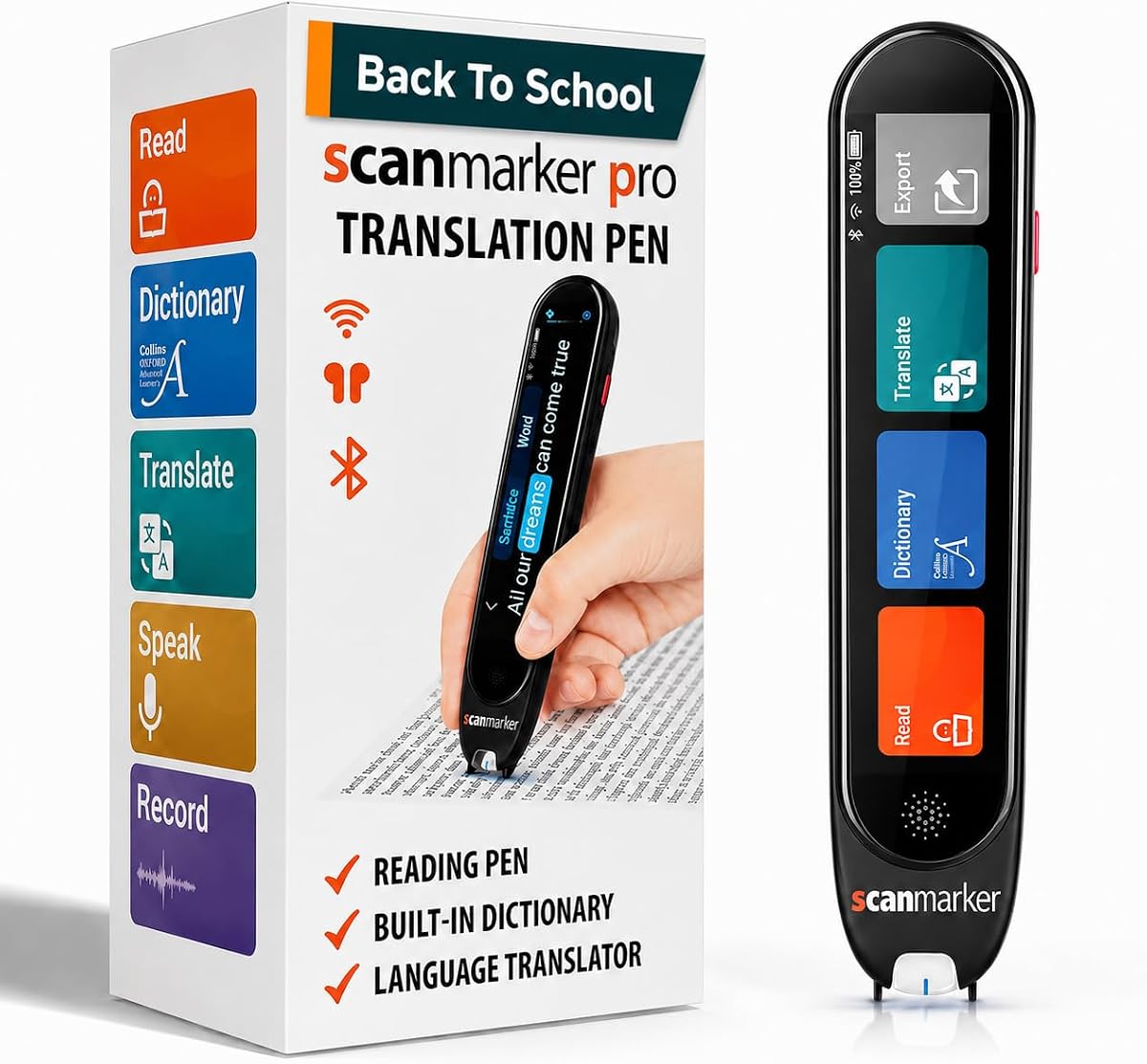
The Scanmarker Pro has a 3.9 rating and delivers a particularly polished reading-focused proposition. It scans printed text, reads it aloud, and highlights the relevant words on its display. That visual-audio combination is central to the product's value for readers who benefit from hearing a passage while tracking its position on the screen.
We may earn a commission when you buy through this link, at no additional cost to you.
The pen supports online scanning and translation into more than 100 languages, with offline functionality for English, Spanish, French, German, and Italian. A built-in English dictionary provides definitions and word translations, which adds a useful vocabulary-learning layer. Note capture, memos, and recording functions make it suitable for students and professionals who want to preserve or organize information encountered while reading.
The main limitation is that it is a standalone pen and does not scan directly to other devices. It also connects with earbuds for audio playback, but buyers should not expect the scan-to-phone workflow offered by some competing models. Some online functions will also be more useful with a reliable internet connection. Even so, the focused design, readable highlighting, dictionary, compact form, and one-year warranty create an attractive package for people who value simplicity and direct support.
The Scanmarker Pro is best for children and adults who want an uncomplicated reading pen with screen highlighting and a built-in vocabulary aid. It is a particularly sensible premium recommendation when the main priority is turning printed text into a spoken, highlighted, and potentially translated reading experience rather than operating a multifunction mobile workflow.
Highlighting words as the pen reads them helps users connect the sound of a passage with its location and sequence on the screen. That synchronization is especially relevant for dyslexia support, language learning, and repeated reading practice.
Because the Scanmarker Pro works independently, it avoids the need for a connected phone, tablet, or computer during basic reading. Its dictionary and vocabulary features fit neatly into lessons, homework sessions, and self-paced study.
We may earn a commission when you buy through this link, at no additional cost to you.
The 142-Language Scan Translator earns a 4.0 rating and offers an impressive combination of reading assistance and multilingual functions at a comparatively accessible tier. It supports online voice and scan translation in 142 languages, offline translation in 10 major languages, photo translation, text extraction, and scan-to-read. The device also allows extracted content to sync to a phone for editing and note-taking.
We may earn a commission when you buy through this link, at no additional cost to you.
For dyslexia support, the important advantage is its ability to read scanned original text aloud, helping with pronunciation and comprehension. It can also highlight words on the screen, and Bluetooth headphone support allows for a more private, immersive listening experience. The 10 offline languages include Chinese, Japanese, Spanish, and French, giving the pen useful value when connectivity is inconsistent.
There are clear limitations. The product is explicitly not suitable for blind users, and its Japanese text recognition supports horizontal text only. Some users may also find the 142-language figure less relevant if their needs center on one language. Even so, for students, adult language learners, and older users who want a portable pen with reading, translation, extraction, and note organization, the range of functions is unusually broad.
This is the best budget-oriented recommendation for readers who want more than basic audio playback without moving to the premium Scanmarker Pro. The 4.0 rating, 142-language online mode, 10 offline options, and phone synchronization make it a versatile pick for multilingual study and everyday accessibility support.
Online translation opens access to a much larger set of languages, while offline support covers ten major options for travel and study without a connection. The distinction is important for users who want continuity in classrooms, on journeys, or in locations with unreliable service.
Text extraction in 52 languages and phone synchronization create a useful bridge between reading and note-taking. Students can scan a passage, hear it read, and then organize the captured text for later study.
We may earn a commission when you buy through this link, at no additional cost to you.
The Scanmarker Pal carries a 4.0 rating and combines reading, translation, and document capture in a lightweight form. It can scan text, read it aloud, and highlight the words on its screen, while offering translation across more than 100 languages. That combination makes it appealing to language learners who need more pronunciation and vocabulary practice than a conventional text-to-speech reader provides.
We may earn a commission when you buy through this link, at no additional cost to you.
The device supports offline translation for English, Spanish, French, German, and Italian. Its scan-and-export function can create digital files, giving students and professionals a way to capture passages for notes or future reference. Bluetooth headphone compatibility supports private listening, and the portable design suits study sessions, commuting, and travel.
Users should note that this is a standalone reading pen, and the listed information does not indicate direct scanning to a phone or computer. The most extensive translation library also requires connectivity. Despite those constraints, the combination of highlighted read-aloud text, five offline languages, document export, and a 4.0 rating gives it a balanced feature set for language learners, travelers, and readers seeking auditory assistance.
The Scanmarker Pal is a strong choice for anyone who wants a compact pen that can read highlighted text, translate it, and export useful information. It is especially suitable for multilingual students and travelers who value document capture and offline access alongside the core dyslexia-oriented reading function.
The pen reads scanned text while displaying highlighted words, giving users two forms of access to the same material. This can reinforce decoding, pronunciation, and comprehension during repeated reading or language practice.
Exporting scanned material allows important information to be saved as a digital file. The feature is useful for building study notes, preserving quotations, or carrying translated content between locations without repeatedly scanning the same page.
We may earn a commission when you buy through this link, at no additional cost to you.
The SVANTTO Translator Pen has a 3.7 rating and is built around four connected functions: OCR translation, text-to-speech playback, voice recording, and digital note-taking. It is designed for students, educators, travelers, language enthusiasts, and readers who benefit from hearing text while studying printed material.
We may earn a commission when you buy through this link, at no additional cost to you.
Its most user-friendly reading feature is adjustable text-to-speech speed. Users can slow the playback to follow difficult material or accelerate it as their confidence grows. Bluetooth earbuds are supported, and scanned passages can be converted into editable memos, vocabulary lists, or study outlines that can then be transferred to phones and computers.
Translation covers 102 languages online and five offline: English, Spanish, Japanese, Chinese, and French. The pen also uses noise-reduction technology for lecture and meeting recordings. The main drawback is that its advertised language totals are less extensive than those of several 142-language alternatives, and its five offline options may be insufficient for some multilingual users. Its 3.7 rating also suggests more mixed customer experiences than the category leaders.
The SVANTTO is a good choice for students who want adjustable speech, editable notes, and classroom recording in one portable device. It is less compelling for travelers needing the widest possible offline translation library, but for the specified learning workflow, the focus on playback speed and note conversion is meaningful.
Adjustable speech speed lets each reader choose a comfortable pace. This is more useful than a fixed voice setting when working through unfamiliar language, dense textbooks, or material that needs to be reviewed slowly.
One-click conversion into editable notes, vocabulary lists, and outlines can reduce the friction of manually retyping scanned passages. Transfer to a phone or computer makes the captured material easier to organize and revisit.
We may earn a commission when you buy through this link, at no additional cost to you.
The NEWYES AI Pen has a 3.9 rating and stands apart through its learning controls and AI-oriented tools. It offers six reading levels, adjustable word-reading speed, pause timing, and both British and American accents. These settings make the pen adaptable to different reading abilities rather than treating every user as having the same needs.
We may earn a commission when you buy through this link, at no additional cost to you.
The 3.99-inch display presents scanned text, while a five-megapixel camera handles photo translation and image recognition. Translation covers 112 languages, and an AI dictionary, homework checker, real-time AI chat, image recognition, and scan-to-solve functions add further study support. The pen includes 16GB of storage and can export content in TXT, DOC, or PDF formats while syncing to a phone, tablet, or computer.
The breadth of features is impressive, but it also means a steeper learning curve than a dedicated reading pen. Users may need to learn which AI tools are relevant to their work, and some functions may depend on an internet connection. The product is also not described as a dedicated voice recorder, despite some competitors using that term for their pen format. Even with those caveats, the flexible reading levels and export options make it compelling for students and adults who want more control over how text is presented.
The NEWYES AI Pen is best for learners who benefit from adjustable pacing, multiple reading levels, accent choices, and organized digital study files. It suits anyone wanting a general AI study device as much as a dyslexia reading aid, provided they are comfortable navigating a broader feature set.
Reading levels ranging from pre-reader support to advanced material let the device grow with a user's skills. This is more adaptable than a one-size-fits-all reader and may serve children, students, and adults in the same household.
With 16GB of storage and TXT, DOC, and PDF export options, scanned material can be kept on the device and transferred when needed. The result is a more integrated study workflow than basic read-aloud functionality alone.
We may earn a commission when you buy through this link, at no additional cost to you.
The 142-Language Translation Pen has a 3.8 rating and provides a practical mix of dyslexia support, translation, photo interpretation, and text extraction. It can read scanned text aloud, highlight words on the display, and translate text captured by its camera. Online translation covers 142 languages, while offline support includes ten major languages.
We may earn a commission when you buy through this link, at no additional cost to you.
The text excerpt function is useful for isolating important information from documents and images. Bluetooth headphones are supported for more comfortable listening, and the portable format suits students, business travelers, and older users. The device can also handle voice and scan translation, giving it relevance beyond a fixed reading environment.
The product explicitly states that it is not suitable for blind users, and its Japanese recognition is limited to horizontal text. Its 3.8 rating also places it behind the higher-rated models, which may reflect a less consistent user experience. Nevertheless, the combination of camera translation, offline availability, and audible reading support remains attractive for readers who want a compact all-purpose travel tool.
This pen is a sensible choice for users who need translation alongside reading assistance, especially when menus, signs, labels, or foreign-language documents may be encountered. It may be less suitable for a reader who needs a specialized accessibility device or regularly works with vertical Japanese text.
Ten offline languages make the device more dependable on trips and in places with limited connectivity. Users can still translate common materials and use scan-to-read features when an online service is unavailable.
The built-in camera extends the pen beyond printed books to menus, signs, labels, and documents. That flexibility is especially useful for travelers who need quick context rather than a formal study workflow.
We may earn a commission when you buy through this link, at no additional cost to you.
The Budget 142-Language Scan Pen has a 3.8 rating and covers the essential functions of a modern reading and translation pen. It can scan text, read it aloud, highlight words, extract text, translate photographed content, and record audio. Online translation spans 142 languages, and ten major languages are available offline.
We may earn a commission when you buy through this link, at no additional cost to you.
For readers with dyslexia or other learning difficulties, the scan-to-read function provides spoken pronunciation support while the screen highlights the active text. The pen is also positioned for learners, older users, and global travelers. Bluetooth headphone support creates a more private listening experience, while the recording function can capture classroom material, meeting notes, and spoken information.
The stated limitations are important: the product is not suitable for blind users, and Japanese recognition is limited to horizontal text. Its 3.8 rating does not stand out in a field where several alternatives reach 4.0 or 5.0. Nevertheless, the combination of core accessibility support and a large translation library gives it meaningful utility, particularly for readers who want more than a simple word reader but do not need advanced AI features.
This is a solid lower-cost choice for students and travelers who want a reading pen with offline translation, photo handling, and recording. It is most appropriate when the priority is dependable scan-to-read support rather than a premium screen experience or advanced study assistance.
The pen reads printed passages while highlighting words on the display, allowing a user to follow both the spoken and visual versions. That familiar pairing of audio and text is the core reason to consider this category.
Smart Recording can capture classes, meetings, or travel conversations for later playback. It is a useful companion function for users who want to revisit spoken information while studying or organizing notes.
We may earn a commission when you buy through this link, at no additional cost to you.
The Multilingual Scan Translator has a 5.0 rating, placing it alongside the category's strongest customer showings. Its core dyslexia support comes through built-in OCR, immediate text-to-speech, and translation across 142 online languages, with ten languages available offline for scan and photo work.
We may earn a commission when you buy through this link, at no additional cost to you.
A five-megapixel camera is designed to recognize text in images, pictures, and less conventional layouts, giving the device an advantage when the text is not on a flat printed page. OCR extraction covers 52 languages, and edited files can be synchronized directly to a phone. The pen also records meetings, lectures, and courses, making it a combined reading, translation, and note-capture tool.
The supplied information gives fewer details about playback customization and screen size than some competing descriptions, so readers who prioritize adjustable speed, voice controls, or a large display should verify those details. Online translation still depends on connectivity, and offline coverage is limited to ten languages. Even so, the 5.0 rating, camera flexibility, mobile sync, and all-in-one recording package make this one of the most attractive options for multilingual users.
The Multilingual Scan Translator is a strong recommendation for adults learning languages, students, and office users who need to read, translate, capture, and organize text across varied environments. Its image handling and file sync make it particularly useful when printed material is not the only source of information.
The five-megapixel camera is built to interpret complex layouts rather than only simple lines of printed text. This makes the pen more adaptable for photographed documents, signs, packaging, and other non-standard visual sources.
One-click mobile synchronization moves extracted text into an editable workflow. Students and office users can scan, correct, classify, and save information without relying on handwritten transcription.
We may earn a commission when you buy through this link, at no additional cost to you.
The Smart 142-Language Scan Pen has a 3.8 rating and emphasizes portability, straightforward scanning, and broad language support. It reads scanned text aloud, highlights words on the display, and supports online translation across 142 languages. Ten major languages can be handled offline, making it relevant for travel, study, and everyday multilingual situations.
We may earn a commission when you buy through this link, at no additional cost to you.
The pen is described as weighing 70 grams, which should be easy to carry in a pocket or pencil case. Text extraction covers 52 languages, and captured content can be edited and synchronized to a phone. Its left and right-hand mode selection is a thoughtful ergonomic feature, particularly for users who find repeated repositioning uncomfortable.
It is not intended for blind users, and horizontal Japanese is the only supported text direction. The 3.8 rating suggests that it may not deliver the same consistency as the top-rated alternatives. Still, its portability, recording capability, offline translation, and phone synchronization offer a balanced package that should appeal to students, older users, and commuters who need a small reading aid.
This is a good option for users who prioritize a lightweight design and reliable daily scanning functions. It is particularly suitable for anyone carrying a pen between classes, meetings, and travel destinations who wants read-aloud support, translation, and editable text capture without carrying several separate devices.
At a listed 70 grams, the pen is designed to move easily between a bag, pocket, or pencil case. Its portability makes repeated reading support more practical during busy school days, commutes, and trips.
Left-right mode selection allows users to align the device with their preferred scanning direction. This can reduce awkward wrist and arm positions during longer reading sessions.
We may earn a commission when you buy through this link, at no additional cost to you.
A useful reading pen should do more than play an audio file: it should accurately capture text, present it clearly, and make the resulting audio easy to follow. The most important features depend on whether the priority is reading support, language learning, note-taking, recording, or travel.
The fundamental reading function is the ability to scan printed text and convert it into clear speech. Word highlighting adds an important visual cue by showing which word is being read, helping the user connect audio with the position of the text on the display. This paired presentation may be more useful for dyslexia support, pronunciation practice, and language study than audio playback alone.
OCR is the optical character recognition system that identifies words on a page and turns them into digital text. A useful reader should recognize the languages, fonts, and layouts you actually encounter. Some models support dozens of OCR languages, while translation coverage is often listed as a much larger number, so buyers should distinguish between the two rather than treating them as the same specification.
Online access can provide a much broader language library and advanced tools, but it creates a dependency on connectivity. Offline translation is particularly valuable for travel, outdoor learning, and classrooms with unreliable service. A balanced choice supports the languages you use most without a connection while retaining broader online coverage when a connection is available.
A larger display can make scanned passages and translated text easier to follow, particularly for users who benefit from visual prompts alongside speech. Reading controls such as adjustable speed, pause timing, accent options, and multiple difficulty levels provide a more personalized experience. The best choice is not necessarily the one with the most settings, but the one whose controls can be adjusted without a complicated setup.
Text extraction turns a scanned passage into editable digital content, reducing the need for manual transcription. Syncing files to a phone or computer can support vocabulary lists, study outlines, lesson notes, and document organization. Look for common export formats such as TXT, DOC, or PDF when the pen will be part of a larger school or office workflow.
A built-in voice recorder can capture classes, meetings, interviews, and spoken travel information. Photo translation uses the camera to recognize text in signs, menus, packaging, and photographed documents. These functions expand the pen beyond reading books, but they should complement rather than distract from the quality of its core scan-to-read experience.
A pen is most helpful when it is easy to carry and comfortable to use for long periods. Lightweight construction, a readable screen, and left- or right-handed operation can reduce strain. Consider whether the device will be used at a desk, carried throughout the day, or operated in a classroom where quick, repeatable scanning matters most.
Bluetooth headphone support can make spoken reading more private and immersive, while direct device syncing may be needed for editing. Warranty coverage and dedicated customer support are also worth considering because scanning devices depend on software behavior, accessories, and ongoing setup. Check compatibility and included support before making a final decision.
Begin by charging the pen fully and reviewing its power, scanning, playback, and language controls. Place a short, clean passage under the scanner and move the tip steadily across each line. A slower, consistent pass generally gives OCR a better chance of capturing words accurately, especially on small print or pages with complex layouts. Learn the pause, playback, and highlighted-word controls before attempting an entire chapter.
For reading support, scan a short section, listen to the spoken text, and follow the highlighted words on the display. Adjust the playback speed or pause timing to match the reader's needs. When studying, use text extraction to create editable notes or vocabulary lists, then sync and organize the files in the appropriate app. Treat digital text as a draft that should be checked for recognition errors.
Care for the device by using the supplied charging connection and keeping the scanning surface clean. Avoid pressing too hard against delicate paper, and protect the screen and camera from moisture, dust, and impact. Keep downloaded files and sensitive scanned documents organized, delete material that is no longer required, and use headphones in shared spaces when audio playback could distract others.
A scanning pen can generally read ordinary printed text, including many books, worksheets, labels, and documents. Performance may vary with very small fonts, unusual layouts, handwriting, glare, damaged pages, or vertical text. Check the product's stated OCR languages and layout limitations before relying on it for specialized documents. A brief test with representative pages is wise.
No. These devices can provide auditory and visual access to printed text, but they are assistive tools rather than diagnostic devices or complete substitutes for specialist assessment. Their usefulness depends on the individual reader and the quality of the scanned text. Families and adults can use a pen alongside educational support, accessible books, tutoring, or other proven accommodations.
OCR identifies and extracts characters from an image or scanned page. Translation then interprets the extracted text into another language. A pen may support many translation languages while recognizing a smaller number of printed languages, so the two figures should be checked separately. The most useful specification depends on whether you mainly read English, study foreign text, or travel internationally.
Only the functions covered by the device's offline library are reliably available without a connection. Products in this guide list offline translation for either five or ten major languages, while larger online libraries require connectivity. Core scan-to-read functions may still work offline, but buyers should confirm the manufacturer's exact offline behavior and supported languages before travel.
Several products explicitly state that they are not suitable for blind users. They may still help some people with low vision by enlarging text, highlighting words, or providing audio, but they should not be assumed to be screen-reader or braille-display replacements. Accessibility needs vary considerably, so users should evaluate magnification, contrast, voice quality, and accessibility requirements directly.
Voice quality and pronunciation can vary by language and by the device's operating system. Accurate OCR is a separate requirement, and even well-recognized text may be read with unusual pronunciation or punctuation. Trying the pen with a familiar passage helps users judge the voice, highlight timing, and extraction quality before relying on it for important study material.
Several models support text extraction and synchronization to phones, computers, tablets, or other compatible devices. The available formats vary, with some offering TXT, DOC, or PDF exports and others transferring editable files through a cable or app. Because extracted text can contain recognition errors, users should proofread important passages before relying on them in assignments or professional documents.
A camera is valuable for menus, signs, packaging, and photographed pages with complex layouts. A dedicated line scanner is often better for the central task of moving steadily through printed books and documents. Buyers who need both should prioritize a device that supports scanning, photo translation, and text extraction rather than choosing a camera model that handles only photographed text.
The VORMOR Scan Reader Pen is the strongest all-round recommendation because it combines a 5.0 rating with OCR reading, 112-language voice translation, a touchscreen, and recording. The Scanmarker Pro offers a more focused premium reading experience with word highlighting, an English dictionary, and strong portability, while the 142-Language Scan Translator delivers broad online and offline support at the budget tier.
Prioritize the functions that match the intended use. A reader focused on textbook support should examine speech clarity, word highlighting, and adjustable controls. Language learners should compare OCR languages with translation coverage, while travelers should verify offline languages and camera performance. Students who need editable notes should check extraction, export formats, and synchronization before making a choice.
Listing details, software behavior, language libraries, and included accessories can change over time, so buyers should confirm current specifications and compatibility with the seller. The linked listings provide the most relevant place to review those details, and choosing a pen that is comfortable, understandable, and dependable is more important than chasing the largest headline feature count.

