
TERRAMASTER F4-425
4.0Editor score
Intel quad-core processing
2.5GbE network connectivity
Quiet tool-free drive trays
Our 4 Bay NAS guide compares ten leading enclosures for capacity, networking, media, backups, apps, and surveillance, helping you choose the right model with
A 4 Bay NAS gives you a practical balance between usable capacity, manageable size, and long-term flexibility. It can centralize family photos, stream media, protect business files, run selected applications, or support cameras without requiring a full enterprise storage system. The right enclosure depends heavily on your network, drives, software, and storage goals.
We compared the ten featured models using their supplied specifications, focusing on processor performance, memory, networking, expansion options, RAID support, backup features, media capabilities, app ecosystems, and surveillance functions. The list includes beginner-friendly home systems, creator-focused enclosures, office models, and power-user platforms designed for Docker containers, virtual machines, or private cloud storage.
Each review identifies the product's strongest use case and important limitations, helping you distinguish a simple family backup appliance from a flexible network computing platform. Ratings reflect the information available for the listed products, while practical performance still depends on installed drives, router, network equipment, and configuration. Prices and availability can change, so check current listings before purchasing.
4.0Editor score

4.6Editor score

4.6Editor score
The table below compares all ten 4 Bay NAS models by their processor, memory, network connectivity, and key workload focus. Every unit is diskless, so compatible storage drives must be purchased separately.




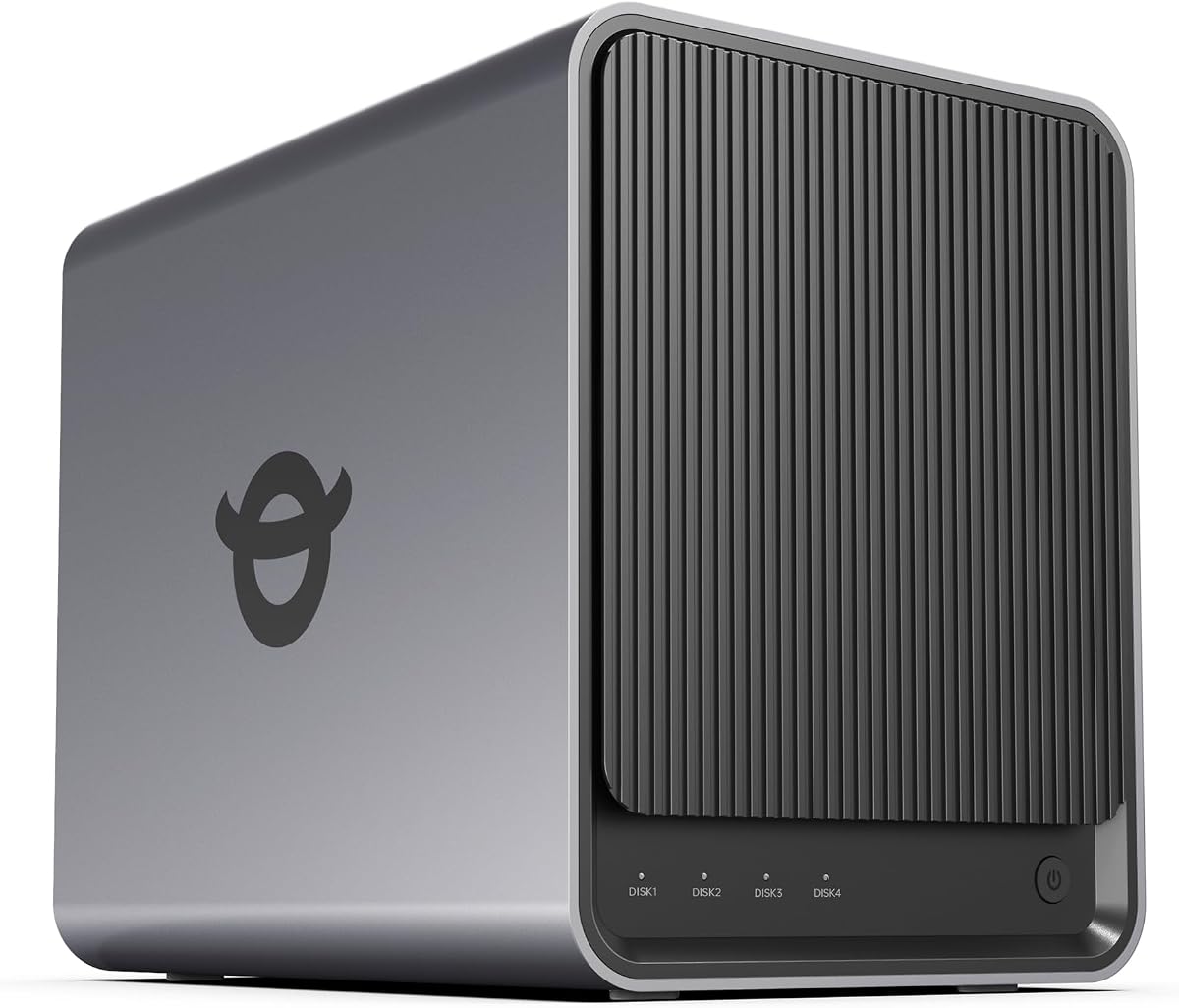


The TERRAMASTER F4-425 combines four drive bays, an Intel x86 quad-core processor, 4GB of RAM, and 2.5GbE networking in a design aimed at homes that want capable storage without moving into a complex server platform. Its 4.0 rating reflects a straightforward combination of useful features, and the most appealing elements are the quiet 21dB(A) chassis, hardware H.265 decoding, and tool-free drive trays.
We may earn a commission when you buy through this link, at no additional cost to you.
Its multimedia features distinguish it from basic file servers. The enclosure can decode 4K H.265 at the hardware level and works with Plex, Emby, Jellyfin, and DLNA devices, making it suitable for organizing a large movie library or streaming it to televisions throughout the house. The Photos app adds AI smart albums, while TNAS Mobile provides app-led setup, automatic phone photo and video backups, and local or remote synchronization.
Storage flexibility is another strength. Four 30TB drives can provide up to 120TB of raw capacity, and TRAID or TRAID+ can be selected according to the balance of usable space and redundancy you need. More than 50 independent accounts, cloud synchronization, and two-way TerraSync broaden its usefulness for mixed-device households. The 4GB memory and single 2.5GbE port are the main limitations, particularly if you plan to run many services or use the NAS as a high-bandwidth editing repository.
This is a strong choice for a media-centered family that values quiet operation, fast drive installation, and straightforward phone backups. It is less suitable for users who require virtual machines, dual high-speed networking, or enterprise-grade expansion. For ordinary household storage and 4K streaming, however, the F4-425 offers an appealing mix of capability and accessibility.
The F4-425's low 21dB(A) operating noise and hardware-level 4K H.265 decoding make it well suited to a living room, bedroom, or quiet home office. Broad media-server compatibility lets it serve several types of household displays without forcing every viewer into the same vendor ecosystem.
Tool-free Push-Lock trays are designed for quick HDD installation, reducing the physical effort of building or expanding the system. Flexible TRAID and TRAID+ configurations also give users more control over how capacity is organized and protected.
We may earn a commission when you buy through this link, at no additional cost to you.
The UGREEN NAS DXP4800 GT is the most complete option in this roundup for creators, technical users, and small offices that need more than basic file storage. Its 4.6 rating accompanies an AMD Ryzen Embedded R2514 processor, expandable DDR4 memory, dual 10GbE ports, and a UGOS Pro interface that brings together files, photos, media, apps, virtualization, and surveillance.
We may earn a commission when you buy through this link, at no additional cost to you.
The dual 10GbE design is the standout feature. Each port can theoretically deliver around 1.25GB/s, and compatible network equipment can aggregate both connections for roughly 2.5GB/s theoretical throughput. That makes the enclosure much more attractive for large backups, 4K and 8K media workflows, and multi-user environments than a basic single-port NAS. Eight gigabytes of installed RAM can also be expanded to 64GB for heavier workloads.
UGOS Pro extends well beyond shared folders. It supports Docker, virtual machines, and SAN Manager, while providing a path to services such as Plex, Emby, Jellyfin, Home Assistant, and web hosting. A dedicated SD card slot allows photographers to import media directly, and the 10Gbps USB-A and USB-C ports complement the fast Ethernet connections. The Surveillance Center supports compatible ONVIF or RTSP cameras with live multiview, PTZ control, event detection, recording, and timeline playback.
The trade-off is complexity. Plex must be run through Docker and configured manually, and the power and potential of the platform may exceed the needs of a basic family archive. ECC memory is also an optional upgrade because the installed RAM is non-ECC. Even so, the DXP4800 GT is the most versatile choice here for a user who values fast networking, local app support, and a broad professional feature set.
Dual 10GbE connectivity gives large transfers and multi-user workloads more headroom than a single 2.5GbE connection. To realize the full benefit, you need compatible switches, adapters, and client hardware; otherwise, the NAS will communicate at the speed supported by the rest of your network.
Docker, virtual machines, SAN Manager, and the built-in surveillance center make this more than a shared-folder appliance. It suits users who want a single platform for media, security footage, backups, private services, and development experiments.
We may earn a commission when you buy through this link, at no additional cost to you.
The Synology DS425+ is a polished four-bay private cloud and media server aimed at offices, families, and small teams that value centralized data management. Its 4.6 rating reflects a feature set focused on collaboration and protection, including up to 278 MB/s speeds, concurrent access for more than 10 users, granular permissions, audit logs, automated backups, snapshots, and a three-year limited hardware warranty.
We may earn a commission when you buy through this link, at no additional cost to you.
Its central strength is a professional approach to shared storage. A team can keep company documents, client files, and media assets in a central repository while controlling access according to user and group. The combination of RAID redundancy, automated backup destinations, and snapshot technology creates several layers of protection, reducing dependence on any single copy of a file.
The DS425+ also supports a professional surveillance role, including as many as 30 IP cameras with motion detection and secure remote access. Dedicated technical account management is available for business-critical environments, which is a meaningful advantage for an office that cannot treat storage as an informal household utility. Media streaming and private-cloud access remain central to the overall design.
The main limitation visible in the supplied specifications is the lack of multiple high-speed network ports. If your priority is maximum transfer speed, an enclosure with dual 10GbE connectivity may be more appropriate. For teams that care more about permissions, snapshots, support, and a mature management ecosystem, however, the DS425+ is an excellent premium recommendation.
RAID redundancy, automated backups, and snapshots work together to address different failure and recovery scenarios. This layered approach is especially valuable for offices that need to restore deleted files, isolate compromised accounts, or maintain copies away from the main NAS.
Granular access controls, audit logs, and support for concurrent users make the DS425+ suited to shared business documents. Teams can organize permissions around people and work groups rather than treating every authorized user as identical.
We may earn a commission when you buy through this link, at no additional cost to you.
The UGREEN DXP4800 Plus is a flexible four-bay platform for families, creators, and small teams. Its 4.6 rating is supported by a 10GbE port, 10Gbps USB connections, expandable storage options, Docker and virtual machine support, and a maximum raw capacity of 144TB. Its interface is designed to make the same enclosure useful for family photos, business documents, media, and self-hosted applications.
We may earn a commission when you buy through this link, at no additional cost to you.
The advertised ability to back up a 1GB file in less than a second makes the 10GbE connection especially relevant to creators and offices. Fast USB ports are useful for importing media or temporarily moving data without routing everything through the network. Its AI photo album can recognize faces, scenes, objects, and locations, identify duplicates, and make large libraries easier to navigate.
Privacy and control are central to the product's positioning. The NAS stores files locally, provides flexible permission management, and works across Windows, macOS, Linux, iOS, Android, Google services, and web browsers. Docker and virtual machine support allow advanced users to install services such as Plex, although Plex must run through Docker and requires manual configuration. UGREEN NASync is also compatible with drives from major storage manufacturers, subject to its compatibility list.
The DXP4800 Plus is not ideal if you require built-in Wi-Fi, because the listed model supports wired Ethernet only. It also requires you to purchase storage drives separately, and real transfer speeds will depend on the router, client, drive type, and files being transferred. Even with those caveats, it is a strong all-rounder for users who want high-speed hardware, a substantial app ecosystem, and room to grow.
The combination of 10GbE and 10Gbps USB connectivity reduces bottlenecks when moving large media collections. It is particularly useful for creators who regularly transfer camera footage, work files, or high-resolution media between computers and the NAS.
AI recognition for faces, scenes, objects, and locations can make a sprawling photo library more usable. Duplicate detection also helps reclaim space, although a NAS still needs an appropriate drive configuration and regular backup plan.
We may earn a commission when you buy through this link, at no additional cost to you.
The UGREEN NAS DH4300 Plus is designed to make network storage approachable for first-time owners, families, and remote workers. Its 4.2 rating reflects a capable entry-level package with four drive bays, 8GB of LPDDR4X memory, a 2.5GbE network port, 4K HDMI output, automatic phone backups, AI-assisted photo organization, and Docker support.
We may earn a commission when you buy through this link, at no additional cost to you.
Setup is one of its most important advantages. NFC-assisted connection, beginner-oriented instructions, and access through Windows, macOS, Android, iOS, web browsers, and smart TVs reduce the learning curve. Users moving away from external drives or cloud subscriptions can create a private file and media library that remains accessible from their mixed device ecosystem.
The photo features are particularly useful for family use. Real-time phone photo and video backup helps preserve memories, while semantic search and recognition of people, objects, pets, and similar images speed up retrieval. Duplicate removal can tidy an expanding library. The enclosure can also run multiple applications, transfer a 1GB file in about three seconds under suitable conditions, and provide 4K HDMI output for a compatible display.
The important limitation is that it does not support virtual machines, although Docker is available and Plex can run through it. It also uses wired Ethernet only. For a family wanting centralized backups and a private media library without a steep setup curve, the DH4300 Plus is a sensible starting point, but it is less compelling for advanced server workloads.
NFC-assisted setup, visual guidance, and a beginner-focused manual help reduce uncertainty during installation. This makes the DH4300 Plus particularly attractive for users who want a private cloud without configuring a traditional operating system.
Real-time phone backups reduce the chance of losing irreplaceable images while they remain on a mobile device. AI albums and semantic search make it easier for family members to locate particular people, pets, objects, or events later.
We may earn a commission when you buy through this link, at no additional cost to you.
The Synology DS925+ is a higher-speed four-bay DiskStation for users who prioritize transfer performance and flexible business functions. Its 4.2 rating accompanies specifications of up to 522 MB/s sequential reads, up to 565 MB/s sequential writes, and dual 2.5GbE ports. The enclosure also supports file management, photo management, data protection, virtualization, and surveillance solutions.
We may earn a commission when you buy through this link, at no additional cost to you.
Dual 2.5GbE networking offers a useful balance between performance and deployment flexibility. The ports can support faster transfers and provide an additional network path compared with a single-port design. Combined with the stated sequential throughput, the DS925+ is well positioned for offices handling large collections, rapid backups, and media workflows where a 1GbE connection would be the limiting factor.
Its broader Synology feature set makes it more than a fast file server. Integrated file and photo management provides a centralized interface, while virtualization and surveillance support extend the hardware into more demanding professional roles. The three-year limited hardware warranty also provides a longer stated coverage period than the two-year warranty associated with the DS423 in this list.
Users must purchase compatible drives separately and check Synology's official compatibility list before buying. Actual storage and network performance will also depend on the installed drives, configuration, switch, and client devices. Nevertheless, for a business seeking high sequential throughput, dual networking, and a broad management platform, the DS925+ is one of the strongest choices here.
The advertised read and write figures make this model especially suitable for large files, rapid backups, and other sequential-transfer tasks. The benefits become more apparent when a suitable network and compatible high-performance drives are used.
File management, photo management, data protection, virtualization, and surveillance functions broaden the system's usefulness. These tools let the DS925+ serve as a centralized information platform rather than a simple shared-disk enclosure.
We may earn a commission when you buy through this link, at no additional cost to you.
The Yxk Zero1 Pro combines a guided mobile setup with an Intel N100 processor, 8GB of DDR4 memory, and two 2.5GbE ports. Its 4.4 rating makes it a compelling home-office option for users who want straightforward shared storage but also appreciate the freedom to explore Docker, TrueNAS, Unraid, OMV, and other compatible software environments.
We may earn a commission when you buy through this link, at no additional cost to you.
The initial experience is designed to be approachable. Users install compatible drives, connect the NAS to the network, and follow guided mobile steps for registration and setup. Shared storage can then organize phone photos, family videos, school files, household documents, and home-office material without requiring custom operating system configuration from the outset.
The hardware is more versatile than a typical entry appliance. Two 2.5GbE ports can use link aggregation with compatible networking equipment, and the 4K HDMI output can support a home-theater arrangement, subject to media, software, and network support. An AI photo album recognizes faces, scenes, and objects, while the aluminum housing and separate system and drive-bay fans help cool the processor and installed drives.
Experienced users can install compatible third-party NAS operating systems, but software compatibility, features, and licenses can vary. The stated 144TB raw capacity combines four 32TB SATA drives with two 8TB M.2 SSDs, while usable space depends on formatting and RAID configuration. For a user who wants an approachable start with meaningful optionality, the Zero1 Pro offers an unusual balance.
The mobile-guided setup gives new users a straightforward route into shared storage, while the x86 platform supports advanced experimentation. Compatibility with third-party operating systems expands the possibilities, although users should verify software and licensing requirements first.
Dual 2.5GbE networking, 4K HDMI output, and a cooling design with dedicated fans support media access and sustained workloads. The enclosure can serve as a home-theater component while remaining suitable for overnight backups and large file transfers.
We may earn a commission when you buy through this link, at no additional cost to you.
The Asustor Drivestor 4 Gen 2 AS1204T is a value-oriented four-bay NAS for home cloud storage, small-office backups, and 4K media. Its 4.0 rating reflects a practical design built around a Realtek RTD1619B 1.7GHz quad-core processor, 1GB of DDR4 memory, 2.5GbE networking, and three USB 3.0 ports.
We may earn a commission when you buy through this link, at no additional cost to you.
The 2.5GbE connection is a meaningful upgrade over traditional gigabit NAS systems, while the processor is intended to handle daily storage tasks such as automated backups and data management efficiently. Users can attach four hard drives and choose from RAID 0, 1, 5, 6, or 10, allowing the array to reflect their needs for capacity, redundancy, or performance.
Btrfs snapshots and WORM support add data-protection options that are often appreciated in small offices. Snapshots allow restoration to an earlier point in time, while WORM makes designated data effectively write-once and read-many. The NAS can also serve 4K media to televisions and mobile devices, and its private-cloud features support remote access, automatic backup, and multi-device synchronization.
The 1GB of memory is the clearest constraint, particularly if you want to run numerous concurrent services. It is better suited to straightforward file serving, backups, and media than demanding virtualization or heavy multitasking. For buyers who mainly need four bays, RAID choice, quiet value, and modern network speed, the Drivestor 4 Gen 2 remains a sensible basic platform.
RAID 0, 1, 5, 6, and 10 options let the array evolve as priorities change. The range supports users who initially prioritize usable capacity and later want to balance redundancy, write performance, or multi-drive resilience.
Btrfs snapshots make it possible to recover earlier file versions, while WORM protects designated content from alteration. These features are useful for retaining records and reducing the impact of accidental deletion or ransomware.
We may earn a commission when you buy through this link, at no additional cost to you.
The Synology DS423 is a four-bay private cloud for families and small businesses that want secure sharing, centralized storage, and dependable backup tools. Its 4.4 rating reflects a focused feature set covering remote file access, team folders, permission control, multi-destination backups, immutable snapshots, versioned files, photo management, and surveillance support.
We may earn a commission when you buy through this link, at no additional cost to you.
The main appeal is straightforward ownership of important data. Users can access and share files and media from outside the home or office, while private-cloud storage replaces some of the recurring dependence on external file-sharing services. For teams, shared folders and granular permissions help separate responsibilities and keep projects organized.
Data protection is more comprehensive than a simple copy on a second drive. The supplied specifications mention multi-destination backup, snapshots, versioned files, and ransomware-resistant immutable snapshots. This combination is valuable for recovering from accidental edits, malware, or deletion, provided the backup destinations are configured properly and tested regularly.
The DS423 can also manage video surveillance for up to 30 compatible IP cameras, though the camera license must be purchased separately. Its two-year warranty is shorter than the three-year coverage listed for the DS425+ and DS925+, and it is not intended to match their higher performance tier. It remains a strong recommendation for users who value a streamlined Synology backup and sharing environment.
The private-cloud model keeps primary storage under your control while allowing authorized users to reach it remotely. Team folders and permission controls make it easier to share the right material with the right people.
Versioned files, snapshots, immutable snapshots, and multi-destination backups create several ways to recover after mistakes or attacks. The strongest protection comes from combining these features and ensuring backup targets are not reachable by the same compromised credentials.
We may earn a commission when you buy through this link, at no additional cost to you.
The UGREEN NAS DXP4800 Pro is the most computationally advanced enclosure in this roundup. It targets IT professionals, developers, creative teams, and power users who want a private workstation capable of running containers, virtual machines, and demanding storage workflows. Its 4.4 rating accompanies an Intel Core i3-1315U with six cores and eight threads, 8GB of expandable DDR5 memory, and 13th-generation Intel UHD graphics.
We may earn a commission when you buy through this link, at no additional cost to you.
Networking and memory make it particularly suitable for advanced workloads. The combination of 10GbE and 2.5GbE ports supports fast transfers, with the supplied specifications citing speeds up to 1.25GB/s. RAM can be expanded to 96GB, giving virtual machines and memory-intensive services considerably more room than the smaller enclosures in this list.
Storage and applications are equally flexible. Four hard-drive bays and two PCIe 4.0 M.2 SSD slots can provide up to 144TB of raw capacity, while the SSD slots can also be used for high-speed cache or a storage pool. UGOS Pro integrates a media center, photo management, cloud sync, downloads, Docker, and virtual machines. The local AI photo album recognizes faces, scenes, and content while keeping processing on the device.
RAID 0, 1, 5, and 10, support for up to 2,048 accounts, granular permissions, and a Data Vault add security and administrative flexibility. The product is certified against the cited TÜV SÜD and TRUSTe standards. This is not the simplest choice for a first-time owner, and it benefits from suitable network equipment, but it is the most compelling platform here for professional experimentation and high-performance private infrastructure.
The six-core processor, expandable DDR5 memory, and support for Docker and virtual machines allow the NAS to function as a local development or IT environment. It is well suited to self-hosted websites, smart-home hubs, development services, and isolated virtual workloads.
Two PCIe 4.0 M.2 slots can add fast storage or operate as cache and storage-pool options. Pairing them with large hard drives can provide substantial capacity while keeping frequently accessed data in faster solid-state storage.
We may earn a commission when you buy through this link, at no additional cost to you.
The right 4 Bay NAS depends on how you will use the network, which applications you need, and how much you expect to grow. Compare these factors before selecting a chassis and compatible storage drives.
Begin by separating basic file storage from advanced network computing. A household archive, photo library, and media server can run comfortably on an entry-level model, while Docker applications, virtual machines, rapid editing workflows, and office applications benefit from more processing power and memory. The UGREEN DXP4800 GT and DXP4800 Pro are the strongest choices for intensive workloads, while the DS423 and DH4300 Plus focus on easier backup and sharing.
Choose the simplest model that covers your actual needs. Extra capacity and processing are useful, but they cannot compensate for software that is incompatible with your goals or a network that cannot support the expected traffic.
A 2.5GbE connection is a meaningful upgrade over gigabit Ethernet and is common across this list. Dual 2.5GbE can improve aggregate throughput and redundancy, while dual 10GbE or a 10GbE-plus-2.5GbE combination suits large backups, high-resolution media, and active collaboration. Remember that the NAS is only one part of the path; routers, switches, network cards, and client devices must support the same speeds.
Use link aggregation only with compatible equipment and understand that it does not automatically accelerate a single connection. For most users, one 2.5GbE port is already a sound starting point, while 10GbE is most valuable when large files routinely cross the network.
Memory influences how comfortably a NAS can run concurrent services, file indexing, media tasks, containers, or virtual machines. Models with 8GB of memory provide a practical foundation, while the DXP4800 GT can expand to 64GB and the DXP4800 Pro to 96GB. The 1GB in the Asustor and 4GB in the TERRAMASTER place greater emphasis on straightforward storage tasks.
Avoid judging a NAS by processor speed alone. Give careful attention to memory capacity, application support, and the type of work you plan to run. Upgrading memory can extend the useful life of a more capable platform.
Four bays allow a good balance of current storage and future expansion, but the maximum advertised raw figure depends on compatible drive sizes. The TERRAMASTER lists up to 120TB from four 30TB drives, while the UGREEN GT, DXP4800 Plus, Zero1 Pro, and DXP4800 Pro list up to 144TB through larger drives and, in some cases, M.2 SSD expansion. Actual usable space is lower after formatting and RAID overhead.
Plan for redundancy rather than filling every bay immediately. A common approach is to leave space for a replacement drive and use RAID or a comparable protection scheme. Check the manufacturer's drive compatibility list before purchasing, and remember that every listed unit is diskless.
RAID helps maintain availability after certain drive failures, but it is not a substitute for backups. Immutable snapshots, versioned files, multi-destination backup, and private-cloud synchronization can protect against deletion, malware, and accidental changes. The Synology DS423 and DS425+ place strong emphasis on these functions, while the Asustor supports Btrfs snapshots and WORM protection.
Choose a model whose protection model matches your risk. A photo family needs somewhere safe to restore originals, while an office may require regular backups to a separate destination. Test restores and document the recovery process rather than assuming a configured backup is working.
If you plan to stream movies, organize family videos, or connect a television, look for hardware transcoding, HDMI output, and broad media-app support. The TERRAMASTER F4-425 provides hardware-level 4K H.265 decoding, the Yxk Zero1 Pro includes 4K HDMI, and the UGREEN models support major media applications through their platforms. Compatibility and playback quality still depend on codecs, software, and network conditions.
Surveillance requires additional attention. The UGREEN DXP4800 GT includes a Surveillance Center for compatible ONVIF or RTSP cameras, and the Synology models support camera monitoring with specified limits. Verify camera compatibility, remote-access requirements, and any licensing costs before committing to this use case.
The management software determines how comfortably you can share files, organize photos, run backups, install services, and monitor cameras. Synology offers a structured ecosystem built around file management, photos, snapshots, and surveillance. UGREEN's UGOS Pro and NASync interfaces emphasize guided setup, Docker, virtual machines, AI photo organization, and integration across major operating systems.
If you intend to run Plex through Docker, confirm that manual configuration is acceptable. Likewise, if you plan to install TrueNAS, Unraid, or OMV on the Yxk Zero1 Pro, verify compatibility, feature availability, and licensing. The software ecosystem is as important as the enclosure's processor when turning it into a useful daily service.
Longer warranty coverage can be meaningful for a device intended to run continuously. The Synology DS425+ and DS925+ list three-year limited hardware warranties, the DS423 and UGREEN DXP4800 Plus list two years, and the UGREEN GT also provides specialized support. Support availability matters when a home or business depends on the NAS for backups and access to important files.
Look beyond the warranty when possible. Clear documentation, useful knowledge-center material, accessible customer support, and an ecosystem with established documentation can make routine maintenance and troubleshooting considerably easier.
Start by confirming that the enclosure supports your chosen drives, then install the hard disks or compatible SSDs with the system powered off. Connect the NAS to the appropriate network, follow the guided setup, and create administrator credentials before adding shared folders, users, or applications. Using wired Ethernet is advisable for large transfers, camera streams, and intensive Docker or virtual-machine workloads.
Configure storage protection early. Select a RAID or array level that matches your capacity and redundancy goals, but also establish separate backups for irreplaceable files. Review permissions for each user, enable snapshots where appropriate, and connect at least one backup destination outside the NAS. Test a sample restore to confirm that your recovery process works as expected.
Maintain the hardware by keeping the chassis in a cool, ventilated location and following the manufacturer's guidance for drive operation and replacement. Monitor available capacity, update the management system when appropriate, and verify that scheduled backups continue to run. If you replace a drive, use a compatible model and follow the array rebuilding instructions carefully.
No. Every NAS in this guide is listed as diskless, so hard drives or compatible SSDs must be purchased separately. Check the manufacturer's compatibility list before buying, and ensure that the chosen operating system supports the drive type and capacity. The enclosure, drives, and any required mounting hardware should also be accounted for separately.
It depends on the maximum drive size supported by the model and the selected array configuration. Several products here list up to 144TB of raw combined capacity, while the TERRAMASTER lists up to 120TB. Usable space is lower after formatting, filesystem overhead, and RAID redundancy, so compare usable capacity rather than raw totals.
No. RAID can help the array continue operating after certain drive failures, but it does not protect against accidental deletion, ransomware, theft, power damage, or user error. Important data should also be copied to independent backup destinations, and you should regularly test that files can actually be restored.
Not always. A 2.5GbE connection is suitable for most home networks and is a clear improvement over gigabit Ethernet for large media libraries. 10GbE becomes more useful for large backups, high-resolution video, active team access, and virtual-machine workloads, but your router, switch, and client adapters must support the higher speed.
The TERRAMASTER directly supports Plex, Emby, and Jellyfin with hardware-level 4K H.265 decoding. UGREEN models also support these media platforms, although their supplied information states that Plex runs through Docker and requires manual setup. The Yxk Zero1 Pro can run Plex through compatible Docker apps, and the Asustor supports 4K media streaming.
A NAS connects to a network and provides shared access, user permissions, backup software, media services, remote access, and often app or surveillance support. A four-drive external enclosure normally connects directly to one computer and depends on that computer for management. A NAS is better suited to multi-device access and centralized services.
Yes, if the NAS software and network support the camera system. The UGREEN DXP4800 GT includes a Surveillance Center for compatible ONVIF or RTSP cameras, while the Synology models offer surveillance support. Confirm camera counts, licensing terms, remote viewing requirements, and recording storage needs before installation.
More memory is helpful when running several applications, indexing large collections, handling concurrent users, or operating Docker containers and virtual machines. For basic backups, shared files, and light media use, the included memory may be sufficient. Check the maximum supported memory and whether the platform accepts standard or soldered modules before planning an upgrade.
The best choice depends on the balance you need between simplicity, speed, storage, and extensibility. The TERRAMASTER F4-425 is a quiet, capable home-media option, while the UGREEN DXP4800 GT stands out for dual 10GbE networking and a broad workload platform. The Synology DS425+ is ideal for teams prioritizing permissions, snapshots, support, and professional private-cloud features.
If your needs are simpler, focus on reliable backup software, an intuitive mobile application, and enough memory for photo or media indexing. If you work with large files or run containers and virtual machines, prioritize a stronger processor, multiple high-speed ports, expandable memory, and the right app ecosystem. Always verify drive compatibility and ensure your network equipment can support the enclosure's advertised connection speed.
Remember that all models in this guide require separately purchased drives, and real performance varies with drive type, RAID setup, network hardware, and workload. Current prices and availability can change, so review the latest listing and technical documentation before making your final selection.