
EZP2023 USB Programmer
4.3Editor score
Automatic chip model detection
Automatic voltage selection
Broad EEPROM family support
This Bios Flash Tool guide compares CH341A programmers, EEPROM kits, adapters, and bootable recovery drives for BIOS and system tasks.
A BIOS flash tool is useful for reading, erasing, programming, and verifying firmware chips, while related bootable drives can help with operating-system installation and account recovery. A good choice depends on chip support, connection method, included adapters, voltage handling, and whether you need in-circuit or offline programming.
This guide compares ten products across dedicated CH341A programmers, multi-protocol programmers, SOIC and SOP test clips, conversion adapters, and bootable recovery media. We considered the supplied chip families, package formats, voltage features, compatibility claims, installation methods, and practical limitations to distinguish specialized firmware tools from broader recovery products.
The entries reveal that no single device covers every workflow: some excel at in-circuit BIOS chip programming, some emphasize quick offline reads and writes, and others focus on system recovery or operating-system installation. Ratings and availability can change over time, and current prices should always be checked before purchasing.
4.3Editor score

4.4Editor score
4.4Editor score
The table below compares traditional BIOS chip programmers, clips and adapters, and bootable recovery products. It highlights the intended job, supported platforms, connection method, and most important limitation for each option.




The WWZMDiB CH341A EEPROM BIOS Programmer is a general-purpose firmware programmer with a 4.1 rating. It supports common 24 and 25 series chips and comes with a test clip and SOIC8-to-SOP8 or SOP16 conversion hardware. Its main attraction is the combination of USB connectivity, selectable 3.3V or 5V operation, and support for both clipped and adapter-based connections.
We may earn a commission when you buy through this link, at no additional cost to you.
The device is described as capable of backing up, erasing, programming, calibrating, and performing other software-related operations on supported flash chips. Because it supports SPI and I2C-style workflows and includes different package accessories, it can be useful for technicians who encounter more than one physical chip layout. Directly clamping a chip with the test clip avoids soldering when the package and board layout permit it.
Voltage is the main point requiring attention. The product supports 3.3V and 5V switching, but the supplied guidance emphasizes confirming chip voltage before use. Users should not assume that automatic-looking accessories make every board safe to program in circuit. The kit also focuses primarily on 24 and 25 series devices, so it is less suitable for users who need the broader detection features of the EZP2023.
This is a sensible choice for a repair technician or technically inclined computer owner who wants a versatile CH341A setup without paying for a larger multi-protocol programmer. It is especially attractive when clipping is possible and the target chip belongs to a common 24 or 25 series family. For unusual packages, unsupported voltage standards, or difficult in-circuit boards, an offline programmer and appropriate socket may provide a more predictable workflow.
The included clip and conversion plate expand the ways a supported chip can be reached. That flexibility is useful when the same repair bench must handle both surface-mounted packages and removable DIP-style devices.
The 3.3V and 5V switching capability is valuable, but the target chip's requirements still need to be verified before any operation. Confirming the part number and voltage is the safest way to avoid damaging firmware.
We may earn a commission when you buy through this link, at no additional cost to you.
The ACEIRMC Double-Clip Programmer earns a 4.4 rating and stands out as a capable budget-oriented CH341A package. It combines a USB programmer with two SOIC8 test clips, enabling in-circuit programming of compatible EEPROM and flash chips without removing them from the board. That makes it a practical option for laptop, desktop, and embedded-device repairs where chip access is difficult.
We may earn a commission when you buy through this link, at no additional cost to you.
The programmer supports common 24 and 25 series devices, including 24CXX, 25CXX, and 93CXX families listed in the product information. It is intended for backup, erase, programming, calibration, and related operations. The two-clip arrangement can be valuable when pin orientation or access needs to be tested from different positions, while the test clip design reduces the need for soldered connections.
There are important boundaries. The product information notes that some chips are affected by surrounding circuits and cannot be clipped directly, so users should inspect the motherboard and chip placement before buying. It also states that ESMT SST 25-series chips can be read but not written because of CH341A characteristics. This means the tool is versatile for backups and many writes, but it is not universally compatible with every SPI flash implementation.
The ACEIRMC kit is a strong choice for repair technicians who frequently work with SOIC8 EEPROM chips and prefer non-destructive, in-circuit access over chip removal. It offers more connection flexibility than a bare USB programmer and received a higher rating than many alternatives. Those who need automatic chip identification, broader families, or guaranteed writes to more demanding SST devices should consider a more capable programmer.
The SOIC8 clips make the tool particularly useful when desoldering would be inconvenient or risky. A successful connection can save repair time while still allowing a firmware image to be read or written.
CH341A-based tools can encounter restrictions with certain SST 25-series devices. Check the exact chip marking and known controller behavior before planning a write operation.
We may earn a commission when you buy through this link, at no additional cost to you.
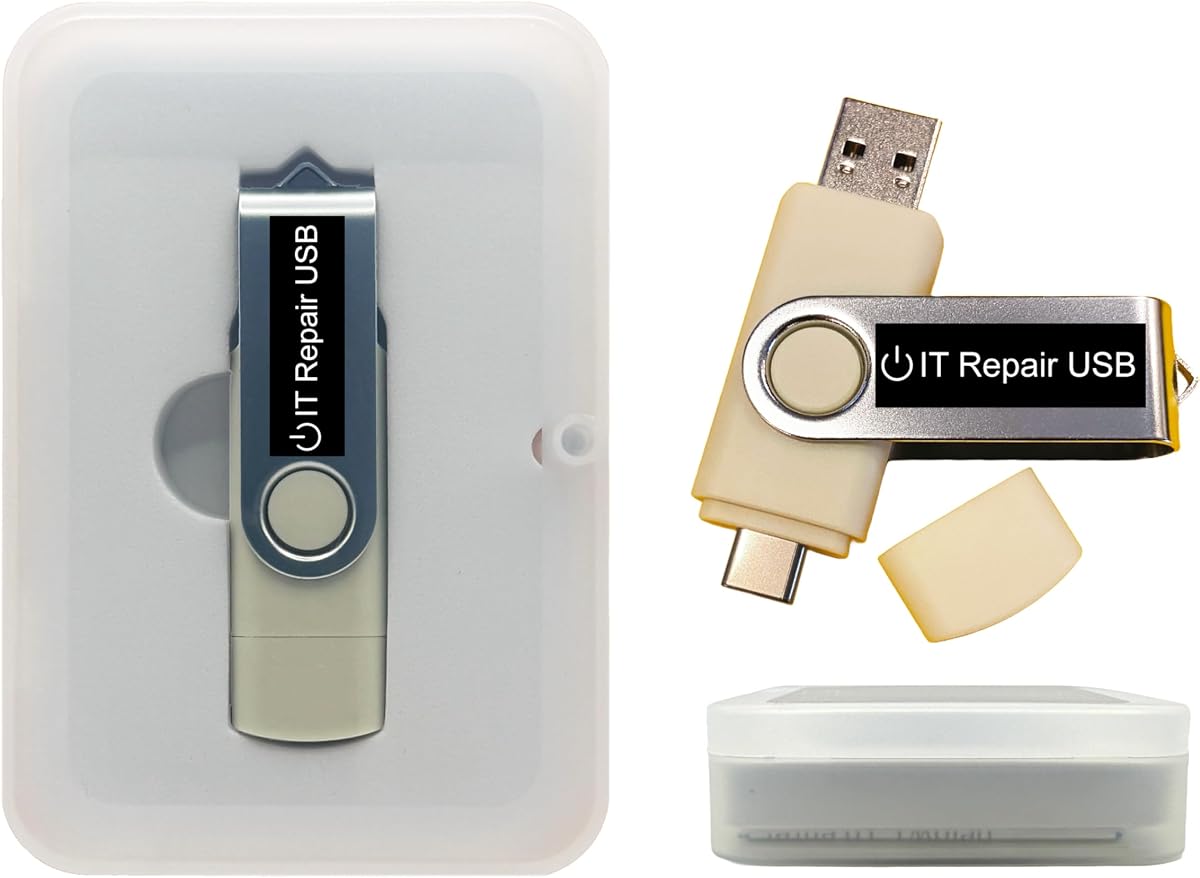
The Password Reset Bootable USB is not a traditional BIOS flash programmer. It is a bootable recovery drive designed to reset or recover forgotten Windows and Linux user accounts, and it carries a 3.6 rating. Its dual USB-A and USB-C design makes it convenient for technicians who work across older and newer computers with different port layouts.
We may earn a commission when you buy through this link, at no additional cost to you.
The product supports Legacy BIOS and UEFI boot modes and is listed as compatible with Windows 2000 through Windows 11, along with most Linux distributions. Its guided interface is intended to restore account access without reinstalling the operating system or losing files. The media can also serve as a customizable platform for adding, replacing, or upgrading compatible bootable ISO applications and installers.
The distinction between a bootable recovery tool and a flash programmer is essential. This device cannot read or write an SPI flash package directly, and it does not solve a failed power-on problem, a defective motherboard, or an unreadable storage drive. Its 3.6 rating is also lower than those of the dedicated programmers, which may reflect the complexity of account-recovery tasks or varying expectations.
This product makes sense for IT staff, system administrators, and computer owners who need a portable way to recover local account access. It can be especially useful when the operating system boots normally but a password is unavailable. It should not be selected for BIOS chip-level repair; anyone needing firmware read, erase, or write operations should choose a CH341A or EZP2023 model instead.
The media focuses on restoring access to local user accounts rather than rewriting firmware. Its offline operation and on-screen guidance are useful when a computer can boot from USB but the original password is unknown.
USB-A and USB-C connectors reduce the need to carry a separate adapter. Legacy BIOS and UEFI support also broadens its usefulness across a mixed fleet of computers.
We may earn a commission when you buy through this link, at no additional cost to you.
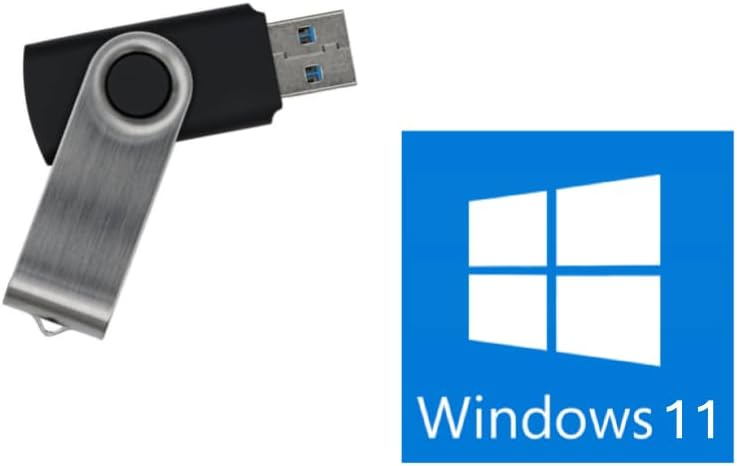
The Windows 11 Bootable USB is an 8GB installer and recovery drive with a 4.0 rating. It is designed to reinstall or repair Windows 11 and supports both UEFI and Legacy boot modes. Its no-TPM requirement makes it appealing for older or otherwise incompatible systems, although users should still verify the hardware requirements for their intended Windows version and software needs.
We may earn a commission when you buy through this link, at no additional cost to you.
The primary strength is simplicity. Instead of a chip programmer or general-purpose rescue suite, this is focused media for setting up or restoring Windows. A technician can boot the computer from it and follow the installation process, making it useful for replacing an operating system or preparing a machine for deployment.
The limitations are clearly stated and substantial. It cannot repair a dead motherboard, bad memory, failing drive, or computer that will not power on or enter BIOS setup. It is not intended for Chromebooks, ARM or Snapdragon PCs, or Apple-silicon Macs, and it does not support BitLocker recovery, general data recovery, or saving files from a failed drive. No Windows product key is included.
Choose this drive if the goal is a convenient Windows 11 installation source and the computer can reach its firmware setup and boot from external media. Do not choose it as a BIOS flash tool. Its 4.0 rating suggests a functional installation product, but the hardware exclusions and absence of a license make careful compatibility checking essential.
A dedicated bootable installer reduces the need to create installation media from a separate computer. It is a focused solution for users who want to deploy Windows 11 without chip-level programming.
The drive cannot compensate for a system that never reaches its boot menu. Confirm power, firmware access, and USB boot capability before ordering it for a nonfunctional computer.
We may earn a commission when you buy through this link, at no additional cost to you.
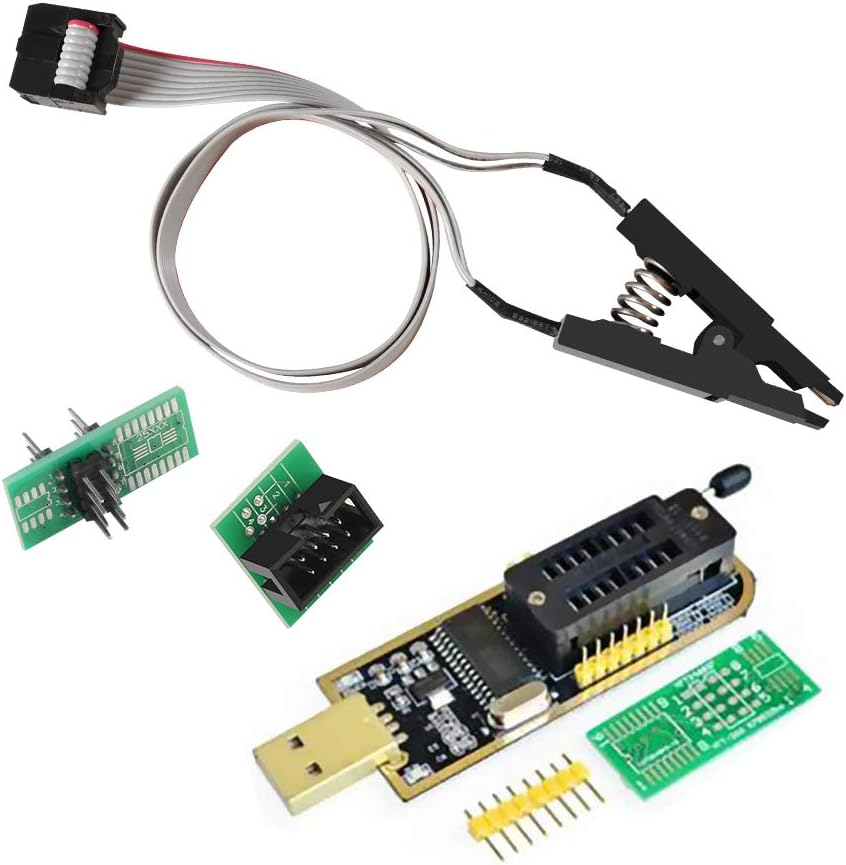
The ACEIRMC CH341A Full Kit combines a USB programmer, a 1.8V adapter, a SOIC8-to-DIP8 converter, and an SOIC8 test clip. With a 4.4 rating, it is one of the strongest general-purpose CH341A packages in this guide. The inclusion of both clipped and socketed options gives technicians greater flexibility when handling firmware from laptops, desktop motherboards, routers, televisions, and other electronics.
We may earn a commission when you buy through this link, at no additional cost to you.
The supplied information lists 24 and 25 series flash as the main targets and describes use cases including TV memory, desktop motherboards, LCD equipment, notebooks, routers, cards, DVD devices, set-top boxes, software unlocking, backup, erasing, burning, checking, and repair. The package also supports the handling of 1.8V SPI flash memory, an important detail for certain mobile and embedded applications.
Performance is presented as a key advantage: the listing claims programming can be two to three times faster than an ordinary ATMEGA8 25-series programmer, while erase checking is described at approximately 2 to 3 Mbit per minute. These are supplier claims rather than independent test results, so actual speed depends on the chip, connection, computer, and software. Peripheral circuitry can still make a clipped in-circuit operation unreliable.
This is the most complete conventional CH341A kit in the list and a strong recommendation for a technician who does not want to assemble clips and adapters separately. It is less appropriate for someone who only needs a bootable recovery drive or requires the automatic detection functions of the EZP2023. For repeated motherboard work, however, the included 1.8V adapter, clip, and DIP converter create a particularly versatile bench setup.
The test clip and DIP8 converter support different chip-access methods, making the kit useful across both surface-mounted and socketed repairs. Having both available can reduce delays when a board layout prevents a clean clip connection.
The included 1.8V adapter expands the kit beyond 3.3V and 5V applications. It is particularly relevant to SPI flash found in certain mobile and motherboard environments, provided the target voltage is confirmed first.
We may earn a commission when you buy through this link, at no additional cost to you.
The EZP2023 is the most feature-oriented dedicated BIOS flash programmer in this guide, carrying a 4.3 rating. It supports 25-series SPI flash along with 24, 25, 93, and 95 EEPROM families, and it comes with a USB module and 15 adapters. The wide accessory set is intended to make the programmer usable across different package and socket configurations without requiring a separate parts hunt.
We may earn a commission when you buy through this link, at no additional cost to you.
Automation is the defining feature. The product information says the programmer automatically identifies mainly 25-series chip models, detects whether a chip is placed, and selects the supply voltage. It also claims it can read an EN25T80 in three seconds and write it in nine seconds. While those figures come from the product listing, the architecture is clearly designed to reduce manual configuration and repeatability problems.
Not every operation is entirely automatic. EEPROM models in the 24, 25, 93, and 95 groups may need to be selected manually, and the supplied information does not promise universal in-circuit success. The device is primarily a programmer rather than a recovery environment, so it does not provide Windows installation, password reset, or malware-removal tools.
The EZP2023 is the pick for technicians who value speed, automatic detection, broad family coverage, and a large adapter assortment. It may be unnecessary for a single basic 3.3V or 5V SOIC8 repair that a CH341A kit can handle, but its automation makes it a better fit for repeated work across unfamiliar chips. Confirm the chip family, package, and connection method before selecting an adapter.
Automatic model detection and voltage selection are especially helpful when a technician is working with unfamiliar boards. These features can reduce the trial-and-error stage of an otherwise repetitive programming process.
Fifteen included adapters provide flexibility for supported package styles. They make the EZP2023 a more complete bench option than a bare USB programmer, although users must still choose the correct adapter for the physical chip.
We may earn a commission when you buy through this link, at no additional cost to you.
The Windows PC Repair Bootable USB Recovery Toolkit is a multi-purpose rescue environment with a 3.5 rating. It is designed for technicians and computer resellers who need to diagnose startup problems, remove malware, recover files, repair partitions, unlock accounts, reset passwords, and troubleshoot unbootable Windows systems without immediately modifying the installed operating system.
We may earn a commission when you buy through this link, at no additional cost to you.
The drive includes USB-A and USB-C connectors and supports both UEFI and Legacy BIOS boot modes. It can run as a live environment or be used as a recovery operating system, providing a way to work on a system that cannot start normally. The media is also fully customizable, allowing compatible bootable ISO applications, installers, and utilities to be added or replaced.
It should not be confused with a BIOS flash programmer. The product does not claim to read, erase, or write BIOS packages, and it cannot replace a failed motherboard, memory module, or storage device. Its breadth is helpful but also means the user must understand the desired recovery workflow. The 3.5 rating and technical nature of some repairs are worth considering when the device is intended for occasional rather than specialist use.
The toolkit is best for IT support staff, system administrators, and resellers who want a reusable offline recovery platform. It can help when Windows fails to boot, an account is locked, malware complicates normal startup, or a lightweight live environment is needed. Buyers seeking direct EEPROM programming should instead choose one of the CH341A or EZP2023 products in this list.
Running the toolkit from external media gives technicians access to diagnostic and recovery functions even when the installed operating system is damaged or inaccessible. The offline approach is useful in environments where network connectivity is limited.
The ability to add or replace compatible ISO applications makes the USB more adaptable than a fixed single-purpose installer. That is valuable for repair benches that handle different diagnostic and recovery tasks.
We may earn a commission when you buy through this link, at no additional cost to you.
The SOP16 IC Test Clip is a connection accessory rather than a complete programmer, and it carries a 4.3 rating. It provides access to SOP and SOIC 16-pin flash chips for use with compatible programmers, including the Rt809F, TL866CS, and TL866A models named in the product information. It also functions as an SOP16-to-DIP16 adapter, adding physical options for a repair bench.
We may earn a commission when you buy through this link, at no additional cost to you.
The clip supports wide and narrow 25-series packages from 150mil to 300mil. Its hardened construction, thick gold-plated pin connector, and 40cm connection lead are intended to maintain a stable connection during identification and programming. For users who encounter 16-pin SPI flash packages but lack the correct clip, this accessory can make an existing programmer more versatile.
A hardware clip cannot guarantee that every in-circuit operation will succeed. Surrounding circuitry may affect how the chip is identified, and the result also depends on the programmer in use. The supplied guidance states that an unrecognized board may require the chip to be removed for programming. The 40cm lead also means the clip should be positioned carefully to avoid strain.
This is the right purchase for a technician who already owns a compatible programmer but needs reliable physical access to SOP16 devices. It is not a stand-alone BIOS flash tool and should not be chosen as one. Buyers who need both hardware and programming capability should select a complete kit such as the WWZMDiB package or the ACEIRMC CH341A full kit, then confirm the chip package and required connection style.
A programmer may support SOP16 electrically while lacking a suitable physical clip. This adapter fills that gap and can make existing equipment usable for a wider range of 16-pin flash chips.
The hardened clip, gold-plated connector, and 40cm lead are designed to improve contact reliability. Firm but careful positioning is still important, since a poorly seated clip can cause unstable reads.
We may earn a commission when you buy through this link, at no additional cost to you.
The Bootable USB for Windows 10 and 11 is an operating-system reinstall and recovery product. It downloads official Windows 11 or Windows 10 media from Microsoft rather than relying on an outdated or unauthorized image, and its current version supports 64-bit systems. Unlike many recovery drives, it is designed to work with Secure Boot enabled without requiring BIOS changes.
We may earn a commission when you buy through this link, at no additional cost to you.
Its guided workflow is aimed at users who want to start the computer from USB and follow on-screen instructions. Support is stated to be US-based and available through live chat or email. The product is developed for Windows 10 and Windows 11 on 64-bit hardware, with a stated need for UEFI BIOS on most computers manufactured from 2013 onward.
The constraints are significant. No Windows product key is included, so users must rely on an existing license or obtain one separately. The current version does not support Legacy BIOS. More importantly, this is a system media tool rather than a BIOS chip programmer and cannot read or write an EEPROM package. Secure Boot compatibility should also be understood in the context of the supplied instructions rather than treated as a guarantee for every custom firmware configuration.
This product is a good fit for a modern 64-bit PC that boots in UEFI and needs a current official Windows installation. It may be particularly convenient where Secure Boot is enabled by policy or by default. It is unsuitable for Legacy BIOS machines or for BIOS-chip repairs, so users should choose a dedicated programmer if the problem is a firmware image stored in soldered or socketed flash.
Downloading official Windows versions reduces concern about outdated installation images. It also means the process depends on an internet connection during setup, even though the final recovery drive is intended for local use.
Support for Secure Boot and current 64-bit Windows versions makes the drive suited to contemporary computers. The lack of Legacy BIOS support rules it out for older platforms and some specialized industrial systems.
We may earn a commission when you buy through this link, at no additional cost to you.
The Kali Linux Bootable USB is a security-focused boot environment with a 4.1 rating. It is designed for ethical hacking, cybersecurity, vulnerability assessment, forensics, and digital investigation. The product includes more than 600 preinstalled penetration-testing and security-analysis tools for network, web, and wireless auditing, making it far broader in purpose than a simple firmware programmer.
We may earn a commission when you buy through this link, at no additional cost to you.
Dual USB-A and USB-C connectors support use across many desktops and laptops, while Legacy BIOS and UEFI modes broaden the hardware range. The supplied information states that amd64 and arm64 builds are included, allowing Kali to run or install on Intel, AMD, or supported ARM-based computers. It can operate directly from USB for convenience or be installed permanently when full system performance is desired.
The USB is customizable, so compatible bootable ISO applications and utilities can be added or replaced. That makes it a useful portable security workstation rather than a rigidly fixed installer. However, users must have permission to test systems they do not own or administer. The product is not a BIOS chip programmer, and the presence of Kali Linux should not be confused with the firmware repair functions of the CH341A and EZP2023 devices.
This drive is an excellent choice for an authorized security professional, student, or systems administrator who wants a portable Linux security environment. It is also useful for forensic workflows that benefit from running tools without immediately altering the host operating system. For BIOS firmware recovery or EEPROM programming, select one of the dedicated hardware programmers instead.
Running Kali from USB allows users to access a broad security toolkit without immediately installing a second operating system on the host. This is useful for temporary assessments and isolated analysis.
The stated amd64 and arm64 coverage supports both mainstream Intel and AMD systems and compatible ARM hardware. USB-A, USB-C, UEFI, and Legacy BIOS support also make it adaptable across a mixed test environment.
We may earn a commission when you buy through this link, at no additional cost to you.
The right selection depends on whether you need direct chip programming, a physical adapter, or a bootable operating-system environment. Chip support, voltage, packaging, workflow, and recovery goals should be evaluated before checkout.
A direct BIOS flash tool connects to an EEPROM or SPI flash package and performs operations such as identification, backup, erasing, writing, and verification. A test clip or adapter is only a physical connection accessory and normally requires a compatible programmer. A bootable recovery USB serves an entirely different purpose: it boots an operating-system environment to reset a password, install Windows, diagnose a system, or perform authorized security work. Buying one category while expecting the capabilities of another is the most common and most expensive mistake in this category.
The products in this guide emphasize 24, 25, 93, and 95 series devices, with the EZP2023 offering the broadest listed family coverage. The exact suffix matters because chips within a family may use different voltage, capacity, command sets, or manufacturer-specific behavior. Search the board or device documentation for the exact chip marking, then compare it with the programmer's supported list. Do not assume that a package shape alone makes two chips compatible.
BIOS flash chips may appear as SOIC8, SOP8, SOP16, DIP8, or other packages, often with different body widths. Look for the exact package and pin count in the product specifications. Test clips work well for in-circuit access, while a SOIC-to-DIP adapter can make a removable chip easier to seat. The SOP16 clip reviewed here supports 150mil and 300mil devices and works with several named programmers, so both the clip and the programmer must be compatible.
Programming with the wrong voltage can damage a flash chip or the board around it. The WWZMDiB programmer supports 3.3V and 5V switching, while the ACEIRMC full kit includes a 1.8V adapter. The EZP2023 claims automatic voltage selection, but users should still confirm the target specification. Identify the chip voltage from a reliable source, make sure the programmer or adapter can supply it, and never infer voltage solely from the socket or device model.
Automatic chip identification can be valuable on a busy repair bench because it reduces the need to enter uncertain part details. The EZP2023 claims model detection for mainly 25-series chips, automatic placement detection, and automatic voltage selection. Other families may still require manual selection. Automatic features are convenient aids, not substitutes for inspecting the physical chip and consulting a known compatibility list.
A clip can save considerable time by avoiding chip removal, but surrounding circuitry may affect power, signals, or identification. The ACEIRMC and SOP16 product information both warn that in-circuit programming is not guaranteed on every board. If detection fails, a clean offline read with the chip removed is often more reliable. For high-confidence recovery, have a socket, the correct adapter, and a verified backup ready before attempting broader board-level work.
Bootable products differ in their recovery goals. The password-reset USB focuses on Windows and Linux accounts, the Windows 11 drive centers on operating-system installation, the repair toolkit covers diagnostics and system recovery, and Kali focuses on authorized security testing. Review hardware exclusions carefully. None of these bootable drives can directly repair a failed motherboard or flash package, and some cannot access files on a failed drive or function when the computer cannot reach its boot menu.
Boot mode, processor architecture, Secure Boot, and licensing can determine whether a recovery product works as intended. The current Windows 10 and 11 USB supports 64-bit UEFI systems and Secure Boot but not Legacy BIOS. The Windows 11 installer states that no TPM requirement applies, but users should still check other requirements. The Password Reset and PC Repair products support both Legacy BIOS and UEFI, while the Kali drive includes amd64 and arm64 builds. No bootable product should be assumed to include a Windows product key.
Begin by identifying the exact flash chip and its voltage, then disconnect power from the target device. For in-circuit work, compare the chip orientation and pin layout with the test clip markings, position the clip carefully, and connect the programmer to the computer. For offline programming, seat the chip in the correct adapter and verify that every contact is aligned. If the board powers the chip from surrounding circuitry or uses unusual voltage, follow the board-specific service guidance and use a method known to isolate the chip safely.
Install the programmer software required by the selected device, select the matching chip family and exact model, and begin with a read operation when the chip is supported. Preserve the current firmware image before attempting any erase or write. Compare the read result with the expected chip capacity and verify the image before programming. After writing, read the chip again and compare it with the intended file when the software supports verification. Treat a failed or unstable clip connection as a reason to stop and improve the physical setup rather than repeating writes repeatedly.
For bootable media, use a computer that reaches its firmware setup or one-time boot menu, confirm the required Legacy BIOS or UEFI mode, and follow the on-screen instructions. Keep a Windows license available when the media installs an operating system, and use recovery media only on systems for which you are authorized. Store programmers in a dry, static-safe area, protect clip contacts from dust, keep adapters organized by package type, and use gentle pressure when attaching a test clip so pins and solder joints are not stressed.
A BIOS flash tool is hardware and software used to read, identify, erase, write, or verify firmware from an EEPROM or SPI flash chip. Some tools support in-circuit programming with a test clip, while others require the chip to be removed and placed in an adapter. They are mainly used for firmware recovery, BIOS repair, and device maintenance.
A CH341A programmer can be suitable for many common 24 and 25 series flash chips. Support depends on the exact chip, its voltage, the programmer software, and whether the chip can be read reliably in circuit. Some manufacturer-specific SST devices have write restrictions, so the exact chip marking should be checked before attempting recovery.
A BIOS programmer directly connects to a firmware chip and reads or writes its contents. A bootable recovery USB starts an operating system or utility from external storage to install Windows, reset an account, diagnose startup problems, or run security tools. Neither substitutes for the other, and a bootable USB cannot repair a physically failed motherboard or flash chip.
Not always. A compatible test clip can support in-circuit programming without desoldering the chip, which is faster and less invasive. However, surrounding components may interfere with power, communication, or identification. When a clipped read is unstable, removing the chip and using a correct socket adapter is the more dependable approach.
No. The programmer must provide the voltage required by the target flash chip. Some programmers support selectable levels, and the reviewed ACEIRMC kit includes a 1.8V adapter, but users should still confirm the chip specification. An incorrect supply can damage the chip, the adapter, or the board.
The clip may not be seated correctly, the chip may not be one of the programmer's supported devices, or surrounding circuitry may affect its power and signals. It can also happen when the programmer lacks the required command support for a manufacturer-specific chip. Try a clean, stable connection and verify the exact part number; removal for offline programming may be necessary.
That depends on the product and the failure. The Windows 11 bootable installer explicitly states that it is not intended for data recovery or saving files from a failed drive. A broader repair environment may provide partition or file-recovery functions, but no bootable tool can guarantee recovery from physically damaged storage.
Usually not. The Windows 11 installer explicitly requires the computer to power on and open its BIOS/UEFI or boot menu. A password reset drive, recovery toolkit, or Kali drive also depends on the system being able to initiate a USB boot. If the computer does not reach firmware, hardware troubleshooting or board-level repair is a separate task.
The ACEIRMC CH341A Full Kit is the most versatile conventional programmer in the group, combining a test clip, DIP8 converter, and 1.8V adapter. The EZP2023 is the strongest choice for automatic chip detection and broad EEPROM family coverage, while the ACEIRMC Double-Clip Programmer offers a capable, well-rated route to in-circuit SOIC8 work at a simpler level of kit complexity.
Prioritize the workflow that matches the repair. Choose a dedicated programmer for firmware chips, an adapter when physical package access is the missing piece, and bootable media for account recovery, Windows installation, diagnostics, or authorized security testing. Before purchasing, verify the exact chip number, package, voltage, boot mode, processor architecture, and any licensing requirements rather than relying on a broad product title.
Ratings, included software, product availability, and prices can change, and current listings should be reviewed before checkout. Confirm the latest package contents and manufacturer instructions, back up firmware whenever possible, and avoid programming until the target chip and voltage have been positively identified.