
TNP Sega Genesis HDMI Adapter
4.0Editor score
Plug-and-play HDMI conversion
Wide Sega model compatibility
Requires external USB power
Our Sega Genesis Clone HDMI guide compares ten adapters, cables, mini consoles, and accessories for compatibility, video modes, setup, and display quality in
Connecting a Sega Genesis clone to a modern television often comes down to more than finding any HDMI lead. Signal type, connector layout, power requirements, aspect-ratio controls, and the clone’s video output can determine whether a product produces a clear picture or remains completely incompatible.
This guide compares ten relevant products, including RGB-to-HDMI adapters, wired and wireless accessories, composite cables, and the compact Genesis Mini 2. The reviews examine supported console models, output formats, resolution and aspect-ratio switching, required power, included components, installation complexity, and important limitations.
Each entry reveals what the product is best suited for, whether it works with genuine hardware, and why some adapters exclude clone consoles. Ratings and product details reflect the supplied marketplace information, while availability and pricing can change, so readers should verify current listing details before purchasing.
4.0Editor score

4.4Editor score

4.4Editor score
This side-by-side comparison covers dedicated HDMI adapters, composite alternatives, a mini console, Dreamcast converters, and a Genesis Bluetooth receiver. The table emphasizes hardware compatibility, signal conversion, display controls, power needs, and whether each product is actually appropriate for a Genesis clone.


The Mcbazel RGB to HDMI Adapter is a compact converter designed for Sega Genesis Model 1, Model 2, and compatible NEOGEO hardware, with a 4.3 marketplace rating. Its standout feature is straightforward on-body control: one button changes between 4:3 and 16:9 presentation, while another selects 720p or 1080p output. It is genuinely convenient for original consoles but carries a critical limitation for anyone searching specifically for a Sega Genesis clone HDMI solution.
We may earn a commission when you buy through this link, at no additional cost to you.
The supplied product information explicitly states that an RGB signal is required and that clone, replica, and heavily modified systems generally send composite video only. On such a machine, the result may be audio without a picture. This is not a minor connector mismatch; it reflects the fundamental difference between the signal types the adapter and clone hardware use. The included Sega Genesis and NEOGEO connection cables help prevent physical incompatibility, but they cannot create an RGB signal that the console does not provide.
The package includes the adapter, two video conversion cables, and a micro USB power cable. The adapter is listed as measuring 7.5 by 4 centimeters with a 43-centimeter lead, while the USB power source is not included. A television with a suitable USB port or an existing USB charger may therefore be needed. This omission keeps the package small, but buyers should not expect a completely self-contained power setup.
Setup is otherwise simple because the product requires no driver, software, or television-menu configuration. It is best suited to an original RGB-equipped Genesis or NEOGEO owner who wants easy physical aspect-ratio and resolution changes. For a clone that outputs only composite video, this is not a compatible pick, and the buyer should first verify the console’s actual video output.
Putting both display controls directly on the adapter lets users compare 4:3 and 16:9 framing and compare 720p with 1080p without navigating television menus. This is particularly useful when a game or console model produces a different native shape.
The adapter can preserve the detail of an RGB source, but it cannot upgrade composite output to RGB. A clone that offers only composite video will need a converter designed for that signal or a different connection approach.
We may earn a commission when you buy through this link, at no additional cost to you.
The LEVELHIKE HDMI Cable is one of the most versatile entries in this guide, combining analog RGB conversion, digital HDMI output, and support for a broad range of Sega hardware. Its 4.4 rating reflects a strong marketplace reception, and the detachable cable design stands out among the products reviewed. It supports Genesis Models 1, 2, and 3, Sega CD, Sega CDX, Sega 32X, Sega Nomad, and the original Master System according to the supplied listing.
We may earn a commission when you buy through this link, at no additional cost to you.
Rather than asking users to navigate television settings, the converter provides a physical aspect-ratio toggle for 4:3 and 16:9 output. The listing also emphasizes low latency, which matters for fast action and precise controls. A detachable arrangement allows the console-side cable to remain in place while a longer or higher-end HDMI cable handles the run to the display, making the setup easier to arrange around furniture or wall-mounted televisions.
The main unresolved question is clone compatibility. Because the product reads the console’s analog RGB signal, a clone that exposes only composite video may not work as intended. The listing names many official Sega models and does not explicitly guarantee compatibility with replica hardware. Buyers should therefore treat the extensive official-model support as a positive sign, not as confirmation that every clone is compatible.
This is a strong general choice for a multi-console Sega collection because one product covers original consoles and several add-ons. It is also practical for users who want quick aspect-ratio changes without relying on television controls. Before buying for a clone, check the clone’s connectors and video output, and keep a composite connection available as a fallback if the unit lacks RGB.
Support for the core Genesis models, Sega CD, CDX, 32X, Nomad, and Master System makes this practical for owners with more than one classic Sega machine. The included converter and detachable design reduce the need to hunt for a different cable for every platform.
A physical 4:3 and 16:9 toggle is useful for players who alternate between original-shaped presentation and widescreen output. The switch also makes it simple to compare modes on the television that will actually be used.
We may earn a commission when you buy through this link, at no additional cost to you.
The TNP Sega Genesis HDMI Adapter is a plug-and-play solution for bringing supported Sega systems to modern HD televisions, monitors, and projectors. It carries a 4.0 rating and is positioned as a simple all-in-one package: the adapter, an HDMI cable, and a USB power cable are listed as included. A power supply delivering DC 5V at 1A is required, so the console-to-display connection is convenient even though the wall adapter itself is not part of the stated bundle.
We may earn a commission when you buy through this link, at no additional cost to you.
Its compatibility list is notably broad, covering Genesis Models 1, 2, and 3, Mega Drive 2, Sega CD, Sega CDX, Sega 32X, Sega Nomad, and the original Master System. The product transfers video and audio digitally through HDMI and uses an embedded chip to process color and resolution. That combination makes it appealing for users who want a modern connection without navigating software drivers or complex television menus.
The trade-offs are mostly practical. A USB power connection is not the same as a complete wall-power solution, and the listing’s model list does not explicitly state that every third-party clone will work. Signal compatibility can vary according to the clone’s output circuitry and connector arrangement, so the console’s own instructions and socket layout should be checked before purchase.
This adapter is well suited to a compact Sega setup that includes official or compatible hardware, especially when having both an HDMI lead and USB lead in the box is valuable. For a specific clone, it remains a promising but not fully confirmed choice. The buyer should verify that the clone exposes the expected Sega-style video connection and that a suitable 5V power source is available.
Including both the HDMI cable and USB power lead reduces the number of separate items required for a basic installation. Users still need a suitable power adapter or another source that can provide the stated 5V and 1A.
The listed compatibility covers the main Genesis hardware generations and several major add-ons. That breadth makes the adapter useful for players who own more than one supported Sega system or may add a CD or 32X unit later.
We may earn a commission when you buy through this link, at no additional cost to you.
The AV Cable for Sega Genesis 2 and Genesis 3 is a straightforward composite connection rather than a direct HDMI adapter. It has a 4.1 rating and uses a 9-pin console connector, with yellow, white, and red RCA plugs for composite video and stereo audio. The six-foot length provides useful placement flexibility in a living room, bedroom, or compact retro-gaming area.
We may earn a commission when you buy through this link, at no additional cost to you.
The product is designed specifically for Genesis 2 and Genesis 3 systems with the appropriate nine-pin AV output. It is not compatible with Genesis 1, Sega Saturn, Dreamcast, or other consoles that use different ports. That specificity reduces the chance of confusing connector standards, although buyers must know the exact model and inspect the clone’s output before ordering.
For a television or monitor with RCA inputs, the cable can be connected directly. An HDMI-only display requires an additional RCA-to-HDMI converter, which is explicitly not included. Such a converter may need its own power and can introduce conversion limitations, so this cable should not be mistaken for a dedicated Sega RGB-to-HDMI solution.
This cable is most useful as a low-cost backup for a compatible Genesis 2 or 3, especially if a television has legacy RCA inputs. It can also serve as a temporary connection while a more capable HDMI adapter is being arranged. For the keyword’s central goal, it is a secondary option rather than the primary recommendation.
A replaceable composite AV lead is handy when an original cable is missing or damaged. It restores basic picture and stereo audio without the complexity of a powered conversion box.
The yellow, white, and red plugs remain useful with older televisions and many converter boxes. On a modern HDMI-only screen, an additional RCA-to-HDMI converter is required and is not part of this package.
We may earn a commission when you buy through this link, at no additional cost to you.
The HDMI Cable for Sega Genesis MD1/MD2/NG is a compact RGB-to-HDMI converter with 720p and 1080p output plus 4:3 and 16:9 switching. Its 3.3 rating is the lowest among the ten products in this guide, so buyers should weigh its feature set carefully against the available alternatives. The product offers a familiar plug-and-play arrangement without drivers or software installation.
We may earn a commission when you buy through this link, at no additional cost to you.
The package includes one MD1/MD2/SNK-to-HDMI converter, one USB power cable, and separate MD1 and SNK adapters. This makes the package adaptable to different supported source hardware, although the details do not explicitly confirm whether a third-party Genesis clone provides the same signal and connector arrangement as an official console.
Power is a necessary part of setup. The instructions specifically say that the MD1/MD2/SNK adapter must be connected to a power source to work properly. The USB lead is included, but the strength of the power source and the precise power requirements are less clearly described than for some competing products, making it sensible to use a dependable USB supply.
The converter’s appeal lies in its combination of physical output controls and driver-free operation. It is suitable for users with compatible official hardware who want to compare output modes directly. For a clone, signal compatibility remains the decisive question; a product cannot overcome the absence of RGB or a matching connector. This is a feature-rich option with more uncertainty around real-world satisfaction than the higher-rated choices.
The ability to select 720p or 1080p and switch between 4:3 and 16:9 presentation gives users direct control over the final display. Physical switches reduce the need to enter menus while testing different games.
Official model names in the package do not automatically establish compatibility with third-party replicas. A clone with composite-only output will not provide the RGB source that this converter requires.
We may earn a commission when you buy through this link, at no additional cost to you.
The SEGA Genesis Mini 2 is not a Sega Genesis clone HDMI adapter, but it offers a highly rated alternative for someone who wants the look and feel of a classic Sega system with native HDMI output. Its 4.8 rating is the highest in this guide. The package includes the compact console, a wired control pad, USB power adapter, power cable, and HDMI cable, creating a straightforward setup for a television.
We may earn a commission when you buy through this link, at no additional cost to you.
The console measures 4.7 by 1.3 by 4.6 inches, while the included controller is 6.6 feet long. Video output supports 720p and 480p, while audio is delivered as linear PCM through HDMI. Sixty classic titles are included, and the product information also notes that Sega CD titles are available, although no full-size Sega CD hardware is part of the package.
Its limitation is fundamental: the Mini 2 cannot be used to connect an existing Genesis or clone to a television. Players who own cartridges and want to preserve their physical library need an adapter, not a mini console. The included library may also be less attractive to owners who already own many original games and value unrestricted cartridge access.
This is an excellent choice for a secondary retro-gaming station, a compact display, or a new player who wants a simple Genesis experience without sourcing cables and converters. It is less appropriate for a dedicated clone setup. The strong rating, included HDMI lead, and native digital output make it a relevant benchmark for convenience rather than a direct answer to adapter compatibility.
The Mini 2 uses HDMI directly, eliminating the signal-conversion questions that arise with original consoles and clones. The included HDMI cable means the console can be connected immediately after setup.
Sixty classic games provide immediate access without asking the buyer to assemble a cartridge collection. This makes the system especially approachable for casual players, although it does not replace access to a larger personal library.
We may earn a commission when you buy through this link, at no additional cost to you.
The Kaico Dreamcast HDMI Adapter is a dedicated solution for Sega Dreamcast owners and has a 4.4 rating. Its distinguishing feature is support for both VGA and RGBS, allowing it to handle games that do not use the same display mode. The adapter converts the console’s analog video to digital HDMI while carrying the associated audio.
We may earn a commission when you buy through this link, at no additional cost to you.
The product information describes a plug-and-play experience without the need for extra converters. That simplicity is valuable for Dreamcast users connecting to modern HD televisions, projectors, or monitors. Physical mode support is particularly important because the listing positions VGA and RGBS handling as the adapter’s first major feature.
Kaico also includes a 12-month warranty with support, repair, or replacement options. This adds reassurance to an accessory whose internal signal processing and connector quality determine the final result. The product focuses on preserving the Dreamcast’s graphics and sound rather than claiming that conversion can improve the source material.
This adapter is a strong fit for an original or compatible Dreamcast, but it is not a Sega Genesis solution. It has no listed Genesis connector and cannot bridge a Genesis clone to HDMI. Dreamcast collectors looking for the same broad signal support for a Genesis should instead examine converters explicitly designed for Genesis RGB.
Supporting both VGA and RGBS allows the adapter to accommodate different Dreamcast display configurations. That breadth reduces the risk of choosing a converter that works with only one output method.
The stated 12-month warranty gives buyers a defined path for support, repair, or replacement. It is a useful differentiator when investing in a specialized signal-conversion accessory.
We may earn a commission when you buy through this link, at no additional cost to you.
The Y.D.F Dreamcast to HDMI Converter is a straightforward digital conversion accessory with a 4.5 rating. It converts Sega Dreamcast audio and video into an HDMI signal for a modern television and includes a physical switch between 4:3 and 16:9 presentation. Its easy installation and broad mode support make it useful for Dreamcast owners who want a clean connection.
We may earn a commission when you buy through this link, at no additional cost to you.
The converter supports Dreamcast display modes of 480i, 576i, and 480p. The listing describes precise signal processing intended to preserve color, resolution, and detail. It also clearly states that the converter is compatible with the Dreamcast only and that its function is conversion rather than an improvement to the original video quality.
That clarification is important. A converter changes the delivery format, but it cannot create detail that the source signal and game do not contain. Players should therefore judge the product by clean output, accurate color, responsive controls, and reliable synchronization rather than expecting an inherently sharper source image.
The product is not a solution for a Sega Genesis clone, and no Genesis connector is listed. It could be useful to a Dreamcast owner who also owns a modern display, but it does not advance the primary goal of connecting Genesis hardware. For that task, an adapter with a Genesis connector and a matching RGB or composite pathway remains necessary.
The 4:3 and 16:9 control lets players compare the traditional console shape with a wider television layout. It offers a quick way to determine which presentation looks best for the selected game and screen.
The listing is refreshingly clear that this product converts rather than upgrades the source. This helps set realistic expectations about picture detail while still providing a practical digital connection.
We may earn a commission when you buy through this link, at no additional cost to you.
The POUND HD Link Cable is built around the Genesis native RGB signal and converts it for display on modern HDTVs. Its 4.4 rating and 720p output make it a credible option for owners who want a sharper, more colorful presentation than a standard composite AV connection. The package includes a converter for Genesis Models 1, 2, and 3.
We may earn a commission when you buy through this link, at no additional cost to you.
Rather than offering a broad menu of output controls, the product emphasizes a stable 720p upscaled image in the Genesis original 4:3 aspect ratio. Native RGB is the important technical feature because it uses the color information available from the console rather than relying on a composite signal. The listing specifically contrasts this pathway with the color reproduction and sharpness of a standard AV cable.
A micro USB cable is included for boosted power. The product information says this supplement is intended to reduce stress on an older Genesis internal power supply. It does not describe the product as a universal clone solution, so buyers with a third-party replica should confirm that the unit exposes RGB and that the relevant connector is physically available.
The fixed 4:3 output and absence of a stated 16:9 switch make this less flexible than several competing converters. Even so, it is an attractive option for a player who prefers the traditional proportions and wants RGB-derived color. It is best for compatible Genesis hardware with RGB output, and its suitability for a specific clone still depends on that console’s signal and connector design.
The adapter follows the console’s native RGB pathway, allowing a modern television to present the available color and detail with greater fidelity than a conventional composite connection.
The included micro USB lead provides an additional power pathway intended to reduce strain on an aging console supply. It should be used with a dependable source and kept clear of strain or pinching.
We may earn a commission when you buy through this link, at no additional cost to you.
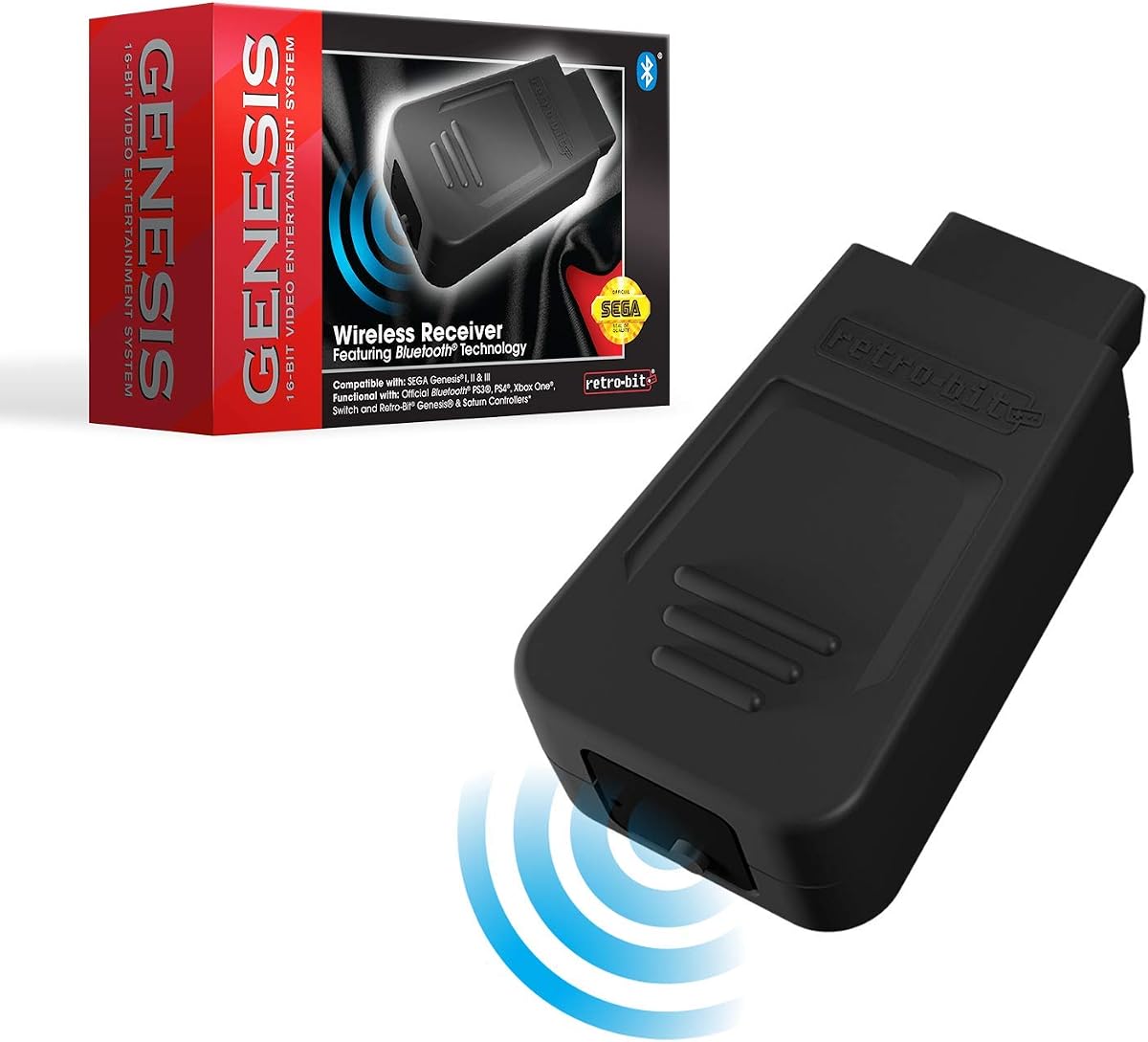
The Retro-Bit Official Sega Genesis Bluetooth Receiver is a controller accessory rather than a video converter, but it is relevant to clone-console owners who want a modern gaming arrangement. It has a 4.2 rating and is explicitly compatible with original and most third-party Sega Genesis clone consoles. That makes it one of the few products in this guide whose supplied details directly mention clone support.
We may earn a commission when you buy through this link, at no additional cost to you.
The receiver works with Retro-Bit Sega Genesis and Saturn Bluetooth controllers. It can also pair with official PlayStation 4, Xbox One, and Nintendo Switch controllers, which broadens the control options for players who already own modern wireless pads. The stated playable range extends to 30 feet.
A wireless controller can be particularly helpful when the television is on a stand, mounted to a wall, or positioned farther from the console. It also reduces the need to run a traditional controller cable across a gaming area. The receiver does not address picture quality, aspect ratio, resolution, or the larger task of converting a clone’s video output to HDMI.
This is best for owners who have already established a working display connection and now want more flexible control. It should not be purchased as a solution to a dark screen or missing video. For a Sega Genesis clone HDMI setup, the receiver can complement a suitable converter, but it cannot replace one.
The stated support for original and most third-party Genesis clone consoles is a key advantage. It makes the receiver a practical choice for users who would otherwise remain tied to a wired controller.
Pairing with Retro-Bit Genesis and Saturn controllers as well as official PlayStation 4, Xbox One, and Nintendo Switch controllers gives users several ways to configure input. Controller button layouts and supported functions may vary by game and model.
We may earn a commission when you buy through this link, at no additional cost to you.
The decisive issue is not merely whether a product has an HDMI plug. A reliable purchase must match the clone’s video signal, physical connector, power arrangement, and preferred display controls.
In short, match the converter to the actual signal rather than the console’s appearance.
In short, identify the exact console port and compare it with the included connector.
In short, plan for a suitable power source and confirm its voltage and current requirements.
In short, prioritize useful controls and the correct input signal over resolution labels alone.
In short, choose between faithful 4:3 framing and flexible widescreen presentation based on screen size and preference.
In short, treat any unmentioned clone compatibility as unconfirmed rather than guaranteed.
In short, inventory the box contents and identify every cable, adapter, and power part needed.
In short, build a complete setup around the display, input devices, and accessories already owned.
Begin by identifying the console’s video output and the adapter’s required input. Disconnect power from the console and television, inspect the nine-pin or other console socket, and confirm that the supplied cable or console-side adapter matches. Do not force a plug, rotate it excessively, or attach a converter designed for a different signal standard. For an RGB adapter, confirm that the clone actually exposes RGB; composite-only hardware will need a compatible composite-to-HDMI route instead.
Connect the console-side cable first, followed by the HDMI lead to the television or projector. If the converter needs power, attach its USB lead to the specified source before changing the television input. Power on the display, select the correct HDMI input, and then start the console. Use the converter’s physical switches to compare 720p or 1080p and 4:3 or 16:9 where those controls are provided. If sound appears but there is no image, check power first, then confirm that the source signal matches the converter.
For care, keep cables free from sharp bends, pinching, and tension at the console plug. Store detachable leads in a case or loosely coiled rather than wrapped tightly around the adapter. Keep the converter and power connection away from moisture, excessive heat, and dusty areas. Clean the television and console with methods appropriate to their finishes, and do not spray cleaner directly onto ports. Periodically reseat the console-side connector if the picture becomes unstable, but stop if the plug or port shows visible damage.
No. A clone that outputs only composite video cannot be used with an adapter that requires an RGB input. Many replicas expose the same style of connector as an official Genesis while using different internal signal hardware. Check the clone’s specifications or test its available video output before choosing a converter.
RGB separates the color components into separate signals, which generally allows a converter to produce clearer color and sharper detail. Composite combines video information into a single yellow RCA connection. A direct RGB-to-HDMI adapter is not automatically compatible with a composite-only console.
They convert and upscale the available signal for modern displays, but they cannot create new artwork, animation, or source detail that the game and console did not produce. The Y.D.F Dreamcast listing states this limitation explicitly, and the same realistic expectation applies to Genesis conversions.
The two most common causes are an incorrect source signal and insufficient power. The console may be sending composite output to an RGB-only adapter, or a micro USB lead may not be carrying adequate power. Check the converter’s input requirement, reconnect the USB power source, and confirm that the television is on the correct input.
Not every product lists a wall charger as included, and the included USB cable does not guarantee that a power adapter is part of the package. The Mcbazel and TNP products call for external power, while the MD1/MD2 listing also directs users to connect the converter to a power source. Use a source that meets the stated voltage and current requirements.
The 4:3 setting preserves the proportions for which classic games were designed, though it may create side bars on a widescreen screen. The 16:9 setting can fill more of the display but may alter the intended framing. Products with a physical aspect-ratio switch make it easy to compare both settings on the actual television.
No. The Genesis Mini 2 is a compact standalone console with native HDMI output and a built-in selection of 60 games. It cannot connect an existing Genesis or third-party clone to HDMI. Those players need a separate converter designed for the clone’s output signal and connector.
No. The Retro-Bit receiver is designed to add wireless controller support and explicitly supports original and most third-party Genesis clone consoles. It carries no display signal, so it complements a video connection rather than replacing an HDMI adapter or cable.
The strongest general converter in this group is the LEVELHIKE HDMI Cable because it combines RGB conversion, broad official Sega support, physical aspect-ratio switching, and a detachable design. The TNP Sega Genesis HDMI Adapter is a convenient all-in-one choice with an HDMI cable and USB lead included, while the POUND HD Link Cable focuses on a native RGB pathway, 720p output, and a traditional 4:3 frame.
For a specific third-party clone, signal compatibility matters more than the connector appearance or a high-resolution label. The Mcbazel adapter is useful for original RGB-equipped consoles but explicitly excludes typical composite-only clones. The TNP and LEVELHIKE products offer broad official-model support, but their listings do not expressly guarantee every replica. A composite cable or Dreamcast converter can be useful in the right collection, while the Genesis Mini 2 and Retro-Bit receiver solve different parts of the setup.
Before buying, confirm the clone’s output type, inspect the console socket, verify the required power, and inventory the included components. Current prices and availability change, so check the latest listing and seller information at the time of purchase. The goal is not merely an HDMI-shaped box, but a complete and correctly matched path from the console’s actual signal to the display.