
Toshiba L200 2TB 2.5-Inch
4.6Editor score
Low-power laptop design
Advanced Format technology
Built-in shock sensors
A 5400 Rpm HDD Hard Drive can provide an affordable way to expand storage for a desktop, laptop, or network-attached storage system. These drives are especially useful for large media libraries, document archives, backups, and projects where solid-state drive prices or capacity limits make a mechanical hard disk more practical.
We compared all ten products by capacity, physical size, interface, cache size, rotational speed, intended application, warranty information, and special features such as NAS optimization or shock protection. The roundup covers 2.5-inch laptop drives, 3.5-inch desktop drives, renewed equipment, and purpose-built NAS models.
Each review explains who benefits most from the selected drive and where its trade-offs may matter. The top picks highlight strong general-purpose, mobile, and NAS-oriented choices, while the comparison table makes the physical and technical differences easier to evaluate. Prices and availability can change.
4.6Editor score

4.7Editor score

4.5Editor score
As an Amazon Associate we earn from qualifying purchases.
This side-by-side comparison covers compact laptop drives, full-size desktop models, renewed general-purpose storage, and specialized NAS drives. Compare form factor, capacity, cache, interface, and workload features before matching a drive to your system.


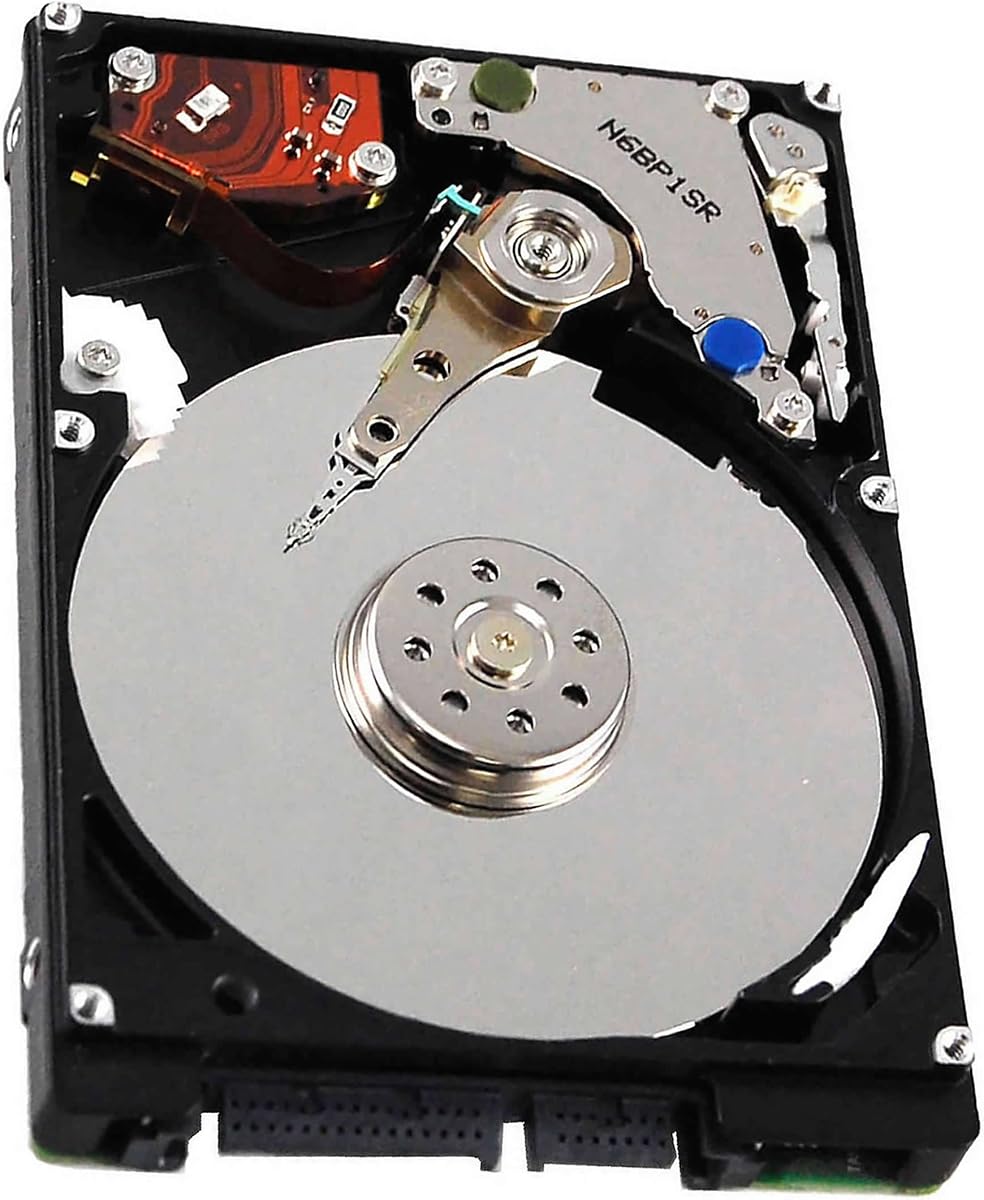


The Seagate BarraCuda 2TB ST2000LM015 is a well-rounded 2.5-inch internal hard drive with a 4.7 rating. Its combination of 5400 RPM spindle speed, SATA 6Gb/s connectivity, and 128MB cache gives it broad appeal for desktop storage upgrades, laptop replacements, media collections, and less latency-sensitive applications.
We may earn a commission when you buy through this link, at no additional cost to you.
Its strongest quality is flexibility. Seagate positions the BarraCuda family for everything from music and photo storage to video editing and PC gaming, so it can function as secondary storage for an operating system drive or as the primary drive in a compatible system. A 2TB nominal capacity provides room for a substantial file library without requiring a full-size 3.5-inch enclosure.
The mechanical design is the main limitation. A 5400 RPM hard disk cannot match the near-instant access times of an SSD, and the 2TB capacity may not satisfy users building a large media archive or extensive virtual-machine collection. This is still a practical drive for sequential file transfers, backups, and capacity-first storage needs.
Choose this model when you want a dependable compact SATA drive without committing to a specialized NAS product. It is especially attractive for a desktop or compatible laptop that needs more room for media, documents, archives, or game files. Among this roundup, its high rating, useful cache, and broad workload support make it the strongest all-around recommendation.
The 2TB capacity is well suited to photos, music, video files, downloaded media, and routine PC storage. Using it for large media libraries or secondary game storage can help keep an SSD focused on the applications and files that benefit most from rapid access.
Its 2.5-inch SATA format allows one drive to serve many desktop and laptop builds. Verify that the target computer or enclosure supports the physical size and SATA connector arrangement before purchasing or installing it.
We may earn a commission when you buy through this link, at no additional cost to you.
The Seagate Barracuda 6TB ST6000DM003 is the highest-capacity conventional desktop drive in this group. Its 3.5-inch SATA design, 256MB cache, and 5400 RPM motor make it a natural fit for storing large media collections, project files, and backups in a compatible desktop or external enclosure.
We may earn a commission when you buy through this link, at no additional cost to you.
Capacity is the central advantage. A 6TB drive can consolidate content that would otherwise be divided among several smaller disks, reducing the need for additional hardware and simplifying file organization. The 256MB cache is also generous for the category and can help smooth short bursts of sequential and queued activity.
The trade-off is physical size. It requires a desktop case or enclosure with room for a 3.5-inch drive and the appropriate power and data connections. Although its 4.3 rating is respectable, it trails several alternatives in customer feedback, so buyers should consider the complete product details before making a final decision.
This model is a strong choice when storage volume matters more than compactness. It is well suited to desktop archives, locally hosted libraries, and backup targets. Buyers who only need a modest amount of extra space may find smaller 2TB or 4TB options easier to integrate and more economical.
The 6TB capacity is valuable for long-term local storage, especially when a NAS or desktop already has multiple users. It can reduce the number of separate disks needed to keep media and project material together.
Confirm that your case supports 3.5-inch SATA drives before ordering. You also need the correct SATA data cable and an available SATA power connector for a conventional internal installation.
We may earn a commission when you buy through this link, at no additional cost to you.
The Seagate BarraCuda 5TB ST5000LM000 stands out for combining a very large nominal capacity with the compact 2.5-inch form factor. It offers another route for desktop users who want substantial storage but do not need the physical space of a conventional 3.5-inch hard drive.
We may earn a commission when you buy through this link, at no additional cost to you.
The drive uses SATA 6Gb/s, a 128MB cache, and a 5400 RPM spindle speed. Its listed workload support includes music, video, photo editing, and PC gaming, making it relevant for media-heavy systems and secondary storage duties where capacity takes priority over instant response.
The primary concern is its 4.2 rating, the lowest in this roundup, combined with the unusual combination of five terabytes and a 2.5-inch form factor. Buyers should carefully confirm their computer's storage interface, enclosure support, operating system handling, and expected thermal environment before relying on it as a primary drive.
For a compatible desktop builder seeking one compact drive to hold a large file collection, this option stands apart from the alternatives. It is less obviously suited to laptop use because no specific mobile power profile is listed. As a large-format desktop storage option, however, it offers an unusually compelling capacity-to-size combination.
Five terabytes in a 2.5-inch enclosure can simplify a desktop build that lacks room for multiple full-size disks. It is particularly interesting for builders who want one physical volume for mixed media and archives.
Although the drive has a 2.5-inch physical format, high-capacity portable and desktop designs can have different system requirements. Check the storage controller, enclosure, operating system, and any stated drive-support guidance before installation.
We may earn a commission when you buy through this link, at no additional cost to you.
The Toshiba L200 2TB HDWL120XZSTA is a compact 5400 RPM drive designed with laptop PCs and gaming systems in mind. Its 4.6 rating, 9.5mm thickness, low-power profile, and 128MB cache make it a practical choice for users seeking more local storage in a compatible slim system.
We may earn a commission when you buy through this link, at no additional cost to you.
Toshiba highlights several features aimed at mobile use. Built-in shock sensors and ramp-loading technology help the drive handle movement and changes in orientation, while the low-power design is intended to optimize battery life. Advanced Format technology supports drive efficiency and reliability, and cache technology is included for improved real-time performance.
The main caveat is that this is an internal bare/OEM drive rather than a complete consumer storage kit. That means it does not provide the convenience of an external enclosure, and buyers may need to handle installation and data transfer themselves. It also lacks the workload-specific features of the NAS-oriented models in this roundup.
This is a compelling laptop upgrade for users whose system accepts a 9.5mm 2.5-inch SATA drive. It is also suitable for compatible small-form-factor desktop builds where low power draw and shock resistance matter. For general personal storage, its combination of capacity, mobile-focused engineering, and a strong rating makes it our budget selection.
The low-power profile is one of the L200's defining advantages. In a compatible laptop, reduced power demand can help preserve runtime when the mechanical drive is used for secondary files instead of operating-system tasks.
Built-in shock sensors and ramp-loading technology are especially relevant to portable computers. They help the drive respond appropriately to movement and physical shocks encountered during everyday mobile use.
We may earn a commission when you buy through this link, at no additional cost to you.
The Seagate BarraCuda 2TB ST2000LM015 mobile drive is designed to add capacity to compatible laptops without adopting a full-size desktop form factor. Its 4.6 rating, 128MB cache, and 5400 RPM speed place it among the strongest compact options in the roundup.
We may earn a commission when you buy through this link, at no additional cost to you.
Seagate highlights specialized caching technology intended to optimize data flow and improve loading performance. The drive also supports a range of productivity tasks, including projects, applications, and multitasking, making it relevant as secondary storage for files that do not demand SSD-level responsiveness.
Users should not mistake the mobile label for guaranteed compatibility with every notebook. The system must support a 2.5-inch SATA drive, and any manufacturer-specific restrictions, bay dimensions, mounting hardware, or service procedures should be checked. The mechanical nature of the drive also means it will not deliver the responsiveness of a solid-state drive.
Choose this model for a compatible laptop that needs additional room for documents, projects, media, or downloads while preserving a compact internal layout. The included two-year limited warranty adds confidence. Compared with the Toshiba L200, it provides a similar capacity and cache but a slightly stronger emphasis on specialized caching and portable use.
Two terabytes gives mobile users room to keep project files, media, and documents on the internal drive. That can make it easier to limit dependence on external storage when traveling or working away from a desk.
The drive's specialized cache is intended to support optimized data flow and faster loading. It cannot change the fundamental access characteristics of mechanical storage, but it can help with suitable file operations.
We may earn a commission when you buy through this link, at no additional cost to you.
The Western Digital WD Blue 2TB WD20EZAZ offers a conventional 3.5-inch SATA drive with 256MB of cache and a 4.5 rating. It is also sold as factory renewed and recertified, making its condition and warranty terms especially important parts of the buying decision.
We may earn a commission when you buy through this link, at no additional cost to you.
The drive's 2TB capacity is enough for general-purpose desktop storage, and its large cache is a notable specification for a 5400 RPM-class model. Western Digital's listed Zero Power on Hours feature suggests an emphasis on reducing activity when the drive is not being used, though actual system behavior depends on configuration.
Renewed status is the decisive trade-off. A renewed drive may provide useful storage at a favorable cost, but it does not offer the same product history or assurance as a newly manufactured unit. Buyers should review the seller's condition description, return terms, warranty coverage, and any signs-of-use disclosure carefully.
This model makes sense for a desktop builder who wants a familiar SATA hard disk, values the 256MB cache, and is comfortable purchasing recertified equipment. It is less appropriate for sensitive business storage, mission-critical data, or anyone unwilling to manage the uncertainty associated with renewed components.
Factory renewed and recertified status can make a hard drive more approachable for budget-conscious buyers. It also calls for a closer reading of condition details, coverage, and return terms than you would need for a new drive.
The 256MB cache is generous relative to the drive's 2TB capacity. It can support temporary data handling and queued operations, although sustained application responsiveness still depends on the mechanical platform.
We may earn a commission when you buy through this link, at no additional cost to you.
The Seagate Momentus 5400 320GB ST9320325AS is a compact 2.5-inch drive made for older notebooks and mobile-oriented systems. Its 4.3 rating, 5400 RPM speed, SATA 3Gb/s interface, and 8MB cache reflect an older, lower-capacity design than the other models listed.
We may earn a commission when you buy through this link, at no additional cost to you.
Its most distinguishing feature is the emphasis on shock tolerance. G-Force Protection is available, and Seagate states a 1000G nonoperating shock rating for use in notebook and industrial applications. The robust design is intended to tolerate the movement and impacts associated with portable equipment.
The 320GB capacity is the clear limitation. It can hold documents, a modest collection of media, or lightweight applications, but it is quickly filled by modern operating systems, high-resolution media, games, and extensive backups. Its 8MB cache is also modest compared with the 64MB, 128MB, and 256MB options elsewhere in this roundup.
This drive is best considered for repairing or expanding a compatible older notebook that cannot use larger modern drives. Its rugged design and low-capacity niche may be useful in industrial or specialized mobile systems. For general-purpose storage today, a higher-capacity option will usually be far more practical.
G-Force Protection and the stated nonoperating shock tolerance make this drive a candidate for mobile or industrial systems where resistance to movement matters. Those features support durability but do not eliminate the need to handle the drive carefully.
At 320GB, the drive is more appropriate for lightweight files and legacy upgrades than for modern media libraries. Confirm SATA support, physical fit, and operating-system storage requirements before installation.
We may earn a commission when you buy through this link, at no additional cost to you.
The Seagate IronWolf 4TB ST4000VNZ06/006 is purpose-built for network-attached storage rather than general desktop use. Its CMR recording technology, integrated health monitoring, and support for multi-user NAS environments distinguish it from conventional BarraCuda and WD Blue drives.
We may earn a commission when you buy through this link, at no additional cost to you.
IronWolf is positioned for NAS enclosures with up to eight bays and multi-user environments. Seagate describes benefits including reduced wear, low noise and vibration, improved file-sharing performance, and support for demanding storage workloads. The integrated IronWolf Health Management system can also help users monitor drive health and manage maintenance.
Protection extends beyond the hardware. The drive includes a three-year limited warranty and three years of Rescue Data Recovery Services. Nevertheless, a specialized NAS product may be unnecessary for a simple desktop archive, and its 64MB cache is smaller than several general-purpose alternatives. It also cannot eliminate the need for a proper backup strategy.
This is the premium recommendation for anyone building or expanding a multi-bay NAS with up to eight bays. It is particularly appropriate when drive monitoring, sustained file sharing, CMR operation, and multi-year coverage matter. Choose a conventional desktop drive for simple local storage, but use a NAS-focused model like this for a network environment.
The drive's NAS-oriented design targets environments where several users may access shared files continuously. Its firmware and workload focus are more relevant to a network enclosure than to occasional connection to a single computer.
Integrated IronWolf Health Management adds visibility into drive condition, while the included Rescue Data Recovery Services provide a support pathway. Neither feature replaces regular backups, but they can improve maintenance planning.
We may earn a commission when you buy through this link, at no additional cost to you.
The Seagate BarraCuda 4TB ST4000DMZ04/DM004 combines a high 4.7 rating with a balanced set of desktop-oriented specifications. Its 3.5-inch SATA format, 256MB cache, and stated maximum sustained transfer rate of 190MB/s make it a versatile expansion drive for compatible PCs.
We may earn a commission when you buy through this link, at no additional cost to you.
Seagate describes the BarraCuda range as suitable for music, video, photo editing, PC gaming, and other common desktop workloads. Four terabytes supplies a useful balance between the 2TB and 5TB portable options and the 6TB full-size model, while the 256MB cache is among the largest specified here.
The included DiscWizard migration and cloning software adds value for users moving from an older system. As with any mechanical drive, installation and file copying can take time, and the 3.5-inch format demands appropriate mounting and power connections. This is also a general-purpose desktop drive, so NAS-specific monitoring and workload features are absent.
Choose the 4TB BarraCuda when you want a high-rated desktop drive with ample cache and a stated transfer rate. It works well for local media, backups, project files, and a general storage upgrade. Users operating a dedicated NAS should compare it with the purpose-built IronWolf and WD Red Plus options.
The combination of four terabytes and 256MB of cache makes this drive suitable for sizeable local libraries that still need to handle multiple queued operations. It is a balanced choice for desktop storage expansion.
The included Seagate DiscWizard tool is intended to simplify migration and cloning from older drives. A complete backup of important data remains necessary before any migration or destructive disk operation.
We may earn a commission when you buy through this link, at no additional cost to you.
The Western Digital WD Red Plus 4TB WD40EFZZ is a 3.5-inch NAS drive built around CMR recording technology and NASware-tuned firmware. Its 4TB capacity, 128MB cache, and support for RAID-optimized systems with up to eight bays make it a serious alternative for multi-drive network storage.
We may earn a commission when you buy through this link, at no additional cost to you.
Western Digital specifically designed the drive for continuous operation and NAS use. That focus makes it appropriate for users who want a mixed-drive or same-brand NAS environment and value a CMR recording method suited to predictable write behavior and RAID configurations.
The 4.2 rating is the lowest among the two featured NAS models, and the WD Red Plus lacks the specific three-year recovery package highlighted for IronWolf. It should not be selected simply because it has a larger cache; NAS firmware, workload support, bay compatibility, and management tools are more important considerations in this category.
Choose the WD Red Plus when you need a CMR NAS drive for an enclosure with as many as eight bays. It is well aligned with continuous file-serving, shared-storage, and RAID-oriented tasks. For a general desktop archive, a BarraCuda or WD Blue model will usually provide a simpler and more appropriate fit.
The drive's CMR recording method is a significant specification for RAID-oriented NAS use because it avoids the write-penalty complexities associated with SMR drives. It is better suited to workloads that repeatedly rewrite data.
NASware provides firmware features tailored to network storage environments. The drive's continuous-operation design also reflects the expectation that it will remain active as part of a multi-bay storage system.
We may earn a commission when you buy through this link, at no additional cost to you.
Choosing a 5400 Rpm HDD Hard Drive requires matching capacity and physical design to the target system while considering cache, workload features, and expected reliability. The following factors help narrow the field before installation.
A 2.5-inch drive is the usual choice for laptops and compact desktop builds, while a 3.5-inch model is intended for larger desktop cases and many external storage enclosures. The larger drive generally offers more room for storage capacity, but it also requires suitable mounting rails, a SATA power connection, and adequate physical clearance.
Choose 2.5 inches for laptops and space-constrained systems. Choose 3.5 inches for desktop capacity expansion. Always verify the bay and connector arrangement.
Capacity requirements depend on file types and how often data must be retained locally. A 2TB model is useful for personal documents, modest media collections, and secondary storage, while 4TB and 6TB drives suit larger archives. The 320GB Momentus is mainly relevant to older or highly specialized systems with modest needs.
Choose capacity that leaves room for future growth. Avoid buying a nearly full drive if regular file accumulation is expected.
Cache is a small, high-speed memory area used to hold frequently accessed or recently transferred data. The models here range from 8MB to 256MB. A larger cache can help smooth suitable workloads, but it does not make a hard drive equivalent to an SSD and cannot overcome the seek limits of mechanical storage.
Favor more cache among comparable desktop drives, but prioritize capacity and fit first. Consider access time and workload behavior more important than cache alone.
All featured products use SATA interfaces, although some implement SATA 3Gb/s and others SATA 6Gb/s. SATA 6Gb/s drives are backward compatible with suitable lower-speed SATA systems in normal usage, but buyers should confirm the connector, controller, and operating-system support of the destination computer.
Use the SATA data cable and power connection required by your system. Check compatibility before opening a case or laptop chassis.
General-purpose drives such as BarraCuda and WD Blue models are aimed at desktops, media storage, and common PC tasks. NAS drives add firmware, vibration management, health monitoring, and workload features for sustained multi-user access. These specialized traits can be valuable in a network enclosure but are unnecessary for ordinary single-PC storage.
Choose IronWolf or WD Red Plus for a NAS. Choose BarraCuda or WD Blue for standard desktop use. Avoid judging NAS suitability by capacity alone.
A renewed drive can provide a lower-cost path to storage, but it comes with a different condition history than a new product. The WD Blue listing is identified as factory renewed and recertified. For such a purchase, inspect the seller's condition description, return policy, warranty, and disclosure of cosmetic or functional testing.
Renewed storage can suit backups and replaceable secondary files. For irreplaceable data, use backups regardless of the drive's condition.
Mechanical drives produce some noise and generate heat during operation. The amount varies by model and workload, while NAS products are designed with attention to vibration and sustained operation. Placement inside a well-ventilated case, with cables arranged to avoid vibration, can help maintain a stable operating environment.
Leave airflow around the drive and avoid placing it directly against hot components. Use vibration-aware mounting in multi-bay enclosures.
Warranty coverage and recovery services add value, especially for drives containing important archives. The Seagate Barracuda 6TB, BarraCuda 2TB mobile, and IronWolf listings mention limited warranties of different durations, while IronWolf also includes Rescue Data Recovery Services. Coverage terms should be confirmed through the current seller listing.
Check warranty length and exclusions before ordering. Maintain separate backups because warranties and recovery offers do not prevent data loss.
Before installation, confirm that the drive matches the computer's supported form factor, interface, and storage layout. Back up the existing system, power down completely, disconnect the power supply, and follow the manufacturer's instructions for opening the case or removing the old drive. Use a proper SATA data cable and the required power connection.
After installation, use the operating system to initialize, format, and assign a drive letter. Create a clear folder structure and confirm that essential files are readable. When moving data, leave the computer powered on and avoid interrupting large transfers, because mechanical platters and actuator movements are more vulnerable to sudden movement or power loss.
For long-term care, keep the drive cool, avoid repeated impact, and leave enough clearance for airflow. Periodically review drive health, maintain more than one copy of important data, and test backups. A 5400 RPM hard drive can provide excellent value for capacity-heavy storage, but regular backups are essential because no mechanical drive can guarantee permanent data retention.
A 5400 RPM hard drive is well suited to storage-heavy tasks such as media libraries, document archives, backups, and secondary game files. It is slower for operating-system startup and heavily random-access applications than a solid-state drive. A practical setup often pairs an SSD for active applications with a hard drive for capacity.
Yes, provided the desktop or enclosure supports 2.5-inch SATA drives. Some cases require an adapter bracket, and an external enclosure needs its own suitable SATA-to-USB bridge. Check the available bay, connector type, ventilation, and any operating-system restrictions before buying.
They can be suitable when the model is designed for NAS workloads and the capacity and workload match the enclosure. The IronWolf and WD Red Plus options in this guide are NAS-oriented, with features such as CMR recording, NAS firmware, continuous-operation support, or health monitoring. Compatibility with the intended RAID arrangement should always be confirmed.
No. Cache can improve performance for some temporary and sequential operations, but it does not remove the mechanical seek delay or provide the consistent low-latency response of an SSD. The larger 256MB caches in this roundup are useful specifications, but they should not be treated as a complete performance solution.
Choose 4TB when you want a balance of capacity, form factor, and desktop-focused features. Choose 6TB when you need to consolidate a large archive into one full-size drive and have enough physical space for it. Consider backup needs and future growth rather than selecting solely by the largest nominal capacity.
Renewed storage can be useful for replaceable data, backups, and secondary applications, but it carries a different condition history from a new drive. Review the refurbishment details, stated testing, return window, and warranty. Critical files should always be duplicated somewhere else, regardless of whether the drive is new or renewed.
Usually not without a specialized external enclosure, and internal installation is often physically impractical. Laptops generally require a 2.5-inch drive that fits the model-specific bay and mounting system. Check the laptop service manual and storage interface support before ordering any replacement.
Keep at least one additional copy on a separate drive, NAS, or external storage device, and maintain another copy in another location for especially important files. Test the backups periodically to ensure they can be restored. Running a backup does not permit you to store the only copy of irreplaceable data on the hard drive.
The Seagate BarraCuda 2TB 2.5-inch model is the strongest general choice because it combines a 4.7 rating, a useful 128MB cache, and compatibility with both desktop and laptop storage arrangements. The Toshiba L200 2TB stands out as the budget pick for mobile systems, while the IronWolf 4TB is the premium option for a multi-bay NAS.
Prioritize physical fit, capacity, and intended workload before comparing finer specifications. General-purpose desktop storage, slim laptop expansion, legacy notebook repair, renewed equipment, and RAID-oriented NAS use each have different requirements. The right drive is the one that fits the system and matches how the storage will actually be used.
Before purchasing, verify the current listing, specifications, condition, warranty, and availability because product details and prices can change. With a proper installation, sensible airflow, and reliable backups, a 5400 Rpm HDD Hard Drive can remain a practical and affordable component of a high-capacity computing setup.