
Dell Latitude 7320 i5
4.4Editor score
256GB PCIe NVMe storage
16GB DDR4 system memory
13-inch FHD+ touch display
Thunderbolt 4 dock connectivity
A detachable laptop for dock usage combines the portability of a tablet with the productivity of a notebook computer. The best models offer a responsive touch display, capable processor, adequate memory, and the physical connectivity required to join a desktop setup without making the transition unnecessarily complicated.
This guide compares ten detachable laptops using their supplied specifications, customer ratings, display characteristics, processor configurations, memory, storage, ports, operating systems, and included accessories. It covers premium Windows systems, renewed business laptops, Chromebooks, and an older detachable model to show what each format offers.
Each review explains who benefits most from the particular configuration and where compromises may arise. The top recommendations balance performance, screen quality, expansion potential, and practical dock use, although product listings and prices can change and should be checked before purchase.
4.4Editor score
4.5Editor score

3.9Editor score
As an Amazon Associate we earn from qualifying purchases.
The comparison below places all ten models side by side, focusing on the specifications that most affect desktop productivity, display quality, and compatibility with docks and external accessories.


The ASUS ProArt PZ13 Pro combines a 13.3-inch AMOLED touch display with a detachable 2-in-1 design, making it one of the most visually polished options in this guide. Its supplied customer rating is 3.9, and the product stands out through the 2880-by-1800 screen, Snapdragon X Plus processor, 16GB of memory, and 1TB PCIe NVMe solid-state drive.
We may earn a commission when you buy through this link, at no additional cost to you.
Its principal advantage for dock usage is display quality. The AMOLED panel offers much more visual refinement than the standard FHD+ touch screens found across the Dell Latitude selections, making the tablet useful for design review, media viewing, presentations, and detailed desktop work. The included wireless keyboard supports a notebook-style setup, while the supplied portable USB hub provides an additional route for wired accessories.
There are important limitations to consider. The Qualcomm Adreno shared integrated graphics are not intended to rival a dedicated gaming GPU, and the 16GB memory is mounted on the board rather than presented as user-upgradable. The listing also states that the seal was opened for hardware and software upgrades, an important condition for buyers who place a premium on factory-sealed status.
This is the strongest premium recommendation for creative professionals and mobile workers who want a highly refined screen in a portable detachable package. It is less compelling for intensive gaming or users who need easily expandable memory. For dock-based office work, however, the ProArt display, generous storage, Windows 11 Pro, and included hub create a particularly attractive combination.
The 2880-by-1800 AMOLED touchscreen gives document, image, and video work considerably more visual detail than the 1920-by-1280 panels used by most Latitude models. It is especially useful when the tablet is detached and becomes the primary screen.
A 65W USB Type-C power supply, wireless keyboard, and included portable USB hub support several working styles. The hub's stated data synchronization rate of up to 5Gbps can be helpful for moving files between the tablet and a docked workstation.
We may earn a commission when you buy through this link, at no additional cost to you.
The Dell Latitude 7320 i7 is a renewed business-oriented detachable that pairs the 11th-generation Intel Core i7-1180G7 with 16GB of RAM and a 512GB solid-state drive. Its 4.3 rating reflects a generally favorable balance of specifications, and the combination of processing power, storage, and Windows 11 Pro makes it especially relevant to users who regularly connect a dock.
We may earn a commission when you buy through this link, at no additional cost to you.
The four-core processor can operate up to 4.6GHz with turbo boost, providing a useful margin for business applications, browser-heavy multitasking, and connected workspaces. A 512GB drive reduces the need to depend on external storage, while the 1920-by-1280 touchscreen presents documents and applications clearly in both docked and detached arrangements.
As a renewed configuration, it should be evaluated with the usual attention to cosmetic condition, battery wear, warranty terms, and seller reputation. The display is also less spectacular than the ProArt PZ13's AMOLED panel, and the listed specifications do not describe the full port selection as thoroughly as some other Latitude entries. Windows 11 Pro adds management features that may be useful for work environments.
This is the best overall recommendation for buyers who want professional performance, ample memory, and practical storage without choosing a premium creator laptop. It is particularly suitable for office productivity, travel, presentations, and hybrid desk setups where a detachable screen and dock connection matter more than gaming performance.
The Core i7 processor and 16GB of memory provide a more comfortable margin for multitasked office software than the 8GB Latitude configuration. This matters when the device is used as the computing section of a larger multi-monitor desk.
A 512GB solid-state drive is a meaningful advantage for active professionals who keep project files, applications, and synced data on the device. It also reduces dependence on a dock's external storage for routine tasks.
We may earn a commission when you buy through this link, at no additional cost to you.
The Dell Latitude 7320 i5 is a balanced, renewed detachable with a 4.4 rating, the highest numerical rating among the selections with an available score. It pairs the Intel Core i5-1140G7 quad-core processor with 16GB of RAM, a 256GB solid-state drive, and a 13-inch 1920-by-1280 touch display.
We may earn a commission when you buy through this link, at no additional cost to you.
For a dock-based setup, 16GB of memory is a particularly useful baseline in a business notebook. The processor can turbo up to 4.2GHz, while the integrated graphics share system memory. The supplied configuration also includes Windows 11 Pro, an integrated webcam, Wi-Fi, and Bluetooth, covering the essentials for joining a home or office workstation.
The principal trade-off is storage capacity. Users with extensive local media, large project archives, or numerous installed applications may find 256GB less generous than the 512GB and 1TB alternatives. Renewed status also means that exterior condition and remaining battery life can vary, so it is important to review the listing and seller information carefully.
This is the best budget-oriented choice in the roundup for someone who values memory and Windows Pro more than maximum storage or display refinement. It offers a convincing desktop replacement when paired with a dock, external monitor, keyboard, and mouse, especially for document-heavy or communication-focused work.
The 16GB allocation is more future-facing than the 8GB Latitude variant. It provides additional headroom for browser tabs, messaging applications, conferencing software, and background synchronization while the tablet is connected to a desk.
The Core i5 processor, integrated wireless connectivity, Windows 11 Pro, and 256GB solid-state drive cover the needs of most productivity setups. This makes the configuration easier to recommend to hybrid workers than an entry-level tablet with limited memory.
We may earn a commission when you buy through this link, at no additional cost to you.
This Dell Latitude 7320 configuration is distinguished by 512GB of solid-state storage while retaining the Core i5-1140G7 processor and 16GB of memory. Its 3.1 rating is the second-lowest among rated products, so prospective buyers should pay particular attention to condition and seller details rather than relying on the specifications alone.
We may earn a commission when you buy through this link, at no additional cost to you.
The storage capacity is useful for people who want a single device to hold documents, email archives, creative files, and installed applications while serving as a docked workstation. The four-core processor boosts up to 4.2GHz, and Windows 11 Professional supplies the business-oriented software environment expected from this Latitude family.
Its core hardware overlaps heavily with the 256GB Latitude model, which carries a better 4.4 rating. That difference makes this listing harder to recommend at a glance. Renewed devices can vary significantly in cosmetic condition, and a lower rating may reflect condition, seller experience, or other issues that are not established by the supplied information.
This model is best for buyers who specifically need 512GB of local storage and are comfortable with the condition of a renewed device. Otherwise, the 256GB version offers a similar processor and memory with a substantially stronger visible rating, making it a more straightforward selection for general dock use.
The 512GB drive provides room for larger project folders and local application libraries without constantly relying on cloud storage. That makes the configuration attractive for creative, technical, or administrative users who prefer a self-contained device.
A detachable can show scratches, marks, or other signs of previous use. Reviewing current photos, warranty coverage, and the seller's condition notes is especially important when selecting one of the lower-rated renewed configurations.
We may earn a commission when you buy through this link, at no additional cost to you.
The Dell Latitude 7320 Performance has a 4.5 rating, the highest among all ten products with a listed numerical score. It also provides one of the clearest port descriptions in the roundup, including Thunderbolt 4 with power delivery and DisplayPort, a universal audio jack, rear camera, and optional micro SIM slot.
We may earn a commission when you buy through this link, at no additional cost to you.
Those connectivity details make it a natural candidate for dock usage. Thunderbolt 4 is particularly relevant to a wired desktop arrangement, while the included detachable keyboard allows the system to switch between a conventional notebook setup and a standalone tablet. The Core i7-1180G7 processor boosts up to 4.6GHz, and the 16GB of DDR4 memory supports multitasking.
The trade-offs are the 256GB PCIe NVMe capacity and the fact that a pen is not included. Integrated graphics are sufficient for business and media work but are not aimed at demanding gaming. Because this is a renewed listing, buyers should still examine device condition, battery expectations, and available warranty coverage.
This is an excellent recommendation for users who prioritize dock connectivity and a detailed feature set over maximum internal storage. Its rating, Core i7 processor, 16GB memory, and Thunderbolt 4 support make it one of the strongest all-round choices for a professional desk setup.
The listed Thunderbolt 4 connection supports power delivery and DisplayPort, reducing the number of separate cables needed when moving between a desk and travel mode. It is the clearest connection-oriented feature among the Latitude options in this guide.
Windows 11 Pro adds organizational features such as Active Directory and BitLocker device encryption according to the listing. These can be useful for managed work environments and users who need stronger device and access management.
We may earn a commission when you buy through this link, at no additional cost to you.
The Lenovo Chromebook Duet Gen 9 offers a different approach to dock use through Chrome OS. Its 4.2 rating, 10.95-inch WUXGA IPS touchscreen, 8GB of memory, and 256GB of storage make it a strong option for web-centered users, students, and people who spend most of their working day in cloud applications.
We may earn a commission when you buy through this link, at no additional cost to you.
Its standout dock feature is the ability to support two external monitors through USB-C at up to 4K and 60Hz without a docking station, as stated in the product information. Two USB 3.2 Gen 1 ports, a 3-point Pogo pin connector, Wi-Fi 6, and Bluetooth 5.3 reinforce its place as a compact productivity system.
The trade-off is that Chrome OS does not run traditional Windows desktop applications. That makes the device less suitable for specialist engineering software, advanced local creative tools, or organizations dependent on a particular Windows application. The 8GB memory is also modest for heavy multitasking, and the smaller screen offers less workspace than the 13-inch Dell models and 13.3-inch ASUS ProArt.
This is the best choice for browser-based productivity, online learning, video communication, and cloud document work. Users who need a stationary multi-monitor office but also want a compact tablet for travel will find the dual-display support especially valuable.
Support for two external displays at up to 4K and 60Hz makes the Duet unusually versatile for a compact 2-in-1. Users can create a multi-screen desk while preserving the option to detach the tablet and carry it away.
The complete kit weighs only 2.43 pounds, and the flexible kickstand supports tablet, laptop, and portrait orientations. The listed battery life of up to 12 hours also suits students and commuters who need a dependable screen away from a desk.
We may earn a commission when you buy through this link, at no additional cost to you.
The Dell Latitude 7320 Silver is a renewed entry configuration built around a 13-inch 1920-by-1280 touchscreen, Core i5-1140G7 processor, 8GB of memory, and 256GB solid-state drive. No numerical customer rating is supplied for this listing, so the visible configuration and condition details deserve close attention.
We may earn a commission when you buy through this link, at no additional cost to you.
The familiar Latitude detachable format is useful for desk-based work because the screen can operate as a tablet while the keyboard provides a more conventional layout. The processor's ability to boost up to 4.2GHz gives it adequate headroom for document editing, browsing, communication, and routine business applications, while the solid-state drive supports fast access to local files.
The 8GB memory is the clearest limitation. It leaves less room for numerous heavy applications, many browser tabs, and concurrent virtual meetings than the 16GB versions, and the device is less future-proof for demanding work. Buyers should also verify the renewed condition, battery health information, warranty, and available ports because they are not fully described in the supplied listing.
This model is most appropriate for basic dock productivity, web use, document handling, and users who already maintain most files in cloud storage. For heavier multitasking, the 16GB versions represent a safer investment even though they cost more.
The detachable keyboard, 13-inch touch panel, and Windows 11 Pro provide the core experience of a business 2-in-1. It can move between a desktop arrangement and a detached presentation format without changing applications.
Eight gigabytes can handle standard office tasks, but it is the most limiting specification in this configuration. Users running many browser-based tools or simultaneous communications should favor a model with 16GB.
We may earn a commission when you buy through this link, at no additional cost to you.
The ASUS ProArt PZ13 Home shares the ProArt's 13.3-inch AMOLED touch display and Snapdragon X Plus X1P-42-100 processor with the top-ranked configuration, but it ships with Windows 11 Home. Its 3.2 rating is lower, so the refined display should be weighed against the visible customer feedback and the listing's specific condition details.
We may earn a commission when you buy through this link, at no additional cost to you.
The 2880-by-1800 panel is the defining feature. It provides ample detail for creative review, presentations, and visual productivity, while 16GB of memory and a 1TB PCIe NVMe drive support a solid general-purpose configuration. The eight-core Qualcomm processor can reach up to 3.4GHz, and the 70Whr battery is stated in the supplied specifications.
This version is best suited to users who do not require the organizational features associated with Windows 11 Pro. Shared Adreno integrated graphics are the main limitation for intensive games or graphics workloads, while onboard memory eliminates the option of adding more RAM later. The statement that the seal was opened for upgrades may also concern buyers seeking a completely unopened device.
The inclusion of a backlit wireless keyboard and portable USB hub makes it convenient for travel and occasional docked use. Even so, the lower rating and Home operating system make the ProArt Pro configuration the more balanced recommendation for professional and organizational use.
The 13.3-inch AMOLED display combines a large working area with enough pixel density for detailed content. It is particularly compelling when precision matters more than maximum gaming performance.
The backlit wireless keyboard, 65W USB Type-C power supply, and authorized portable USB hub create a practical mobile workspace. Together, they reduce the number of accessories required for a temporary desk.
We may earn a commission when you buy through this link, at no additional cost to you.
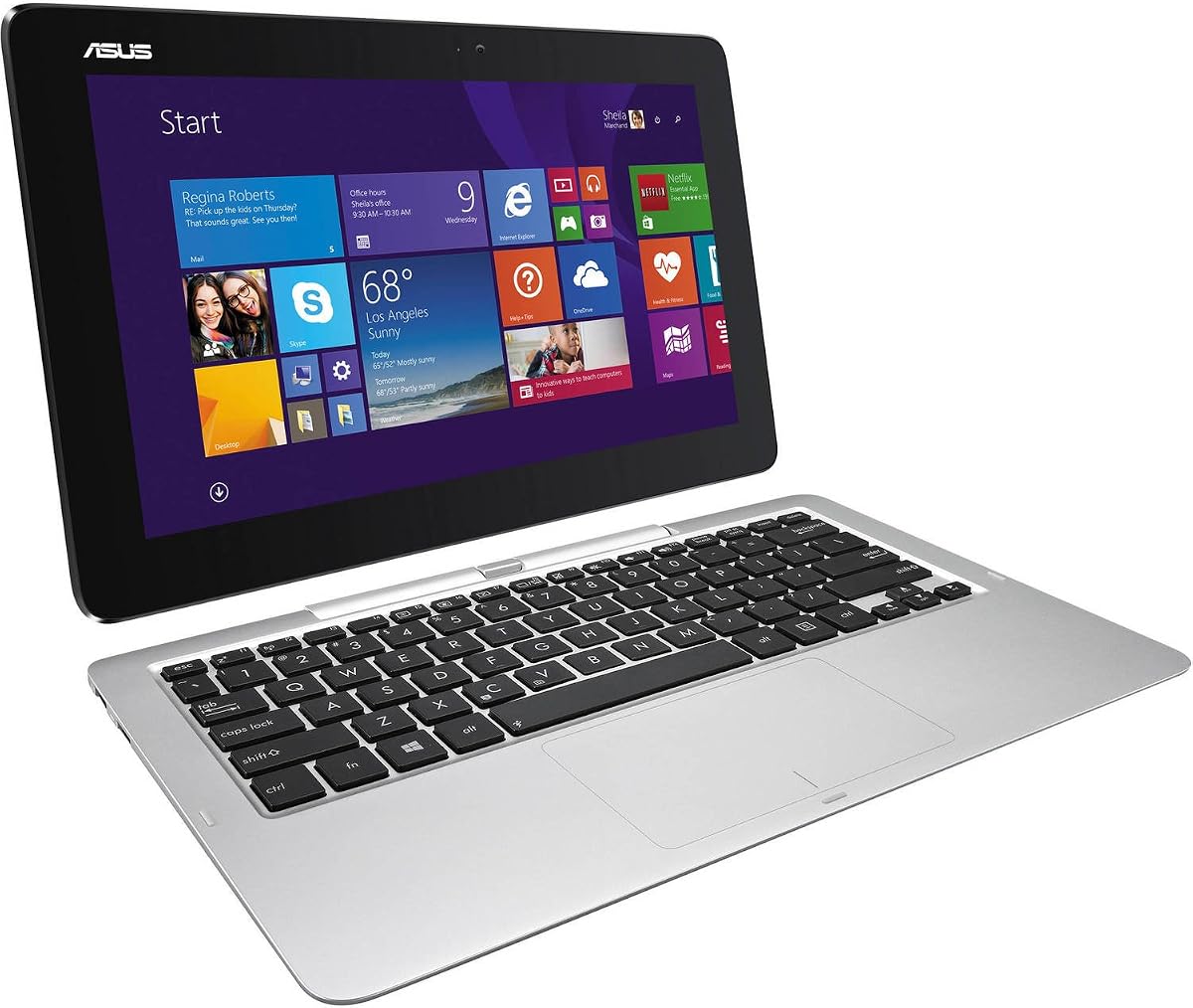
The ASUS Transformer Book T200TA-C1-BL is an older 12-inch-class detachable built around an Intel Atom A4 1.6GHz processor, 4GB of DDR3 memory, a 64GB solid-state drive, and Windows 8.1. Its 3.7 rating places it above several renewed Dell configurations, but its age remains the defining limitation.
We may earn a commission when you buy through this link, at no additional cost to you.
At 11.6 inches, the touchscreen is smaller than most current detachable selections. Its basic hardware and compact form can still make sense for light web browsing, document viewing, simple note-taking, or as a secondary portable display, provided the operating system and applications remain compatible with the user's needs.
Only 4GB of memory limits modern multitasking, and 64GB of storage leaves little room for local files. Windows 8.1 also lacks the support and application ecosystem of Windows 11 or Chrome OS. The supplied information does not detail USB-C, Thunderbolt, DisplayPort, or other dock-specific capabilities, so compatibility with a particular desktop dock should be confirmed before purchase.
This is a niche recommendation for buyers seeking a simple, inexpensive detachable with a small screen rather than a full desktop replacement. For modern dock-based productivity, the Dell Latitude and Lenovo Chromebook options are considerably better equipped.
The 11.6-inch touchscreen is easy to carry and can serve as a compact second display in compatible workflows. Its basic specifications favor lighter tasks over demanding desktop applications.
Because the supplied details do not list modern high-bandwidth ports, buyers should confirm the exact connectors and display outputs before relying on it with a dock. Software compatibility with Windows 8.1 is another important check.
We may earn a commission when you buy through this link, at no additional cost to you.
The Dell Latitude 7320 1TB is the storage-focused member of this roundup, combining a 1TB PCIe NVMe solid-state drive with 16GB of DDR4 memory and a Core i5-1140G7 processor. Its 2.4 rating is the lowest among the ten products, making it essential to evaluate the renewed condition, seller history, warranty, and recent customer feedback carefully.
We may earn a commission when you buy through this link, at no additional cost to you.
The hardware remains capable for standard professional work. The four-core processor boosts up to 4.2GHz, the 1920-by-1280 touchscreen supports both tablet and notebook workflows, and Windows 11 Pro adds business features. Its detailed port list includes Thunderbolt 4 with power delivery and DisplayPort, a universal audio jack, a rear camera, and an optional micro SIM slot.
The exceptional storage capacity is the reason to consider this listing. Users with extensive local archives, large media collections, or multiple virtualized environments may value 1TB more than a smaller, higher-rated configuration. However, a low rating can indicate an issue that specifications alone cannot resolve, and renewed devices may vary in exterior and battery condition.
This is best reserved for buyers who specifically need 1TB of storage and have thoroughly reviewed the current listing. For most dock users, the 256GB model with the 4.4 rating offers a more reassuring balance, while the Core i7 and 512GB versions provide additional performance or storage headroom.
A 1TB drive can hold extensive project files, media, and applications while preserving fast local access. It is especially useful for professionals who must keep certain datasets available offline.
The 2.4 rating is a meaningful warning signal. Current customer feedback, detailed photos, battery expectations, and warranty terms should be reviewed before selecting this renewed configuration over similarly equipped alternatives.
We may earn a commission when you buy through this link, at no additional cost to you.
A useful detachable laptop must do more than display a sharp screen: it also needs a capable processor, sufficient memory, practical storage, and compatible connections for external displays and peripherals. The following factors help narrow the choices for a permanent desk setup and mobile use.
Summary: Choose a port configuration explicitly documented for display output, and verify multi-monitor support before purchase.
Summary: Prioritize platform compatibility and sustained performance for your actual applications rather than relying on processor labels alone.
Summary: Choose 16GB for sustained multitasking, and check whether memory is soldered when planning for future expansion.
Summary: Select 256GB for general use, 512GB for more local data, and 1TB for large or offline-heavy workloads.
Summary: FHD+ is practical for most work, while the ProArt AMOLED screen wins when color, contrast, and fine detail are priorities.
Summary: Choose the operating system first, ensuring it supports every required application and organizational policy.
Summary: Balance weight, battery life, keyboard quality, and included accessories against the value of a larger or more capable display.
Summary: Treat ratings as an early signal, then examine condition, warranty, return policy, and seller credibility before ordering.
Begin by fully charging the tablet and attaching its keyboard before establishing the desktop arrangement. Connect the dock to the device's supported video and data ports, attach the power supply, and then connect the external monitor, keyboard, mouse, and network equipment. Power the dock and display before opening demanding applications so Windows, Chrome OS, and connected accessories can complete their setup sequence without time pressure.
Treat the detachable keyboard and tablet as separate precision components. Disconnect any dock or power cable before lifting the screen away, and never pull on the attached keyboard, stylus, or cables. Use a clean microfiber cloth for the display, avoid abrasive cleaners, and keep liquids away from the edges. For storage, place the device in a padded sleeve and avoid leaving the keyboard magnetically attached to the tablet for long periods.
For a hybrid mobile workflow, shut down or sleep the tablet before detaching it, close active applications, and confirm that any meeting, transfer, or charging process is not in progress. Some dock setups require the tablet to remain physically attached even when the keyboard is used. Reviewing the manufacturer's instructions for the exact model will clarify supported detach states, charging behavior, compatible accessories, and any restrictions on external display use.
It depends on the laptop's USB-C capabilities and the dock's video support. Thunderbolt 4 configurations are better suited to demanding display setups, while the Lenovo Chromebook Duet is explicitly described as supporting two external monitors through USB-C at up to 4K and 60Hz. Check whether the device supports DisplayPort Alt Mode, how much power the dock delivers, and whether the advertised dock specifications require a particular operating system.
A detachable can be better when portability and a large touchscreen are important because the display can be used independently of the keyboard. A traditional notebook may still be more practical when heavy typing, cooling, serviceability, and numerous ports matter most. The best detachable is the one whose removable-screen advantage complements rather than conflicts with the way you work.
Sixteen gigabytes is the most comfortable choice among these options for office productivity, frequent browser use, communications, and several applications running at once. The 8GB Dell configuration can handle routine work, but heavy multitasking may expose its limits. The 4GB Transformer Book is best restricted to light tasks, while the ProArt models offer 16GB that cannot be expanded later.
Not for every setup. Thunderbolt 4 is valuable for high-bandwidth peripherals, modern display connections, and a cleaner wired workstation, particularly on the Dell Latitude models that list it with power delivery and DisplayPort. USB-C can also serve lower-complexity dock arrangements. The correct choice depends on the displays, storage devices, network adapter, and other accessories you intend to connect.
The supplied specifications indicate that the Duet can expand its workspace with two external monitors via USB-C at up to 4K and 60Hz without a docking station. That makes it a strong option for a compact, cable-light desk. Nevertheless, buyers should confirm the specific dock's compatibility, power delivery, network adapter, and support within Chrome OS before making a purchase.
A renewed model can be a sensible way to obtain business hardware with familiar ports and useful specifications. The key is to review current condition photos, battery expectations, warranty coverage, return terms, and customer feedback. The wide range of ratings among otherwise similar Dell Latitude listings shows why specifications alone cannot establish the condition of a particular unit.
An OLED panel is particularly compelling for detailed creative work, media review, and high-quality presentations because the ASUS ProArt offers a 2880-by-1800 AMOLED touchscreen. It does not automatically improve every office task, and its shared integrated graphics are not designed for demanding gaming. A lower-resolution FHD+ business display may still be the more practical choice for standard productivity.
Close or suspend active applications, stop file transfers, disconnect any essential power path, and check the manufacturer's instructions for supported detach states. Some docks and accessories require the tablet to remain attached, and active calls or charging operations can be interrupted by removal. Taking a few seconds to confirm the device state helps prevent interrupted work.
The ASUS ProArt PZ13 Pro is the premium choice for buyers who prioritize a refined 2880-by-1800 AMOLED touch display, 16GB of memory, and 1TB of storage. The Dell Latitude 7320 Performance stands out for its documented Thunderbolt 4 connectivity, Core i7 processor, and 4.5 rating, while the Dell Latitude 7320 i5 is the best budget-oriented pick because it combines 16GB of memory, a 256GB drive, and a strong 4.4 rating.
Before choosing, prioritize the parts of the dock experience you will use every day. Display support and power delivery matter for a multi-screen desk, memory determines multitasking comfort, and the operating system must support every required application. A 13-inch Windows 11 Pro Latitude is ideal for conventional professional work, Chrome OS suits web-centered users, and the ProArt is strongest for visual creators who value OLED quality.
Finally, check the latest listing, compatibility details, warranty, condition, and current price before ordering. Renewed configurations can change, port information may vary by exact package, and discounts or promotions can shift the relative value of closely matched Dell models. Use this guide to identify the right feature balance, then verify the live product page before making the final purchase.