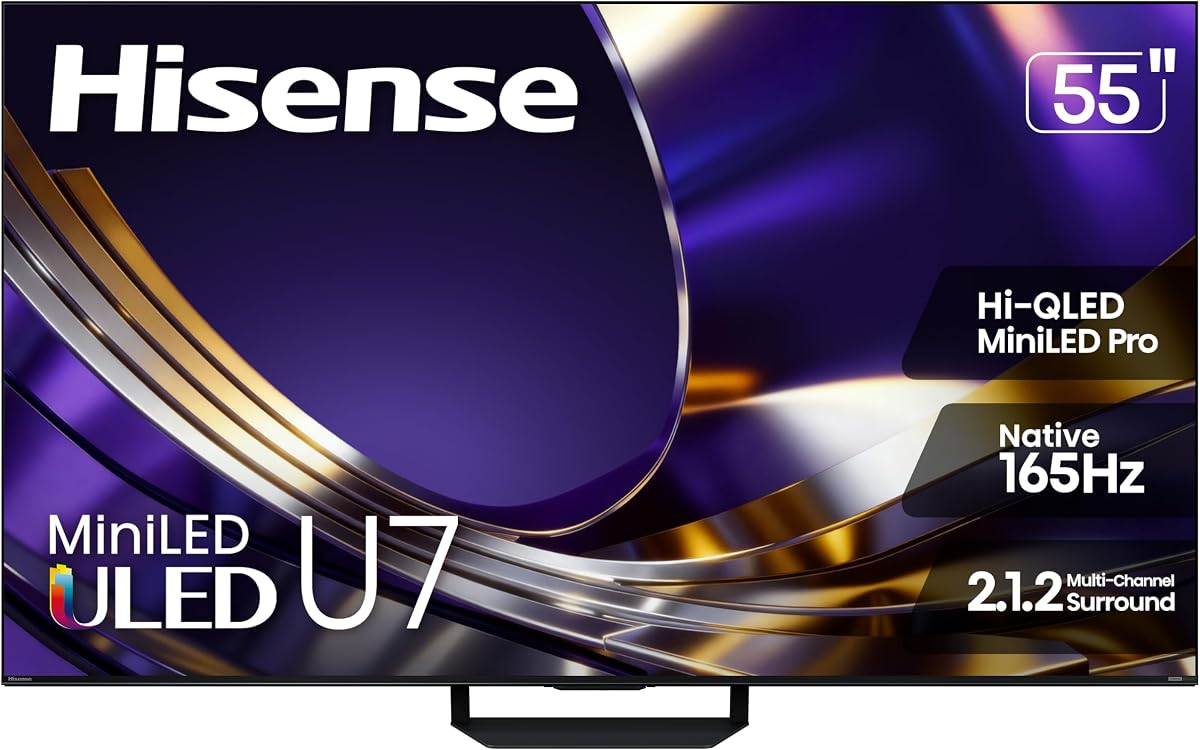
Hisense 55U7SG
4.4Editor score
Native 165Hz refresh rate
Up to 3,000 dimming zones
Up to 3,000 nits peak
A gaming TV for PS5 and Xbox should make fast action feel fluid, preserve contrast in dark scenes, and connect cleanly to modern consoles. The most important features include 4K resolution, high refresh rates, variable refresh rate, low-latency modes, modern HDMI connections, and compatible HDR formats.
We compared ten 4K smart TVs using the specifications and feature details supplied for each model. The list covers Mini-LED and QLED displays, televisions designed for PS5 and Xbox Series X, smart-TV platforms, built-in gaming tools, anti-reflection treatments, audio systems, and different screen sizes.
Each review identifies the reasons a model stands out, along with practical limitations to consider before buying. Ratings and prices can change, so check the current product listing and console requirements before making a final decision.
4.4Editor score

4.3Editor score

4.3Editor score
As an Amazon Associate we earn from qualifying purchases.
This side-by-side comparison covers the important gaming and entertainment specifications of all ten televisions, including panel technology, refresh rate, connectivity, HDR support, and smart-TV features.




The iFFALCON 55U85 combines a native 144Hz Mini-LED panel with some of the most useful console-oriented features in this guide. Its supplied rating is 4.3, but the stronger reason to notice it is the combination of four HDMI 2.1 inputs, FreeSync Premium Pro, Auto Low Latency Mode, and support for high-refresh-rate VRR. Two ports support 4K at 144Hz, giving a PS5 or Xbox Series X a direct high-performance connection.
We may earn a commission when you buy through this link, at no additional cost to you.
Picture quality is supported by Mini-LED backlighting, local dimming, a stated 6,000:1 contrast ratio, and brightness of up to 1,000 nits. That combination is particularly useful for games with dark environments, illuminated interfaces, and bright highlights. The television also supports Dolby Vision IQ, Dolby Vision Gaming, HDR10+, and IMAX Enhanced, allowing compatible console games and streamed content to use the appropriate picture treatment.
There are trade-offs to consider. Two of the four HDMI 2.1 inputs are limited to 4K at 60Hz, so buyers should plan which source receives the two high-bandwidth connections. The built-in 50-watt 2.1-channel system is a meaningful upgrade over basic television speakers, although it remains less substantial than a dedicated soundbar. The hotel mode, IR blaster, and IP control are unusual additions for a home-focused model, but they are unnecessary for many shoppers.
This is a strong recommendation for gamers who want more ports and greater flexibility than a typical three- or four-HDMI television provides. It is especially attractive for households combining a PS5, Xbox, gaming PC, and streaming device. Anyone who needs the largest possible screen at a similar feature level may prefer a larger model, but the 55-inch format remains practical for many gaming rooms.
Four HDMI 2.1 inputs reduce the need for an external switch, while the two 4K 144Hz connections can serve a console and gaming PC simultaneously. ALLM also helps the television select a game-oriented mode without requiring menu navigation.
Mini-LED local dimming improves the handling of mixed bright and dark imagery, while the listed HDR formats cover Dolby Vision Gaming, HDR10+, and IMAX Enhanced. These features are valuable for games that rely on precise shadow detail and specular highlights.
We may earn a commission when you buy through this link, at no additional cost to you.
The Hisense 55U6SF Pro stands out for gamers whose television shares a room with daylight, windows, or overhead lighting. Its supplied rating is 4.3, while the headline features are a native 144Hz panel, Mini-LED backlighting, Hi-QLED color, and an anti-reflection, glare-free treatment. Those characteristics support fast motion and maintain a clear image in brighter surroundings.
We may earn a commission when you buy through this link, at no additional cost to you.
The television includes a substantial feature set for console gaming and everyday streaming. Dolby Vision IQ adjusts the picture to the room, while HDR10+, HDR10, and HLG provide alternatives for different content. A Motion Rate 480 specification and AI picture engine are designed to keep movement smooth and scenes properly balanced. The built-in subwoofer also adds a degree of lower-frequency impact that many television speakers cannot provide.
The supplied information does not list exact HDMI port count, VRR limits, ALLM support, or maximum input bandwidth. That makes it more difficult to verify how directly the set handles every high-end console feature than with the iFFALCON or Sony models. Its Fire TV platform should also appeal to shoppers already invested in Amazon services, while those who prefer Google TV may choose a different option.
This Hisense is a compelling recommendation for bright rooms and players who value visibility as much as raw refresh rate. Native 144Hz, Mini-LED contrast, comprehensive HDR, and anti-reflection treatment create a well-rounded package. Buyers who require confirmed HDMI 2.1 specifications or specific gaming features should verify the full technical listing and console compatibility before purchasing.
The dual benefit of anti-reflection and glare-free treatment reduces the visual disruption caused by windows and room lighting. This makes the U6 Pro Series particularly useful for daytime console sessions rather than exclusively evening play.
Hi-View AI continually adjusts color, contrast, and detail for different content. Dolby Vision IQ similarly adjusts presentation to ambient conditions, reducing the need for constant manual picture changes when room lighting varies.
We may earn a commission when you buy through this link, at no additional cost to you.
The TCL 55T7 delivers the most approachable combination of 4K QLED color, high-refresh gaming features, and smart-TV functionality in this roundup. Its supplied rating is 4.3, and its 55-inch panel provides a familiar size for living rooms, bedrooms, and dedicated game spaces. The product title identifies 144Hz gaming, while the detailed specifications list a 120Hz panel refresh rate and Motion Rate 480 processing.
We may earn a commission when you buy through this link, at no additional cost to you.
For PS5 and Xbox owners, important strengths include four HDMI inputs, one of which supports eARC, along with support for Dolby Vision, HDR10+, HDR10, and HLG. The TCL AIPQ Pro processor is designed to optimize color, contrast, and clarity, while QLED technology covers nearly the entire DCI-P3 color space. Those features help the set handle both graphically detailed games and conventional movies.
The main limitation is the absence of Mini-LED local dimming in the stated specifications. Dark scenes may therefore not have the same localized contrast available on the higher-end Mini-LED sets, and the precise VRR, ALLM, and bandwidth limits are not detailed. The supplied information also does not identify how many inputs support 4K at 144Hz, making the full gaming specification less transparent than it is for the iFFALCON.
The TCL 55T7 is a strong choice for value-conscious gamers who want 4K QLED color, modern HDR support, and a high-refresh mode without moving to a Mini-LED television. It is also an excellent general-purpose smart TV, with Google TV, Chromecast, AirPlay 2, voice controls, and a broad selection of streaming services.
A 120Hz panel refresh rate, Motion Rate 480 processing, and a listed 144Hz gaming mode support fast-moving action. Exact high-resolution refresh behavior should still be confirmed in the full specifications before connecting a console.
Google TV gathers streaming apps, live channels, Chromecast content, and AirPlay 2 devices in an accessible interface. Support for Alexa, Google Assistant, and Apple HomeKit adds hands-free and smart-home options.
We may earn a commission when you buy through this link, at no additional cost to you.
The Samsung M70H Series is a 55-inch Mini-LED television aimed at buyers who want strong picture fundamentals and Samsung's connected ecosystem. It carries a supplied rating of 4.3. Its Mini-LED processor is designed to deliver brighter highlights and deeper blacks, while Supreme Mini-LED Dimming and the Pure Color Spectrum focus on contrast and rich color.
We may earn a commission when you buy through this link, at no additional cost to you.
For gaming, the set includes Motion Xcelerator Plus with 120Hz motion enhancement and a Gaming Hub that combines console games, cloud services, and gaming applications. The supplied information does not list native 120Hz panel behavior, VRR support, ALLM, or HDMI 2.1 bandwidth. That makes it less suitable as a specification-first choice for buyers who require those features to be confirmed in writing.
Sports and motion are additional strengths. The listed 40% clearer motion and 30% more vibrant greens relate to Soccer Mode, which optimizes the presentation for fast field action. The television also provides 2,700-plus free streaming options, including more than 750 subscription-free channels through Samsung TV Plus, adding useful entertainment beyond gaming.
The M70H Series makes sense for a Samsung household that values local dimming, smart features, and a central gaming menu more than a very high native refresh rate. It may be a balanced choice for mixed gaming and viewing, but console-focused buyers should confirm the port specifications and variable-refresh support before making a final decision.
The Gaming Hub brings console titles, cloud gaming, and gaming apps together with recommendations. This simplifies access for players who use services beyond their physical PS5 or Xbox.
Precise Mini-LED backlighting, deep black rendering, and bright highlights improve contrast in mixed-luminance scenes. Color Booster further intensifies reds, blues, and greens for compatible content.
We may earn a commission when you buy through this link, at no additional cost to you.
The Hisense 55U7SG is the most advanced premium option in the supplied data, carrying a 4.4 rating alongside a native 165Hz panel and VRR listed up to 330Hz. It combines Hi-QLED color with thousands of Mini-LED backlights, up to 3,000 local-dimming zones, and up to 3,000 nits of peak brightness. Those numbers position it as a strong choice for high-end console gaming and mixed entertainment.
We may earn a commission when you buy through this link, at no additional cost to you.
The anti-reflection and glare-free treatment is especially useful for bright environments, while the Hi-View AI Engine Pro analyzes scenes and adjusts color, contrast, and detail. Dolby Vision IQ, HDR10+, IMAX Enhanced, and the title's Dolby Atmos support cover major cinematic formats. A 2.1.2-channel configuration also indicates a more elaborate built-in sound system than a standard two-speaker set.
The principal uncertainty is connectivity documentation. The supplied details do not list HDMI 2.1 port count, maximum bandwidth, or ALLM support, even though the television is clearly positioned for gaming. Its feature density may also make setup less approachable than simpler models, particularly for buyers interested in local dimming, AI processing, and advanced audio.
This Hisense is a strong premium recommendation for gamers who want top-tier brightness, fine local dimming, very high refresh rates, and broad HDR support. The 55-inch size is manageable for many rooms, and the anti-glare treatment improves practical viewing. Buyers should still verify the complete input and gaming specification list before ordering.
Up to 3,000 nits of peak brightness gives compatible HDR content greater highlight impact, while up to 3,000 local-dimming zones provide finer control over contrast. The result should be particularly effective for dark games with bright interface elements.
Native 165Hz refresh and VRR up to 330Hz provide a substantial margin above the 120Hz standard. This is especially relevant to compatible PC gaming, although console output still depends on the game and selected display mode.
We may earn a commission when you buy through this link, at no additional cost to you.
The Sony BRAVIA 3 II is the clearest choice for PS5-focused gamers in this guide. Its supplied rating is 4.1, but its console-specific tools include Auto HDR Tone Mapping, Auto Genre Picture Mode, and a consolidated Game Menu. The television also supports HDMI 2.1 features covering 4K at 120Hz, VRR, and ALLM, giving it a practical foundation for modern PlayStation play.
We may earn a commission when you buy through this link, at no additional cost to you.
Picture processing is handled by Sony's XR Processor, which uses AI scene recognition to adjust color, contrast, and clarity. XR Clear Image is designed to reduce noise and restore perceived detail, while XR Triluminos Pro is stated to reproduce more than a billion real-world colors. Motionflow XR and enhanced 120Hz smoothness target fast sports and action rather than only games.
Audio and smart features make it more than a dedicated gaming display. Dolby Vision, Dolby Atmos, and DTS:X support cover major home-cinema formats, while X-Balanced Speakers provide clearer sound. Google TV with Gemini offers streaming discovery and smart-home control, and the included Sony Pictures Core benefits add movie content to the package.
The principal trade-off is panel technology. This is an LED television rather than a Mini-LED model, so buyers prioritizing thousands of local-dimming zones or extreme peak brightness should look elsewhere. For PlayStation owners who value automatic picture adjustments, simple game settings, 4K 120Hz, VRR, and refined processing, the BRAVIA 3 II remains an excellent focused recommendation.
Auto HDR Tone Mapping and Auto Genre Picture Mode are designed to present supported games with appropriate picture settings. The Game Menu gathers these functions and gaming assist tools into a more accessible interface.
HDMI 2.1 support for 4K 120Hz, VRR, and ALLM covers the most important modern console features. Sony's motion processing also makes the set useful for action games and televised sports.
We may earn a commission when you buy through this link, at no additional cost to you.
The Roku Select Series prioritizes simplicity, strong everyday picture quality, and an approachable smart-TV interface. Its supplied rating of 4.4 is among the highest in the roundup. The 55-inch 4K QLED panel supports HDR10, and Roku Smart Picture cleans up incoming signals, optimizes the image, and selects an appropriate picture mode for different content.
We may earn a commission when you buy through this link, at no additional cost to you.
The television is not presented as a dedicated high-refresh gaming television. Its supplied feature list contains no native 120Hz or 144Hz claim, VRR specification, ALLM support, or detailed HDMI 2.1 information. It can still serve as a straightforward display for a PS5 or Xbox, but enthusiasts focused on high-frame-rate output should investigate the technical specifications before choosing it.
Roku's software is a major strength. Setup takes only a few minutes, applications launch quickly, and the uncluttered remote uses an easy-to-navigate Home Screen. Personalized picks, unified search, free live programming, voice control, Apple AirPlay, and a lost-remote finder improve day-to-day convenience. Bluetooth Headphone Mode is also useful for late-night console sessions.
The Roku Select Series is best for buyers who want an uncomplicated 4K QLED television with a polished streaming experience rather than a specialized gaming panel. It is particularly suitable for casual console players and households that value simplicity. Competitive gamers who need verified VRR, high refresh rates, and 4K 120Hz should choose a model with those specifications stated directly.
Fast application launches, a streamlined home screen, and consolidated search reduce the friction of finding entertainment. Automatic updates keep the platform maintained without requiring repeated manual setup.
Sharp 4K resolution, QLED color, HDR10, and automatic picture optimization cover the fundamentals. The set also emphasizes clear speech and louder sound for streaming and broadcast content.
We may earn a commission when you buy through this link, at no additional cost to you.
The TCL QM6K Series combines a large 65-inch screen with Mini-LED local dimming, QLED color, and a native 144Hz refresh rate. Its supplied rating is 4.3, and the overall package is aimed at sports, gaming, streaming, and large-room viewing. It offers more physical screen area than most entries in this guide while retaining high-refresh performance and premium-style backlighting.
We may earn a commission when you buy through this link, at no additional cost to you.
TCL's Halo Control System is designed to reduce haloing, improve shadow detail, and maintain picture accuracy. The QD-Mini LED panel combines precise Mini-LED illumination with Quantum Dot technology, while support for Dolby Vision, HDR10+, HDR10, and HLG covers the major HDR formats. Motion Rate 480 and 144Hz native refresh make the set well suited to fast console action.
The supplied details do not state the number or bandwidth of HDMI inputs, so support for 4K 120Hz or 4K 144Hz should be verified before purchase. A 65-inch panel also demands considerable viewing distance and furniture space. Its built-in Onkyo audio is more advanced than many television speakers, but external speakers may still be worthwhile in a large room or for cinematic game audio.
This is a compelling recommendation for gamers who want a large display and high refresh rate without abandoning Mini-LED contrast. It should appeal particularly to living-room players and sports fans. Buyers with limited space should consider one of the 55-inch alternatives, while serious console enthusiasts should confirm the full port and VRR specification before buying.
A 65-inch display gives compatible games more visual presence without requiring a projector or separate home-theater screen. The QLED color and Mini-LED backlighting support both vibrant game worlds and detailed dark environments.
The Halo Control System focuses on reducing light spill around bright objects and preserving detail in shadows. That control is especially useful in games that combine HUD elements, bright effects, and dark environments.
We may earn a commission when you buy through this link, at no additional cost to you.
The Samsung U8000H Series is a 50-inch 4K television for gamers who value a compact screen, familiar Samsung smart-TV features, and straightforward picture processing. It has a supplied rating of 4.2. The Crystal Processor enhances color, sharpens detail, and upscales lower-resolution content, while Motion Xcelerator provides clear motion and smooth adjustments for games and sports.
We may earn a commission when you buy through this link, at no additional cost to you.
Its stated gaming performance reaches up to 4K at 60Hz. That is sufficient for many console games, particularly those capped at 60 frames per second, but it does not meet the demands of a player seeking 4K 120Hz output, high-refresh VRR, or competitive high-frame-rate gaming. The supplied data also does not list HDMI 2.1, ALLM, or a native high-refresh panel specification.
Smart-TV functionality is a strength. Samsung TV Plus provides more than 750 subscription-free channels within a total selection of 2,700-plus free streaming options. Color Booster intensifies individual color ranges, while 4K upscaling can make streaming, broadcast, and lower-resolution game footage look cleaner on the television's 4K panel.
The U8000H Series is a sensible recommendation for a bedroom, compact game room, or secondary console setup where screen size and ease of use matter more than high-end gaming performance. It is less appropriate as a dedicated 4K 120Hz display. Gamers should compare the 60Hz limitation with their preferred titles and console capabilities before purchasing.
The 50-inch size is easier to accommodate in bedrooms and smaller game rooms. It also works well as a secondary display for players who do not need a large theater-style screen.
The Crystal Processor handles color enhancement, detail sharpening, and 4K upscaling. Motion Xcelerator estimates frame transitions to keep movement clear for supported games and sports.
We may earn a commission when you buy through this link, at no additional cost to you.
The Hisense 55E6QF is an entry-level 4K Hi-QLED television with enough gaming and picture features to serve as a capable secondary or entry-level console display. Its supplied rating is 4.0, the lowest in the roundup, but the set includes Dolby Vision, Dolby Atmos, HDR10 Adaptive, Game Mode Plus, and AI Smooth Motion.
We may earn a commission when you buy through this link, at no additional cost to you.
Game Mode Plus is the most directly relevant feature for console owners because it is designed to provide a more responsive, game-oriented picture mode. The television itself lists a Motion Rate 120 specification and uses MEMC-based AI Smooth Motion to clarify rapid movement. It does not advertise a native 120Hz, 144Hz, or 165Hz panel, so buyers should not expect the fluid motion available from the higher-refresh models.
Several non-gaming features improve the overall package. Dolby Vision and Dolby Atmos cover major cinematic formats, while Filmmaker Mode preserves a creator's intended presentation. The AI Light Sensor automatically adjusts brightness according to ambient conditions, and AI 4K Upscaler enhances lower-resolution streaming, broadcast, and home-video content. Fire TV provides app access and Alexa voice control.
The Hisense 55E6QF is a reasonable recommendation for a first console television, a casual gaming setup, or a bedroom where keeping costs and feature complexity under control matters. It is less suitable for competitive gamers, PC enthusiasts, or viewers who prioritize VRR and 4K 120Hz. Checking the exact HDMI specifications is still advisable before making a final choice.
Game Mode Plus offers a straightforward way to switch the set toward a lower-latency, gaming-focused presentation. It is particularly useful for players who do not want to navigate many advanced picture settings.
The AI Light Sensor adjusts screen brightness as ambient lighting changes. This can improve viewing comfort and reduce unnecessary brightness in a dark room.
We may earn a commission when you buy through this link, at no additional cost to you.
The right gaming television balances panel quality, high-resolution refresh support, low-latency features, useful connectivity, and a smart-TV platform. These factors determine whether a model suits everyday console play, competitive gaming, or a mixed entertainment setup.
Refresh rate determines how many times the display updates each second, while variable refresh rate allows the television to adjust its timing to the frame rate delivered by the game. A native 120Hz panel is the practical starting point for current high-end consoles, while 144Hz, 165Hz, and the higher VRR figures listed on some models can provide additional headroom. The refresh rate a console actually produces depends on the game, graphics mode, and television's supported input bandwidth.
Choose a verified high-refresh model if you want smoother movement or play compatible PC games at high frame rates.
HDMI 2.1 features are central to high-end console gaming because they enable capabilities such as 4K at 120Hz, VRR, and ALLM. A television with four HDMI 2.1 inputs is particularly convenient when a PS5, Xbox, PC, soundbar, and streaming device must share a limited input selection. Some models reserve only two ports for the highest bandwidth, so verify which inputs support 4K at 120Hz or higher.
Prioritize both current standards and enough correctly rated ports for your actual equipment.
QLED improves color saturation, while Mini-LED adds more precisely controlled backlighting zones that can deepen dark areas without sacrificing overall brightness. Local dimming is particularly useful in games containing bright menus, reflections, and very dark environments. It does not produce perfect blacks, but more zones generally allow finer control than a simpler edge-lit or full-array panel.
For richer contrast in mixed-luminance scenes, prioritize Mini-LED and a high zone count.
The major formats to look for are Dolby Vision, Dolby Vision IQ, HDR10+, HDR10, and HLG. Dolby Vision Gaming is particularly relevant to compatible Xbox and PlayStation games because it can provide game-specific picture information when the title and console support it. Peak brightness figures show how much headroom the display has for bright highlights, but room lighting and local-dimming behavior influence the visible result.
Support all relevant formats, and consider brightness alongside rather than apart from dimming precision.
Low input lag helps visual actions feel connected to controller commands. ALLM automatically selects a game-oriented mode when a console is detected, while dedicated Game Mode or Game Mode Plus features can adjust picture processing for motion clarity and responsiveness. These modes can also change brightness and reduce unnecessary processing. A flexible television with several gaming profiles is helpful for players who switch among shooters, role-playing games, sports, and home viewing.
Use automatic game mode when available, but retain a separate movie or filmmaker preset.
A 50-inch television works well in compact spaces, while 55 inches remains a versatile choice for many living rooms and game rooms. A 65-inch screen creates a more cinematic presence but requires enough distance and furniture space to avoid overwhelming the viewer. Larger screens can make small text more readable, while very large displays viewed from close range can increase eye strain and make console dashboard navigation less comfortable.
Choose the largest screen that fits naturally at your normal viewing distance.
Google TV, Fire TV, Roku, and Samsung's platform each offer different navigation, application catalogs, voice assistants, casting, and content bundles. Consider which ecosystem you already use, how important fast app launching is, and whether you prefer voice control, recommendations, free channels, or a simple home screen. Gaming Hubs can also consolidate console, cloud, and app-based games in one place.
Choose a platform that feels familiar and keep separate streaming hardware if needed.
Television speakers can be adequate for menus and everyday viewing, but gaming benefits from clearer dialogue and stronger low-frequency impact. Models with down-firing or side-firing speakers, dedicated tweeters, or a built-in subwoofer may offer a more satisfying starting point. Anti-reflection and glare-free treatments are equally important in bright rooms, where window light can obscure dark details and make contrast seem weaker.
Upgrade audio separately when possible, and prioritize glare control for daytime play.
Begin by enabling the television's game mode and connecting the console to a suitable HDMI input. If the set supports ALLM, it may switch automatically. Otherwise, select the game preset manually, confirm the displayed resolution and refresh rate, and enable matching VRR settings on both the console and television. Exact menu labels can vary by model and platform.
After basic setup, tune the picture to your room rather than applying every available enhancement. Start with a standard or game-oriented picture mode, then adjust brightness, contrast, color, and local-dimming strength gradually. Disable motion interpolation if fast camera movement looks unnatural, and use Filmmaker Mode or a similar restrained preset for cinematic games and movies.
Leave ventilation space around the television, clean the panel with a soft dry cloth, and avoid harsh sprays or abrasive materials. For a gaming television that is also used for streaming, update the platform software periodically, manage cables securely, and adjust the room lighting so reflections and excessive brightness do not obscure the image.
A native 120Hz television is the practical target for current high-end consoles, especially when the game supports 120 frames per second. Models with 144Hz or 165Hz panels can offer additional headroom, but console games may still output at lower rates. VRR is also valuable because it synchronizes the display timing with the frames produced by the console.
HDMI 2.1 is strongly recommended when you want features such as 4K at 120Hz, VRR, and ALLM. It also makes the television more versatile for a gaming PC. Verify the specifications because a television may include older-style HDMI inputs alongside a limited number of full-bandwidth ports.
Mini-LED generally provides more precise local dimming, stronger contrast, and better control of bright objects against dark backgrounds. QLED focuses on rich color and can still deliver excellent gaming performance. If dark scenes and precise highlights are major priorities, Mini-LED is the stronger choice, provided the local-dimming implementation is competent.
A soundbar is not required, especially if the television includes a capable 2.1-channel or similar built-in system. Dialogue, directional cues, and explosions can still benefit from a dedicated speaker or surround-sound setup. Start with the television's audio, then evaluate whether the game and room call for a more immersive system.
It depends on personal preference. Motion smoothing can make fast movement appear smoother, but it may introduce artificial-looking frames or alter the intended cinematic presentation. For competitive games, turning it off and using a high native refresh rate with VRR usually produces a more direct response. It can be useful for some slower console titles or sports viewing.
Start in the television's game mode or Filmmaker Mode, then adjust brightness and local-dimming strength to suit your room. Keep contrast near the recommended setting rather than raising it aggressively, as excessive settings can crush shadow detail. HDR mode should be enabled for supported games, and the console should output at the highest resolution and refresh rate the television and game support.
A 55-inch screen is a versatile choice for many living rooms, bedrooms, and dedicated game spaces. It provides an immersive image without the space demands of a 65-inch model. The best size still depends on viewing distance, room dimensions, seating, and whether you prefer an immersive picture or a more compact setup.
Yes, particularly in rooms with windows, bright walls, or overhead lighting. Anti-reflection and glare-free treatments can preserve shadow detail and improve perceived contrast during daytime play. They do not eliminate every reflection, so controlling room lighting and choosing an appropriate screen finish remain useful.
The iFFALCON 55U85 is the most complete console-focused recommendation because four HDMI 2.1 inputs, 4K 144Hz support on two ports, ALLM, and VRR cover the major current requirements. The Hisense 55U7SG delivers the strongest premium picture specification, while the TCL 55T7 provides a more approachable mix of QLED color, high-refresh gaming, and smart features.
Your priorities should determine the best model. Choose verified 4K 120Hz, VRR, and ALLM support for high-end console play; Mini-LED local dimming for stronger contrast; and anti-reflection treatment for bright rooms. Screen size, smart-platform preference, built-in audio, and the number of connected devices should guide the final decision as well.
Ratings, firmware behavior, promotions, and prices can change over time. Check the current product page and confirm console compatibility, supported input modes, and port bandwidth before purchasing. The right gaming television should complement your consoles while also meeting your preferences for picture quality, room placement, and everyday streaming.