
Samsung Galaxy Tab A9+
4.4Editor score
Qualcomm Snapdragon chipset
11-inch 90Hz display
Quad Dolby Atmos speakers
A Snapdragon Tablet can deliver responsive performance, efficient power use, broad app compatibility, and strong multimedia capabilities across several form factors. The best choice depends on whether you prioritize a vivid large display, cellular independence, stylus support, compact portability, or a full desktop-style productivity experience.
We compared all 10 featured tablets using the supplied specifications, focusing on processor generation, screen size and resolution, refresh rate, memory, storage, wireless connectivity, cameras, audio, battery capacity, and included accessories. The list covers Android tablets, Wi-Fi-only models, cellular devices, and a Windows 2-in-1.
Each review explains the strongest reasons to consider that model alongside its limitations. Product ratings provide one useful signal, but the final assessment considers how well the specifications fit a particular use. Availability, configuration details, software behavior, and current prices can change, so verify the current listing before buying.
4.4Editor score

4.8Editor score
4.6Editor score
As an Amazon Associate we earn from qualifying purchases.
The table below places every featured Snapdragon Tablet side by side, highlighting the processor, display, connectivity, and feature that most clearly distinguish each model. It offers a quick way to identify which tablet fits a particular screen-size, productivity, entertainment, or mobility requirement.



The Lenovo Idea Tab Pro Gen 2 combines a 13-inch 3.5K IPS touchscreen with the Snapdragon 8s Gen 4 Mobile Platform, making it an unusually compelling large-screen Android tablet. Its 4.3 rating reflects a capable package, but the defining attraction is the combination of sharp resolution, a fast 144Hz refresh rate, 800-nit brightness, and the included Lenovo Pen and folio case.
We may earn a commission when you buy through this link, at no additional cost to you.
Its productivity features are tailored to students and professionals who work with documents, PDFs, meeting notes, and handwritten ideas. Smart Capture can pull visuals into Lenovo Notepad, AI Live Transcript records notes during classes or meetings, and AI Notes can summarize, rewrite, or continue passages. These tools do not replace careful review, but they can reduce the friction of turning scattered material into organized notes.
The Snapdragon 8s Gen 4 platform and integrated Adreno 825 GPU should provide ample power for study applications, multitasking, media consumption, and casual gaming. JBL speakers tuned by Dolby Atmos add value for video and music, while TÜV Rheinland Low Blue Light and Flicker Free certifications make the large display more attractive for extended reading. The principal limitations are the listed 8GB of memory and 128GB of storage, neither of which is generous by current standards.
This is a strong choice for someone who wants a large, detailed workspace and values a bundled pen and case. It may be less ideal for buyers who need abundant local storage, a cellular modem, or a more conventional mobile operating system. Even so, it is one of the most complete study-oriented packages in the group and a compelling match for the keyword Snapdragon Tablet.
The 3.5K IPS panel provides substantially more working detail than a standard full-HD tablet, while the 144Hz refresh rate makes scrolling and pen interaction feel fluid. Its 800-nit brightness also improves usability in brighter environments compared with many lower-end alternatives.
The included Lenovo Pen and folio create a ready-to-use writing setup. Live transcription, Smart Capture, Sketch to Image, and AI-assisted note organization make the tablet particularly useful for students, seminar attendees, and professionals who want a more focused note-taking workflow.
We may earn a commission when you buy through this link, at no additional cost to you.
The Bpad 10 Pro is a 10.1-inch Android 14 tablet built around the 6nm Snapdragon 685 processor. It carries a 4.1 rating and differentiates itself with 4G LTE, GPS, dual-band Wi-Fi, Bluetooth 5.0, 20GB of RAM, and 128GB of storage. That combination makes it more versatile for travel and field use than many similarly sized Wi-Fi-only tablets.
We may earn a commission when you buy through this link, at no additional cost to you.
Widevine L1 support is a meaningful advantage for entertainment, allowing compatible services to stream HD content rather than being limited to lower-resolution playback. The 1920×1200 IPS panel offers a practical 16:10-style canvas for reading, browsing, and video, while dual speakers provide a straightforward audio setup. The included 5MP front and rear cameras are sufficient for calls, photographs, and 4K video according to the supplied information.
The Snapdragon 685 operates at up to 2.8GHz and is designed to balance performance with power consumption. It is not the newest or fastest Snapdragon platform in this guide, and the 60Hz panel will feel less fluid than the 90Hz, 120Hz, and 144Hz alternatives. Storage can also be expanded by up to 1TB through the stated TF-card option, while 18W PD fast charging helps offset the 6500mAh battery's role as the main endurance source.
Buyers who need internet access away from Wi-Fi will find this model particularly practical. It is less compelling for intensive gaming, high-end editing, or stylus-first workflows, but its connectivity, memory, streaming support, and portable weight make it a convincing cellular option for students, commuters, travelers, and field workers.
Built-in 4G LTE removes the need to hunt for a hotspot when traditional Wi-Fi is unavailable. GPS adds practical value for navigation, and dual-band Wi-Fi plus Bluetooth 5.0 cover the usual connected-device needs.
The 450-gram chassis, full-HD screen, dual cameras, 20GB memory, and expandable storage create a versatile everyday configuration. It is better suited to communication, media, and document use than demanding 3D workloads.
We may earn a commission when you buy through this link, at no additional cost to you.
The Xiaomi Redmi Pad 2 Pro pairs the Snapdragon 7s Gen 4 Mobile Platform with a 12.1-inch 2.5K display, 8GB of RAM, and 256GB of storage. Its 4.8 rating is the joint-highest among the featured tablets, and the specification mix is unusually well balanced for a large Android device focused on media, reading, gaming, and everyday productivity.
We may earn a commission when you buy through this link, at no additional cost to you.
The display offers a 2560×1600 resolution, 249ppi pixel density, up to a 120Hz refresh rate, and touch sampling up to 360Hz. Dolby Vision support, 1.07 billion colors, hardware-level TÜV Rheinland certifications, a reading mode, and wet-touch technology add practical value. Four speakers make it suitable for shared viewing, while the 12000mAh battery is the largest capacity listed in this group.
The Snapdragon 7s Gen 4 is manufactured using a 4nm process and combines an Adreno 810 GPU with an octa-core CPU. It should handle multitasking, streaming, navigation, and moderately demanding games well. MicroSD expansion up to 2TB is supported, while Bluetooth 5.4 and Wi-Fi 6 cover wireless connectivity. The main limitation is clear from the model name: this is a Wi-Fi-only global version with no SIM card, calls, or text functions.
This is the strongest general-purpose pick for someone who wants a large, sharp, smooth screen without moving into a premium workstation-class device. It is especially attractive for home use, travel with pre-downloaded content, and users who do not need cellular connectivity. Those requiring calls, texts, or always-available mobile data should choose a cellular tablet instead.
The 2.5K panel gives documents, video, and interfaces more clarity than a typical full-HD screen. A 120Hz refresh rate, Dolby Vision, and color-focused certifications make it well suited to entertainment as well as reading.
The 256GB configuration provides more room than most competing entries, and the 12000mAh battery is especially useful for long media sessions. Support for microSD cards up to 2TB adds another route for expanding file storage.
We may earn a commission when you buy through this link, at no additional cost to you.
The N-one Android Tablet combines a 12-inch full-HD screen with the Snapdragon 685, 20GB of expandable RAM, 128GB of storage, and 4G LTE. Its 4.0 rating places it toward the lower end of the group, but the large 9200mAh battery and cellular capability give it a clear role for buyers who prioritize unplugged use and connectivity.
We may earn a commission when you buy through this link, at no additional cost to you.
The supplied battery figures are a major attraction, with the manufacturer listing up to 420 hours of standby, eight hours of gaming, nine hours of web browsing, more than 20 hours of music and video playback or calls. Actual results will vary with settings and workloads, but the capacity offers a promising foundation for travel, field work, and all-day schedules. USB-C charging supports 9V/2A operation.
The Snapdragon 685 is an eight-core, 2.8GHz platform intended to balance speed and efficiency. It can handle Android 14 multitasking, browsing, streaming, and gaming, although it is an older tier than the Snapdragon 7s Gen 4 and Snapdragon 8s Gen 4 models elsewhere in this list. The 2000×1200 display and dual speakers are appropriate for media, but the panel does not offer the resolution or high refresh rates of the leading alternatives.
This model makes the most sense for someone who works away from Wi-Fi and needs more screen space and battery capacity than a compact tablet can offer. Buyers focused on color accuracy, high-resolution documents, demanding games, or premium stylus workflows will find more specialized options elsewhere. Within its practical configuration, however, it is a solid work-and-travel tablet.
The 9200mAh battery is the centerpiece of this tablet and supports a usage pattern centered on travel, commuting, and fieldwork. It gives buyers who dislike carrying a charger more confidence than a smaller-battery configuration would offer.
Unlocked 4G LTE support allows the tablet to operate away from Wi-Fi, while GPS and dual-band Wi-Fi round out its navigation and network features. The stated carrier compatibility should still be confirmed before purchase.
We may earn a commission when you buy through this link, at no additional cost to you.
This 128GB and 6GB RAM version of the Xiaomi Redmi Pad 2 Pro earns the highest listed rating in the group at 4.9. It retains the most attractive elements of the larger-memory sibling, including the Snapdragon 7s Gen 4, 12.1-inch 2.5K screen, 120Hz refresh rate, four speakers, and large 12000mAh battery.
We may earn a commission when you buy through this link, at no additional cost to you.
Its 2560×1600 display reaches approximately 249ppi, with typical brightness of 500 nits and up to 600 nits using HBM according to the supplied specifications. Dolby Vision, reading mode, wet-touch operation, and several TÜV Rheinland certifications make it well suited to streaming and extended reading. The 240Hz touch-sampling figure when used with a pen also supports stylus-oriented use.
Performance comes from a 4nm Snapdragon 7s Gen 4 chip with an Adreno 810 GPU, while Wi-Fi 6 and Bluetooth 5.4 provide current mainstream wireless support. Storage can be expanded through a microSD card up to 2TB. Choosing the 128GB version frees up more room for microSD use, though 6GB of RAM is less future-proof than the 8GB configuration and may feel less comfortable under heavy multitasking.
This is the best value entry for buyers who want a premium-looking large-screen experience without paying for the top premium tablets. It is ideal for home streaming, browsing, reading, and light productivity, but it cannot make cellular calls or send text messages. It should be viewed as a home-and-travel media tablet rather than a fully connected communications device.
The combination of 2.5K resolution and a 120Hz refresh rate is difficult to find on many entry-level tablets. It produces a sharper, smoother experience for reading, browsing, and watching video.
The 4.9 rating is an encouraging signal, though ratings alone cannot establish long-term reliability. Buyers should still consider the 6GB memory, Wi-Fi-only design, and global-ROM software support when choosing.
We may earn a commission when you buy through this link, at no additional cost to you.
The Bpad Mini is the most compact tablet in this collection, combining an 8.4-inch full-HD IPS display with the Snapdragon 685, 4G LTE, and a weight of only 310 grams. Its 3.6 rating is the lowest among the featured models, so buyers should consider its lower peer feedback alongside the attractive portability and connectivity.
We may earn a commission when you buy through this link, at no additional cost to you.
Despite its small dimensions, the tablet includes 16GB of RAM, 256GB of UFS storage, and expansion for up to 1TB through a TF card. Widevine L1 supports HD streaming on compatible services, and dual speakers cover basic entertainment. The listed camera arrangement combines a 5MP camera with a 32MP rear camera, while GPS, dual-band Wi-Fi, Bluetooth 5.0, and cellular service make it useful on the move.
The 6050mAh battery supports 18W PD fast charging, and the Snapdragon 685's 6nm construction focuses on efficiency. However, the supplied information does not provide the same detailed endurance estimates offered for the N-one tablet, and the 60Hz screen is less fluid than higher-refresh alternatives. The 3.6 rating may reflect variability in the overall experience, although it does not identify a specific fault.
Choose this tablet if the priority is a small, connected Android device for reading, web use, streaming, and navigation. It is less suitable for users who need the largest possible work canvas, demanding gaming, or a high-end note-taking system. Its portability and combination of 4G, GPS, and 256GB storage are the features most likely to justify its place in a shortlist.
At 310 grams and with an 8.4-inch screen, the Bpad Mini is easier to carry than the larger alternatives. 4G LTE and GPS preserve the main advantages of a cellular tablet without requiring a large display.
The 256GB configuration and stated 1TB expansion capability are generous for a compact tablet. Widevine L1 also enables HD playback on supported services, although the standard refresh rate limits visual fluidity.
We may earn a commission when you buy through this link, at no additional cost to you.
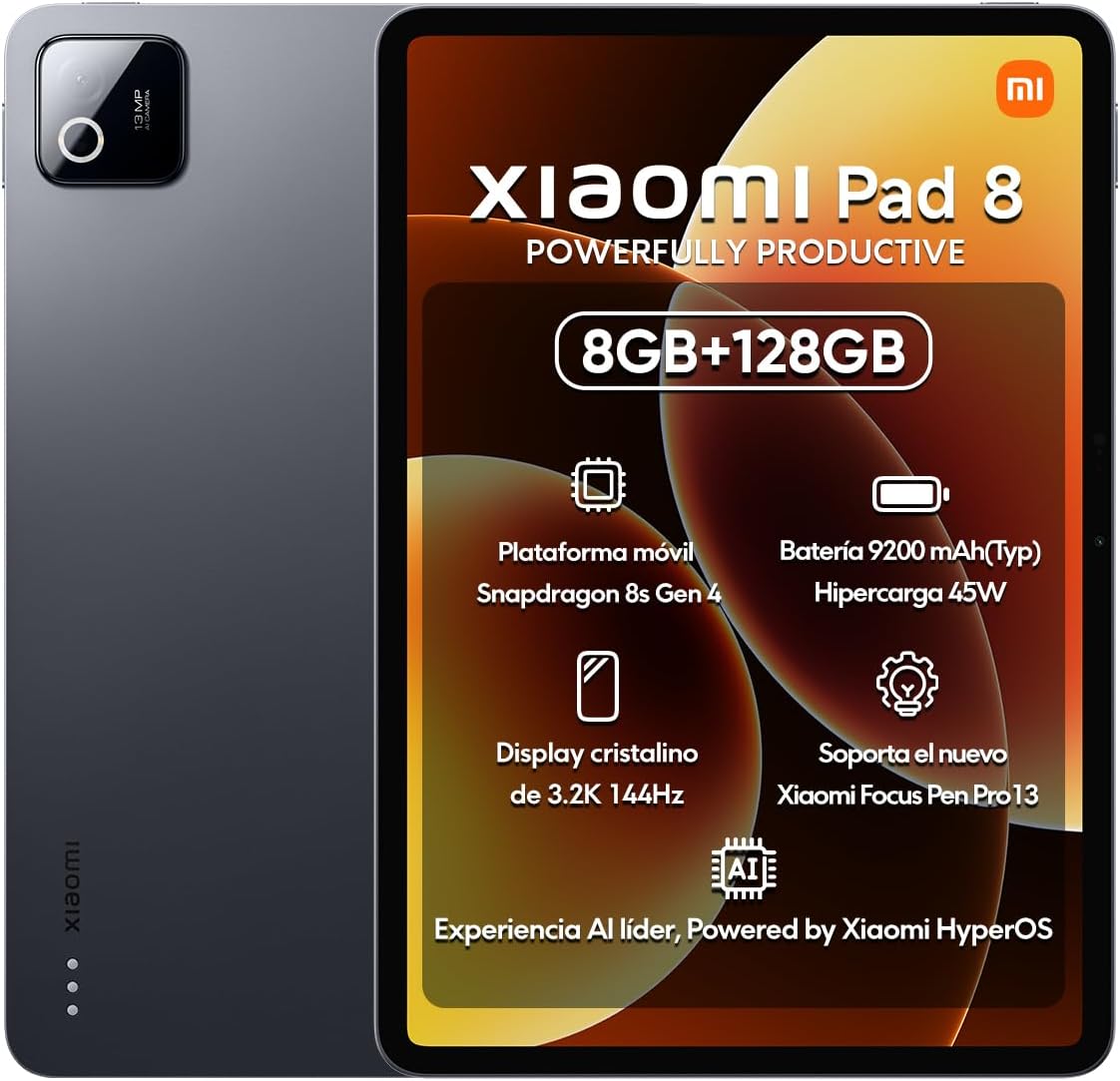
The Xiaomi Pad 8 Ai uses the Snapdragon 8s Gen 4 and an 11.2-inch 3.2K display, creating one of the most technically advanced Android configurations in the guide. Its 4.8 rating reflects a favorable reception, while the 144Hz panel, 800-nit peak brightness, Dolby Vision, and 10x super resolution feature place it firmly in the high-end multimedia category.
We may earn a commission when you buy through this link, at no additional cost to you.
Its 3200×2136 screen has an unusual 3:2 aspect ratio, which can feel more natural for reading and documents than a very wide display. The screen supports up to 360Hz touch sampling, 240Hz with a pen, HDR10, Pro HDR, DCI-P3, reading mode, adaptive colors, and wet-touch operation. Four speakers round out the entertainment experience, while the 13MP rear camera supports 4K video at 30fps.
Performance comes from a 4nm Snapdragon 8s Gen 4 platform with an Adreno 825 GPU, supported by 8GB of RAM and 128GB of storage. Wi-Fi 7, Wi-Fi 6E, Wi-Fi 6, 2×2 MIMO, and 8×8 MU-MIMO sounding are listed, although real-world availability depends on the router and region. A 9200mAh battery supports 45W charging, but the 45W adapter is not included.
This model suits users who want cutting-edge display performance, smooth stylus interaction, and a powerful Snapdragon platform for gaming or creative work. Its Wi-Fi-only global design excludes calls, text messages, SIM cards, and an SD slot, while the separate charger is an inconvenience. Even with those caveats, it is a leading Android tablet for buyers who prioritize display technology and speed.
The combination of 3.2K resolution and 144Hz refresh rate delivers a noticeably detailed and fluid experience. Its 3:2 proportions also give documents, books, and web pages a more balanced workspace.
The Snapdragon 8s Gen 4 and Adreno 825 provide strong platform credentials for demanding apps and games. Wi-Fi 7 capability is a forward-looking bonus, although network performance ultimately depends on the local router and service.
We may earn a commission when you buy through this link, at no additional cost to you.
The Samsung Galaxy Tab A9+ is an 11-inch Android tablet with a 90Hz TFT LCD display, quad Dolby Atmos speakers, Multi Window support, and a Qualcomm Snapdragon chipset. Its 4.4 rating is solid for the category, and the family-oriented software, balanced design, and strong audio make it particularly appealing for shared household use.
We may earn a commission when you buy through this link, at no additional cost to you.
The 1920×1200 screen reaches 480 nits, offering more brightness than many budget-oriented tablets while retaining a smooth 90Hz refresh rate. Four speakers make it suitable for video, music, gaming, and casual family viewing. Multi Window allows users to browse, check email, and take notes at the same time, while Samsung Kids adds a supervised environment for younger users.
Storage can be expanded by as much as 1TB according to the supplied information, and Quick Share makes file transfer to other Android or iOS devices convenient. Smart View can cast video to a compatible Samsung television, and Galaxy features allow calls and texts to be handled from the tablet. The listed processor is an upgraded Qualcomm Snapdragon platform, but its exact model designation is less specific than those of the competing tablets in this guide.
This is an excellent choice for families, casual users, and anyone who wants a straightforward Samsung tablet without stepping up to the flagship Galaxy Tab S9. It is less compelling for professional stylus workflows, demanding games, or buyers who need cellular service. Its combination of screen size, audio, Samsung features, and approachable performance makes it a particularly well-rounded budget-family option.
The large screen and four Dolby Atmos speakers create a more engaging setup for shared viewing than a smaller tablet or a phone. A 90Hz refresh rate also helps scrolling and casual games feel smoother.
Quick Share, Smart View, Samsung Kids, and Galaxy continuity features improve everyday usability. Multi Window is particularly helpful for students and family members who want to reference information while writing or browsing.
We may earn a commission when you buy through this link, at no additional cost to you.
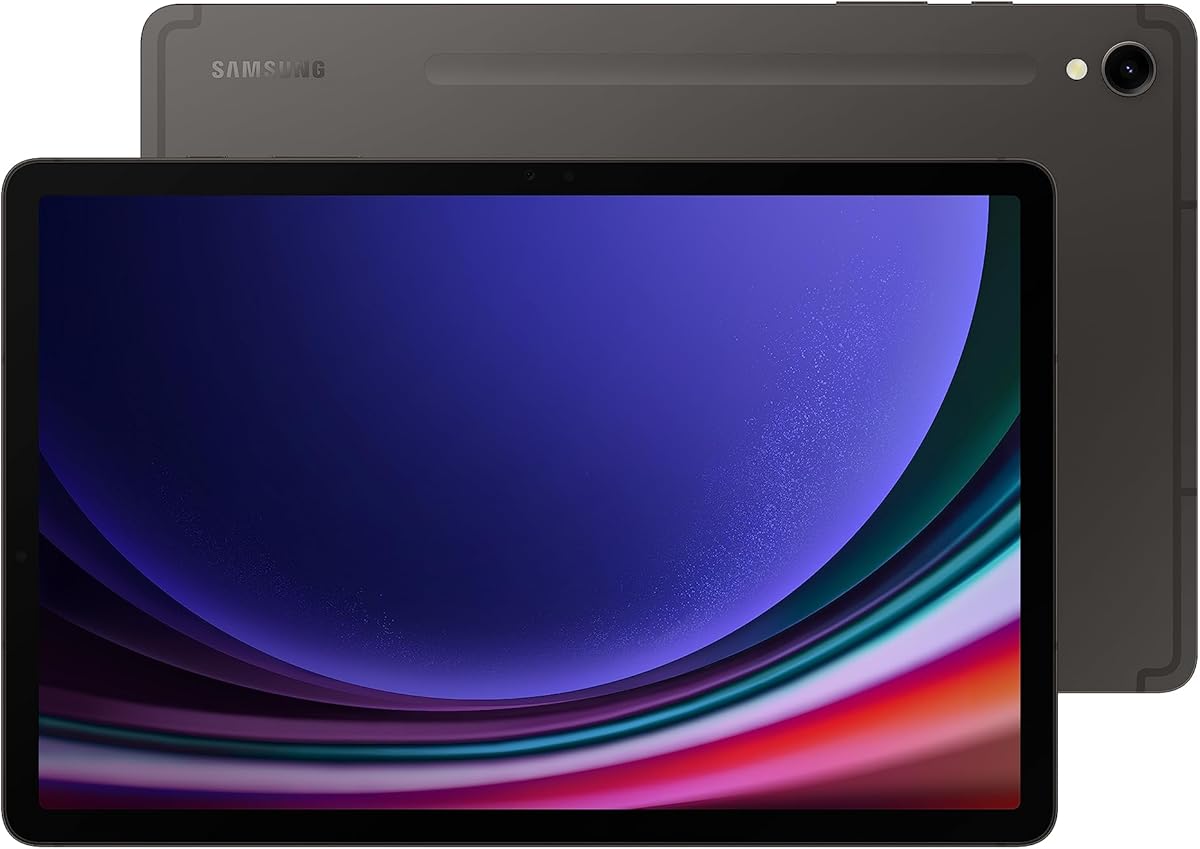
The Samsung Galaxy Tab S9 combines the Snapdragon 8 Gen 2 with an 11-inch Dynamic AMOLED 2X display, 256GB of storage, Wi-Fi 7, and an included S Pen. Its 4.6 rating and comprehensive specification set justify its position as the premium Android selection in this guide, especially for users who want a capable tablet for both creativity and media.
We may earn a commission when you buy through this link, at no additional cost to you.
The AMOLED panel delivers intense colors, deep contrast, and high visual quality, while Vision Booster automatically adjusts brightness and contrast to suit the viewing environment. The Snapdragon 8 Gen 2 is a flagship-class processor that can support demanding games, multitasking, productivity applications, and creative workflows. The S Pen adds a major benefit for handwritten notes, sketching, markup, and precise navigation.
Durability is another important strength. The Armor Aluminum frame is designed to resist bumps, and the IP68 rating protects against dust and water. Super Fast Charging supports convenient recharging, while quad speakers with Dolby Atmos, an auto-focus front camera, and Galaxy AI features cover communication, entertainment, transcription, note formatting, and photo editing.
Choose the Tab S9 if you want the strongest Samsung Android experience and can justify a premium purchase. It is particularly suitable for creative professionals, students who value a bundled pen, and media enthusiasts who want an exceptional AMOLED screen. Buyers who mainly need calls and cellular data should note that this configuration is Wi-Fi only, while those focused on maximizing value may prefer the Redmi Pad 2 Pro.
The Snapdragon 8 Gen 2 and Dynamic AMOLED 2X display provide a high-end combination of speed, color, and contrast. It is well suited to intensive applications, demanding games, and premium media consumption.
The included S Pen removes the need to purchase a stylus separately and supports a broad range of creative tasks. An Armor Aluminum frame and IP68 rating also make the tablet better suited to travel and frequent use.
We may earn a commission when you buy through this link, at no additional cost to you.
The 2025 Microsoft Surface Pro is a Windows 11 Copilot+ PC with a 12-inch PixelSense touchscreen, Snapdragon X Plus eight-core processor, 16GB of RAM, and 256GB of storage. Its 4.2 rating places it below the strongest Android tablets, but it offers a fundamentally different proposition: a full portable-computing environment that can also operate as a tablet.
We may earn a commission when you buy through this link, at no additional cost to you.
Its performance advantage comes from the Windows application ecosystem rather than the processor's raw specifications alone. The Snapdragon X Plus platform is described as delivering up to 45 trillion operations per second through its AI engine, supporting built-in tools for writing, summarizing, multitasking, and image editing. The included AI capabilities are designed to work with data and privacy protections, making this model relevant to office and school users.
The built-in kickstand supports several working positions, and attaching the separately sold Surface Pro Keyboard turns the device into a conventional laptop. That flexibility is a major advantage over many Android tablets when full desktop software, file management, and peripheral support are important. The 12-inch display offers a larger workspace, while the stated battery life of up to 16 hours supports all-day use under suitable conditions.
This is the right Snapdragon Tablet for someone who wants a 2-in-1 computer rather than a conventional Android slate. Its keyboard and accessories add to the overall cost, and the 256GB storage may be modest for extensive local files, but the ability to run Windows software makes it uniquely versatile. For general Android entertainment, the other selections may be simpler and less expensive.
Windows 11 provides access to a substantially different application set from Android tablets. The detachable keyboard and built-in kickstand make the Surface useful for reports, spreadsheets, coding, and other desktop-oriented tasks.
The Copilot+ PC tools focus on writing, summarizing, multitasking, and image editing, while the Snapdragon X Plus platform is built for efficient mobile operation. Claimed battery life of up to 16 hours makes it appealing for commuters and students.
We may earn a commission when you buy through this link, at no additional cost to you.
The most suitable Snapdragon Tablet depends on the tasks you perform, the screen size you can comfortably carry, and whether you need cellular service. The following factors help narrow a large group of similarly named tablets into a practical shortlist.
Choose the newest processor tier available within your budget, especially if you plan to run demanding games, edit files, or keep many apps open. For routine streaming and web use, the Snapdragon 685 can be sufficient, but higher-end chips provide more headroom as apps and operating-system updates evolve.
Prioritize resolution for reading and productivity, and refresh rate for fluid navigation and gaming. Choose the smallest screen you can comfortably use if portability matters most, or a larger panel if reading, viewing, and note-taking are central to the experience.
Choose cellular connectivity for travel, commuting, fieldwork, or frequent use away from a fixed network. Confirm carrier compatibility and required data plans before buying a cellular tablet, and verify whether calling and messaging are included in the exact model.
For heavy multitasking, creative applications, or a long ownership period, favor 8GB of memory and at least 128GB of storage. Expansion card support is useful for media, but it does not replace internal storage for applications or files that need faster access.
For long media sessions or travel, favor a larger battery and efficient processor. Check whether a suitable charger is included: the Xiaomi Pad 8 Ai does not include its 45W adapter, and the Surface Pro requires its separately sold keyboard for conventional laptop use.
Choose a bundled stylus when handwriting, drawing, annotation, or precise document work is central. Otherwise, confirm accessory compatibility and whether the tablet supports active pen input before purchasing a separate pen.
Balance screen size against weight, especially if you will read in bed, commute with the tablet, or use it for long meetings. Water resistance is worth prioritizing for travel, outdoor work, and households with children.
Choose Android for the more conventional tablet experience and broad mobile-app workflow. Choose the Surface Pro when full desktop software, keyboard productivity, or Windows-specific workflows are more important than tablet simplicity.
Begin by configuring Wi-Fi, accounts, accessibility preferences, screen brightness, and security settings before installing many applications. Update the operating system and all preloaded apps, then check the storage view so you know how much room remains. Users with cellular models should confirm that the SIM is activated and that their carrier supports the tablet before relying on it for calls, messages, or navigation.
For a productive setup, orient the tablet around your most common tasks. Use split-screen or Multi Window modes for research, reference material, and note-taking; connect a keyboard when writing long documents on Android or Windows; and keep a stylus charged, stored safely, and updated through the manufacturer's software. The Lenovo and Galaxy models benefit from their included pen cases and charging ecosystems, while the Surface Pro's kickstand can provide a more stable typing angle.
Care for the display by using a clean, soft microfiber cloth and avoiding harsh liquids or abrasive materials. Keep the charging port free of dust, use compatible chargers, and avoid leaving the tablet in extreme heat or direct prolonged sunlight. Protect the body with a suitable case, consider a screen protector for stylus use, and follow the device's water-resistance guidance because IP68 protection does not mean the tablet is suitable for every wet environment.
No. The Snapdragon 685 models are best suited to casual and moderate mobile games, while the Snapdragon 7s Gen 4, 8s Gen 4, and 8 Gen 2 platforms provide more headroom for demanding games. Display refresh rate, thermal behavior, available storage, game optimization, and graphics settings also influence results. A higher-end chipset is advisable for sustained gaming, while a 60Hz panel may still limit the visible benefit of stronger graphics performance.
A Wi-Fi-only tablet depends on a wireless router or hotspot for internet access. A cellular tablet includes a modem and SIM capability, allowing it to connect to supported mobile networks and often providing GPS and more flexible travel use. The exact tablet title should be checked because some global versions have no SIM slot, no calling, or no text messaging even when the processor is the same.
Usually, for anyone who scrolls frequently, writes with a stylus, or plays games. The higher refresh rate makes movement appear smoother and interactions feel more immediate. A standard 60Hz tablet remains perfectly usable for reading, video, and browsing, so the extra value is most apparent on a large screen that the owner expects to use every day.
At least 128GB is sensible for most buyers, while 256GB provides more room for applications, downloaded media, and creative files. If the tablet supports microSD expansion, that can help with offline videos and documents. Expansion does not replace fast internal storage for active applications, and it may not make every file available seamlessly to all apps.
The Lenovo Idea Tab Pro Gen 2 is especially compelling because it includes a Lenovo Pen and folio while providing tools for transcription, visual capture, and note organization. The Galaxy Tab S9 also includes an S Pen and combines its AMOLED display with a more premium processor and IP68 protection. For the broadest writing-focused package, compare pen latency, included accessories, and the specific note application you prefer.
No. The Android models generally use standard Android app formats, but software version, regional ROM, service restrictions, and device certification can limit compatibility. The Microsoft Surface Pro runs Windows 11 and uses desktop applications instead of the same Android ecosystem. Check each app's current requirements and verify compatibility with the exact operating system, region, and model before making a purchase.
A cellular model can be especially useful when reliable Wi-Fi is unavailable. Among the featured choices, the N-one Android Tablet combines 4G LTE with a large 9200mAh battery, while the Bpad 10 Pro and Bpad Mini provide more compact cellular alternatives. Confirm carrier compatibility, charging access, and your data requirements before leaving home.
It depends on the software you need. The Surface Pro is stronger for full Windows desktop applications, keyboard-based work, and traditional file management, while Android tablets are generally more direct for mobile apps, streaming, reading, and touch interaction. The separately sold keyboard and premium portable-computer design should be considered alongside the device's performance when comparing total ownership needs.
The Xiaomi Redmi Pad 2 Pro stands out as the strongest all-around Android option in this group, especially in the 256GB and 8GB RAM configuration. Its 2.5K 120Hz display, Snapdragon 7s Gen 4, large battery, and strong rating create an excellent balance for media, reading, and everyday productivity. The 128GB and 6GB version delivers nearly the same core experience and is a compelling value choice.
Prioritize the features that directly affect your routine rather than processor branding alone. Choose a cellular model for mobility, a smaller screen for portability, a bundled stylus for notes, a larger battery for long sessions, and an AMOLED or 3.2K display for premium viewing. The Lenovo Idea Tab Pro Gen 2 stands out for study tools and accessories, the Galaxy Tab S9 for premium hardware and the S Pen, and the Surface Pro when full Windows software is essential.
Finally, check the current listing, configuration, regional compatibility, included accessories, and price at the time of purchase. Ratings and specifications provide a useful starting point, but availability and pricing can change. Comparing the exact variants side by side will help ensure that the selected Snapdragon Tablet meets both your technical requirements and your budget.